 Auckland, New Zealand
do you think of adding speech banana to audiogram
I’ll add it to the roadmap! I’m sure newbies are wondering what in the world you are talking about 
You’re ignoring this member’s posts.
This topic is closed.
107 replies14k viewsLast reply
do you think of adding speech banana to audiogram
I’ll add it to the roadmap! I’m sure newbies are wondering what in the world you are talking about
You’re ignoring this member’s posts.

Now anyone with an audiogram will be indicated with the small headphone icon on their avatar
I must admit, this tiny icon is very useful. Also, I like how its display is suppressed until you are inside of a thread/topic which is where you are most likely to become interested in knowing someone’s information.
You’re ignoring this member’s posts.

This is super slick! Any chance you can add word recognition scores?
Thanks tons!
-kate.
You’re ignoring this member’s posts.
This is super slick! Any chance you can add word recognition scores?
Glad you like it! Yes, it’s on the roadmap marked as ASAP. I will probably add a single and % Correct for each ear, and just request that people input their best score if they were tested at multiple presentation levels.
You’re ignoring this member’s posts.
Is it working for you now on your iOS devices? We updated some of the code and tested it on an iPhone. Working better for us.
You’re ignoring this member’s posts.
You’re ignoring this member’s posts.

Yes, works on my iPad Pro which uses latest updates. It also works on an older iPad 3 running the older 9.3.5 operating system.
You’re ignoring this member’s posts.

It works perfectly on my iPhone 6S running ios 11.0.3 and my old iPad which maxed out at ios 9.3.5.
Good job!
You’re ignoring this member’s posts.

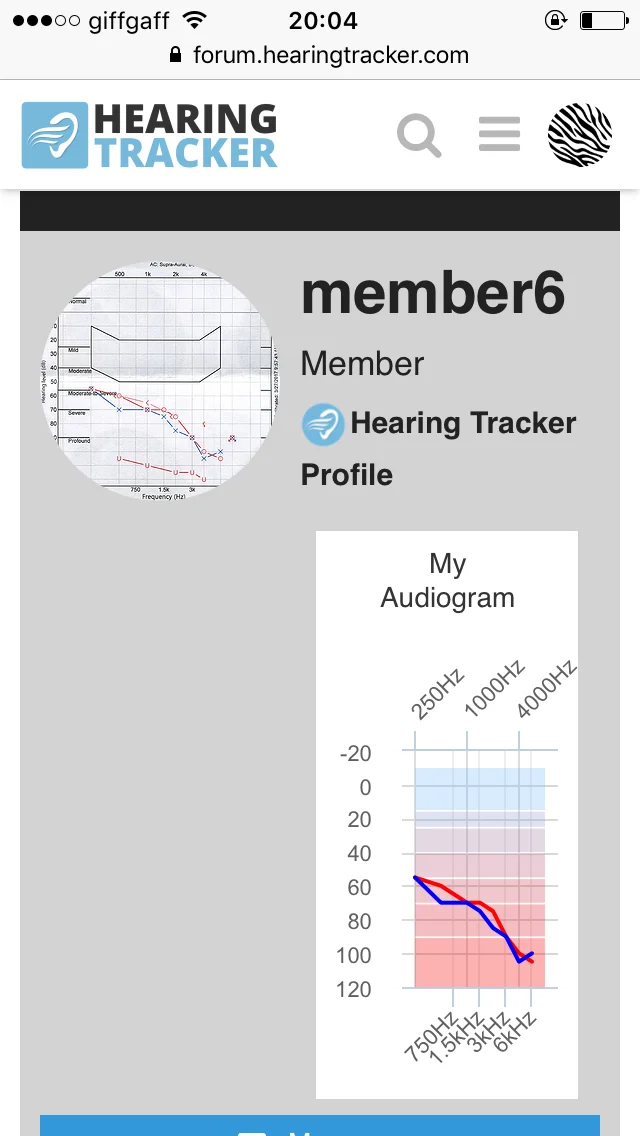
I have a problem. I checked the that was transferred from the previous forum and find that it is very out of date. I tried to change some of the information but could not figure out how to make it stick. Is there any way to update these charts to reflect changes?
You’re ignoring this member’s posts.

You need to go to the hearing tracker page and sign in. Then you will be presented with an “Update my hearing test” button (or something to that effect)
You’re ignoring this member’s posts.
Manual entry is easier than dragging X’s and O’s, then don’t forget to save changes.
See Tip#2 in Hearing Tracker Tips, this category.
You’re ignoring this member’s posts.
You’re ignoring this member’s posts.
Good feedback. Looks like the is stuck in that right column. Let me see about rendering it in a row below the other stuff. May take some time to get a fix.
You’re ignoring this member’s posts.
You’re ignoring this member’s posts.

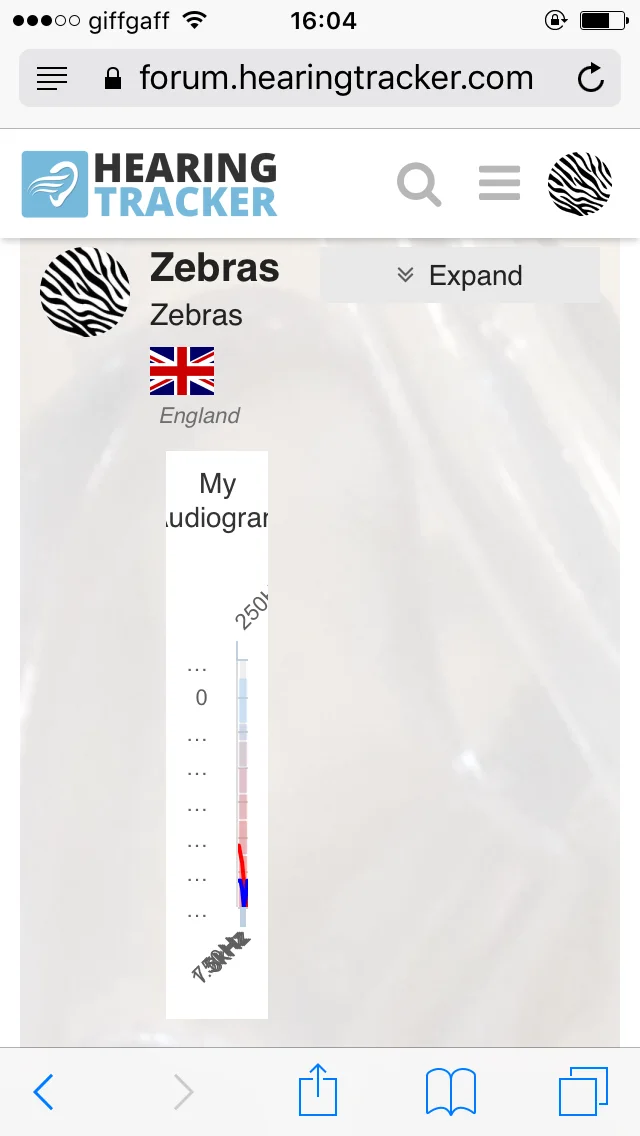
Well I took a look and it appears the problem is the left margin is indented the icon width. This moves everything to the right enough to truncate.
When I rotate the phone, the formatting changes. The icon is on a separate line and the next is below and left justified to the screen edge. In that instance, the displays full.
This was using a iPhone 5s.
The software seems to establish that the indention prevents resizing to display the graphic. In the other format, it determines it can resize to the screen.
You’re ignoring this member’s posts.
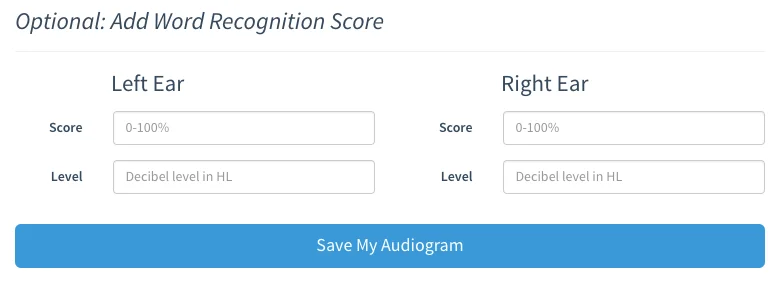
Yes, Discourse changed things and broke our solution. We’re working on it. In other news, we’ve added the ability to include in your , but have not yet enabled displaying it in the forum. Please feel free to add your WRS by clicking on either of these areas from your profile:
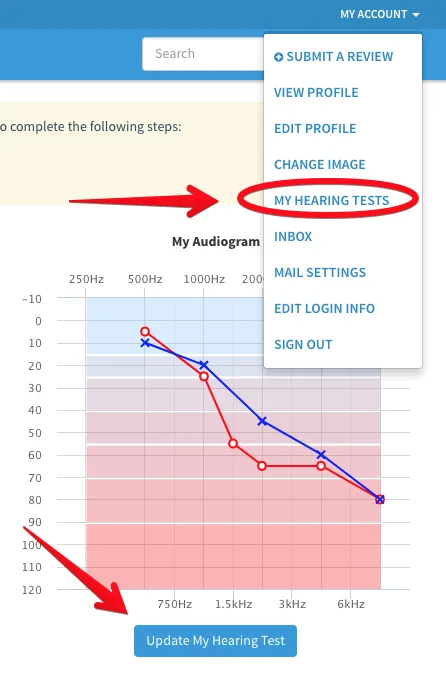
If you click on the “Update My Hearing Test” button, you will need to click on the “Manual Entry” link on the popup to get to the advanced audiogram editor. We should be displaying WRS by the end of the week, if not sooner.
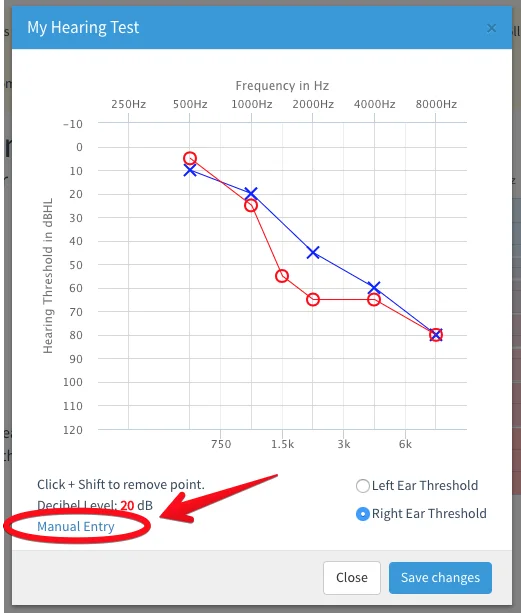
Here’s where you add your WRS:
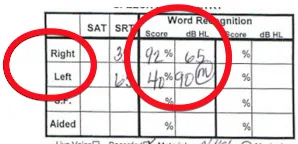
Grab the score and level from this part of your audiogram:
You’re ignoring this member’s posts.
OK finally have this added @KenP
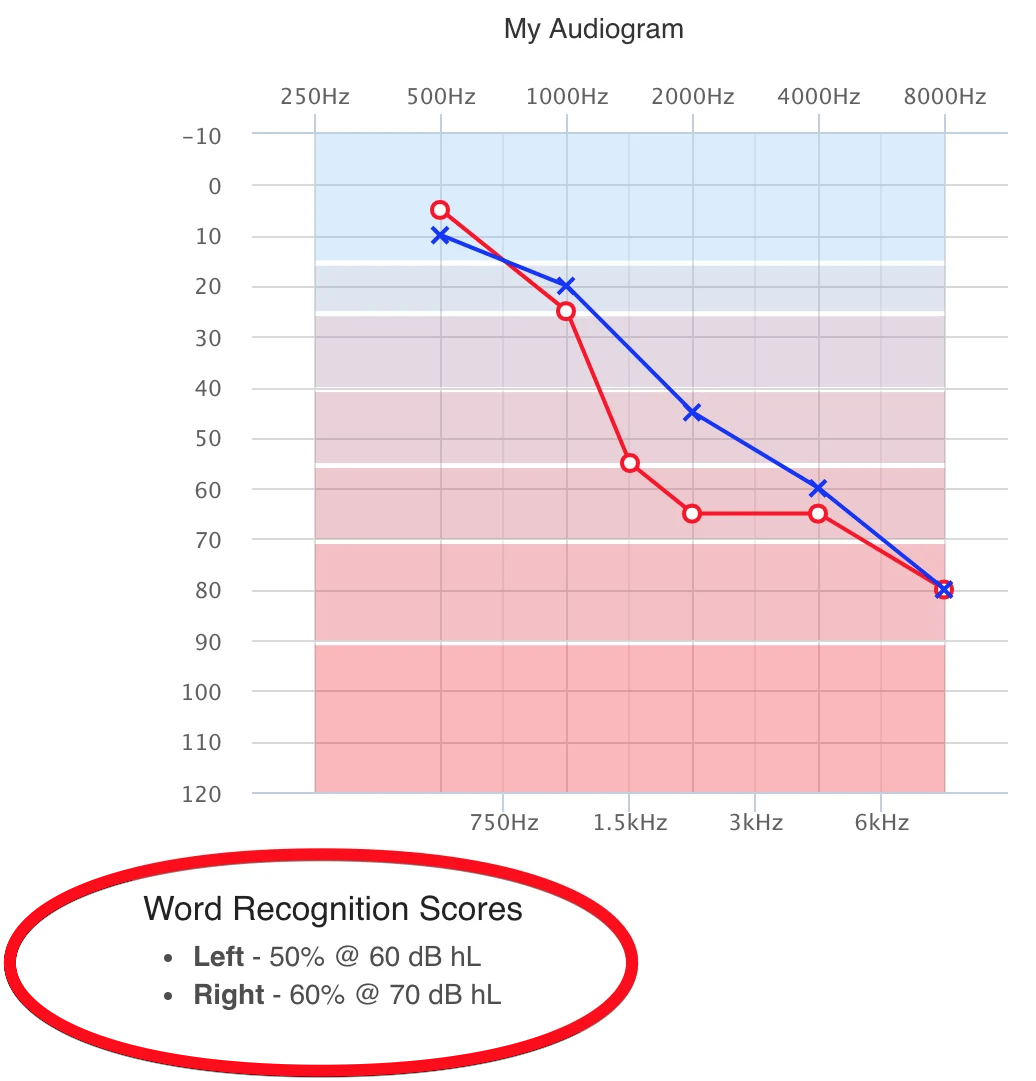
So please just add as suggested above and then it should appear here. If not, try logging out and back into the forum. That’s it! 
You’re ignoring this member’s posts.
You’re ignoring this member’s posts.

Thank you @AbramBaileyAuD. Your image showing where to find the was helpful for us newbies. I still can’t figure out the bone stuff. I have a shamozzle of symbols all over the place. I can follow the main left and right fine but the overlayment of the bone stuff makes those symbols unreadable…for me  The <, >, [, ] symbols above and below whatever I don’t know what they’re trying to say.
You’re ignoring this member’s posts.
“The bone stuff” is complicated. We could display it, but I assume many people wouldn’t know how to enter or read the information anyway. I am thinking if you have a conductive hearing loss the easiest thing to do would just be note that in your bio blurb. By the way, your “user card” popup thing looks good @z10user2!
You’re ignoring this member’s posts.
Announcements4 replies
Fitting Software Requests1.1k replies
Fitting Software Requests513 replies
Fitting Software Requests419 replies
Hearing Aids104 replies