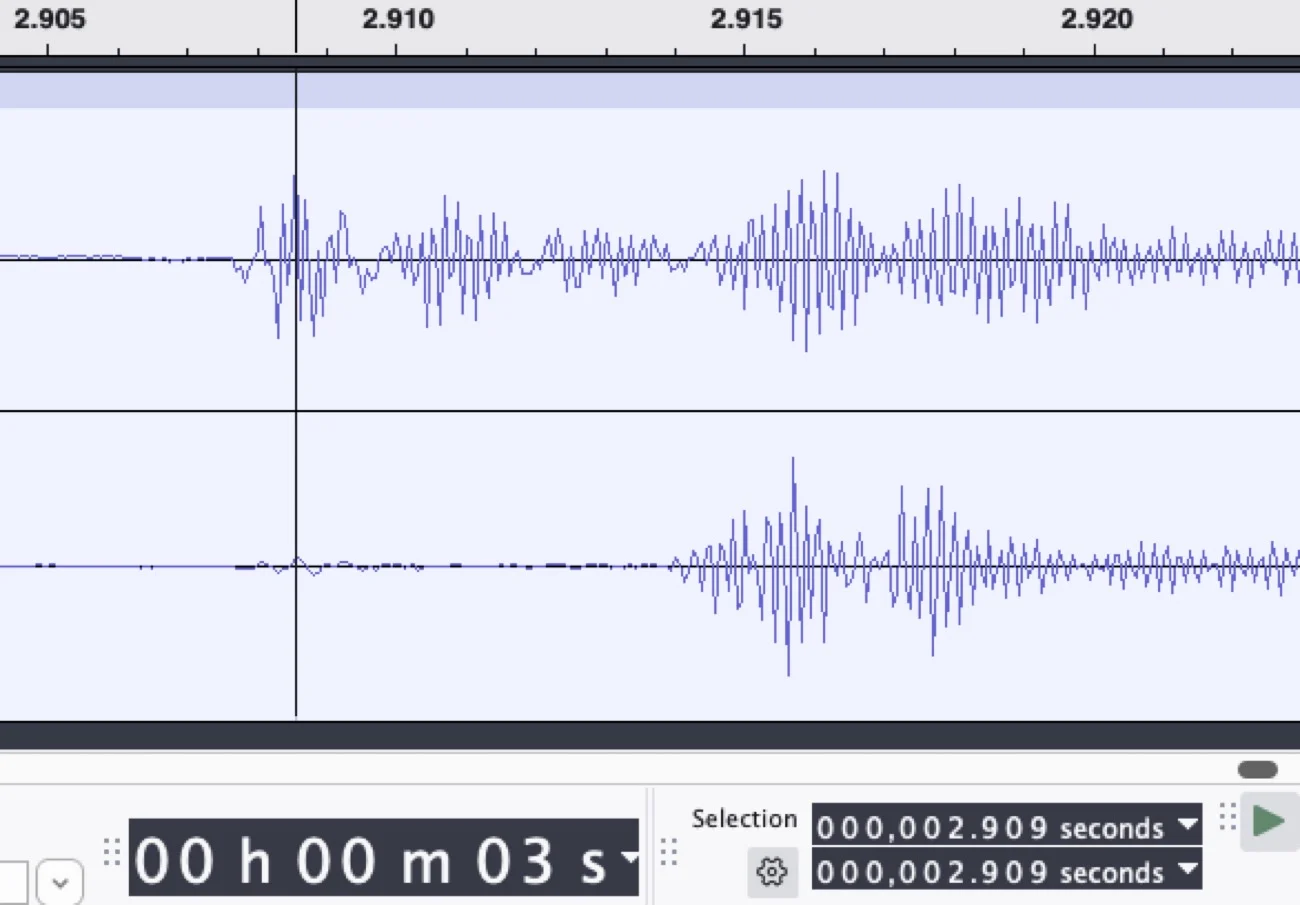

A couple of days ago a posted about my findings that Phonak’s driven ‘Spheric’ mode adds significant processing delay.
Since my setup was very simple I’m posting it here - maybe someone can do similar measurements with other AI hearing aids!
I used:
-
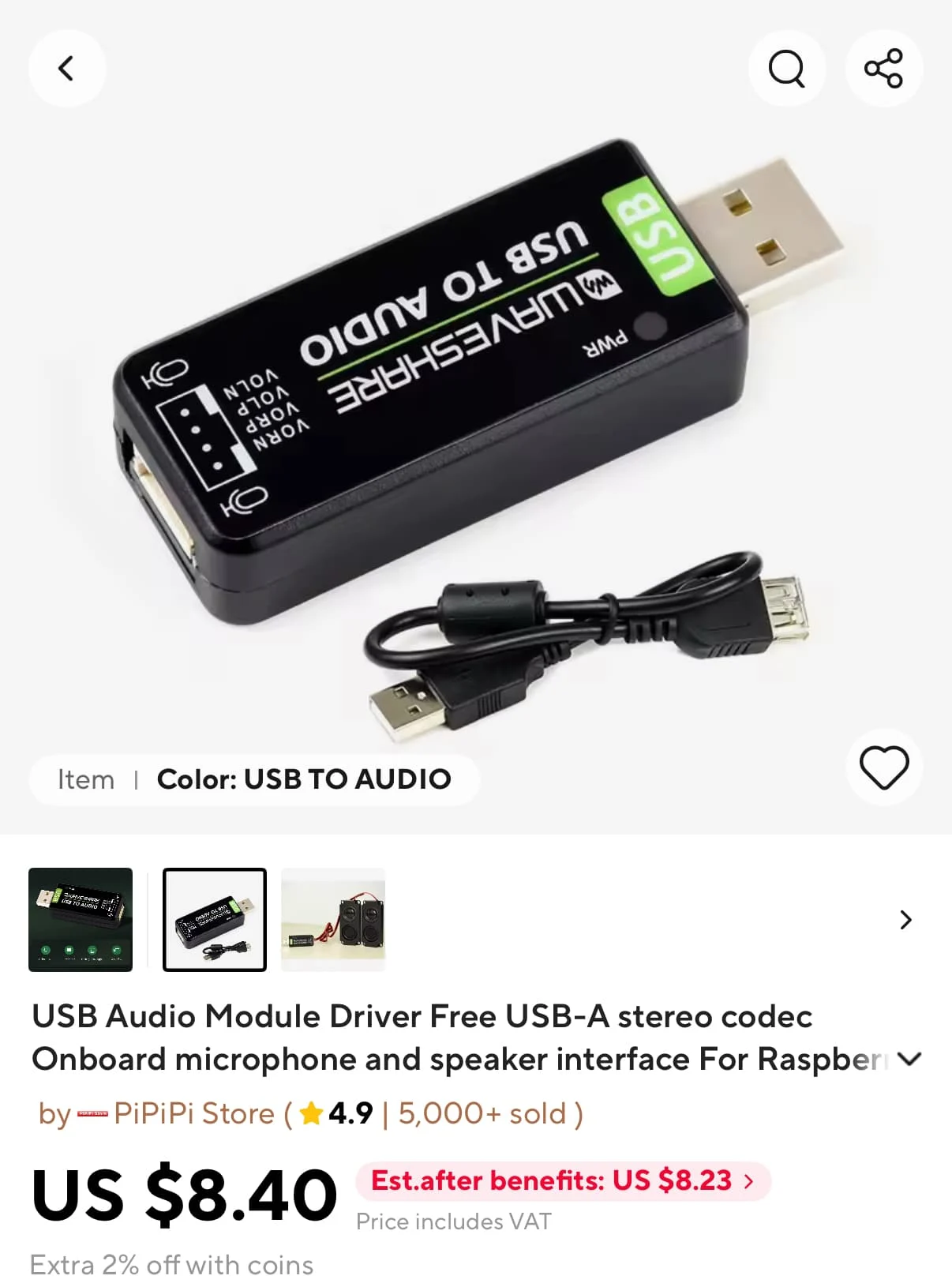
A USB soundcard with two built-in mems microphones. I bought mine at Aliexpress, but I also saw this model on Amazon
-
The free oscilloscope software package ‘WaveForms’ from Digilent. You may have to create an account, but it’s definitely free:
-
Some small pieces of silicone or plastic tubing or even just a straw
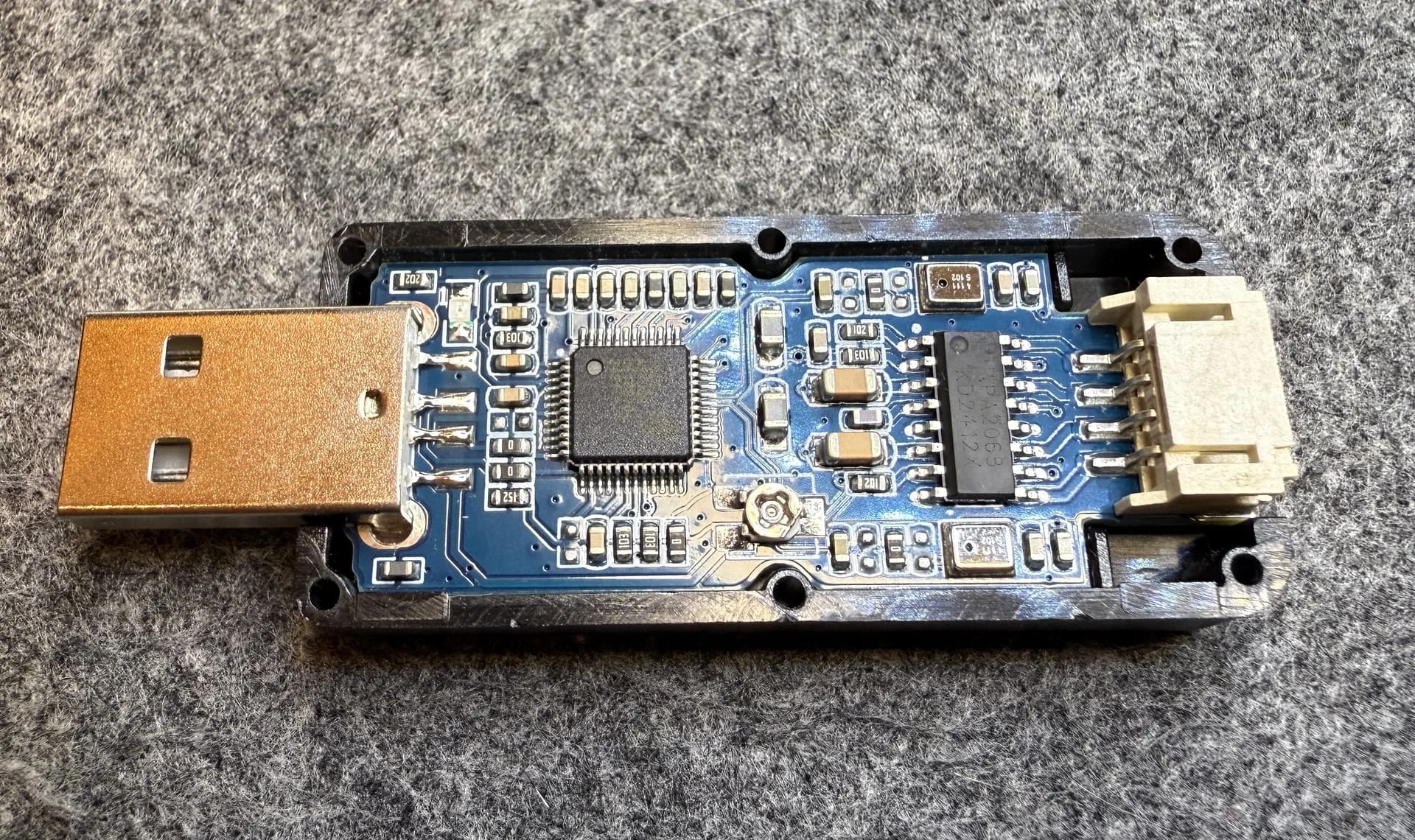
First order of business is to pry the little USB device open. There are no screws. This will reveal the mems microphones:
Next, I cut two short pieces of tubing and placed them over the microphones to provide sound isolation from each other. The tube also acts as an receptacle for the receiver.
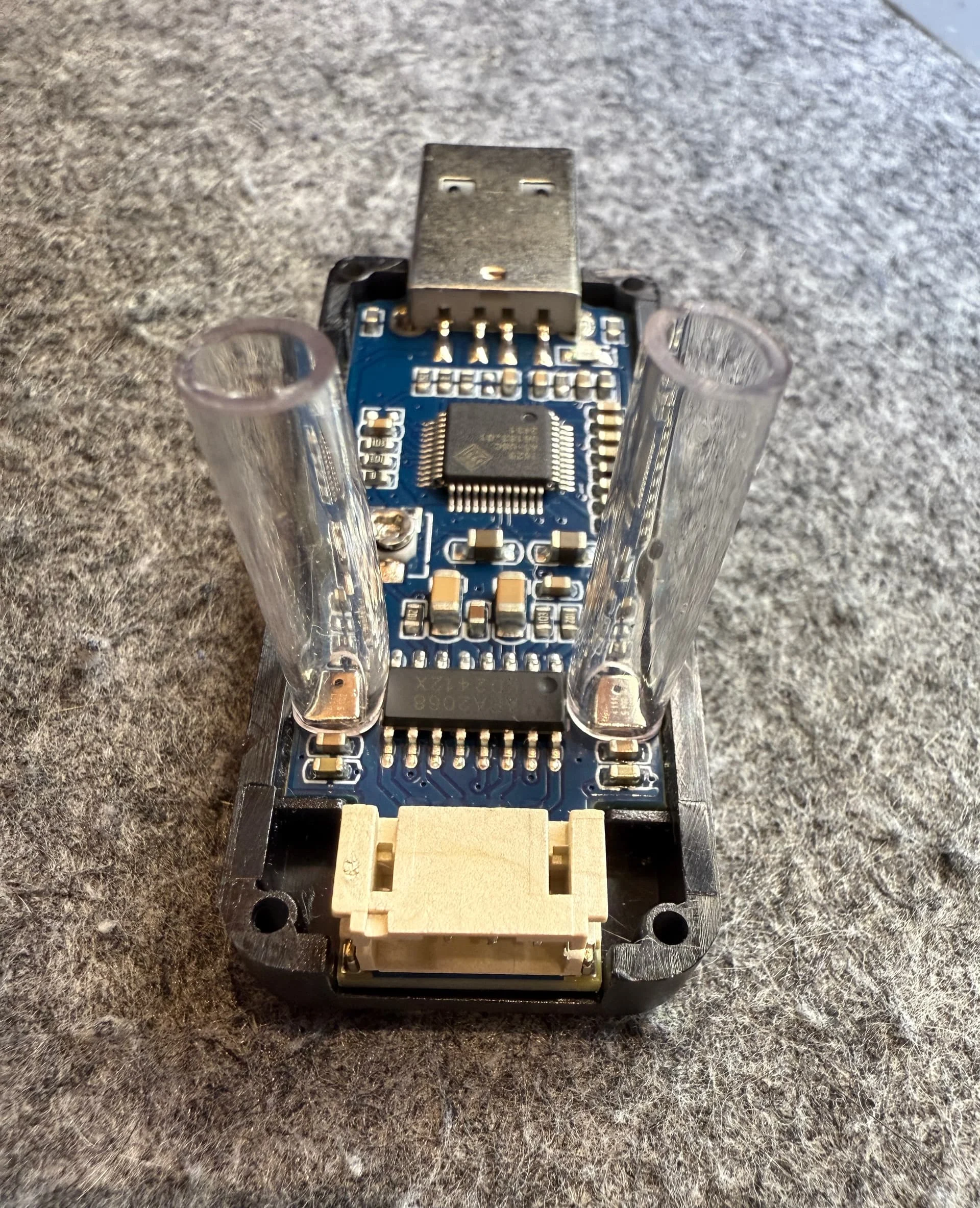
For added stability and isolation I put some silicone caulking around the base. I imagine glue would also work, as long as it’s not too liquid and might enter the microphone.
This step is probably optional, you just want to fixate the tubes somehow.
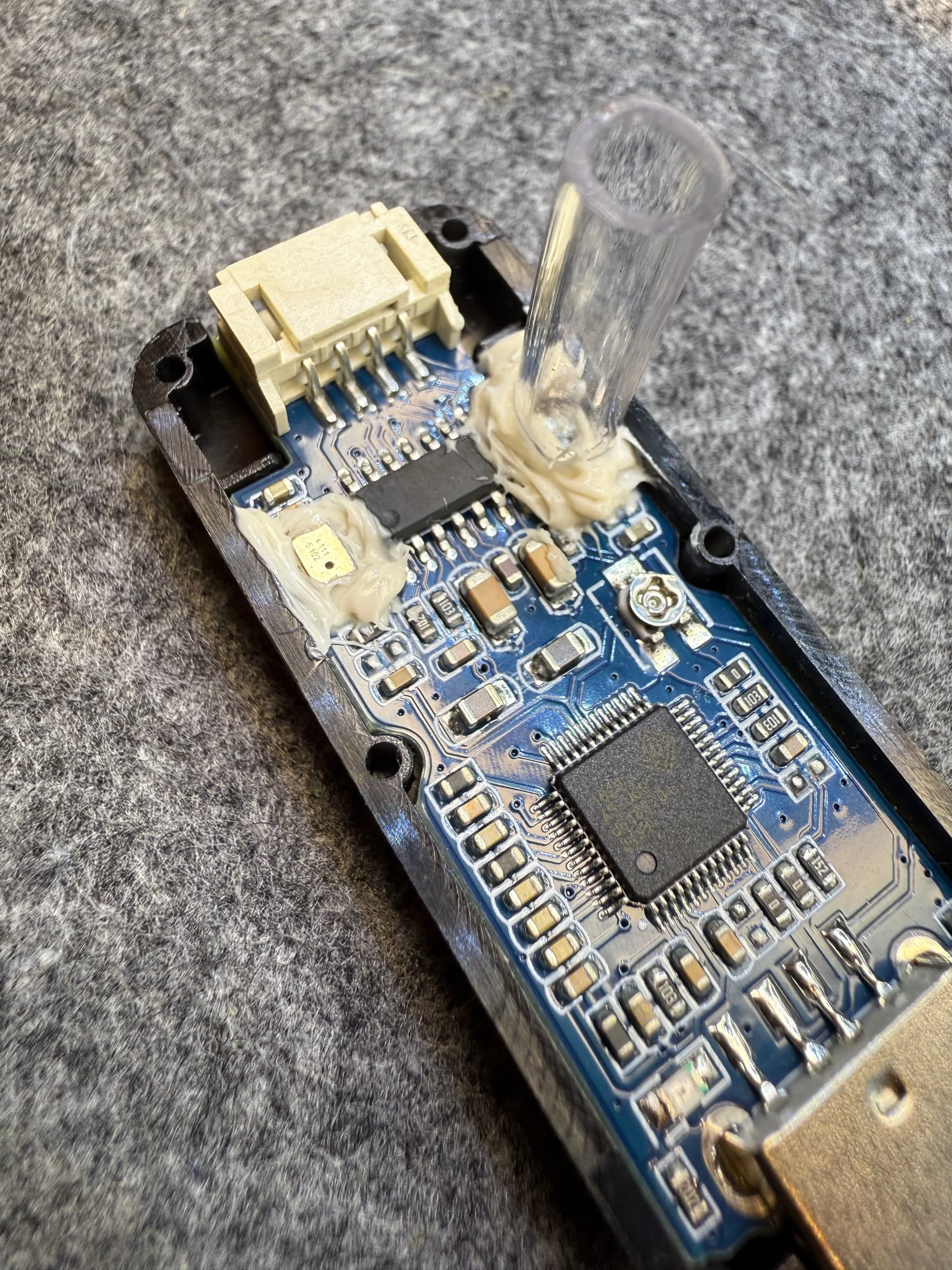
Let it cure and you are pretty much done.
I drilled two holes into the top cover, but again, that pretty much only for stability.
Now you can insert a HA receiver into one of the tubes and leave the other one open.
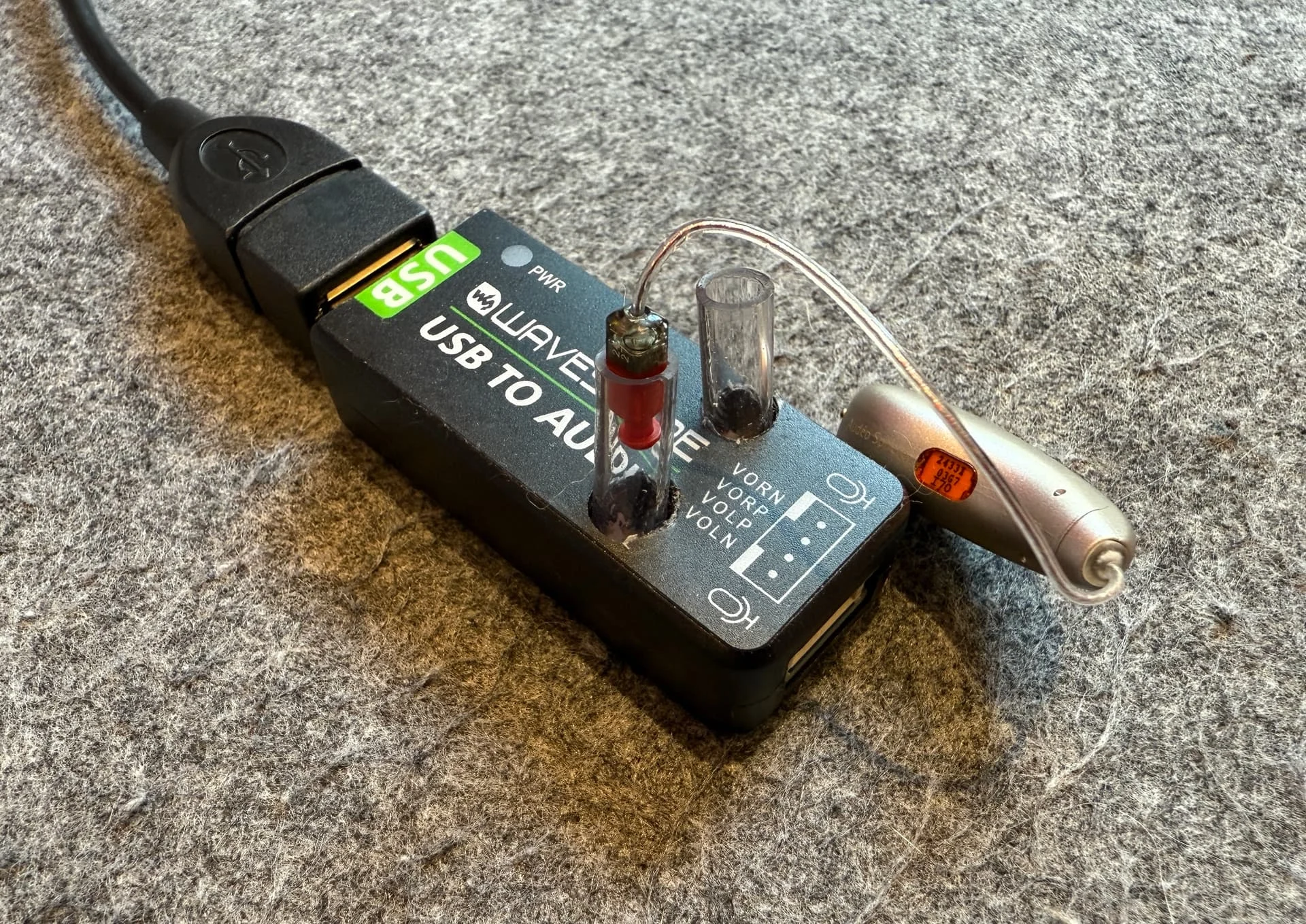
You are now ready for measuring.
Install the WaveForms software and select ‘Soundcard’ as an input device. Click on ‘Oscilloscope’ on the left.
You might have to adjust the microphone volume on your computer.
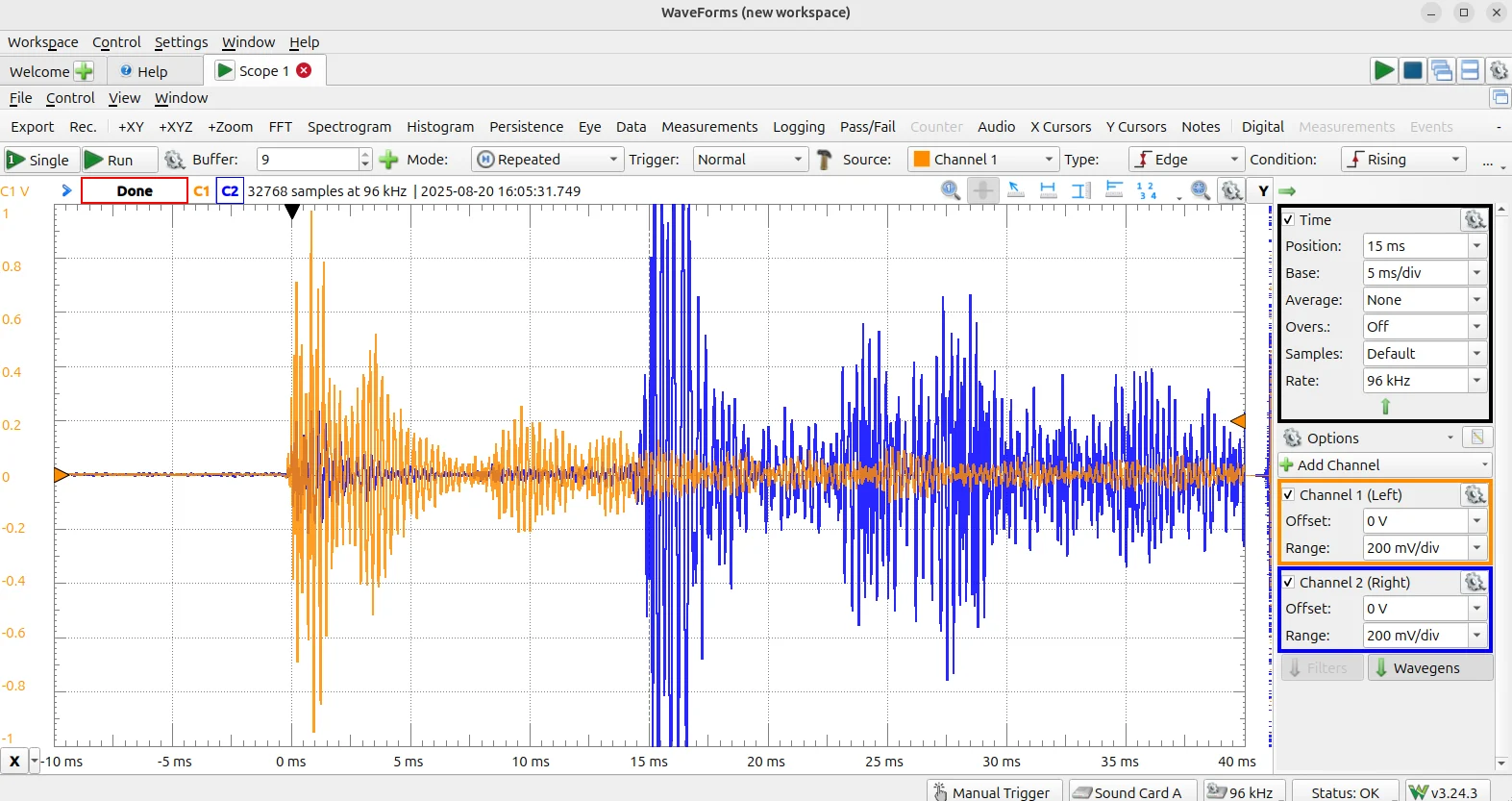
A trigger level of 200mV worked for me (far right of the screen, cropped off on the screenshot above)
Click on ‘Single’ on the left to start a measurement. This means it will do a single measurement once the input level exceeds the trigger threshold.
I used a pet-training clicker to generate a distinctive sharp sound, but of course there are many other options!
Hopefully someone finds this useful and maybe we can get measurements for other AI HAs as well!
You’re ignoring this member’s posts.



 Poland
 Malaysia
 Scottish Highlands
 In my life, I have found, most highly intelligent people have very little or no dexterity, they usually have 2 left feet, and one is on either hand
  Me, I am one of those folks, who will mostly anything, show me once, and I will give it a go, usually successfully, with the occasional blip
  I think, you need patience, and YouTube is my friend…Occasionally, I will surpass my expectations, and repair something that I seriously thought, was beyond redemption! For instance, I had a “Spindle Moulder” used for shaping wood, when running, they turn at around 1500 to 5000 RPM, depending on the belt positioning, mine was completely seized, both main bearings seized, along with the rise and fall, I thought, it’s a lost cause, but at £1400 for a new one, I decided to strip it down, I had stored it in an old shed, for years, but unbeknown to me, it was leaking, and of course water had got in, and seized up everything! I just thought, strip it down, and see what like, if you have to buy a new one, so be it, I might get some usable spare parts…Having never worked with a “Spindle Moulder” in my entire life, I was acutely aware of the prospective, steep learning curve, but I started enjoying it, in a masochistic sort of way, wood was my forte, not the machinery for processing it! After the strip down, accompanied with lots of expletives :

 Geneva, Switzerland


 Livermore, CA