
tenkanProvider
Yeah you could be right and it does nothing, but it does come with usual “bug fixes” blurb, plus everyone wants LEA .
You’re ignoring this member’s posts.
This topic is closed.
26 replies305 viewsLast reply
Yeah you could be right and it does nothing, but it does come with usual “bug fixes” blurb, plus everyone wants LEA .
You’re ignoring this member’s posts.
just tested oticon genie 25.1 on my win11 system. normal cursor not glitched like philips. waiting for a diff philips install file to see
EDIT: uninstalled 25.1 philips to fresh install with the 25.2 installer downloaded through philips updater. 25.2 Philips Hearsuite has reversed cursor bug still
Updated to 25.2 Oticon genie and cursor remains correct
Got an install file 24.2 from tenkan and confirm the cursor bug on my win 11 system is there.
You’re ignoring this member’s posts.
If anyone has the older version of philips hearsuite (such as build 20.x before the 24.x patch) please pm me a link. This would help confirm my vague memory of the older version not having this bug and it started with the introduction of build 24.x on windows 11
You’re ignoring this member’s posts.
You’re ignoring this member’s posts.
Nope that was perfect. So with 2019.1 the software was just Philips Hearsuite and not Philips Hearsuite 2. Can confirm mouse cursor on Win 11 was normal for this version
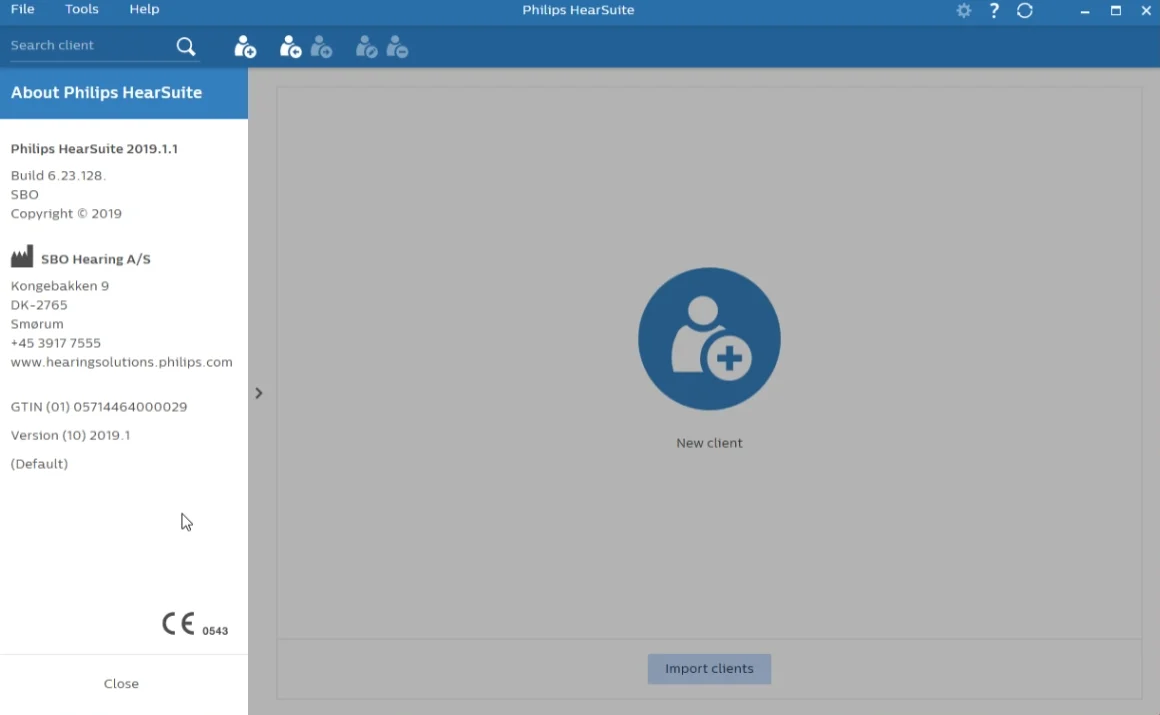
EDIT: Used the updater from 2019.1 and interestingly it does not patch directly to the latest 2025.2 The updater downloads 2020.1 which creates a HearSuite 2 folder but app name still “Philips HearSuite” and has proper cursor
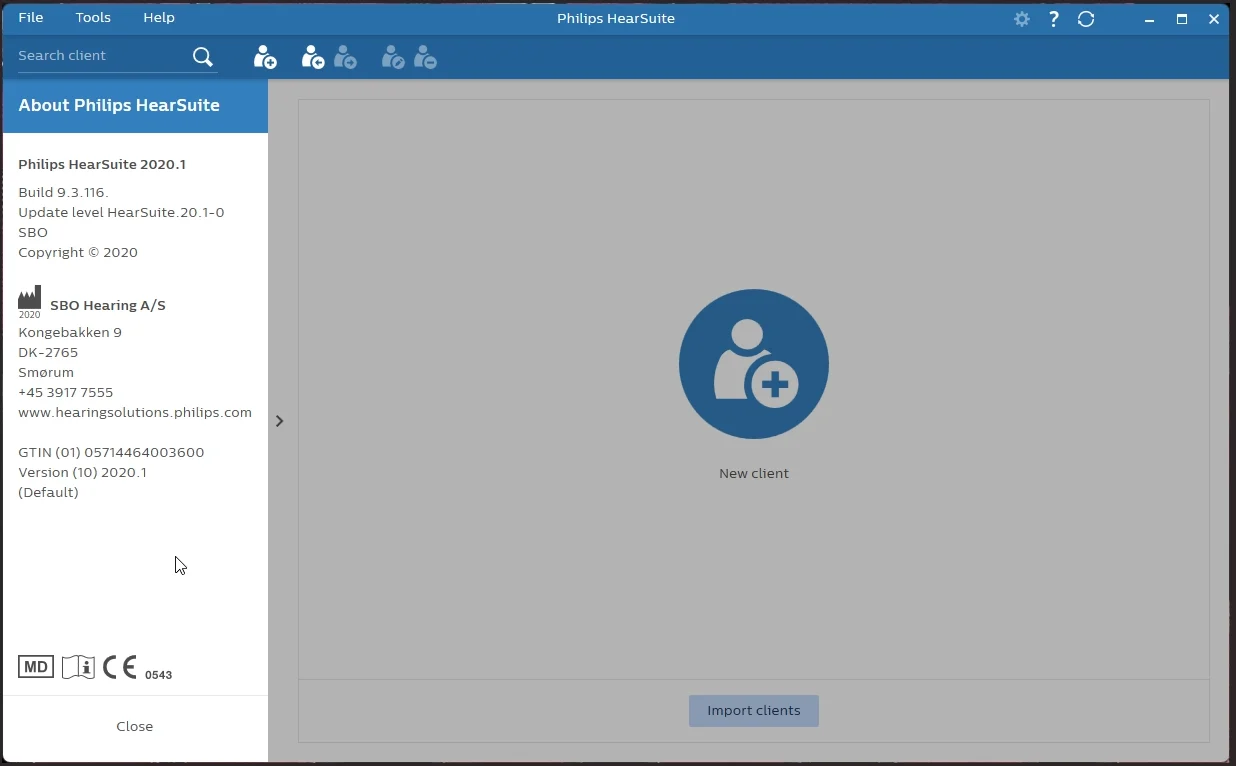
next version updater downloads is 2022.2
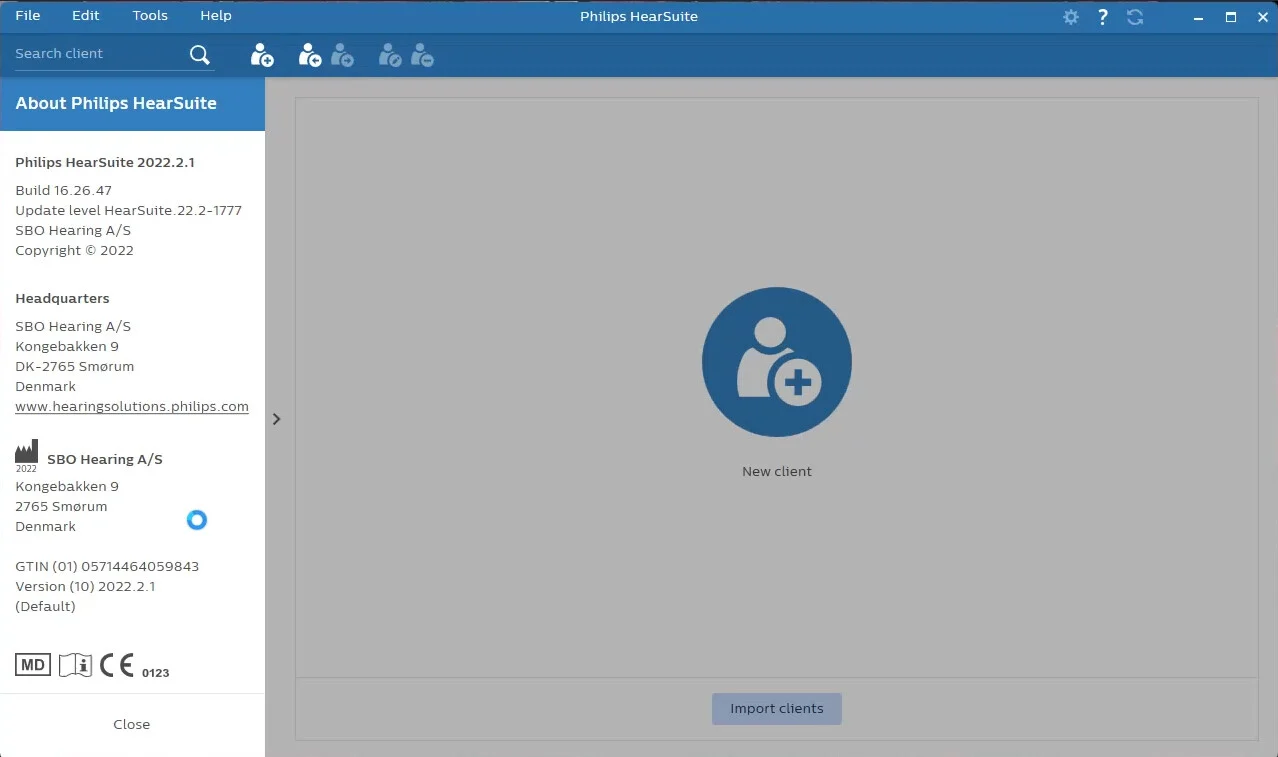
And I can confirm that it is this update that breaks the cursor onwards. I also want to note this is also the first version that has a popup message at first launch mentioning the need for noahlink wireless to connect wirelessly to your device
I kinda find it hard to believe there are only 2 users on here using HearSuite 2 on Windows 11. Would be nice to see other users chime in if they are running HS2 on Win 11 w/o the bugged cursor
You’re ignoring this member’s posts.

There’s a YouTube channel called “TheHearingClub” that I really enjoy. The creator works at Costco and reviews hearing aids and related technology. In the video below, he discusses issues like feedback and domes.
While watching it, I noticed the issue we were discussing during his demo. You can see it starting at 14:48 (link below).
So yes, the bug is there, and people can see it on YouTube.
The latest HearSuite update does not fix the issue.
You’re ignoring this member’s posts.
hmm, interesting, he looks like he’s on win 11 but it also looks like his issue is a LOT more intermittent than what I’m getting. I don’t ever see a normal arrow cursor unless i do anything on the program that would cause any form of “loading”. For me it feels almost like the cursors are reversed for the app.
Mine is essentially constant. As soon as my mouse is within the window of the hearsuite app, it changes to the loading circle cursor and remains that way
You’re ignoring this member’s posts.
Fitting Software Requests316 replies
Fitting Software Requests51 replies
Uncategorized451 replies
Fitting Software Requests43 replies
Hearing Aids174 replies
 San Francisco