You’re ignoring this member’s posts.
ReSound ENZO IA - Any feedback from new owners?
135 replies4.5k viewsLast reply
 Alabama
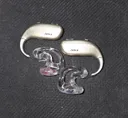
I have a few questions on my Jabra Enhance Max (ReSound Enzo IA) aids if anyone can answer.
During power on or boot up of the aids they play 11 beep sounds. Can the beeps volume be changed? Also needed for the 4 program cards. All around beep volume is a little low while the other 3 program card is too loud. If so, where in Smart Fit 2.2 is this setting located so I can forward to my Costco .
The Enhance software requires precise location to be on in case someone or I loose an aid. I’ve never lost a hearing in my 58 years. Can this requirement be turned off? If so, where in Smart Fit is this setting located so I can forward to my Costco HIS.
Thanks!
You’re ignoring this member’s posts.

I suppose you could check the software if you have it, I am sure you can tweak those bips and more.
You’re ignoring this member’s posts.
No, I don’t have the software. I would like to know where the settings are located in SmartFit so I can send to my at Costco. I had requested the beeps volume be adjusted to my HIS before and her reply was she would have to call ReSound. Thanks for your suggestion though.
You’re ignoring this member’s posts.


Access to hearing aid controls is located on the Fitting screen. ( see SmartFit Fitting Flow1 and SmartFit User Guide)
The tabs (#2) below the red navigation bar will provide access to the “Device Controls” → “Standard beeps”
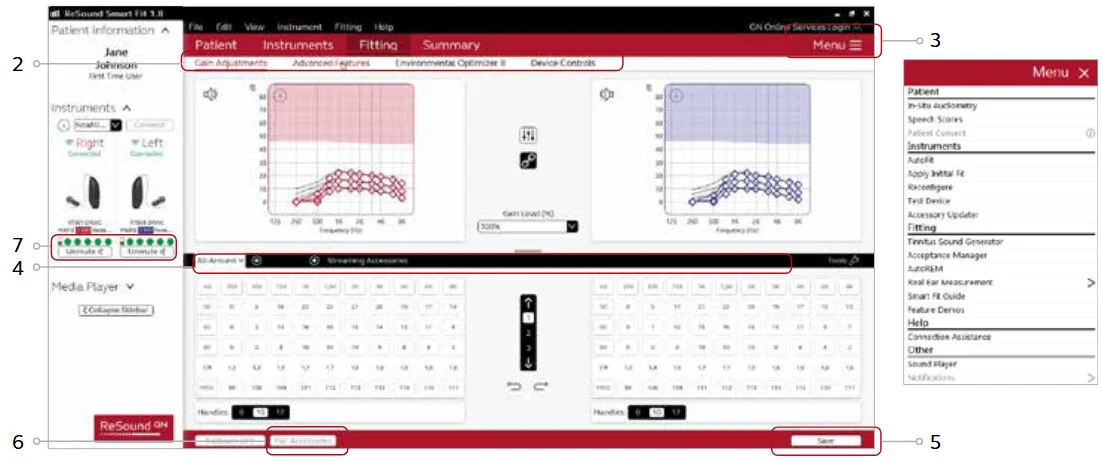
The Start-Up beeps can be reduced to min. 4 beeps , or switched OFF completely.
In SmartFit the beeps can be adjusted in the tab “Fitting” → “Device Controls” → “Standard beeps”.
Standard beeps include options to demonstrate, enable, customize, or disable all audible indicators. You can also select low- or high-frequency beeps.
You’re ignoring this member’s posts.
This is the info I need to pass to the . I’ll submit a remote settings change after my current request has been completed.
I’ll send Fitting screen, Device Controls → Standard beeps. Reduce Start-Up beeps and adjust volume of program beeps.
Thank you!
You’re ignoring this member’s posts.

Took a screenshot, printed it to take to my first followup appointment with my fitter at Costco. Very helpful. Thank you very much.
You’re ignoring this member’s posts.
I got my beeping beeps adjusted like I want by using the request assistance (remote fitting) in the Jabra (ReSound) app. Thanks for the how to!
You’re ignoring this member’s posts.
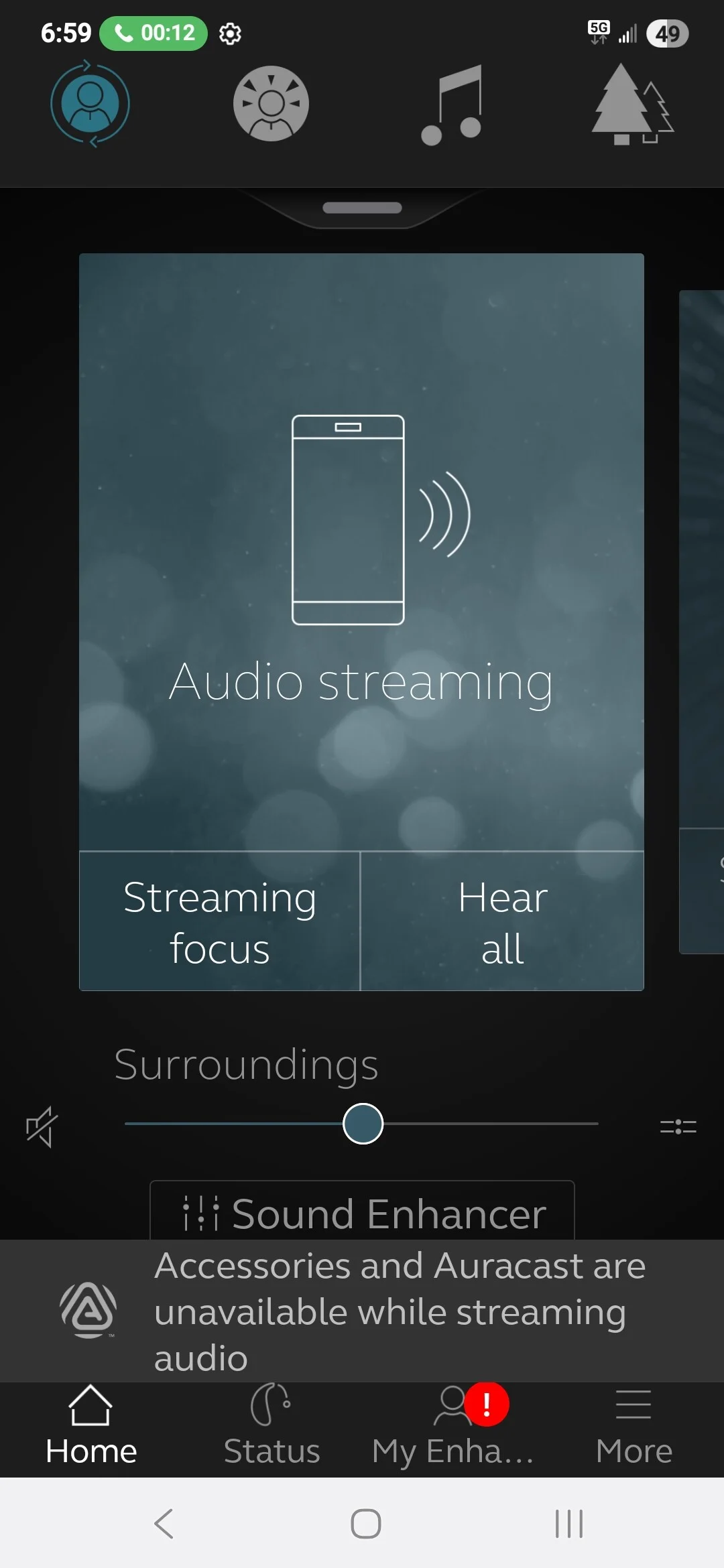
Does the Enzo / Cell phone use the same volume control for phone calls and streaming? When I get a phone call, I noticed that my volume level is too low for me to hear the caller. If I do auracast streaming from my TV the volume is too loud. I did a google search and came up with this answer…
Volume Control for ReSound Enzo IA Hearing Aids
Phone Calls and Auracast Streaming
- Phone calls on the ReSound Enzo IA hearing aid utilize the same volume control as Auracast streams. This means that users can adjust the volume for both phone calls and audio streamed via Auracast using the same settings.
Benefits of Unified Volume Control
-
Convenience: Users can easily manage audio levels without needing to switch between different controls for calls and streaming.
-
Consistency: This feature ensures a uniform listening experience, making it easier to transition between different audio sources.
This integration enhances the overall usability of the ReSound Enzo IA hearing aids, providing a seamless audio experience for users.
If this is true, then I’ll need to remember to adjust volume for phone calls and auracast streaming. BTW, I use the volume rocker on my cell to adjust the audio level.
You’re ignoring this member’s posts.

 London
I have Enzo IAs which I combine with an iPhone.
This set up does NOT have a unified volume control for any audio from my iPhones (calls and streaming) I use the volume buttons on my iPhone to adjust the audio level. When using (connections to a laptop and TV) I use the volume slider in the Resound App to control audio levels.
It may be that Android phones that have Bluetooth /Auracast capability do have unified volume control but as Apple have yet to enable this for the iPhone.
You’re ignoring this member’s posts.
I have the Costco branded (Jabra) of the Enzo IA.
I have a Samsung S25+ Android phone which has the Bluetooth and in Bluetooth settings. I can activate Auracast directly from the settings of the phone without using the app. I can adjust the streamed Auracast volume in the app, phone or my aids.
After streaming Auracast and I make or receive a phone call, the volume of the call is where I left it during Auracast streaming. I can only use the phone’s volume rocker to change the audio level during a call. The app doesn’t have a volume slider. If I try to adjust the call volume with my aids volume rocker, this action hangs up the call. I suppose the Google search above is only for Android phones.
You’re ignoring this member’s posts.
I have another question: How long do you hold down the button to turn on your hearing aids? And how long does it take to turn them off?
You’re ignoring this member’s posts.
You’re ignoring this member’s posts.
same here, I already had 3 sets of them, they are working horse, never break down. Thanks for the info . On August I am up for new ones. Good to know
You’re ignoring this member’s posts.
Does the Jabra Enhance Max (ReSound Enzo IA) use preformed #13 medium, .076” (1.93mm) ID x .122” (3.10mm) OD tubes?
You’re ignoring this member’s posts.
Okay, thanks for the replies. I’m back with my problem again: with the Resound IA, there’s an issue where, after answering a call, I can’t hear the other person for 2–3 seconds; it’s only after that time has passed that I hear their voice. I’m starting to suspect that this is caused by the “hands-free” feature or the fact that this model has two-way communication ( bidirectional streaming) what do you think about that?
You’re ignoring this member’s posts.
I have another question. Can the volume be unlocked and have the right aid volume be slightly increased? Then lock both again as a default setting?
You’re ignoring this member’s posts.

I got an UP speaker variant of the resound vivia, even though it is not the enzo but it is instrumental to my ability to function in the real world. the effect multiply when combined with my n8 sound processor on the other side
You’re ignoring this member’s posts.
Can the volume be unlocked and have the right aid volume be slightly increased? Then lock both again
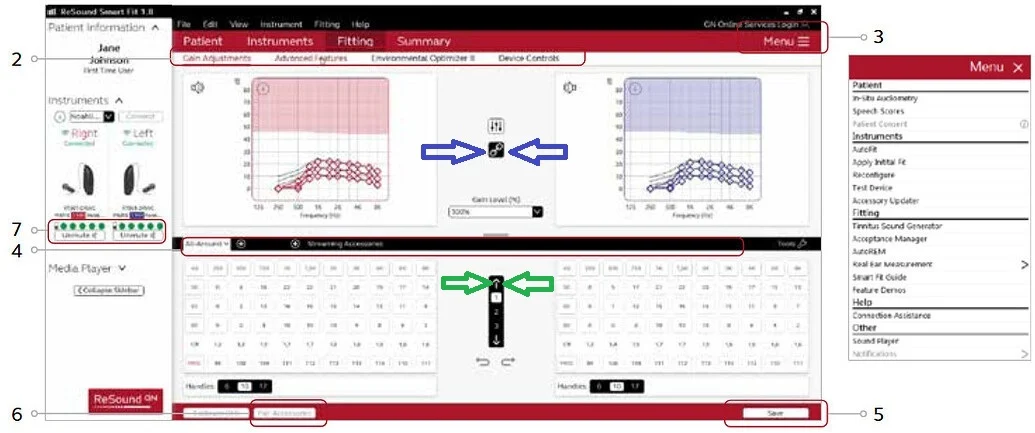
Yes, this can be done by the fitter.
Unlock both sides (L/R), by clicking the “Lock/Unlock button” (see blue arrows)
Then mark all G80,G50,G30 handles for the right side , and click “increase volume button” (see green arrow)
You’re ignoring this member’s posts.
Good info! I made a remote fitting request a couple of days ago and my Costco fitter hasn’t responded yet. I’ll wait a few more days before I re-submit my remote fitting request again with your instructions included.
Thanks again for your help firenzel!
You’re ignoring this member’s posts.
Log in to reply to this topic.
Related discussions
Hearing Aids53 replies
Hearing Aids12 replies
Uncategorized12 replies
Hearing Aids108 replies
Hearing Aids5 replies