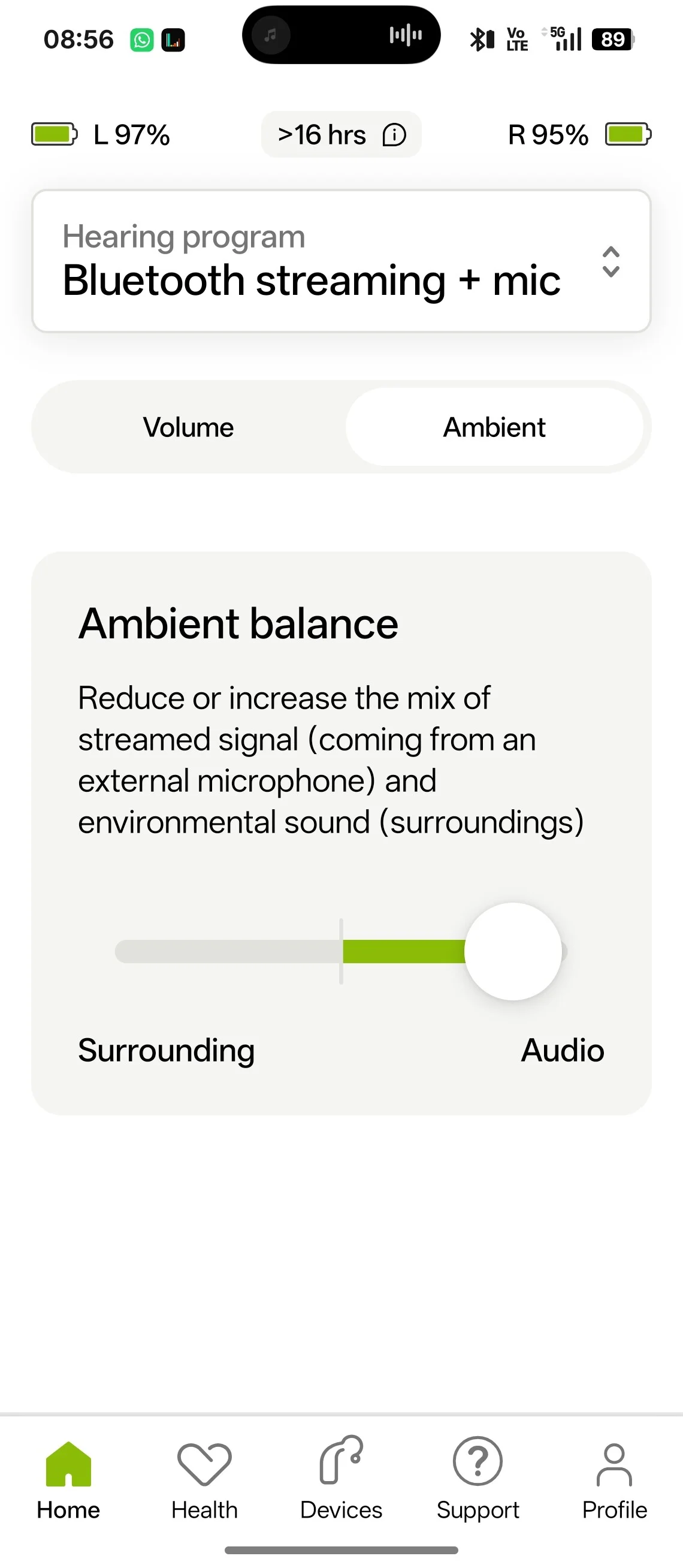
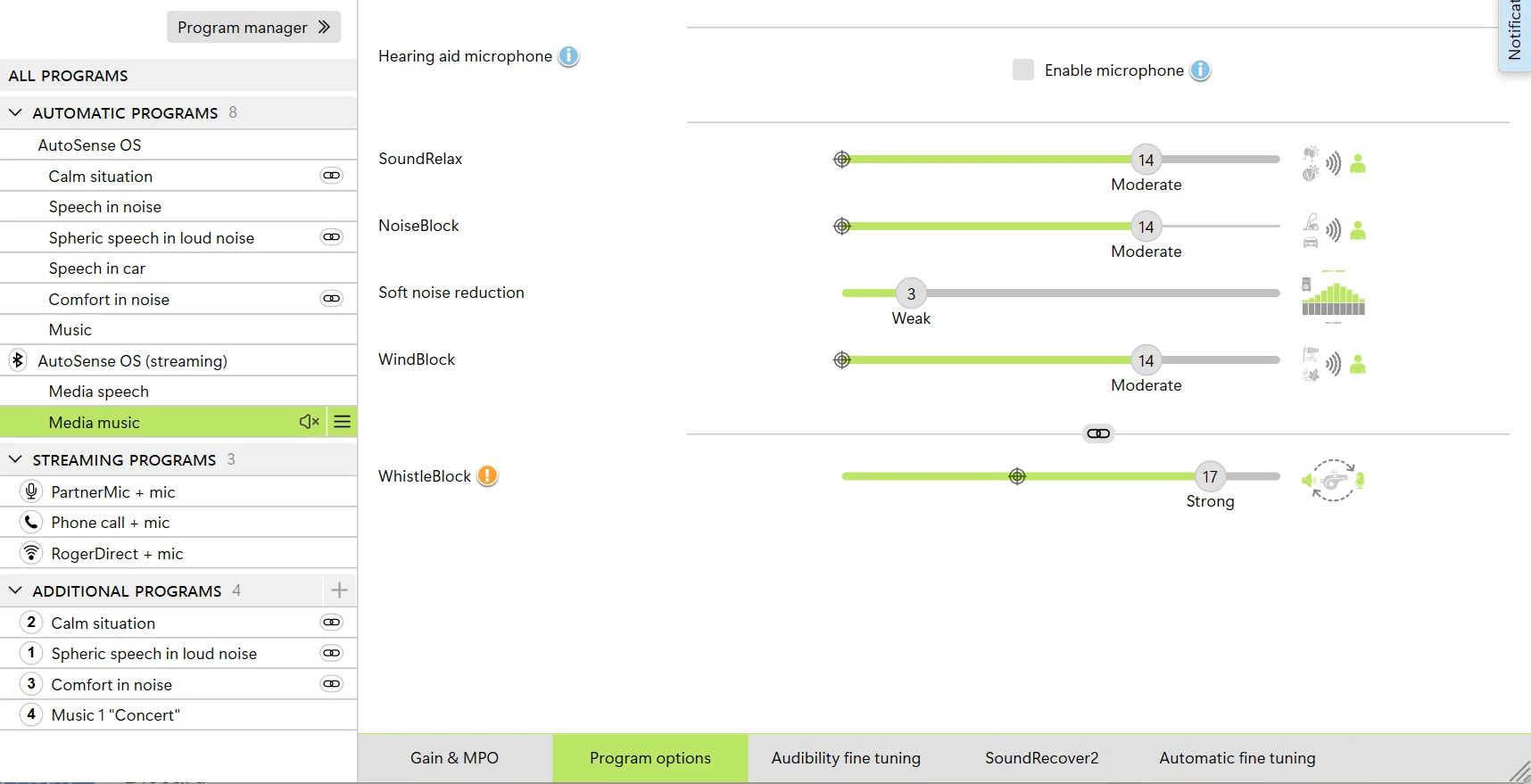
Need advice from or Audi who can help me understand why when I stream music from my Android phone, I still hear quite a lot of ambient sound and my streaming content is not the focal sound? In my Target setting already disable microphone in that program setting. Is there a way in the Target software to make my audio sound more prominent than surrounding sound? This image is what I had to do in the MyPhonak app to adjust manually.
If you are using anything but a power dome, sound from the outside will enter the canal. The dome is not sealed.
There is no way the software can stop the incoming sound if you are using open/vented domes /molds . It’s physics .
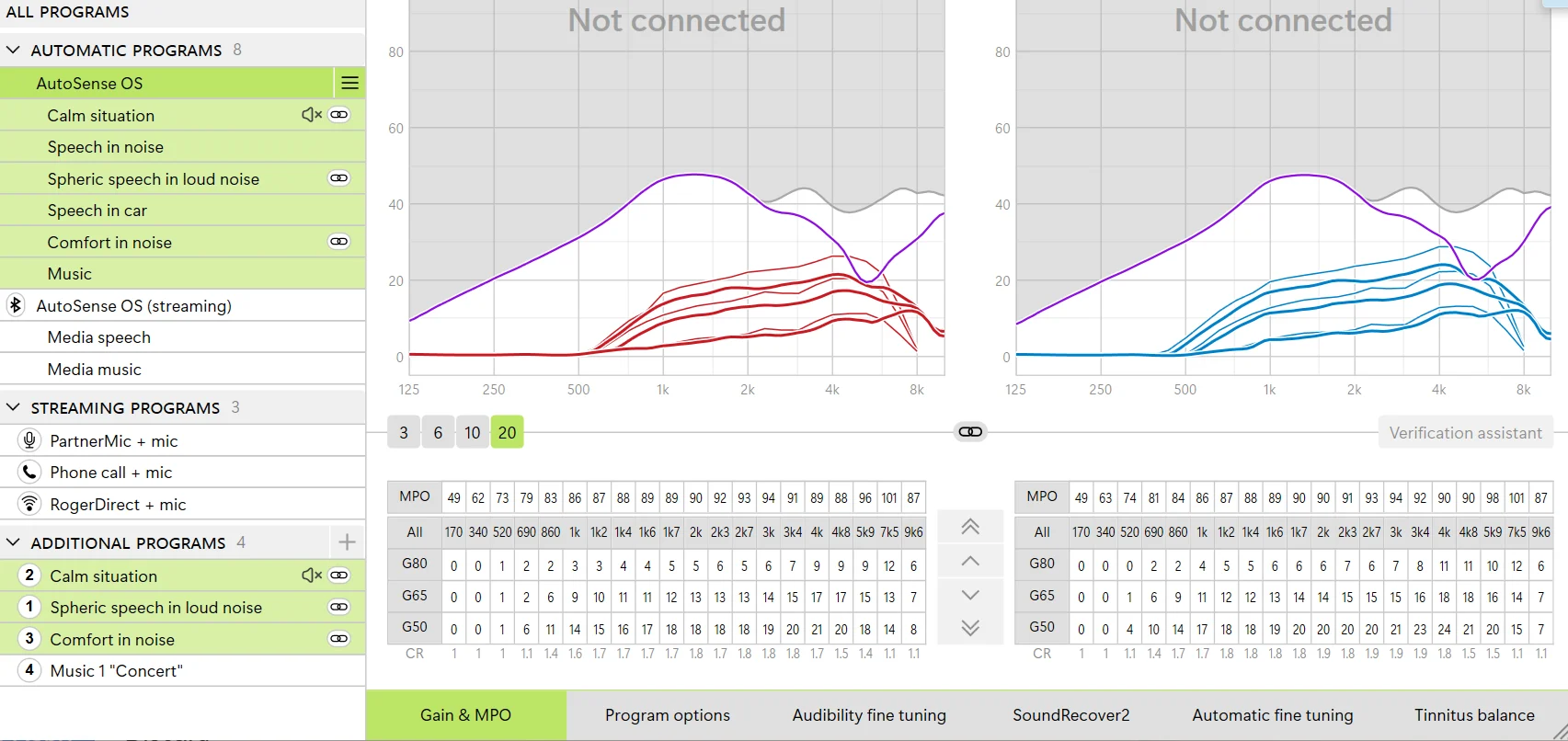
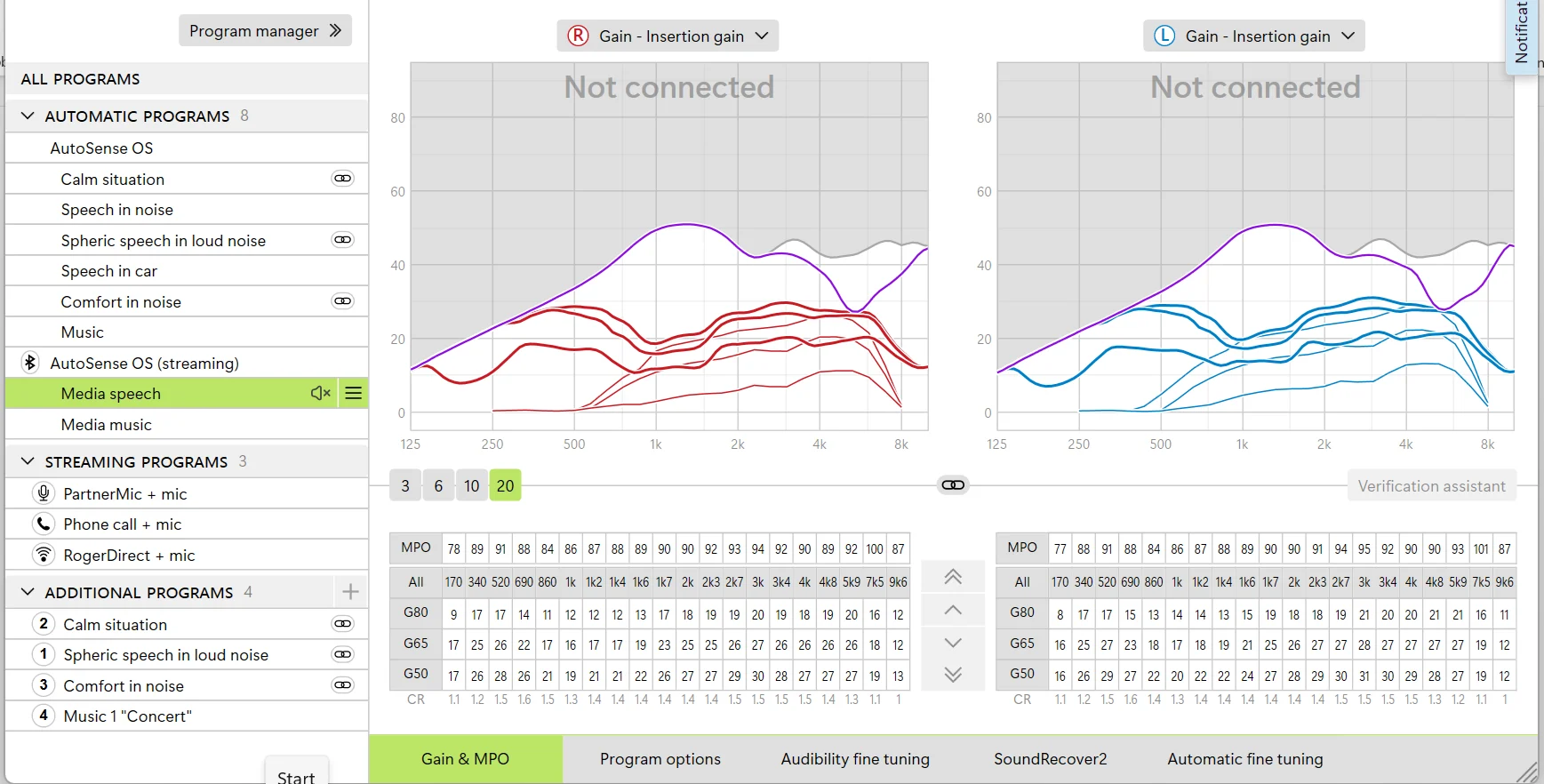
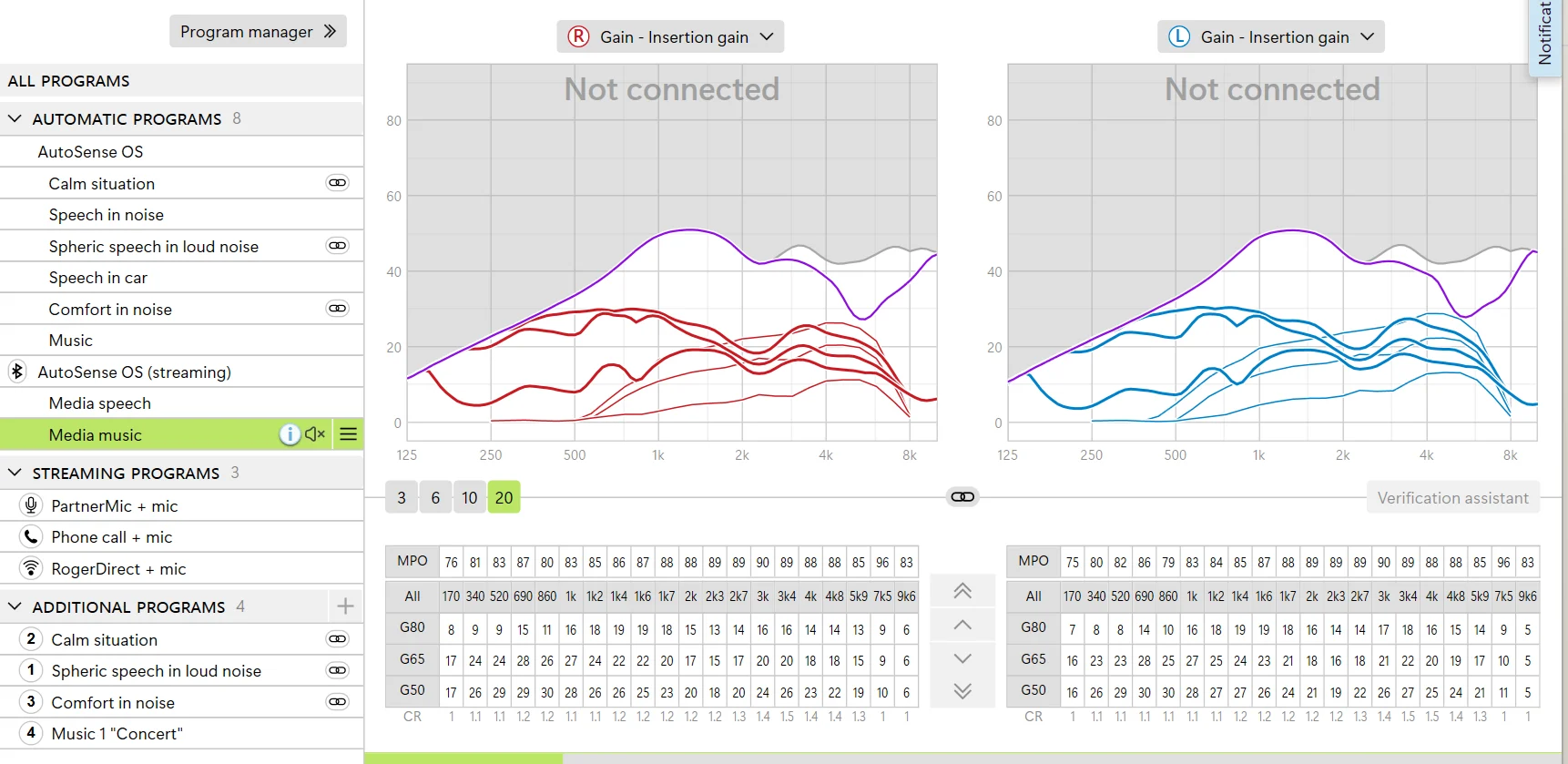
If you share your , a picture of the gain vs frequency (overall) and a picture of your streaming gain vs frequency (there is for for speech, one for music and one for phone calls) plus the type of domes you are using , we may be able to help more
Thanks for sharing the information.
The answer is simple: you are using open domes.
There is no way you can manage incoming sounds with an open dome. The purpose of the open dome is to let all sound in.
And yes, streaming with open domes is not going to sound good because the low frequencies sounds emitted by the receiver are going to escape from the ear canal .
If you want to improve your streaming and /signal to noise ratio, you’ll need more occluded domes .
You does show that the open domes you are using are not optimal for your high frequency loss . The high frequency gains are limited by the feedback curve in your case . You have a mostly a sloping high frequency slope but your gain vs frequency line is quasi-flat.
You also increased the lows a lot in the streaming functions — probably because the streaming sounded tiny. This is what happens with open domes.
I still hear quite a lot of ambient sound and my streaming content is not the focal sound?
And this is also true.
The open domes will allow the natural sounds to enter, both the ones you enjoy and the ones that you find annoying.
Additionally, since the dome is transparent to sound, some of the sound emitted by the receiver will also escape. If this sound reaches the hearing aid’s microphones, it will create feedback.
To prevent this, the software restricts the gain amount to eliminate feedback. In the chart you provided, you can observe that the purple line (representing the feedback curve) confines the prescribed gains .
If you want better streaming with better isolation, the next step is to try a Phonak vented dome or an ActiveVent dome. You may experience oclussion with Phonak’s vented dome . If this happens, you may try vented domes/sleeves from other brands.
And yes, you need to re-run the feedback test and the in-situ (in case you did this one).
You may experience oclussion with Phonak’s vented dome
It’s true, however I let myself add that at least some occlusion effect cases can be managed by pushing domes carefully very deep in ear canal (⅓ length part closest to the eardrum - bony part of ear canal).
That may require changing size to smaller, e. g. L → M size or M - > S size sometimes.
I had had power domes and that way was effective. I also recommend trying Phonak Easyguard domes (a bit expensive, but less hassle) or Unitron domes whichbare from thicker silicone.
If that’s the case:
(1) try a larger size dome OR
(2) try a power dome and follow the instructions from @Bimodal_user OR
(3) try domes from other brands . Signia , Oticon, Widex domes/sleeves fit your receivers. Phonak domes (vented) did not work for me. The Connexx (Signia/widex) sleeves worked better for me. OR
(4) Custom mold .
The best solution for your request is the Phonak ActiveVent. They are closed when streaming or in noisy environments and open in other scenarios.

 San Francisco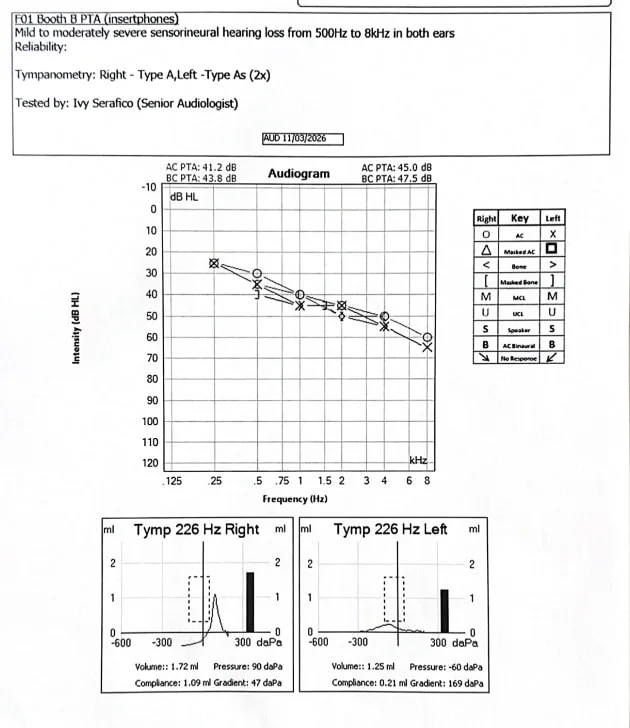
 Poland