You’re ignoring this member’s posts.
Self-programming Phonak Virto V90
This topic is closed.
14 replies4.3k viewsLast reply


Oh okay sorry, I was thrown off but the discussion in the other thread where all of this stuff was off topic. Let’s look at Phonak Virto V Production Information50.
It says;
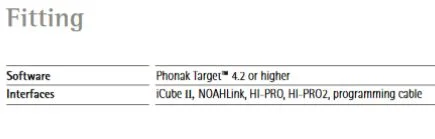
In Target, try changing/pretending your programming device is wireless.
You’re ignoring this member’s posts.
You’re ignoring this member’s posts.
You are right, When I select the NW model, then ICube II is not a compatible device. So I think that you are stuck with using a wired a mini Pro/Hi Pro.
You’re ignoring this member’s posts.
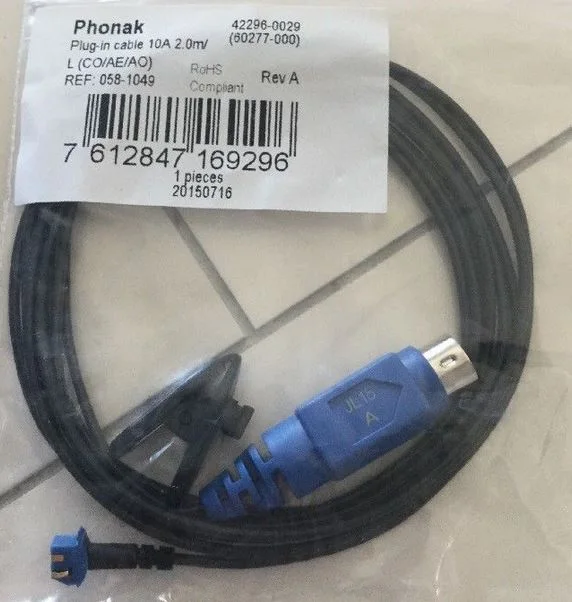
In Target/Help/Cable Overview; it says Cable 10A.
I am thinking this is one of those funny looking cable and battery insert combination thingy’s that look like this. But I don’t know for sure. What does your Audi use?
You’re ignoring this member’s posts.
Yeah, this funniest looking thing is the one he uses. Haha. I already saw some of these phonak 10 cables on ebay, but they wont ship internationally.
You’re ignoring this member’s posts.
Also, if you have an to post see Tip#2 / Hearing Tracker Tips/ Forum Support Category. What country are you in? I will delete my first 2 confused posts above.
You’re ignoring this member’s posts.
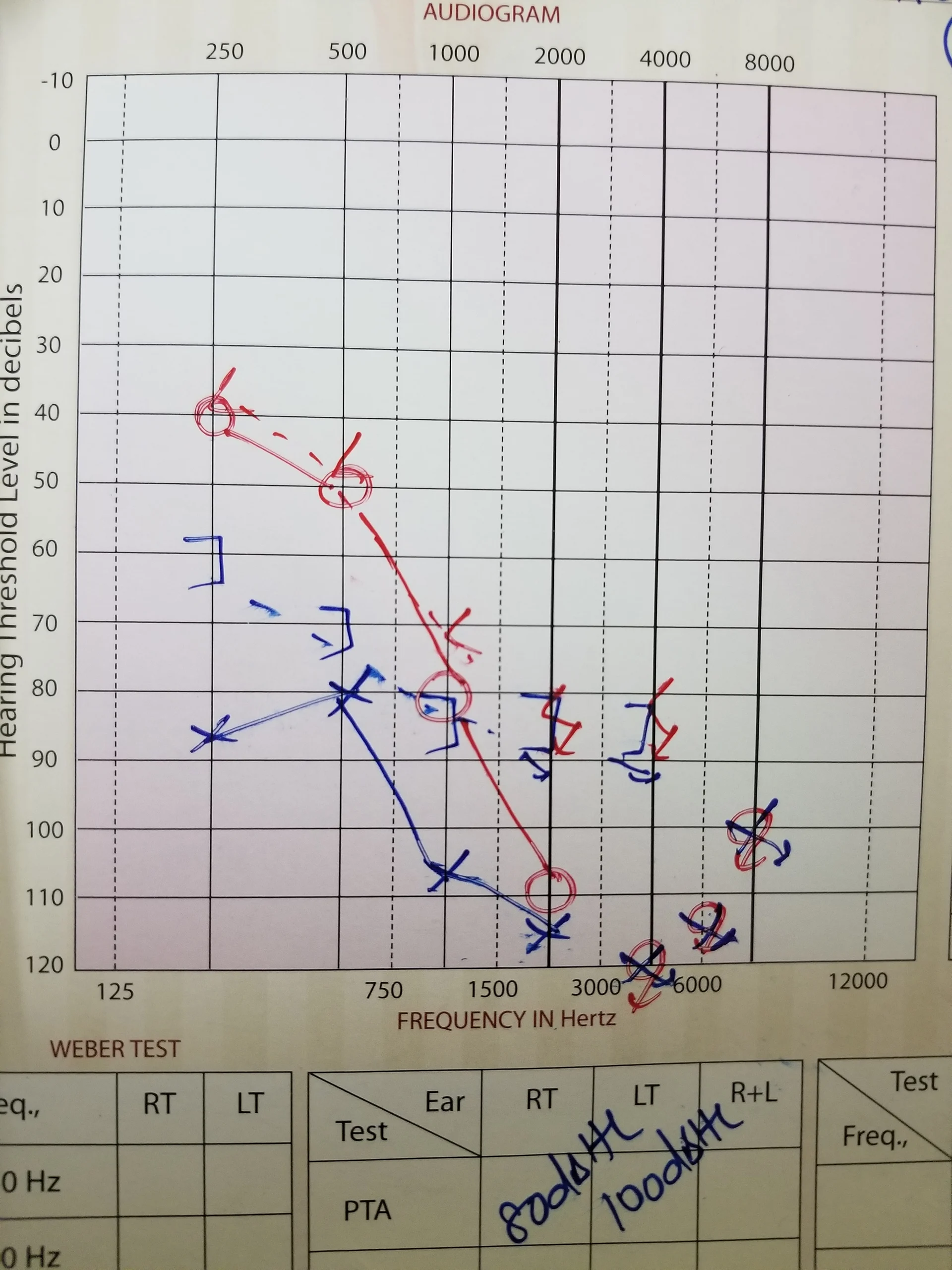
I know you are busy, but could you please spare a few minutes and tell me if I have entered the in my profile accurately. I am asking because there are no responses at higher frequencies and I am not sure if I need to enter them.
You’re ignoring this member’s posts.
You’re ignoring this member’s posts.
You’re ignoring this member’s posts.


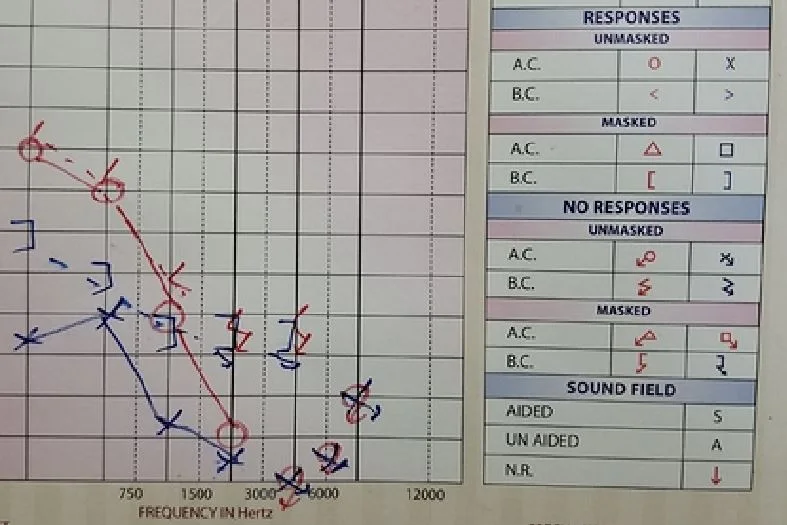
Curious yup. Who knows?
Maybe @AbramBaileyAuD could allow incomplete . It allows not putting in the likes of 750 and 1500 etc. So how about just not all numbers. Enter what ya got. I still say the lines tell the story. The No Responses are not linked with lines to anything.
If I were the OP I would just put in 120 for 3000 and onward.
You’re ignoring this member’s posts.
You’re ignoring this member’s posts.
Though, why would he mark no response at various frequencies??
Oh I think I know why he marked the No Responses at various frequencies. If he put them all together on the bottom line they would be too close together and maybe touch each other and become unreadable.
You’re ignoring this member’s posts.
That might be the reason. I dont know how accurate audiogramdirect is, but I will be comparing them.
You’re ignoring this member’s posts.
I dabbled around with both the chart and manual entry. I see now that it requires a minimum of .5, 1, 2, 4 khz. Deleting the points didn’t seem to work. It says Click + Shift but it didn’t seem to remove a point. I even tried + :). Anyway maybe I’m a moron. I should think it should also transfer any entered point values to the manual entry but what do I know.
You’re ignoring this member’s posts.
Related discussions
Hearing Aid Self-Fitting (DIY)10 replies
Hearing Aid Self-Fitting (DIY)2 replies
Hearing Aid Self-Fitting (DIY)16 replies
Fitting Software Requests1.1k replies
Uncategorized451 replies