You’re ignoring this member’s posts.
Phonak introduces Marvel platform and Audéo M hearing aids
This topic is closed.
1.3k replies106.1k viewsLast reply

When you turn Bluetooth off on device A, and turn Bluetooth on on device B, you may have to select the hearing aid to connect to. In other words, on device B, turn on Bluetooth and select the device (hearing aid) to connect to.
You’re ignoring this member’s posts.
I will try to find the thread where this was confirmed. It is about the Marvel. There was a misunderstanding within Phonak.
You’re ignoring this member’s posts.

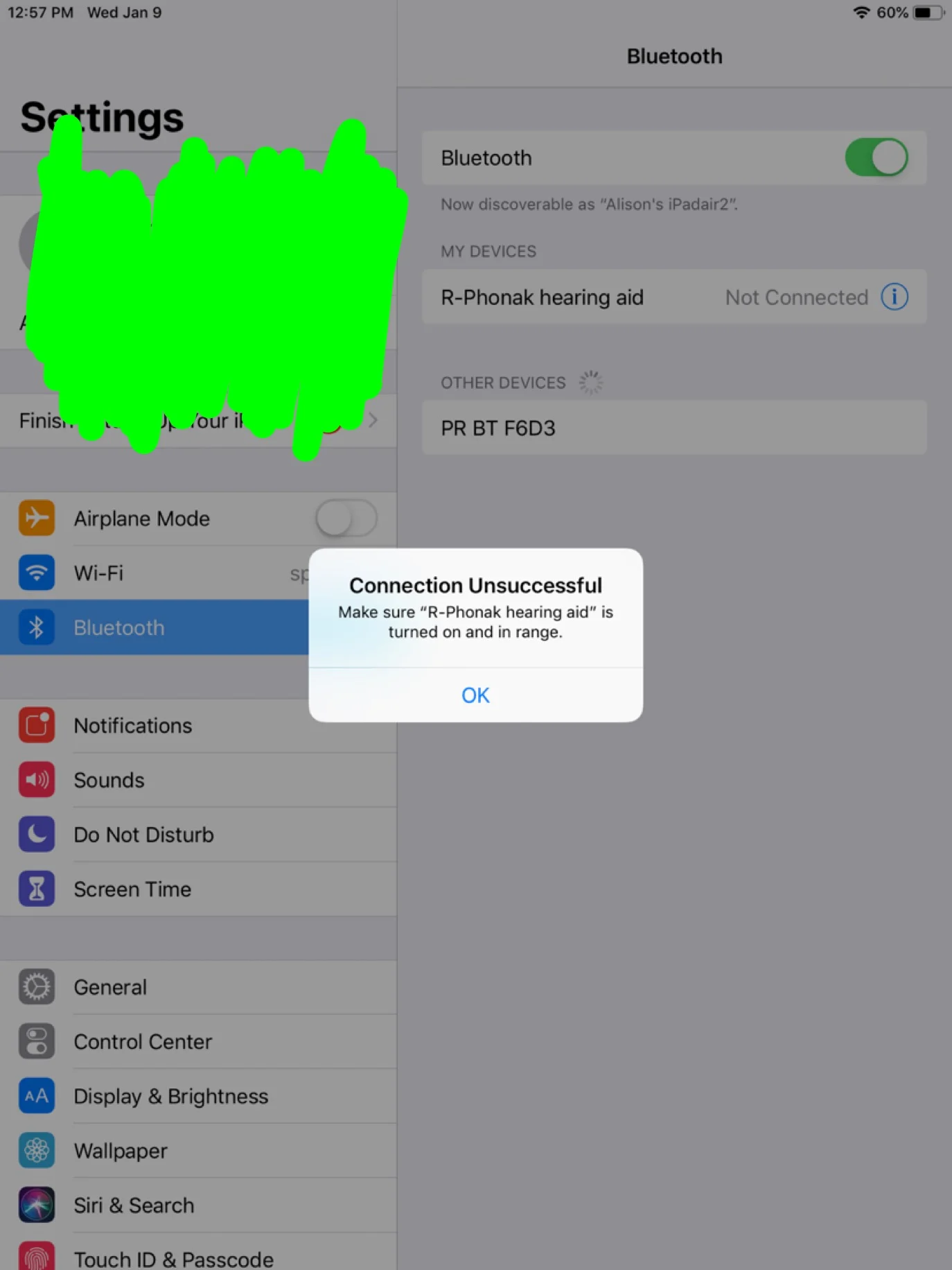
I’ve tried, but I JuST tried again. It doesn’t work for me. Here is the error message. off the other device and on this one. I got the error message when I tapped on R-Phonak. It searched for a while. My are on and right here.
You’re ignoring this member’s posts.
You’re ignoring this member’s posts.

On my Apples XS, XR, Ipad Pro 11" need to forget in the remote app then forget in the OS bluetooth. Next cycle ’s off/on then bluetooth off and on in the phone! Start the discover process Right HA at OS then remote app (sometimes need to on/off the HA’s for app to pair).
now have three phones at over 3k just try to get direct streaming. All need some update/firmware to HELP the bluetooth paring/timing to get connection/paired. HA’s also.
Sending back the Resound Quantros as Jan update for android did not enable streaming.
See that they will have a Feb update (CES) that will add and maybe deliver streaming?
Hoping Phonak, Apple, Google provide updates !!!
You’re ignoring this member’s posts.
That looks like maybe they are still connected to the other device? What do you have to do to turn Bluetooth off on the unwanted device?
Here is one response to another thread. This person was turning off and on the hearing aid and that may be the easiest way to get them to connect. I think he still had to turn on/off Bluetooth on the devices to make sure the correct one was on.
I’ve just started experimenting with the Marvels along with iPhone and Apple Watch. There’s no question that both can be (and stay) paired at the same time. The issue has to do with switching between the two devices; what consistently works for me (ok, twice) is simply 1) power off/on the hearing aids and 2) connect to whichever device I want (i.e. iPhone or Watch). Both sound great with music, by the way; quite impressive so far. More experiments tomorrow… (Neville; what devices are you…
You’re ignoring this member’s posts.
I go to settings and turn off or turn it to airplane mode. I also turned off my watch BT.
It does work by forgetting device and repairing. If the problem were another devices BT, why would that work?
Plus, I called Phonak BT helpline and she confirmed it is what I have to do… every time.
A couple people in this thread has said they don’t have to go through this rigmarole. But most of us do …
You’re ignoring this member’s posts.
I believe this user is indeed repairing each time because they said hey power off the
You’re ignoring this member’s posts.
My new normal now is turn off bluetooth on all and ON only for device using the remote app.
If you don’t need the remote app. ’s work for phone call and TV streaming with out remote app…
You’re ignoring this member’s posts.
You’re ignoring this member’s posts.
So, can you switch streaming from one device to the other by just turning off for others and then on the desired device’s BT?
You’re ignoring this member’s posts.
Same guy, later clarification. Turning the hearing aids off and on (really just the control hearing aid) might be the quickest way but you should be able to select that device for connection.
If you pair device A, then turn Bluetooth off. Then pair device B, then turn Bluetooth off on device B, and then look at Bluetooth devices on device A, is the hearing aid on the list? What happens when you click it to connect (or however you connect)?
I believe that would work (just got them today, so more experimentation will be coming). For initial pairing, you can’t be connected to another device - so, turn off BT on phone, toggle HA’s off/on, then pair on Watch (which will connect automatically). To switch back to iPhone, toggle HA’s off/on, then connect on iPhone in BT settings. Let me know how it goes!
You’re ignoring this member’s posts.
I left out the step of turning Bluetooth back on, on device A when you go back to it, before you look at the list of devices on A.
You’re ignoring this member’s posts.
Neville confirmed that on Android he has multiple devices paired and switches between them but Android Bluetooth is obviously much easier to deal with.
Also, here is the guy confirming with Phonak.
CLARIFICATION RE: MARVELS and BLUETOOTH I’ve spoken with dealer-side tech support, and it’s been confirmed that the Marvels CAN be paired to multiple devices (but obviously can only be connected to one at a time). There is a proviso, however; some (badly implemented) devices try very, very hard to connect once they are paired, and in that particular case, it might be necessary to unpair that particular device in order to stay connected to a different one. The support folks also agree that the…
You’re ignoring this member’s posts.
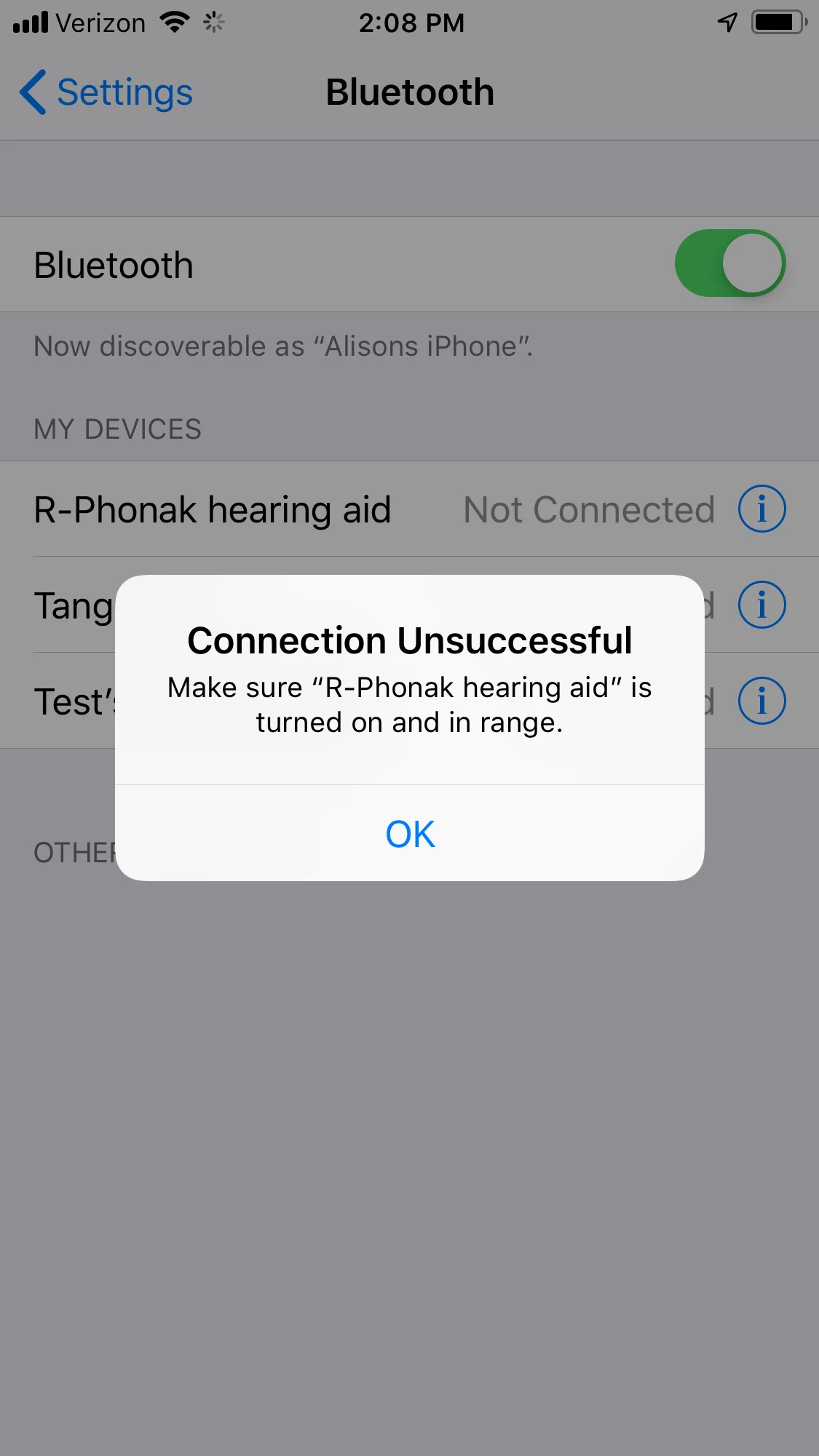
Ok so I already told you what happens above. But I just did all you said back to my other device. Yes it shows up and if I click on it I get the error.
Many of us have the same problem. Maybe I will call Phonak again…
You’re ignoring this member’s posts.
I just called the Bluetooth line. She said the many Apple users do indeed have to forget the device and repair. She said there have been a few reports of users who can just switch off and on the , depending on their devices. When I asked which devices are working for it, she replied that they don’t have consistent results.
Apparently the iphone10 is working for that, however we are hearing that phone calls aren’t working as the microphone stops working.
ETA: correction iphoneXS is having the phone call microphone issue.
You’re ignoring this member’s posts.

Try this.
Turn off both Marvels.
Go to the Phonak Remote app.
Click on the gear in the upper right of the screen.
Select “My Hearing Aids”
Select “My Devices”
Click on “Forget devices”
Once they have been “forgotten”, stay in the app.
Restart each
Then click on “select” when both HA’s are showing.
You now have a clean connection from your phone to the HA’s.
It appears that the Marvels do not do well when trying to restart the connection from iOS. Not sure why but with a clean connect, you may have better connectivity with other devices hence. I think that by going through iOS there may be some settings in the HA’s that either aren’t set or are not in sync. Not sure. But give it a try.
You’re ignoring this member’s posts.
The iPhone X works brilliantly in calls. I can’t say the same for the XS or XS Max as the mics drop out or even fail to come up when the call commences. This is the issue I’m pulling my hair out over. It is definitely an Apple issue.
You’re ignoring this member’s posts.
I have installed iOS 12.1.3 beta 3 (the latest beta) and the problem got worse on my XS. Now the mics do not engage at all when the call starts. Being that this is beta, the only recourse I have is to report it to the Apple iOS Beta team which I have done. I’m hoping they’re working on it.
You’re ignoring this member’s posts.
Related discussions
Press Releases7 replies
Press Releases1 reply
Cochlear Implants14 replies
Hearing Aids168 replies
Fitting Software Requests511 replies