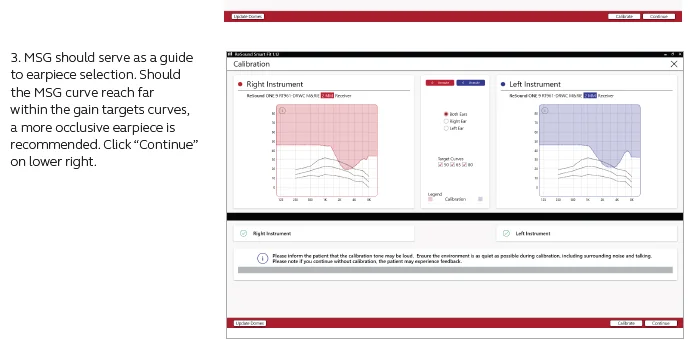
Tell me about the settings in Resound Smart Fit. What this parameter affects: Time Constants (Syllabic-Fast-Moderate-Slow) I couldn’t sense the difference by ear. Please describe it using an example.
You’re ignoring this member’s posts.
892 replies36.7k viewsLast reply
Tell me about the settings in Resound Smart Fit. What this parameter affects: Time Constants (Syllabic-Fast-Moderate-Slow) I couldn’t sense the difference by ear. Please describe it using an example.
You’re ignoring this member’s posts.
If there is a detailed description of all the parameters of Resound Smart Fit, please give a link. The standard description does not describe all the parameters.
You’re ignoring this member’s posts.
Hi!Does anyone know if the resound one, when I watch tv or youtube I hear more “ș” and how do I fix it?Thanks!!!
You’re ignoring this member’s posts.
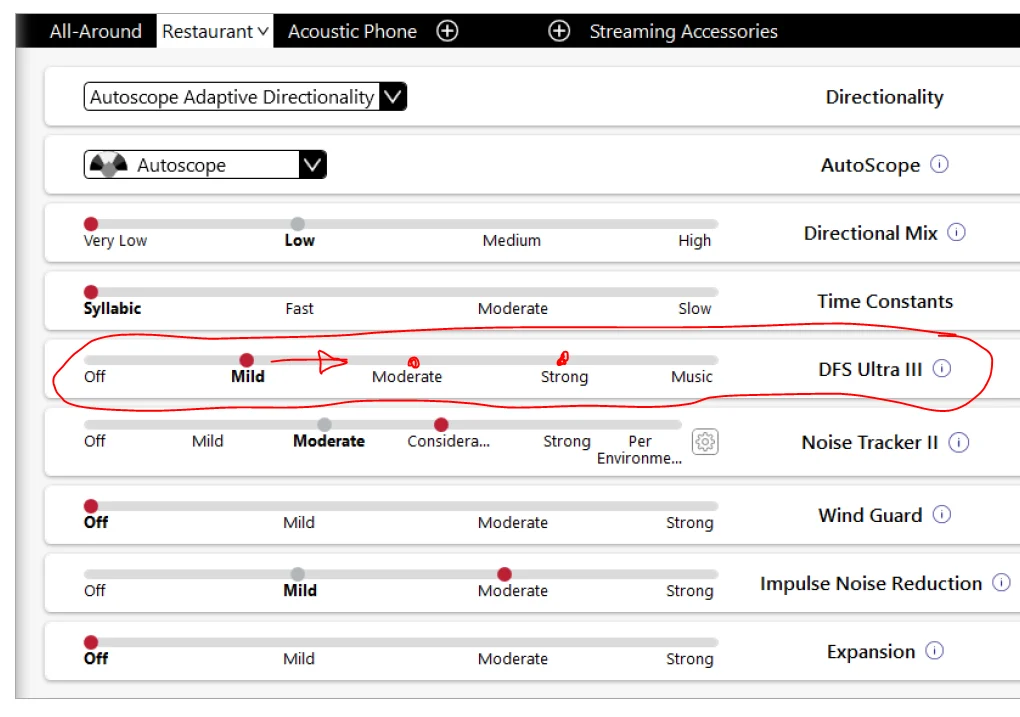
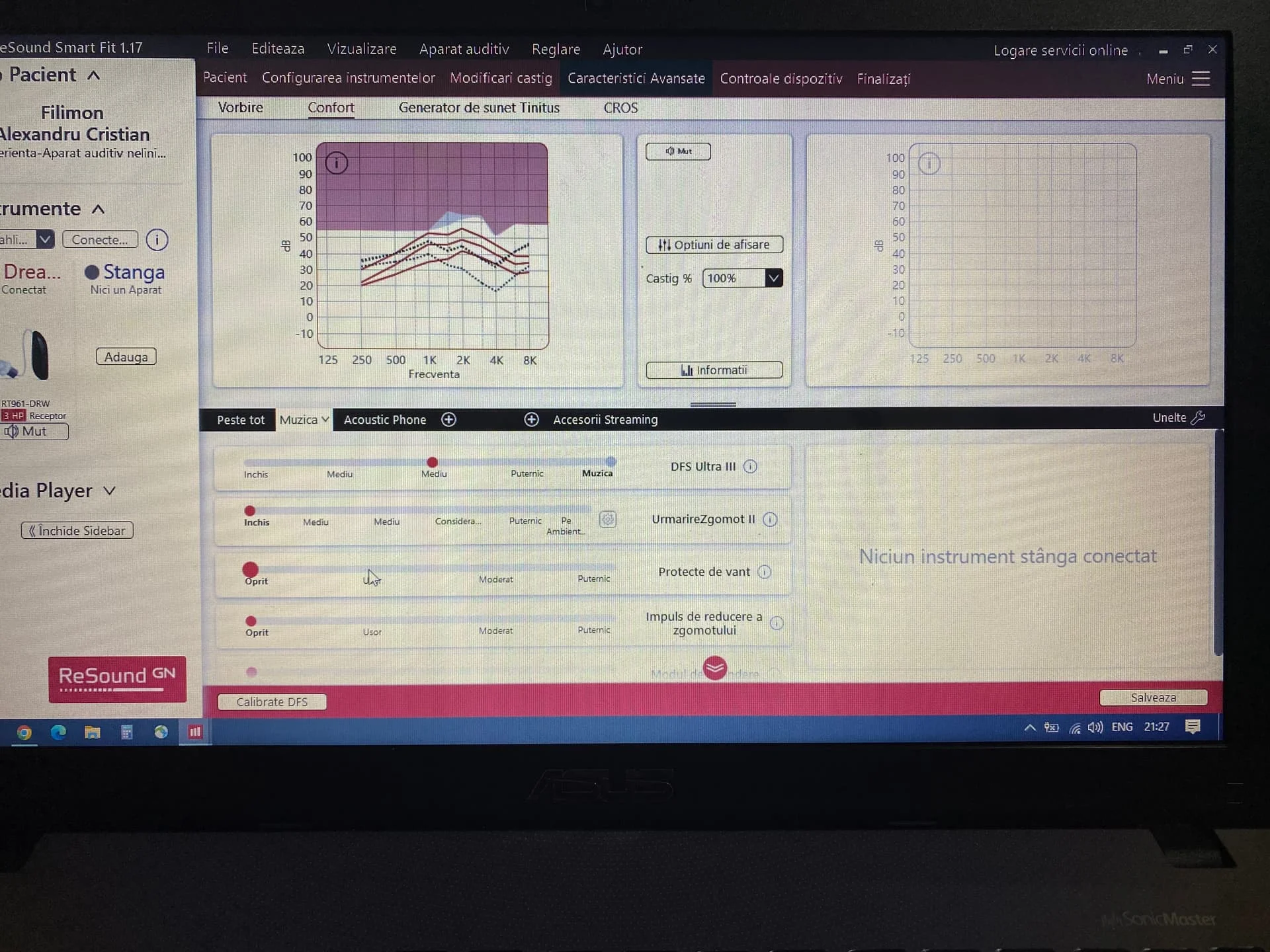
DFS Ultra III* This is the feedback control. It is activated when the devices have been calibrated for DFS Ultra III. The default setting is Mild. Adjust the setting to a stronger level (Moderate or Strong) if concerns for feedback arise. The Music Mode setting is a Mild setting, typically used for music programs or if the user experiences feedback only when tonal sounds occur (for example, from a musical instrument).
You’re ignoring this member’s posts.
You’re ignoring this member’s posts.
You’re ignoring this member’s posts.
You’re ignoring this member’s posts.
You’re ignoring this member’s posts.

Yeah you shouldn’t increase this unless you have to as adjusting too strongly can sometimes lead to artifacts, best way to prevent feedback is to have a tight fit with mold, post your would help.
If there is a detailed description of all the parameters
DFS White Paper.
You’re ignoring this member’s posts.
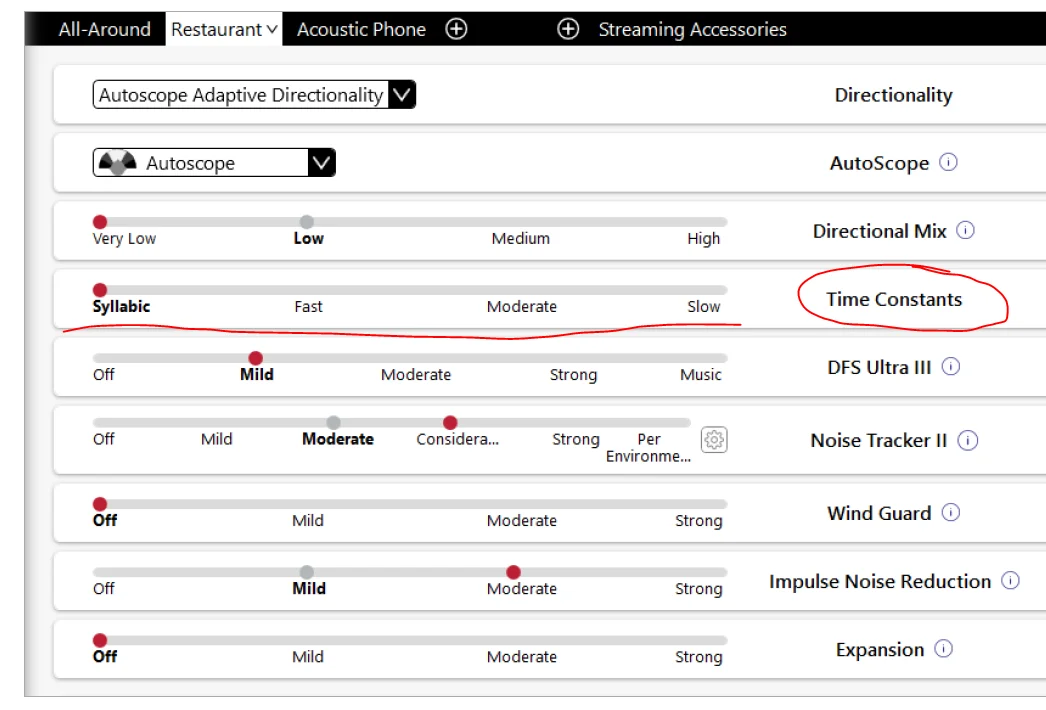
Tell me about the settings in Resound Smart Fit. What this parameter affects: Time Constants (Syllabic-Fast-Moderate-Slow) I couldn’t sense the difference by ear. Please describe it using an example.
You’re ignoring this member’s posts.
It’s all about the compression speed, so those who prioritize speech intelligibility might perform better and prefer fast-acting compression, while those who prefer listening comfort will probably benefit from slow-acting compression.
I’m not surprised you didn’t notice much difference.
You’re ignoring this member’s posts.
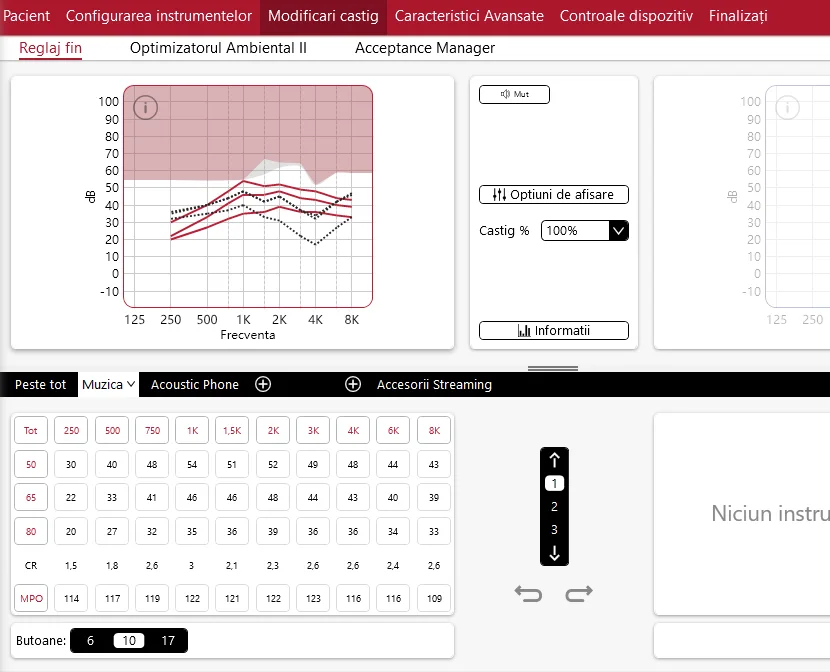
I’ve attached the picture, but the is not inserted because it didn’t sound good, and the audiologist lady chose DSLV5-adult and it’s more ok, but the problem is with the “S”.What do you think?
You’re ignoring this member’s posts.
You’re ignoring this member’s posts.
Yeah it looks a bit off, you only use one ? Most features need two HAs to work anyway.
Of course music program has everything turned off to begin with, so I’ll do a fitting myself with your audogram and see what the difference is.
There’s a few other formula you can use/try as well to get things sounding how you like things, bit of trial and error with projects ; )
You’re ignoring this member’s posts.
Yes, I only hear one hearing aid right, because the left one I don’t hear at all with a hearing aid.
You’re ignoring this member’s posts.
I’ll try, but I have a little fear to tamper with programs, to modify etc.But it’s important to hear properly and I’ll try to play as much as possible.But I have a small question, if I modify, will I have problems where I bought from?
You’re ignoring this member’s posts.
You’re ignoring this member’s posts.
I have another question, if I calibrate Resound One, do I lose the settings and audiogram?
You only lose if you recalculate the fitting, your audogram stays.
But I have a small question, if I modify, will I have problems where I bought from?
They will see the changes made, but you keep a copy of your original audiology settings and you can always go back to those, they will only notice the time stamp is different, but do remember that these are yours, so you own it and can do what you want, and that the Audiologist works for you, but in saying that you want to work with them, some are happy to help.
You’re ignoring this member’s posts.
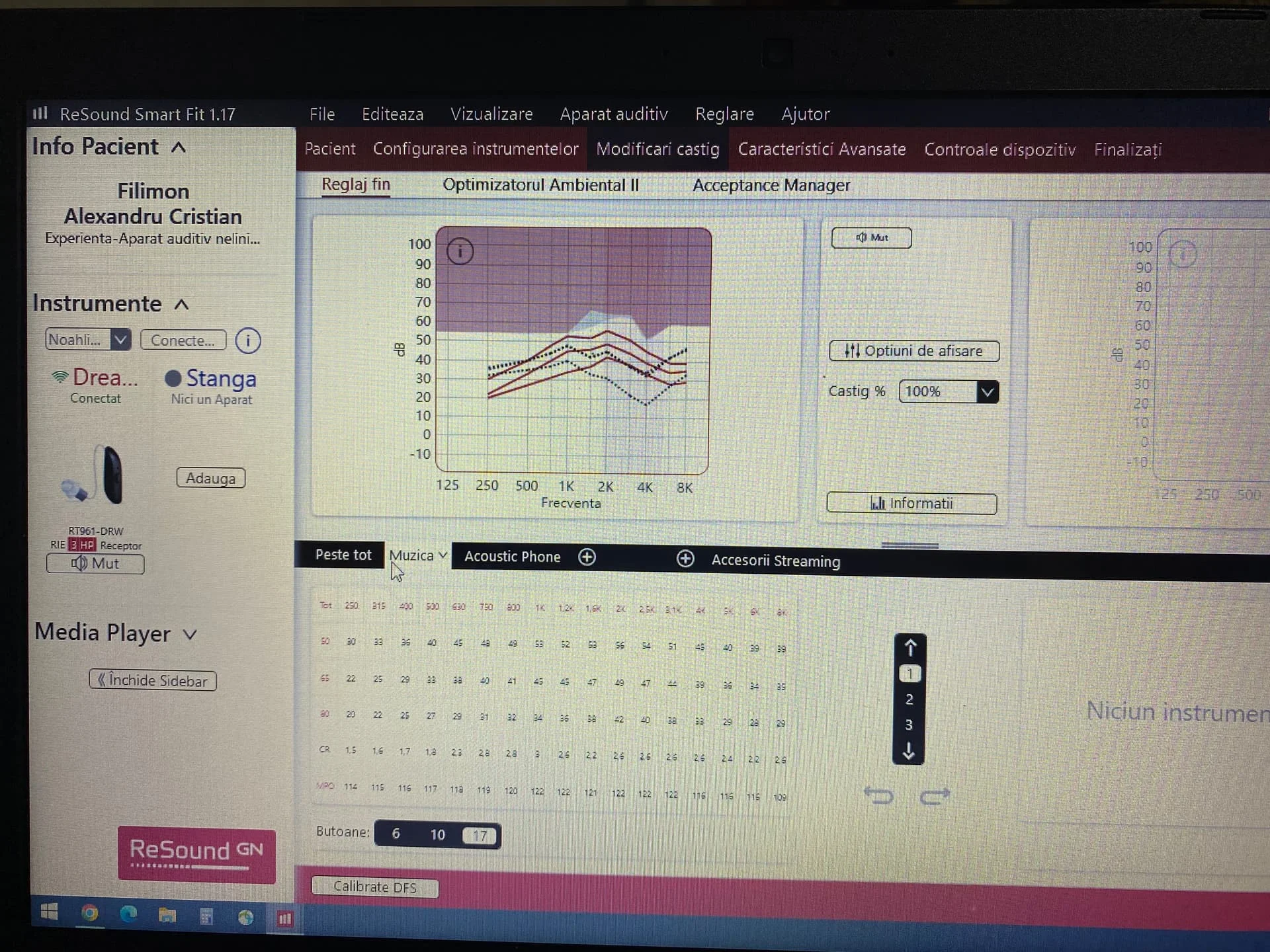
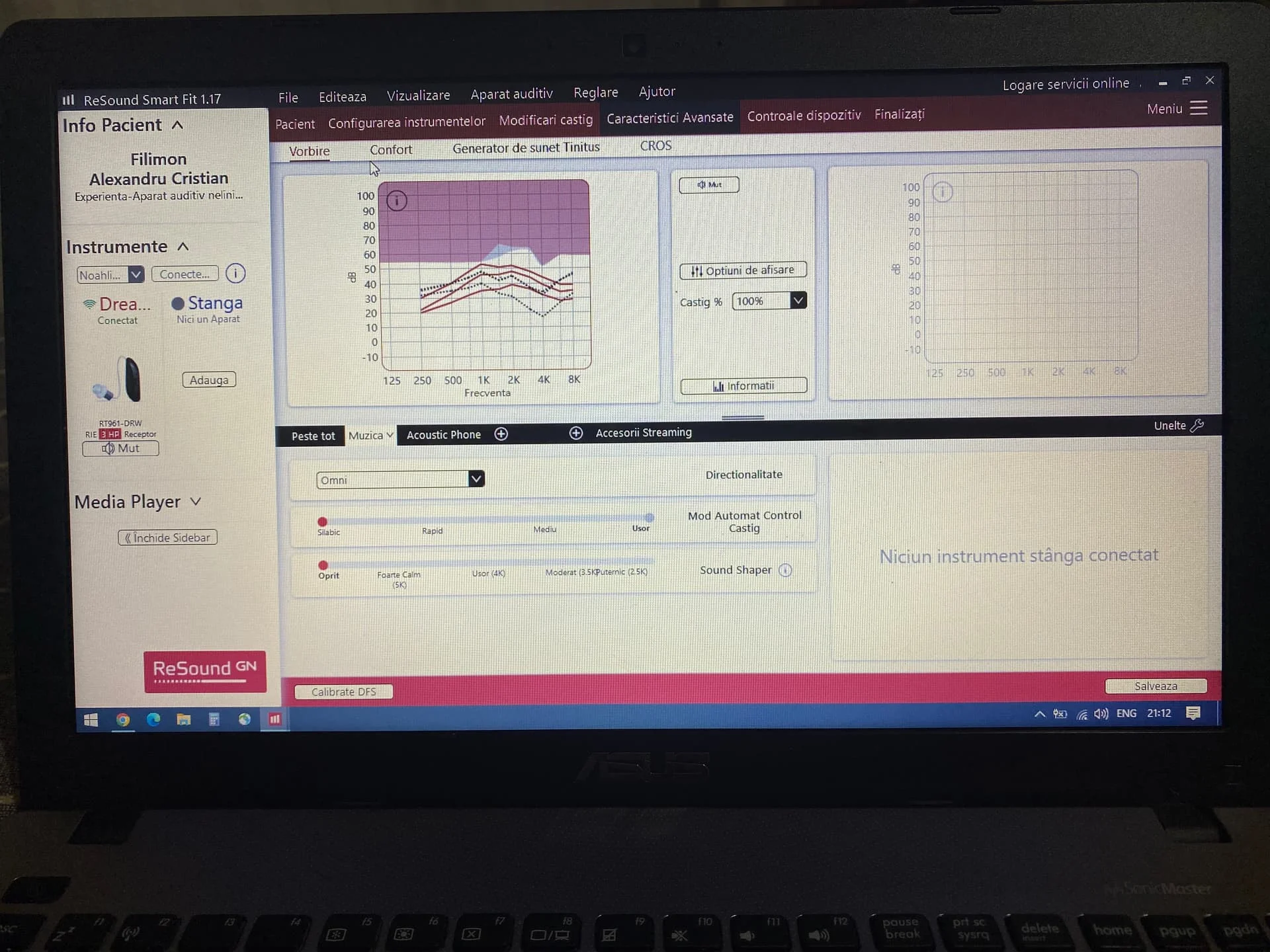
I finally adjusted the device, I don’t really hear with “S” anymore, but now I don’t really like the way it sounds during a conversation (it seems like it needs to be a little louder or a little loud).How do I find out at what frequency for the call to be clear?I have attached some pictures.What do you think?Thanks a lot!!!
You’re ignoring this member’s posts.
You can adjust in accessories streaming for bluetooth, but for one I dunno, or are you referring to acoustic phone for calling. You do need to click on those, your in music program in those screenshots right?
Did you try different formula?
If you want to try and find the frequency that is giving a problem, you could try a tone generator, I’ve used this one.
You’re ignoring this member’s posts.
Log in to reply to this topic.
Hearing Aid Self-Fitting (DIY)3 replies
Fitting Software Requests419 replies
Hearing Aid Self-Fitting (DIY)1 reply
Hearing Aid Self-Fitting (DIY)5 replies
Hearing Aids52 replies