Try testing hearing aids with a newer smartphone. Maybe the cause is worse bluetooth on the smartphone, so study it before you go back. Maybe with the newer version of Bluetooth on the smartphone, it will work better and more stably.
I also had troubles with the app not keeping changes. It’s your phone settings, not the app. On an Android, you have to go into Settings>Sounds and Vibrations>System Sound and make a few changes. Now it works fine. I suggest you call Phonak Help Phone to walk you through it. They should publicize this better.
I have mild high frequency loss, & my new KS 10.0s (1st ) are more than adequate for my need. I like the bluetooth capabilities, I’ll try out the TV Connector when an optical sound cable splitter arrives so I can split the signal now going to my sound bar.
I’ve played with the app to tailor sound to specific settings, but so far it’s useless due to what my audiologist says is a “problem between the KS 10.0 & iPhones.” It only works until my screen saver times out. Then it reverts to whatever the AO set it to.
If (when?) they get that fixed, I’ll be one happy camper!
Each morning I walk for up to 2 hours and stream books on tape. My route is partially near a heavily traveled street with lots of traffic noise. I press the back button on my left HA and that turns off the microphones so the traffic noise goes way down,
Ok, now I’m really curious. I asked my Costco tech specifically about this, as traffic noise on part of my walk also makes it difficult to hear my podcast and I would like to mute the mic in the HA’s. He said that it was not possible to do on the KS 10’s. But obviously it is possible. Is this something that your Costco tech programmed for you at your request? You say you press the back button on the left HA to must the mic. Is it a short press? 2-3 second press? Long press? I have tried on my HA’s and a short press just lowers the volume, a 2-3 second press pauses whatever is being streamed (music, podcast, etc), and a long press powers off the HA. I want to take your information to my Costco HA tech and get this working on my HA’s.
Pressing the up or down buttons while streaming shifts the balance between the streaming sound and external, or ambient, sound. It seems like it’s changing the volume but it isn’t, just increasing or decreasing the external sound. The was wrong. While streaming, the only way to change volume is through the connected device, such as your smart phone. Just short presses are needed and it’s continuously variable, from full streaming to full external. When you’re equally balanced midway you’ll hear two beeps.
I don’t blame the technicians; they can’t know everything about new hearing aids, Bluetooth, and apps. I discovered this myself, the manual doesn’t refer to it.
The Costco technician was delighted to learn, along with me, from Phonak how to set up an Android phone so that the program changes remain permanent. See my earlier answer to this question. The Phonak consumer help line was very helpful.
I don’t blame the technicians; they can’t know everything about new hearing aids, Bluetooth, and apps. I discovered this myself, the manual doesn’t refer to it.
I have a solution, you guys could just download and install the target software and see for yourself what’s possible to do, get to know just about everything about your this way, and then ask your audiologist/techie what you’d like to done/try.
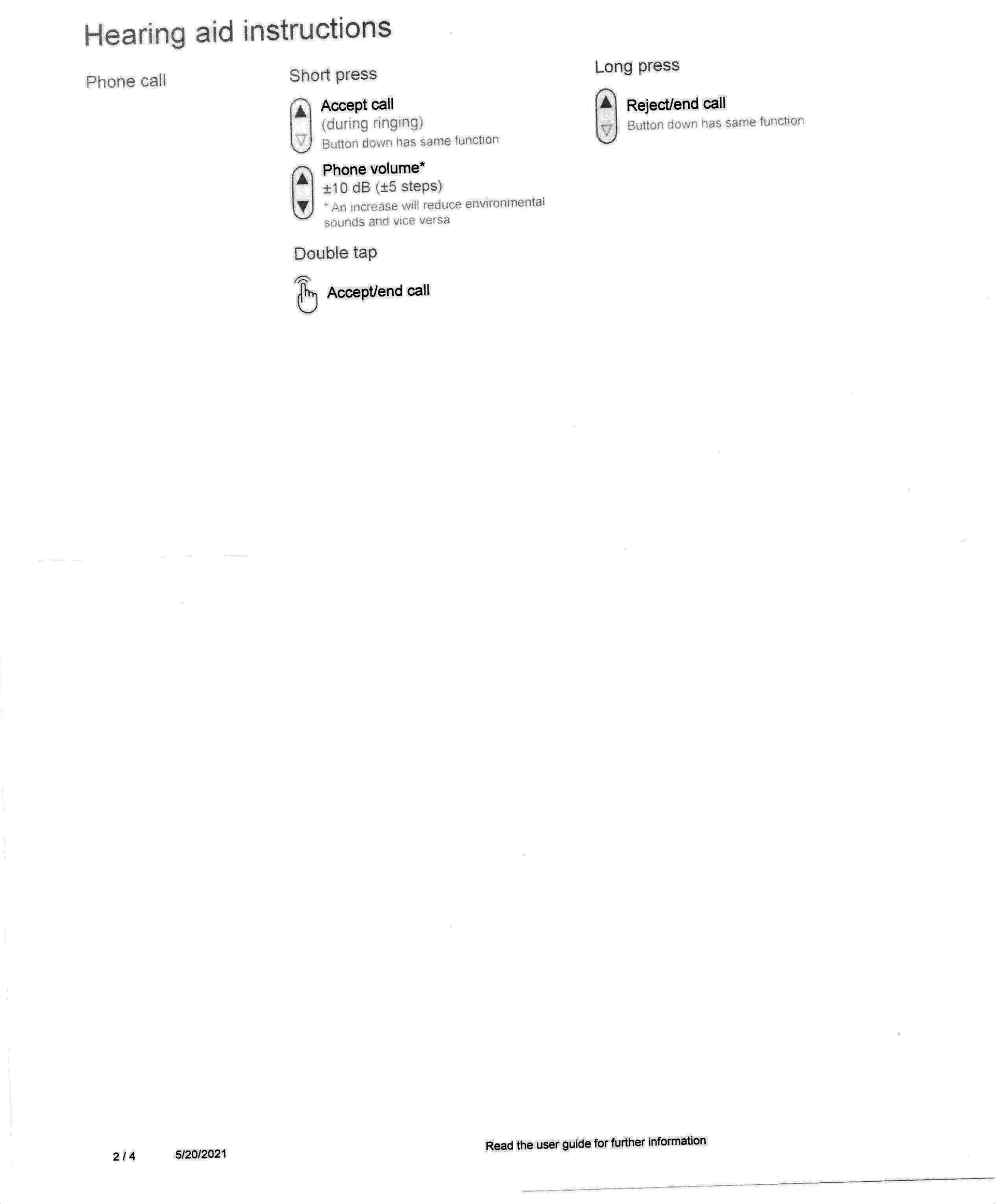
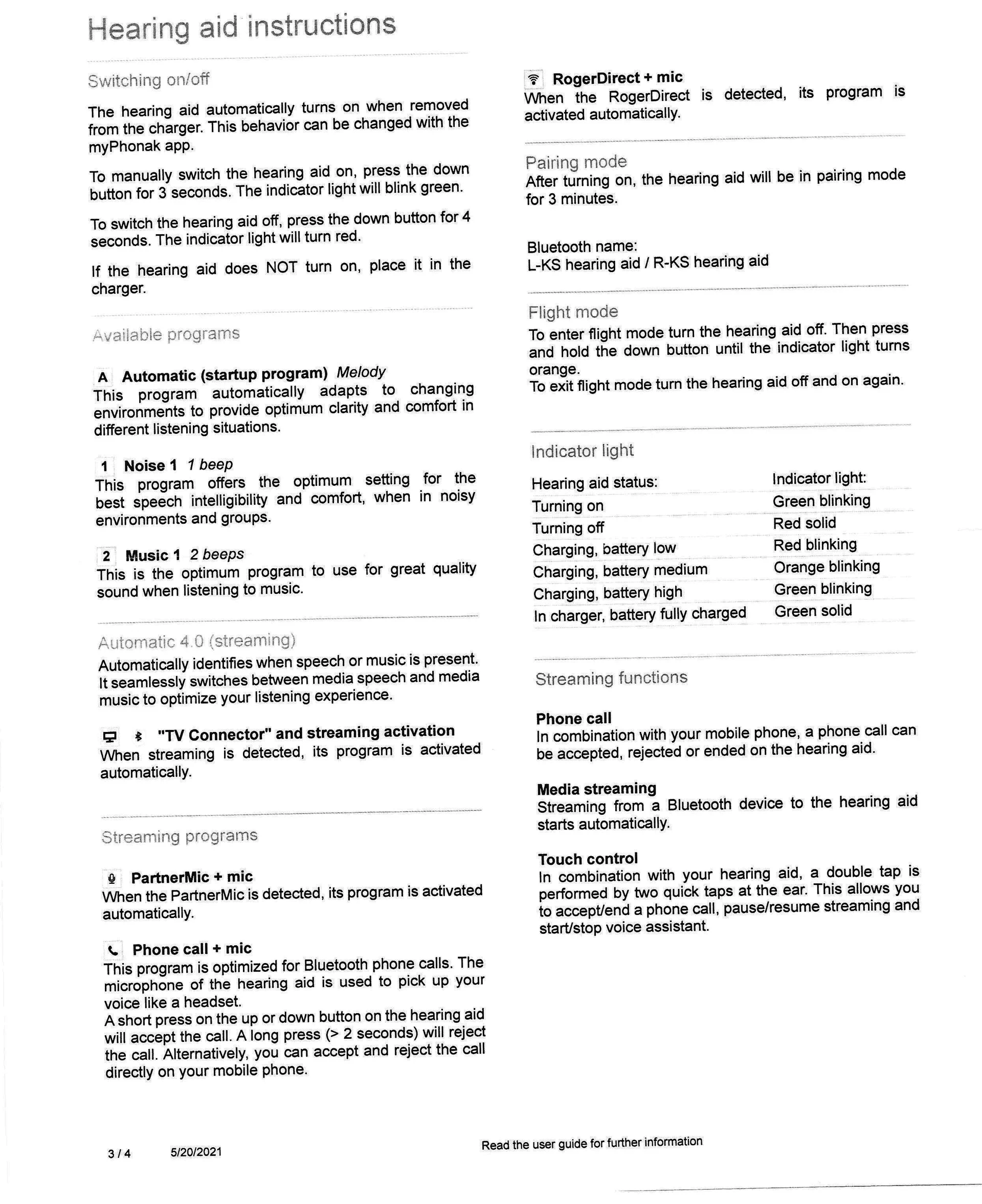
They didn’t give you print out instructions? .It’s four pages long.Streaming part was on first page and oh it’s the same with phone call too.
Nope. I received the main User Guide and the smaller Quick Start guide but not this one, and this information isn’t in either one of those. Thanks for posting it. I just printed off it for reference. I also looked for it online at www.ks10userportal.com11 but couldn’t find it there either. Strange…
That’s strange they always print out from Hearing aid programming software(Phonak Target) for /accessories.
Audi has no clue about how many manual programs can be added,so I requested to add Noise and Music that can be seen in page 3 besides automatic in Available Programs.I can change to manual programs from App or clicking button on HA.At first audi was reluctant told me Automatic program can handle all situations and there is no need of manual programs but when listening to music depends upon genre or song it switches between Very Noisy,Noisy and Music.
Edit:-I listen to Pandora/Youtube videos from PC with over the ear Headphones.(I’m still waiting for back ordered TV Connector)
@outfall: I made the changes you listed on my Pixel 4XL and darned if my Easy Line settings aren’t now sticking! It was a bit different on my Pixel, so I’ll list the steps here for other Pixel users (Pixels run native Android and Samsungs run a Samsung modded version of Android): Note that this is for Android 11 on a Pixel phone:
Settings > Sound & Vibrations > Advanced
Scroll to the bottom of the screen and turn off:
Screen Locking Sound
Touch Sounds
One one hand I’m happy to have this working. On the other hand I can’t for the life of me understand why turning off the screen locking sound and touch sounds would have any effect whatsoever on Easy Line’s ability to keep its settings! It just makes no sense at all. And from your post, apparently Phonak knows about this. Why don’t they just fix it rather than waiting for people to call their support line to complain?
In any case, I’m glad that I posted this problem here and that you had the solution. This removes one major frustration that I have had with these ’s.
On the other hand I can’t for the life of me understand why turning off the screen locking sound and touch sounds would have any effect whatsoever on Easy Line’s ability to keep its settings! It just makes no sense at all.
Here’s what I could imagine is happening:
If a short sound is sent from the mobile when switching to screensaver, the therefore briefly switches to streaming mode and then immediately back to autosense. But not to the last active custom setting.
And there is always a little delay before streaming starts. The one single tone is too short to be hearable in the aids.
Kirkland Signature10.0 (KS10) hearing aids problems
I am definitely not sold on the much larger KS-10 "(Paradise) vs my KS-9. I am going back to Costco for second adjustment June 1. My Costco dispenser is excellent, but this is a new product.
Any ideas for help. Thnaks
Word recognition/discrimination problems in classroom/conference hall setting unlike KS-9;
Soft voices (women and children) hard to understand;
Clarity lacking – I set-up Custom Program 1 and it help somewhat;
Listen to regular TV and radio talk shows lack clarity and volume unlike KS-9
at church as tunnel sound.
TV Link won’t stay in middle range and drifts way left to surround vs TV so sound is tunnel and not natural like with KS-9 that was PERFECT;
TV Link with laptop computer in Zoom meeting stay in center with natural stereo quality sound like KS-9, but will inadvertently kickout to Bluetooth mic program?
Does anyone know the headroom of the Signature 10.0? That is, at what sound level do they clip? I am an amateur musician, and this is an important issue. Most hearing aids clip at 100 , and that causes awful noises. I currently have a pair of Bernafon from Costco, and they do not clip, even though they are 16 bit devices–they cut the preamp gain above 100 dB.
Another question is can they be set up with ear protection plugs?
There used to be a category for musicians, but that only has old posts.

 Croatia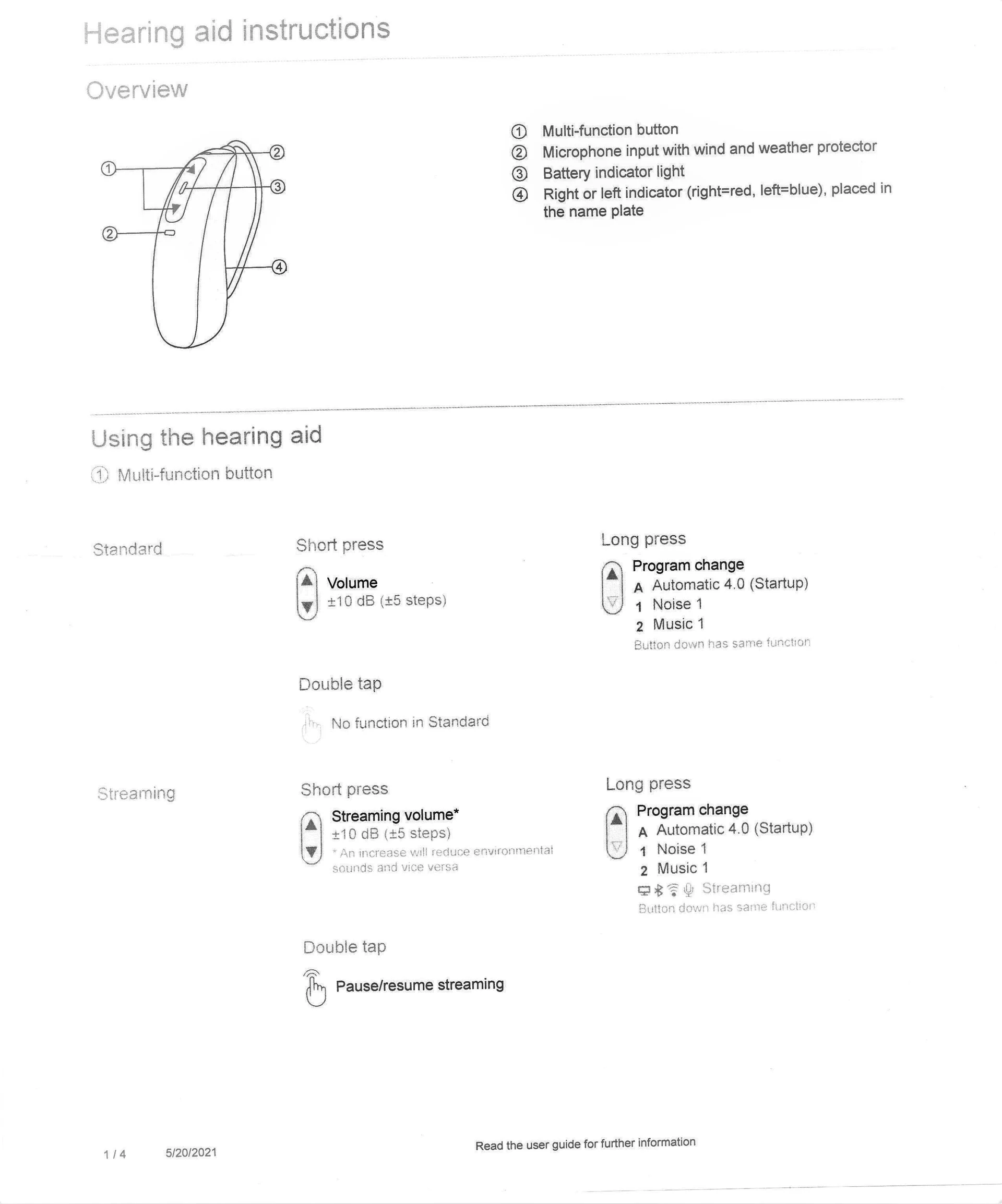


 Switzerland