
 Germany
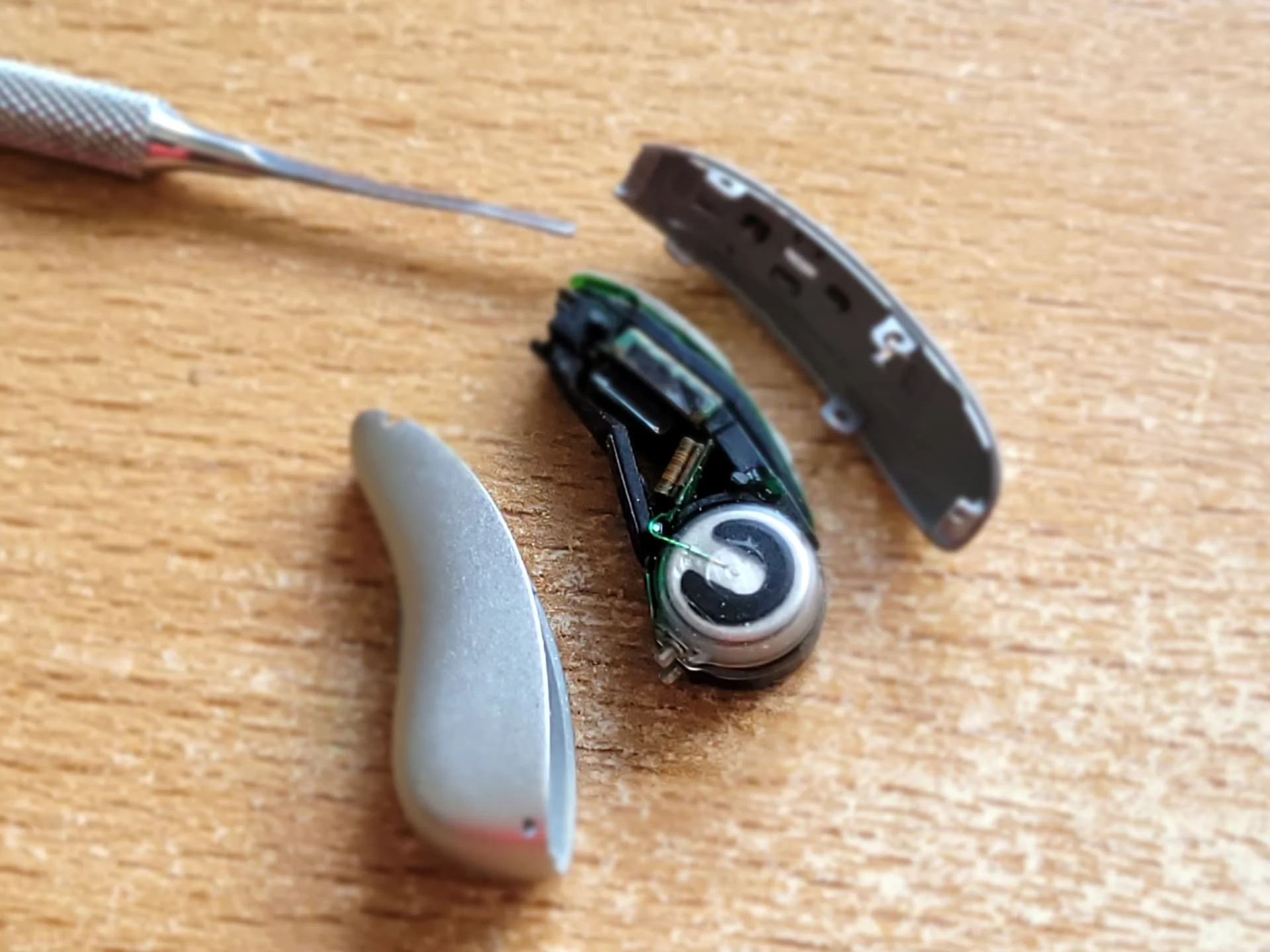
I did it in a similar way:
Only not with fingernails, but with a thin metal tab.
When levering between the front housing and the circuit board, it made a soft cracking noise. But nothing seems to be broken.
You’re ignoring this member’s posts.
64 replies13.4k viewsLast reply
I did it in a similar way:
Only not with fingernails, but with a thin metal tab.
When levering between the front housing and the circuit board, it made a soft cracking noise. But nothing seems to be broken.
You’re ignoring this member’s posts.

I used a clockmaker’s screwdriver to keep the tabs raised. The clack sounds I heard were the tabs clicking back over their pins. (I removed the cover to clean out the gunk from the mic holes.)
You’re ignoring this member’s posts.
I originally came to this thread because my Phonak B-70R showed no life when removed from the charger, although it the green light was showing while charging. I suspected the battery needed replacing.
However, people talking about their old batteries not lasting as long as they did made me think there might be another issue.
What I found was that if the hearing aid is not responding to being turned on, it can be reset with a process of 1. A long press (30 seconds) on the hearing aid, then return to the charger for 1 minute. This worked for me, it might be worth a try before changing a battery. This is the YouTube that explains https://www.youtube.com/watch?v=b8-1QFrWt0g174
You’re ignoring this member’s posts.

Battery Source?
I came across these eBay sellers in China who seem to be selling a version of the replacement batteries that we need for Phonak Marvel and Paradise.
They are approximately $25 for a pair of batteries and free shipping. A better deal than Alibaba.
You’re ignoring this member’s posts.
Some news…
One of the that I repaired stopped working…after I forgot to remove it for the shower!!! The battery is still at 3.7v and charging normally. It seems that the microphones didn’t like that… Ok another project.
I bought (on Ebay) a used Phonak P90 which stopped charging for 100$ us. I successfully changed the battery and it is now back to life again. It was a lot easyer and faster. Very happy about that.
It would be very intereresting to know if someone else tryed it and how it worked.
You’re ignoring this member’s posts.
Hello
I’ve tried to get my internal battery replaced but cannot - purchased my Phonak Audeo from a dealer in India, received new in package aids. The dealer added an extra year warranty on top of the two year warranty. Problem is Phonak USA won’t touch aids purchased from India. I’ve tried to work w India Sonova to get the battery replaced. They won’t honor the warranty - so I’d pay but can’t ship lithium ion batteries. Do you know anyone who can replace the battery? It’s just now hit the two year warranty. I’ve been trying to get this repaired as I need the aid as I can’t hear well at all without aids. It’s been a bit of a nightmare to get this done. Any suggestions ? Thank you
You’re ignoring this member’s posts.

Problem is Phonak USA won’t touch aids purchased from India
Really that’s unacceptable, they should offer out of warranty repair?
But regardless it’s a real pain for unfortunately as well, don’t Lloyds do repairs, you might be lucky.
Hearing Aid Repair Labs | Hearing Aid Repair Center24
Hearing Aids have been sold by Lloyds Hearing Aids for over 40 years, with the best prices on all hearing aids, digital hearing aids, hearing aid batteries, and hearing aid accessories.
You’re ignoring this member’s posts.
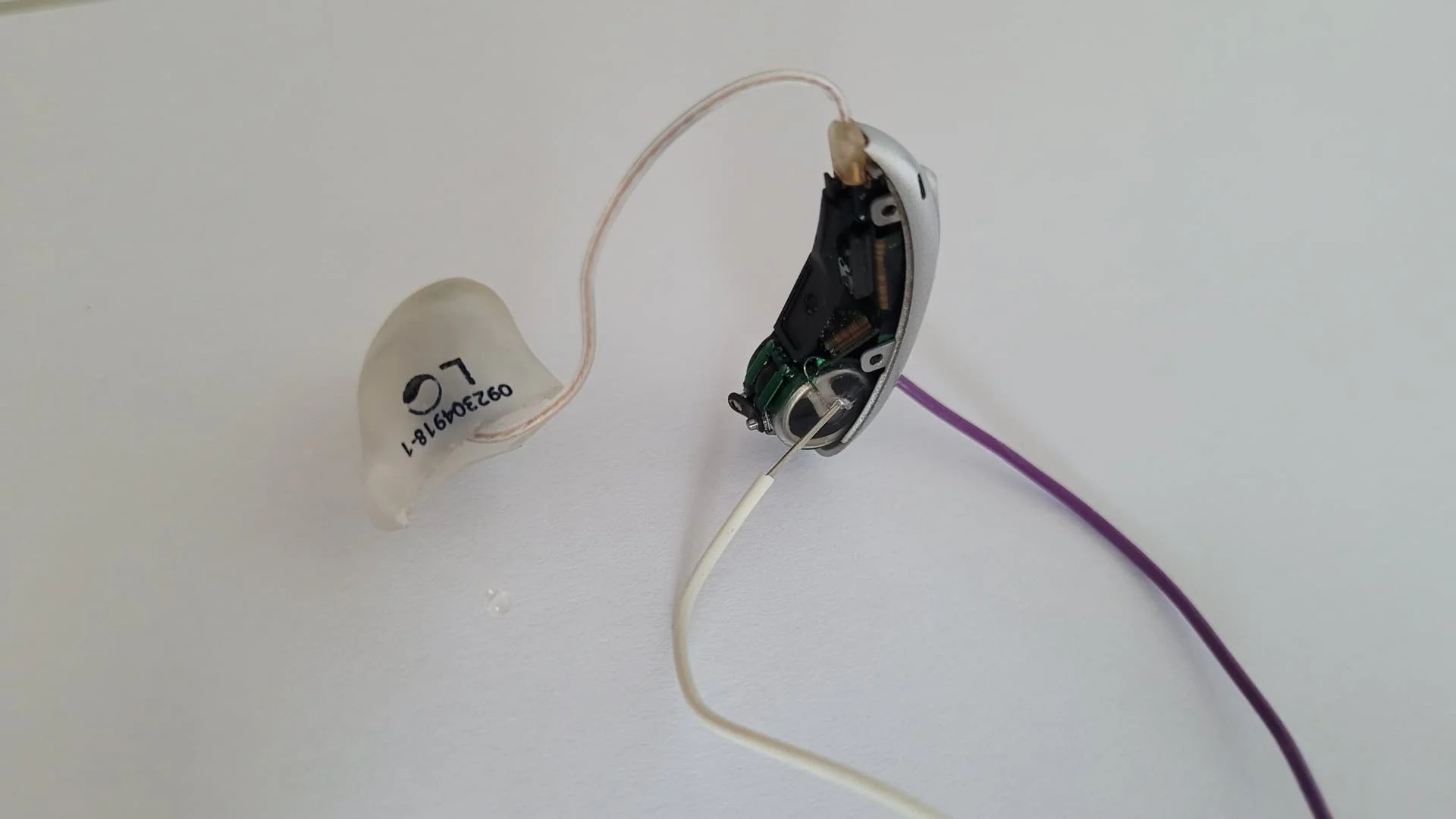
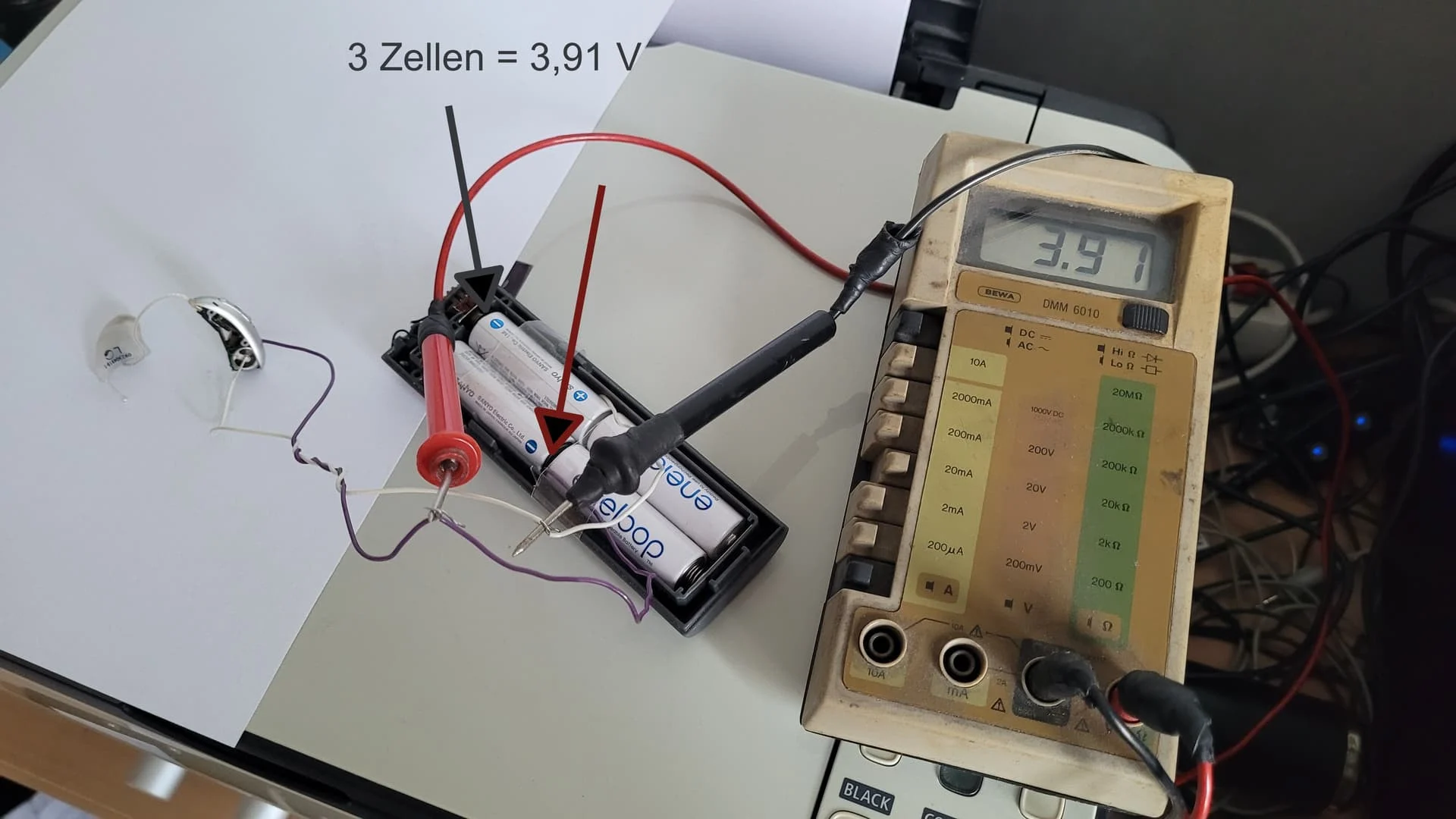
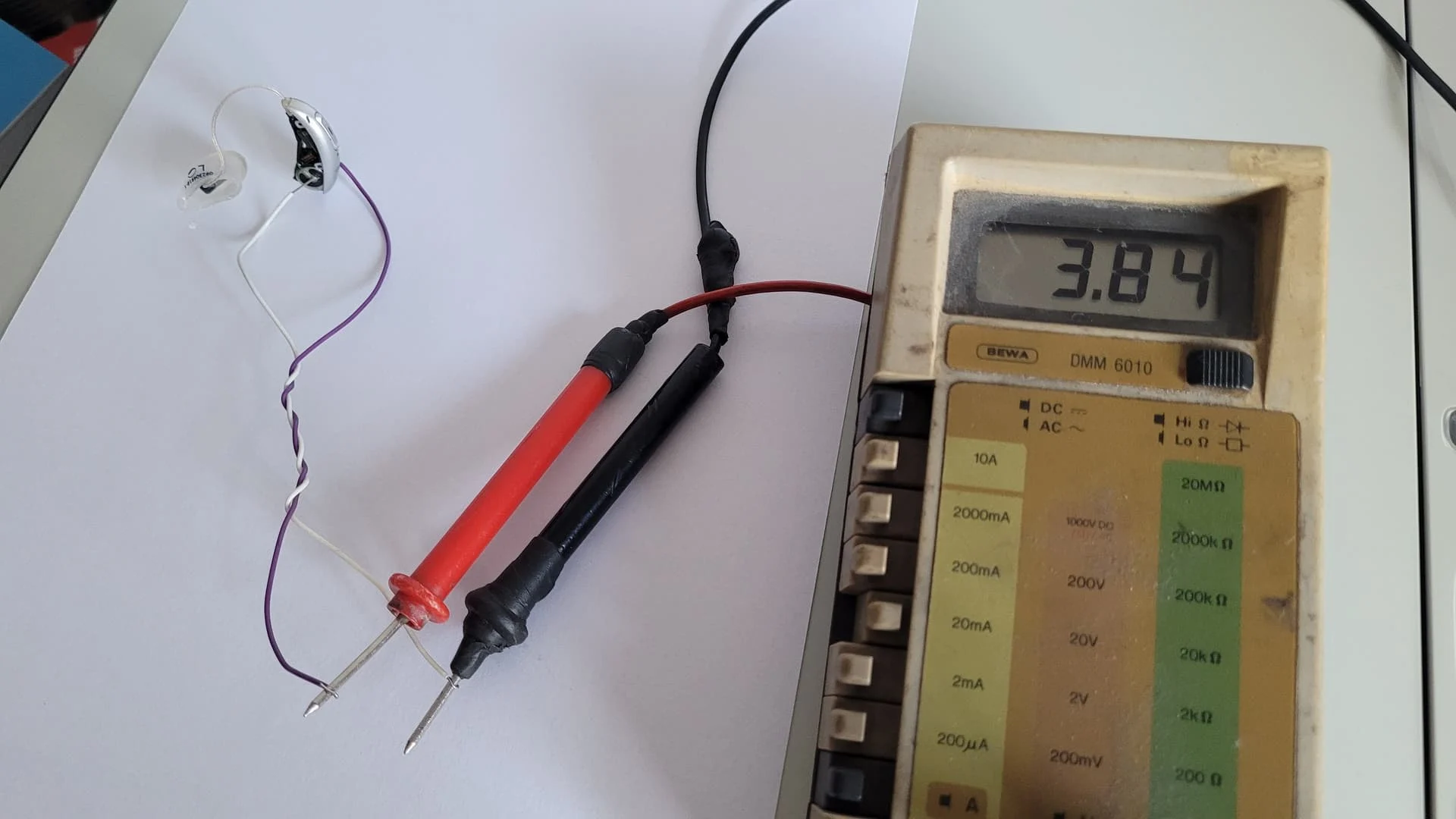
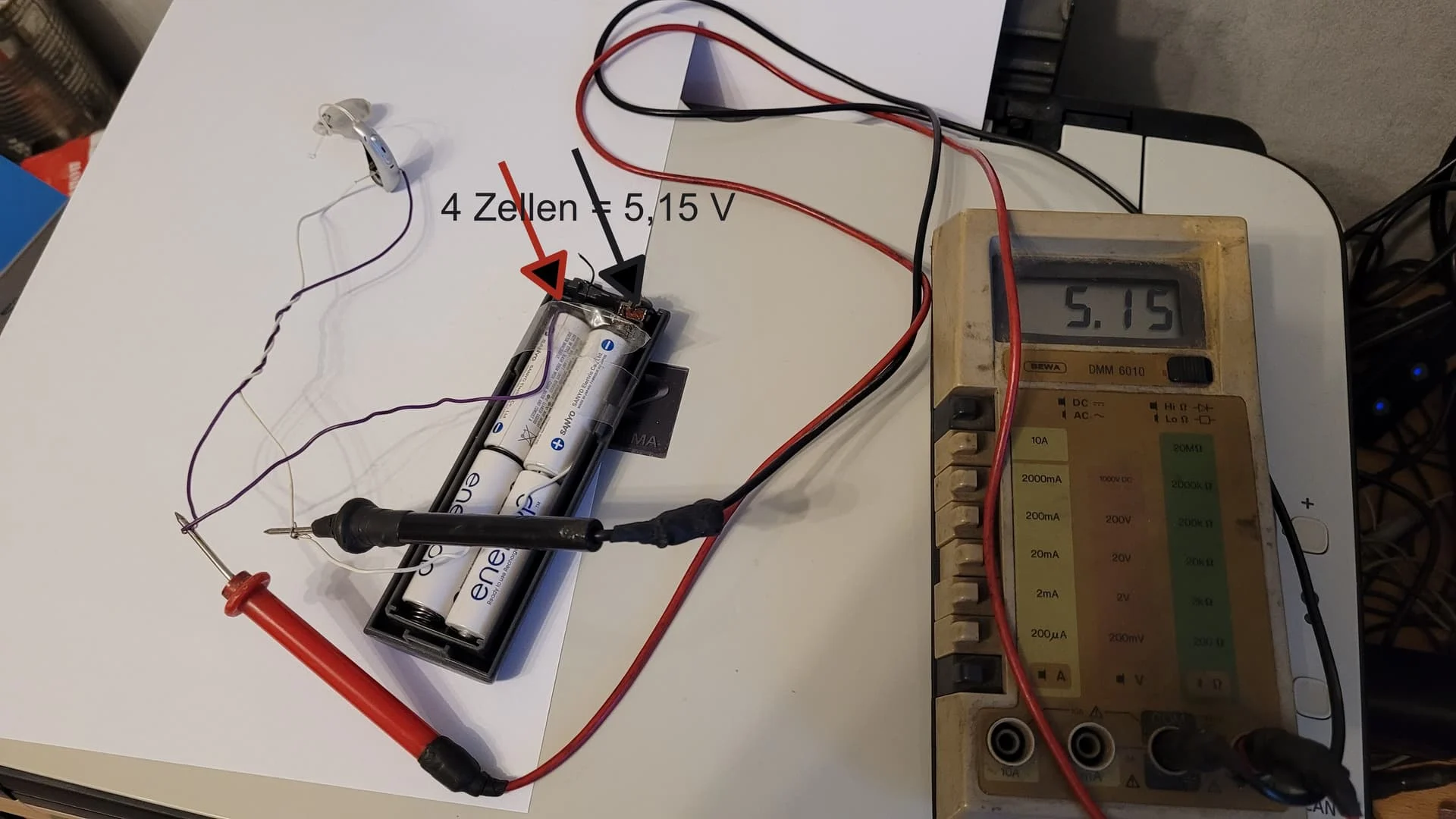
I also have a red LED when charging the Phonak Audeo P90.
The battery voltage of the P90 showed 2.90 V at the start of my measurement.
Although the P90 showed a charge of 3.84 V a few minutes after connecting 3 Eneloop batteries in parallel, I cannot switch on the P90.
Now i connect 4 (instead of 3) Eneloop batteries in series (5.20 V).
It is possible that the P90 battery will then be destroyed.
You’re ignoring this member’s posts.
You’re ignoring this member’s posts.
Maybe. But i have to do something.
So here it is.
I will wait a view minutes and than test.
You’re ignoring this member’s posts.
After a few minutes, the P90 battery (alone) showed 4.2 V.
P90 still cannot be switched on.
After inserting it into the original charger, the old error pattern appears:
Solid green for a few seconds, then solid red.
What else I can give as information for everyone:
If the P90s are charged in the charger, they are also recognised by Phonak Target and can be connected.
Sound comes from receiver if switched on. This means that the mainboard does not appear to be faulty.
Without the charger (despite P90 voltage above 4 V), the devices are not recognised in Target and will not start.
Switching off/on does not work for recognition in Target.
You’re ignoring this member’s posts.
Why did I perform these tests?
The Eneloops connected in parallel to the P90 battery should have the same effect as a new battery in the P90 = voltage at the battery 3.9-4.5 V.
As the P90 still cannot be switched on using the buttons, I can save myself the trouble of buying a new battery (at least in my opinion).
It probably wouldn’t work with a new battery either.
You’re ignoring this member’s posts.
Yeah seems like you’ve done enough to try and kick start it into life, time to let Phonak try or replace new or used from eBay.
You’re ignoring this member’s posts.

If the P90s are charged in the charger, they are also recognised by Phonak Target and can be connected
If you can connect to target: can you run the device test in target? It might give you some information. Next step you could try to make a factory reset.
You’re ignoring this member’s posts.
If you can connect to target: can you run the device test in target? It might give you some information. Next step you could try to make a factory reset.
Factory reset i have done more than 1 time since it is dead.
Device test works, but shows only informations and numbers, that brings me no worthfull input.
You’re ignoring this member’s posts.
Thanks for all the great information here everyone!
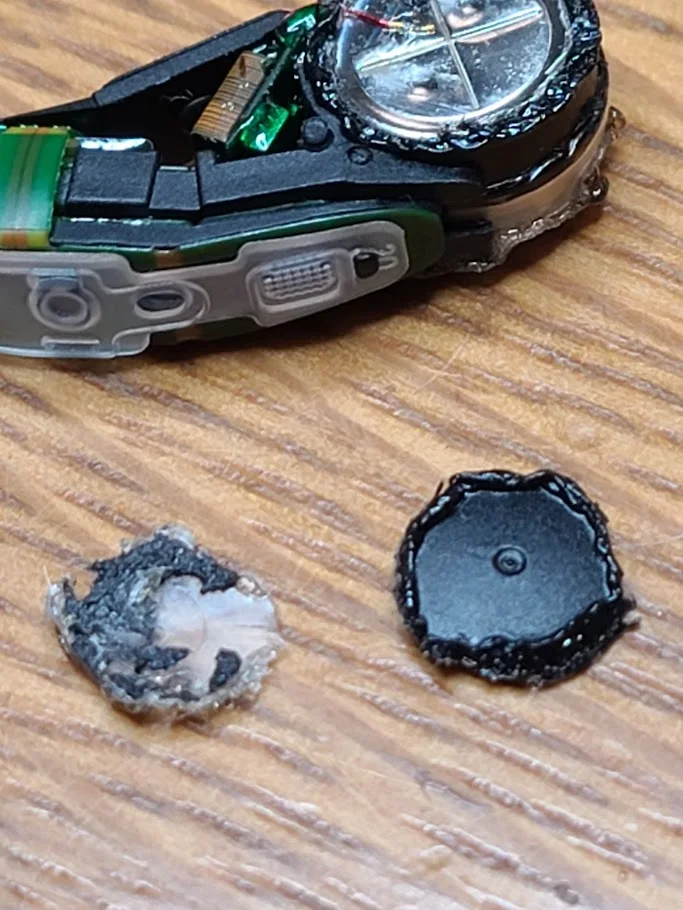
I’m still awaiting the batteries in the mail. I plan to use the conductive glue to attach the wires.
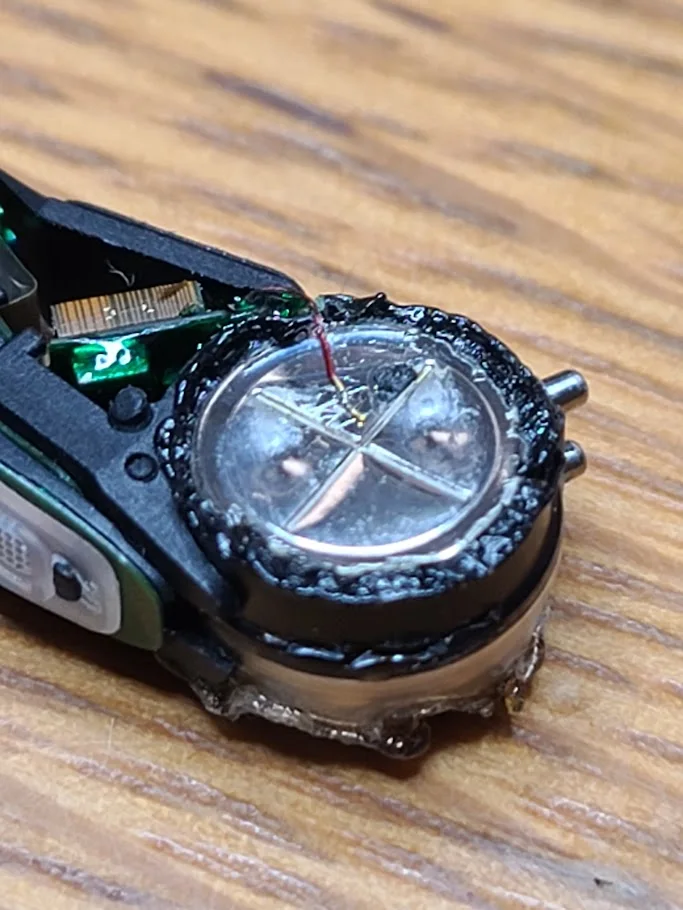
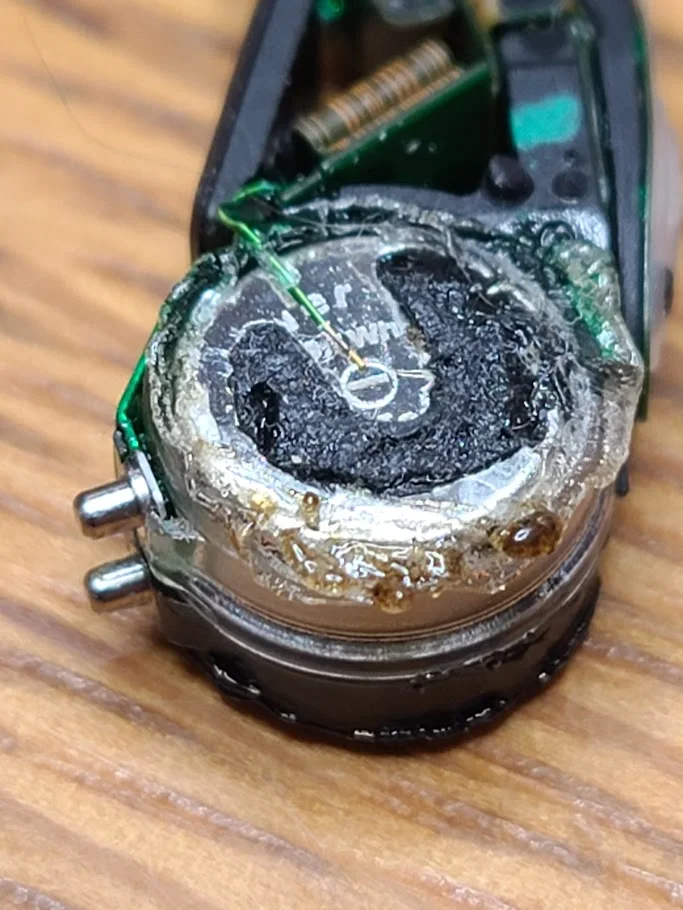
I’ve gotten to this point so far.
For those interested, I used a fine-tip soldering iron to carefully remove the covers from the battery compartment. It worked very well as I was able to stay well clear of the tiny wire attached. Then i was able to work in a more precise way to separate the cover from the wire section. Smooth so far.
https://photos.app.goo.gl/znftUDG1ybj1AM2h655
You’re ignoring this member’s posts.
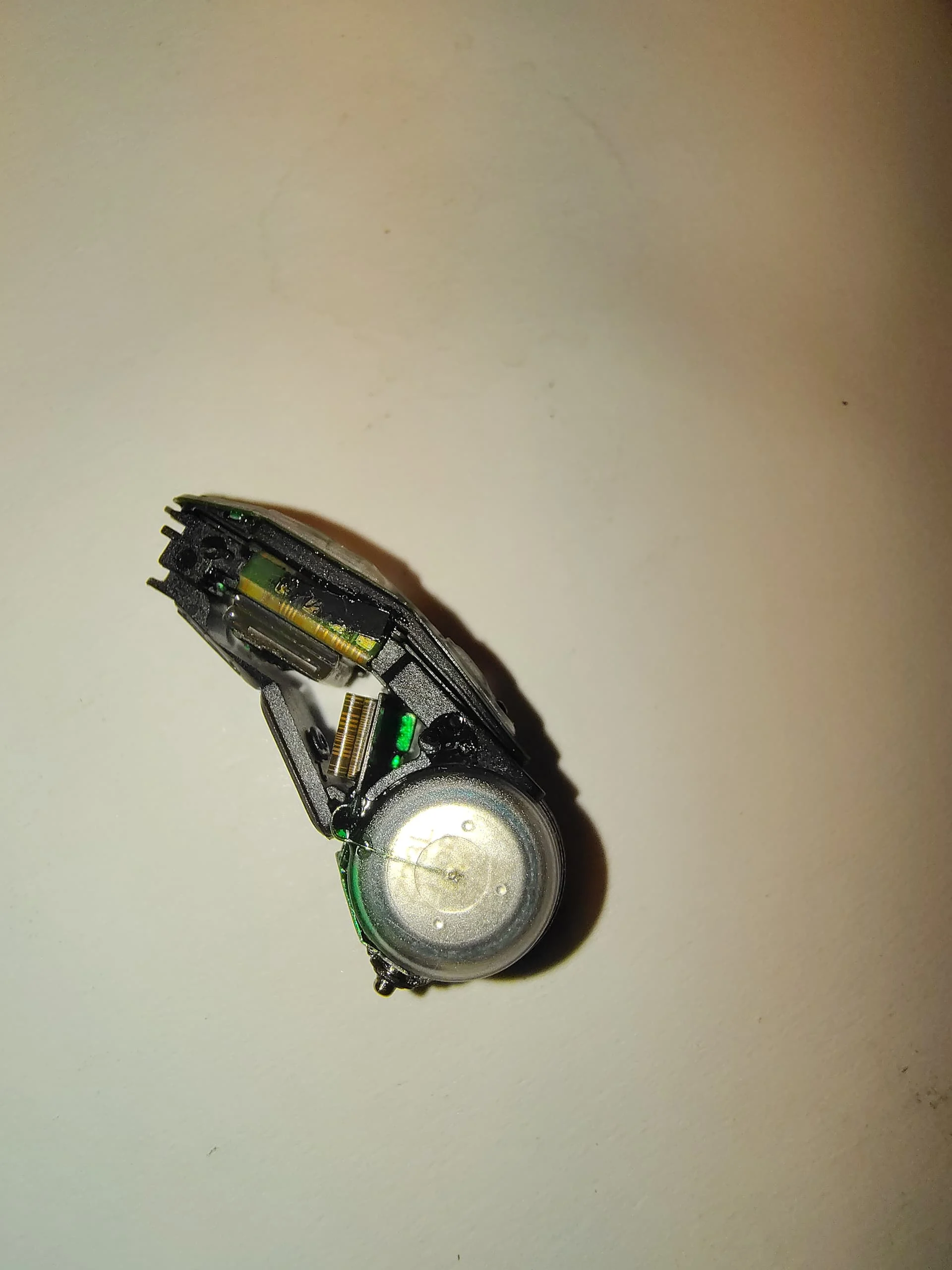
I’m in the process of repairing an M50. Fun job!
Opening the case was quite straightforward, removing the battery covers not so much. The wires are soldered and glued to the PCB, and are glued in the casing of the battery. Now I’m wondering what would be the best way to remove both top sides of the covers. Knife? Dremel? Soldering iron?
You’re ignoring this member’s posts.
I used a small knife and heated the blade with a propane torch. It is also important to keep the solidly held on a support. I removed the end of the small wire from the battery with the knife. When reassembling, don’t forget to scratch the enamel on the wire to establish a good electrical contact with the new battery
You’re ignoring this member’s posts.
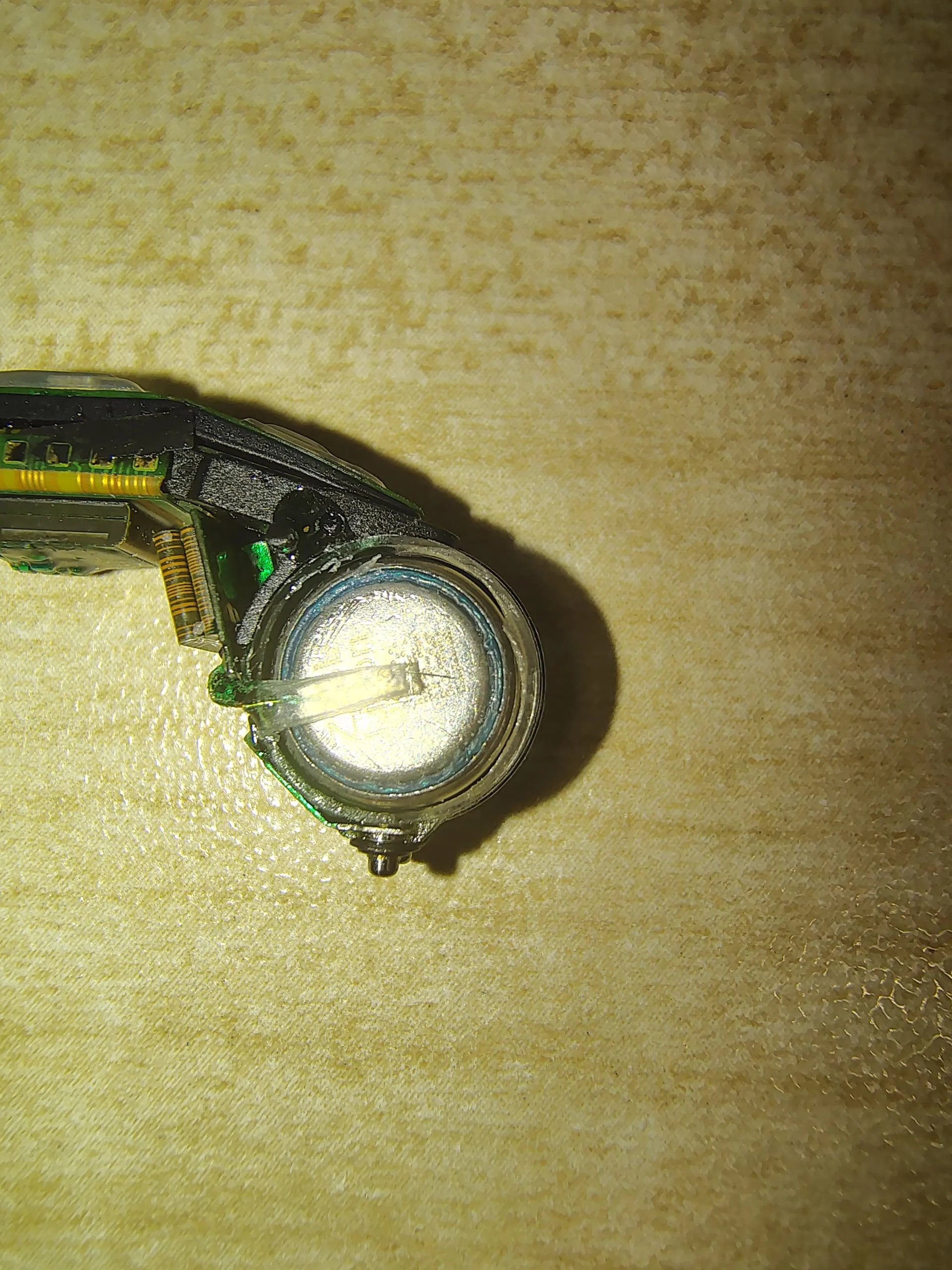
As it turns out the cover can quite easily be cut with a knife. I avoided the part where the wire was glued in thecover, need abit more magnification for that.
You’re ignoring this member’s posts.
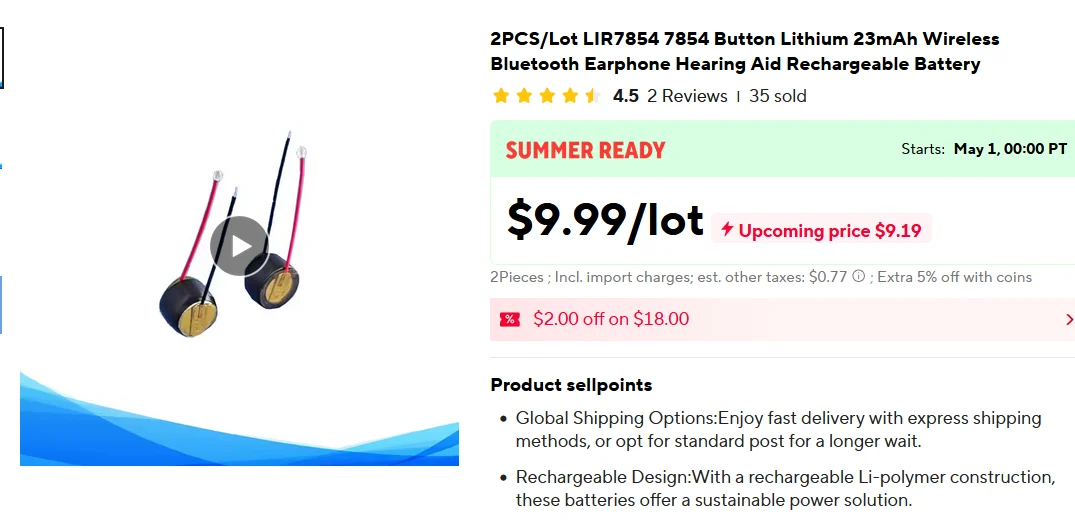
Hi Friends! I’m in the process of taking my ks10 apart which i believe is the same model, and have some questions about the battery. i’ve read too much ai slop on batteries and am having trouble figuring out some things:
battery i ordered:
ty <3
You’re ignoring this member’s posts.
Log in to reply to this topic.
Hearing Aid Self-Fitting (DIY)1 reply
Hearing Aids8 replies
Hearing Aid Self-Fitting (DIY)8 replies
Hearing Aids169 replies
Hearing Aids12 replies
 Rotterdam, Netherlands
 Ontario
 Switzerland