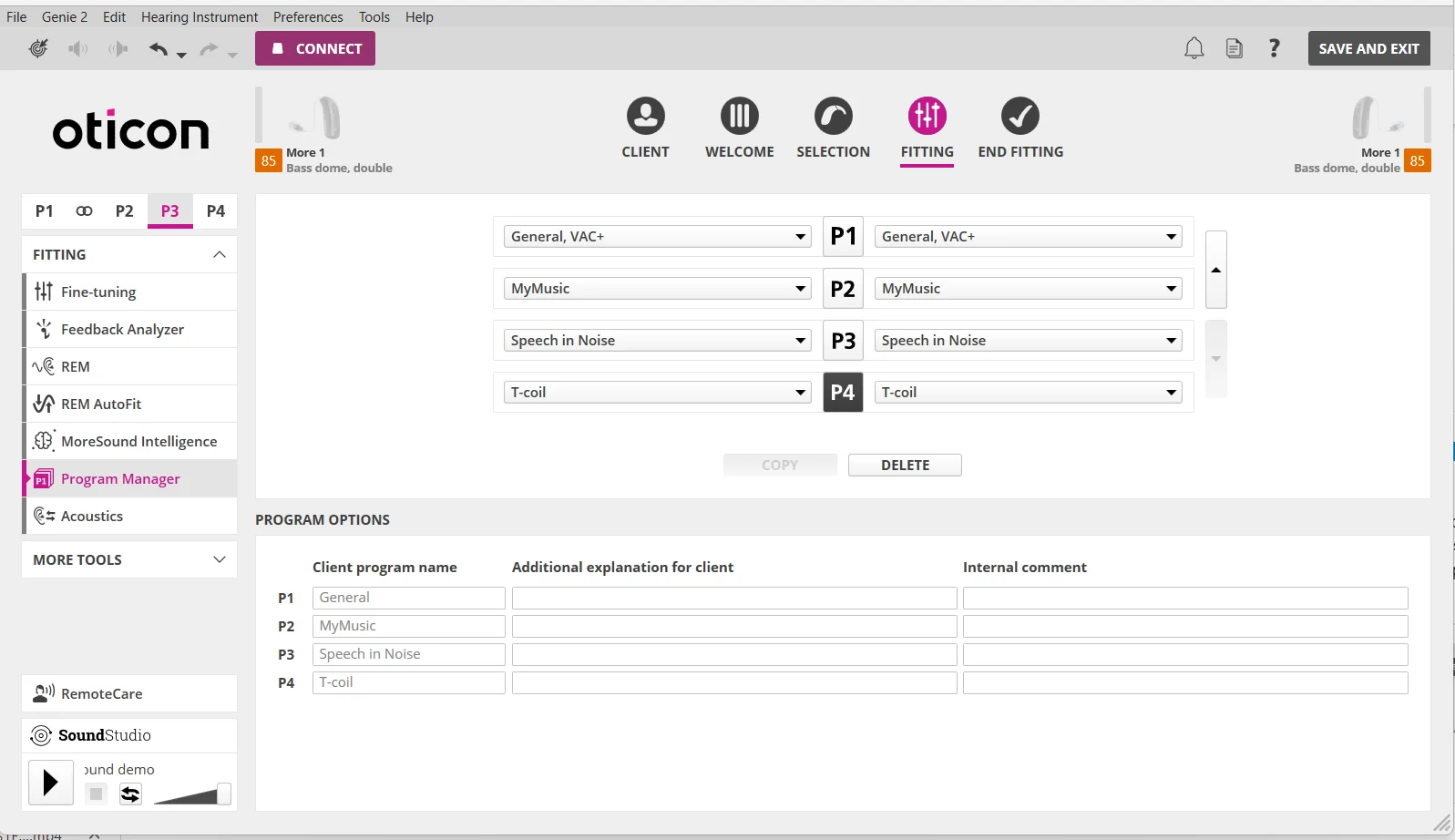
I would concur with @pvc to add a Speech in Noise secondary program and switch to it when you’re in a noisy environment, as opposed to making it your default program. You can have up to 4 programs in the More 1 so while you’re at your last free audi appointment, you should probably have him fill all 4 programs up instead of just adding Speech in Noise. You’d have 2 programs left after Speech in Noise is added, so maybe add in MyMusic and Tcoil for your remaining 2 programs. The Tcoil would be useful if you ever use headphones, or if you’re at a venue like in the theater or a church that is equipped with an induction audio loop for tcoil hearing aids.
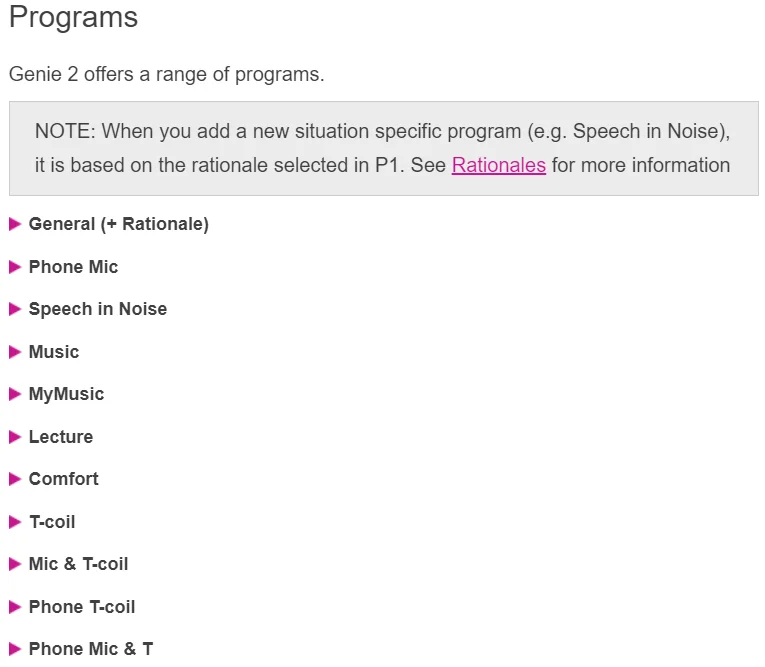
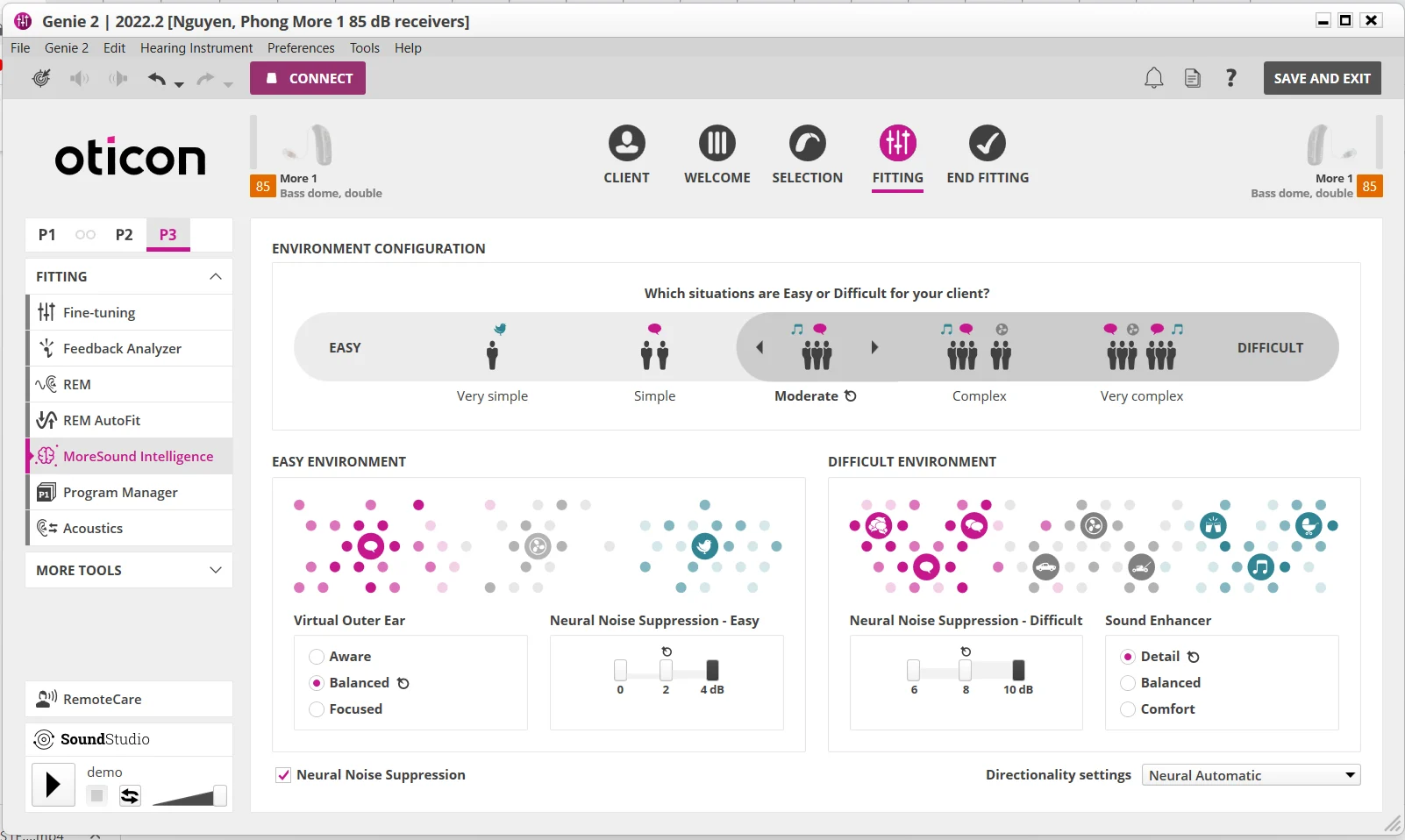
There are some other built-in programs as well as listed in the first screenshot below that you can consider. The second screenshot is where your audi can add and fill up all 4 programs. The third screenshot is where your audi can adjust the parameters. I’d suggest to have him max out on the Neural Noise Suppression settings for Easy and Difficult situations so that it’s most effective for you in suppressing noise and clarifying speech.
There’s also another option beside Speech in Noise called MoreSound Booster that you can enable anytime by yourself if you use the Oticon ON app in your phone. If you don’t have Speech in Noise as a program set to switch to yet, while you’re in your default P1 program, you can always turn on MoreSound Booster in your ON app to effectively block out the surrounding noise and focus on hearing people in front of you only.
Note that your P1 default program does have noise suppression already built-in, but it’s not set as aggressively as the Speech in Noise program. So that’s why it’s better to leave it as the default program and add in a Speech in Noise program that you can switch to if you only occasionally find yourself in noisy environments but most of the times, you’re in an easier environment like at home.







 Oticonian/Disposablyte