OK! That link to lithium ion battery storage is very helpful as I will likely be swapping out the 2 sets of rechargeable aids on a regular basis going forward. With my issue resolved, I should get at least 13 hrs of use again!
STATUS UPDATE: With just one pair of Lumity Life aids paired & connected to my Samsung Flip-4 phone today, I’ve gotten 5 hours of use and my aids are showing 70% charged. This has been my “witching hour” the past several days - where even with a high charge indication, the “master” aid will give that first warning beep. It hasn’t happened YET.
We do get the automatic updates on an almost daily basis - but they were always for Android 12 … UNTIL TODAY!!!
Hubs was successful in manually updating my phone with Android 13 - a “generic” version he found, NOT one released for my Flip-4 phone, which is still NOT OUT YET. (He likes the manual, not automatic approach to control what goes on.)
Do we have SUCCESS? I am able to use the phone and stream calls. Aids have been in from 10am to 5:30pm today and read 60% charged. The ONLY thing I did earlier today was leave ONE pair of Lumity Life aids paired AND connected to the phone. Yes, BOTH paired + connected. was also ON allllllll day long.
Now that it appears that the update to Android 13 works, I can see what happens if I re-pair the other set of Lumity Life aids to this Samsung Flip-4 phone. Will the battery power drain super fast again on both pairs of aids? I’ll surely come back here and let y’all know.
I sent my audi the Phonak link sterei posted about the Android 12 probs. She said it was news to her. So maybe Phonak doesn’t even tell the audis in the field about this CRITICAL shortcoming of their rechargeable aids. Like - just let the feeble, ol’ customers figger it out if sumpin’ ain’t workin’. Maybe they’ll just ignore it even if batteries die in mere hours.
Hubs is now going to put the steps in writing with the link to the site where he got Android 13 and other useful info that he’s putting in a pdf so I can upload it. ALLLLLLL day he’s spent on my issue, bless him!
Hubs was successful in manually updating my phone with Android 13 - a “generic” version he found
Congrats, and good on him for making the effort. I looked at doing that in November but as soon as I read about all the steps I remembered doing it years ago, and promptly went back to top-up charging the instead.
I have about 6 things on my Bluetooth list. None of them interfere.
I have just the Lumity Life aids paired + connected to my Flip-4 right now. I have 5 things in the “Available” list, but I don’t think they interfere with the single item connected to my phone.
6pm and I’m still running 60% charged with the one pair of aids paired + connected to my phone, on all day long.
I’m not able to diagnose the rapid battery drain from Fri thru Monday, but hopefully these aids will hold their charge longer with Android 13 on the phone now.
It’s a bloody mystery to me what-all could have caused both pairs of Lumity Life aids to drain their batteries in 4 hrs max for 4 days in a row. Never had that prob before last Friday, and perhaps I won’t have it going forward.
as soon as I read about all the steps I remembered doing it years ago, and promptly went back to top-up charging the HAs instead.
I HEAR YA! these aids + cell phone + version specs have gotten so convoluted and dizzy with details that it’s just too daunting to figure out what needs to be done.
Hubs - with Cal Tech, MIT and Stanford computer degrees is as MYSTIFIED as me as to how my aids kept draining so fast. Nothing has changed in our house, neighborhood, the phone, our wi-fi, NOTHING. Except for that little tidbit about Android 13 being needed on the phone. Why doesn’t Phonak keep a database of customers and email us that kind of critical info? How much effort would it take?
OK - afer toiling from 10am to 6pm today on this thorny issue for me, here’s the sum of my dear hub’s findings - links and DOWNLOAD of Android 13 rollouts (at end) for further into:
Samsung is rolling out Android 13 for Galaxy Z Flip 4:
then click “CHECK UPDATES” (and click SM-F721U1 again)
you get a list of the latest Android firmware for different Country Specific Codes in the US. See attached file Samsung SM-F721U1 USA Latest Firmware.pdf, which shows the available firmware as of 1/17/2023.
I was able to do manual install Android 13 for the Galaxy Z Flip 4 (SM-F721U1) with the XAA Country Specific Code (unbranded/default).
Instructions: Manual Firmware Installation
1. Get Phone information:
Model Name: Settings → About phone: Model name
CSC: Settings → About Phone → Software information: Service provider software version
At the end, there are a number of codes: Active CSC/SIM 1,SIM 2/Region/Primary CSC
For my phones this is: TMB/TMB,XAA/XAA (TMB is T-Mobile, XAA is unbranded/default)
Latest firmware available from Samsung servers using Frija (free to download from free Windows app)
Using the latest Frija v1.4.4, you can download the latest software update or any version of Samsung firmware for your Galaxy smartphone or Galaxy Tab directly fromSamsung Firmware Update Server(FUS).
Latest firmware also available from SamMobile (need to signup and pay).
Spud, I no longer HAVE to buy the “proper” phone for streaming. As of tonight, I now have Android 13 running on my Samsung Flip-4.
Still running at 60% battery use on the Lumity Life aids I’ve had on ALLLLLL day. If these aids hold the power charge, I’m DONE with this infernal mystery.
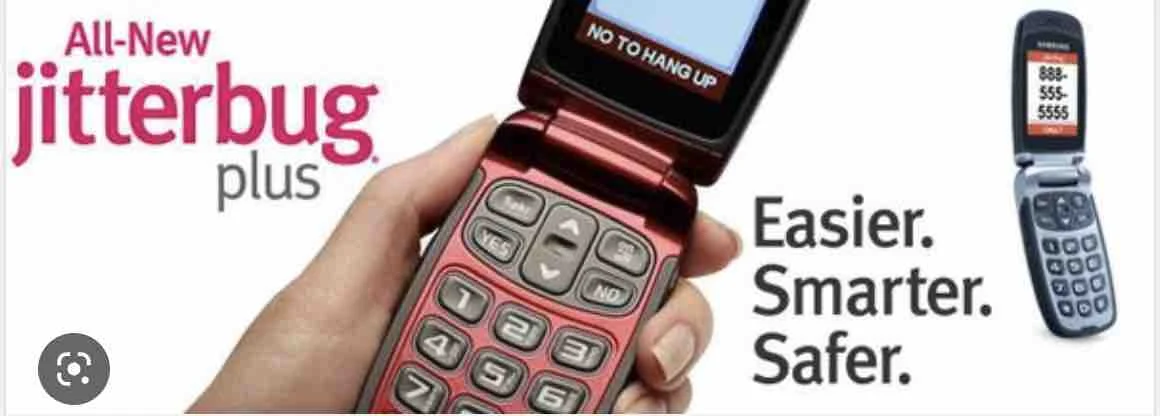
I prefer THIS one, cuz it’s a lot easier to BUG people when I call.
Even more impressive that your husband installed Android 13 on that thing. Or maybe you do have one of those take-apart flips? One half for each ear apparently.
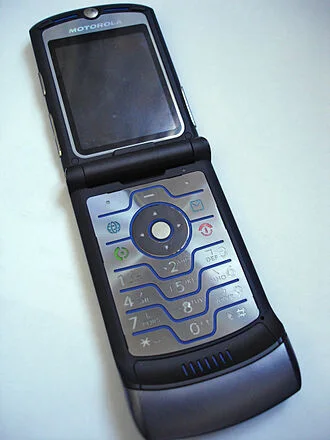
It’s not a traditional flip phone like the original Motorola Razr:
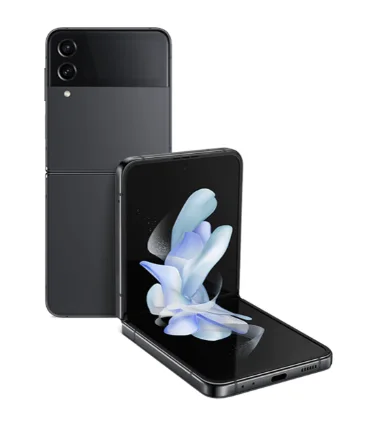
The Galaxy Z Flip4 looks like this:
So it’s a regular ~full-screen touchscreen phone that folds up into a more compact package to put in your pocket or purse. And it’s expensive as it has Samsung’s folding screen technology built into it for a seamless hinge in the transition between screen halves. I don’t know about splitting screens with apps but obviously, it’s a phone that can stand up by itself anywhere so you don’t need to hold it to view the top part of the screen more straight on than you might by laying the whole phone flat on a table. I imagine some people just like to buy it for the Wow factor.
I apologize that I haven’t read ALL of the responses but as others have said the problem is most likely Android 12. I was having short battery issues with replaceable batteries until I got a phone that would use Android 13. Then all issues went away.



 Oticonian/Disposablyte
 …
…  … oooh!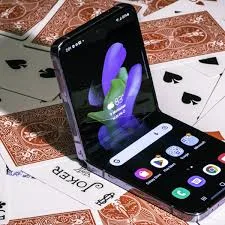




 Croatia