Is there a better HA manufacturer that is more compatible with Android phones that I should try? I like Starkey but I would rather have an App that works with my Android phone. Any suggestions would really be FANTASTIC…
Not a better hearing aid, but Phonak uses Bluetooth Classic, so any android will work with Phonak.
Be aware , some people say the My Phonak app is a bit flaky.
You may wish to do a search on the topic before committing, if the app is important to you.
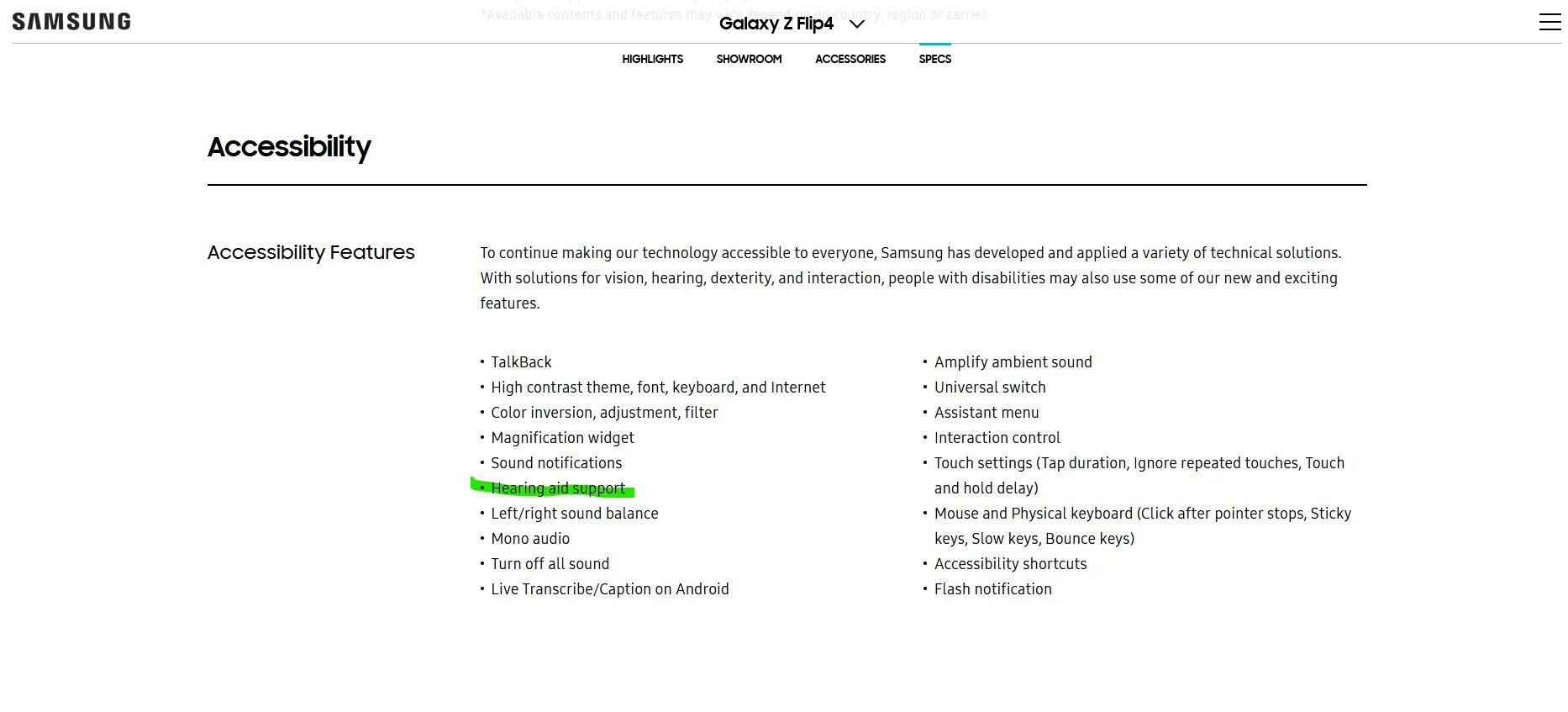
Thanks for the information I called the yesterday and they have an appointment for me tomorrow morning and they mentioned that the Signa hearing aid is compatible with my Samsung flip 4 phone. I’ll ask about the phonak hearing aids when I see them.
Thanks again for your help…
Signia is not directly compatible with Android phones. You need an intermediary device such as a Phone Clip. Signia phone app is pretty cool and easy to use.
Phonak is directly compatible with Android phones! It is nice to finally have a hearing aid that just connects with no problems or extra devices. Phonak app is limited in function and more difficult to use (in my humble opinion).
Best wishes on your journey to better hearing,
Dan
YMMV – EDITIED May 8th, 0540 UTC
“Compatible device” usually refers to the program, not .
You should be able to connect any modern to any BT device made after 2012. I think you have a pairing problem. BT is not easy to get working or to keep working properly.
To discover which device with work with their app, use Google Play’s website on your PC. The HA company can’t list every device that works with their app, nor every BT configuration. On the PC’s Google Play website, go to their app page. Below, it will tell you which of your devices are compatible with that app. If your device is listed as installable, then it should work. My Note 3 from 2013 did not show up for Phonak. Separately, from Google Play on my Note 3 device, their app won’t even display, let alone allow me to install it.
Let me tell you about my experiences and see which might apply. I’m picking new replacements for
I got my Phonak M-90R’s in 2020, which had the best BT then. Most other HA’s required external devices added to the HA, and would not work with a native BT connection for voice or mike. My Samsung 2013 Note-3 connected immediately, but was not on their “compatible list”.
Their Phonak app would not support Android 5 or below, so that app only runs on my Wifi tablet instead of my phone, (used only for reading HA % of battery charge from each HA.
My Phonak HA’s, is limited to pairing only two devices. Adding a “new device”, will delete one of the other device’s pairings. Luckily, the newest Phonaks at the , now support eight BT devices.
Connecting to your PC, (or any BT device), won’t necessarily play or hear sound through your PC, even when enabled. Each program, service, or website can be set up to send or hear sound from a different device, such as your speakers, a headset jack, an internal mike or even a separate BT or Wifi device. Each website’s service can preset where to send or receive sound to and from anywhere. ZOOM is set separately than SKYPE, GOOGLE VOICE, or MEET! Rule for 2-way communication apps: Set up and do a live test way before the call. Otherwise you could hear but not speak, or speak and not hear.
** PC’s ONLY **
For the real hackers, there’s a “console switching app” for sound (in [mike] and out [play/listen] ), that allows you to see and route the sound to and from apps, services, and devices. (Caution: These types of apps must often change your PC’s setup for sound, replace drivers, and generally can really mess you up. Generally, any app that changes or reconfigures drivers, especially video drivers, is likely to cause grief. Even if “it makes things better”, it also makes them work differently than it did, sometimes permanently.)
Calls made with a phone or a laptop will use a highly focused and limited mike, eliminating all incoming sound, other than you while on a call. But, when you use your HA, or plugged in headset to make a call with your PC or phone, they will likely pick up whatever they can hear from as far away as possible, including all the ambient noise.
Two BT devices interfering –
BT will usually “auto-connect”, but not always when desired. If it is already connected to one device, you cannot connect to the other device, until you disconnect the other device, (do not UN-pair). You can’t “disconnect” from the BT using your HA. Instead, open settings of the other BT device and either disconnect from there, or turn of BT completely when easier.
The PC’s BT works fine most of the time, until I walk into the other room. Then, it breaks up and drops sound for 4 seconds, every 30 seconds. (My phone or tablet does not have this problem–only the PC.) The fix: In Windows BT settings, (which I keep open), DISCONNECT the HA, wait about 5 seconds, and then RECONNECT. If BT was enabled on the other paired device and auto-connected before reconnecting to my PC, it will fail until you disable / disconnect that device, other then the PC.
When "Connected to the PC, it will just say, “Connected music” or hopefully, “Connected: VOICE, music”. Those are separate channels, and voice means “mike and speakers” and/or “headset”. If and when you see headPHONES, that simply means listening and does NOT include your microphone,. (Yeah, dumb labels.)
Also, note that BT works from my RIGHT HA, and never connects from the left HA by itself. That means I can charge the left while listening to BT, but not the right.
Enough on BT for today – “It’s complicated” says it best for BT, and not just because of the HA’s.
Wow really good information… I am going to have to read this one more time to completely absorb it. Can not believe you went to so much detail explaining the who process. Thank you So much
Y – Glad you hadn’t wasted too much time, there was a lot of drivel, which I’ve cleaned up and shouldn’t take as long to read now.
FYI – I JUST got this from the on May 4th, which is why I was hEAR today. >>
NOTE: There’s no link for the new VA contract, but changes below:
Phonak: & Signia: No changes this contract.
Oticon: Oticon Real 1 miniRITE & miniBTE (R and T styles); no changes for custom products
Resound: no changes for ; Omnia platform now in and custom styles
Starkey: Genesis platform (available in RIC and custom)
A… P…, , Audiologist
SoCal is right — Phonak is about the ONLY company that promotes RAW, NATIVE Bluetooth with NO attachments or extra hardware required…
They moved my APPT up!! Met with the yesterday, hearing test hadn’t changed, and since I’ve got an Android, Phonak is about the only, and BEST option by far, since Bluetooth is the absolute most important aspect for me. So, decisions of what to get were… not needed at all. Three weeks from now, I’ll get the new ones, and refurb the old ones then.
Note, I really do NOT think anyone should worry about the APP, and compatibility with your phone. If you REALLY need it, then just BUY ANY cheap tablet < $50 with a recent Android OS, (that has , obviously, and they all do today). I DO need and use the app often, but only because one LED burned out totally, and I use it for battery charge % status. When the new ones come in, the m90s will be repaired and the LiIon batteries will replaced. Luckily, the WIRE on my right broke just 6 hours before appt, so they fixed that on the spot, yesterday as well!
Here’s another trick: Get a cheap PREPAID phone, and use it for ONE MONTH, and then STOP PAYING. KEEP it and use it for JUST that ONE month, (for $25??), but then turn OFF the CELL radio, and JUST USE Wifi for calls AND APPS — FOREVER, for FREE!. That NEW phone would run Phonak’s APP and connect just fine. If you use T-MOBILE, then install their DIGITS APP, and you can use THAT to MAKE and RECEIVE FREE T-MOBILE CALLS via Wifi, using YOUR phone #, with NO monthly line charges. This also also, gives you text messaging, voice mail with Google Voice, and add Skype, Meet, Zoom, etc… (OTOH, SHORT codes (used to confirmations, banking etc.) for security reasons will NEVER be sent to that DIGITS app.) But, this gives you an extra phone for use, and NO line charges. Oh, and I ALSO use that for T-Mobile Tuesday App! (which doesn’t have as many free giveaways and free food as in the past… alas). Another bonus, you’ve got a “burner phone” now, you might also need it, if your real phone is broken. Pay the monthly that month, and they turn it back on including CELL tower.
I am still someone that believes in finding the hearing aids that work for my hearing loss needs then worrying about what they will work with. I have been wearing aids for 20 years and hearing comes first. I am retired now so I don’t spend all day on the phone anymore. I don’t stream music as music isn’t my thing. I do stream audiobooks so word understanding is my priority. I wear Oticon More1 aids now and really like the sound. I have been wearing Oticon now for 13 years and have no desire to switch anytime soon.
@cvkemp It’s because when you and I started wearing hearing aids, the only thing they did was enhance speech. If you were lucky they would have a . Now they do every thing…and you can change things yourself…Kinda complicated for my liking
Dan
Actually, I never thought of why a burner phone could be so useful. I just wish I could easily move my SIM from one to the other. I might use that for my phone-only needs. TM only will create a new SIM for use, and once tied to a phone ID, cannot be reused.
ORLANDO AUDIOLOGIST needed – (Paid Pro, preferably NOT a retail dealer).
– I DO have one request — I am looking for a RECOMMENDATION for a great Audiologist in the Orlando area. My M-90’s are going to be re-provisioned for my wife, meaning new molds, new fitting and programming.
What exactly do you mean by “the clip?” Can you provide the name? I have Oticon Opn and I have Oticon On on my Android phone, but it will not play music or make calls.

 SoCal
SoCal