Hello
Noahlink doesn’t work for me with the usb c port with adapter.
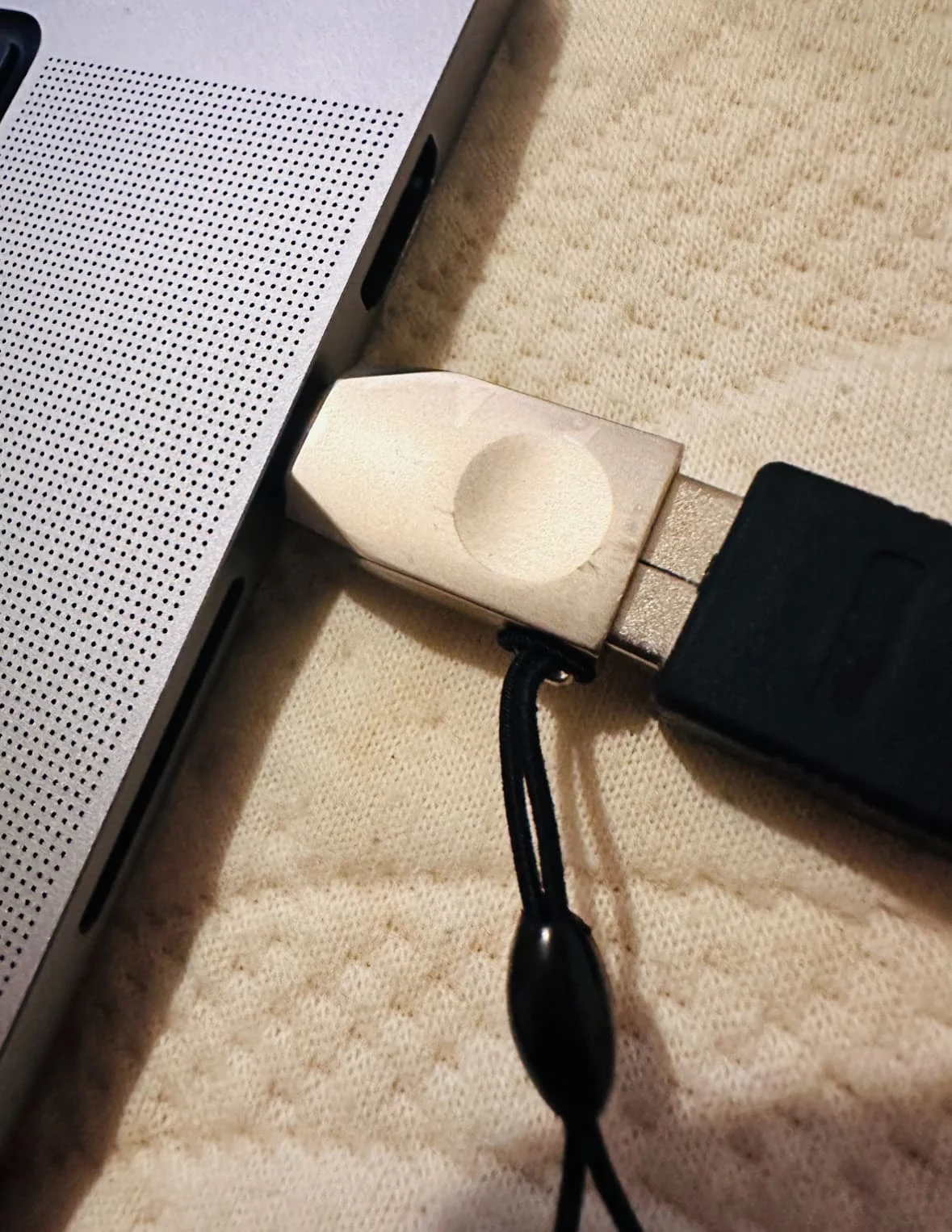
Is there any solution?
I suppose you can get a connector to connect Noahlink directly without an adapter. Would that work?
You’re ignoring this member’s posts.
This topic is closed.
16 replies806 viewsLast reply
Hello
Noahlink doesn’t work for me with the usb c port with adapter.
Is there any solution?
I suppose you can get a connector to connect Noahlink directly without an adapter. Would that work?
You’re ignoring this member’s posts.

Yeah that’s the way, use the correct adaptor, so what PC doesn’t have a USB port nowadays?
What’s that cable in the picture as well?
You’re ignoring this member’s posts.

Cable looks cockeyed to me, not seated in the adapter. You probably messed with that already, so that’s not the problem.
My guess is the adapter is faulty. But a cable with USB C on one end and micro usb on the other. Don’t scrimp, get a reputable brand.
I have three of these cables, they all work as they should.
You’re ignoring this member’s posts.

You can replace the Noahlink wireless cable with a Type C to Type B cable.
C2G 3FT USB2.0 Type-C Male to USB Type-B Male Cable - Black | eBay13
This USB2.0 USB-C to USB-B cable is the perfect solution for connecting a printer, hub, or other device that has a USB B port to a computer, tablet or other device that has a USB Type-C port for USB2.0 communication.
You’re ignoring this member’s posts.
Please note that there are two types of Type B interfaces, please purchase the same interface as on the original cable.
You’re ignoring this member’s posts.
You’re ignoring this member’s posts.
You’re ignoring this member’s posts.
It is a Macbook (M2, March Model) with only usb c ports. I am using Windows with Parallels.
Previously I used my macbook (2015 model) with USB ports, Windows with Parallels and Noahlink Wireless was working fine during years.
I already tried 2 usb C adaptors.
I also upgraded the firmware of my Noahlink Wireless but is not being recognized.
You’re ignoring this member’s posts.
You’re ignoring this member’s posts.
Good job.
Not a cable problem at all. LOL.
This cost a little more than a cable, but it should do the job. You’ll still need those two adapters.
You’re ignoring this member’s posts.
You’re ignoring this member’s posts.
In reply to @TonightIsTheNight
How did you run noahlink wireless in ARM architecture M2 ? Kindly please send driver in appropriate format that will run on Apple silicon macbooks and step to make it run ? And do you use windows ARM iso in your parallels ? Virtualize or emulate ? Did software successfully run in ARM windows ?
You’re ignoring this member’s posts.
As stated it doesn’t work, just buy a cheap windows laptop for your projects, you don’t want to risk bricking your or the Noahlink wireless trying to do something that is already so easy to do on a windows laptop.
You’re ignoring this member’s posts.
will Noahlink wirelss 2 and resound smartfit 2 will run on Intel cerelon N4500, Win 11 home, 64 bit cpu arch, 128GB ssd, 8gb ram ?
You’re ignoring this member’s posts.
Already answered so many times, ok I get it, you just want to be 100% sure, best way is to try it and see for yourself, it’s gonna be a bit slow but still usable, it’s easy enough to find the minimum requirements, but take it with a pinch of salt, as they claim min i7 bah bah
You’re ignoring this member’s posts.
Yes sir you are right . just doesn’t wanted to spend money on purchasing new laptop. but for bricking reason , i must thats why making sure everything . before purchasing a cheap laptop and that will run noahlink and smartfit 2 with their min requirements.
You’re ignoring this member’s posts.
You’re ignoring this member’s posts.
Hearing Aid Self-Fitting (DIY)18 replies
Manufacturer Support24 replies
Uncategorized34 replies
Fitting Software Requests892 replies
Hearing Aids144 replies
 St. Joseph, Michigan
 China
China