
 Chicago
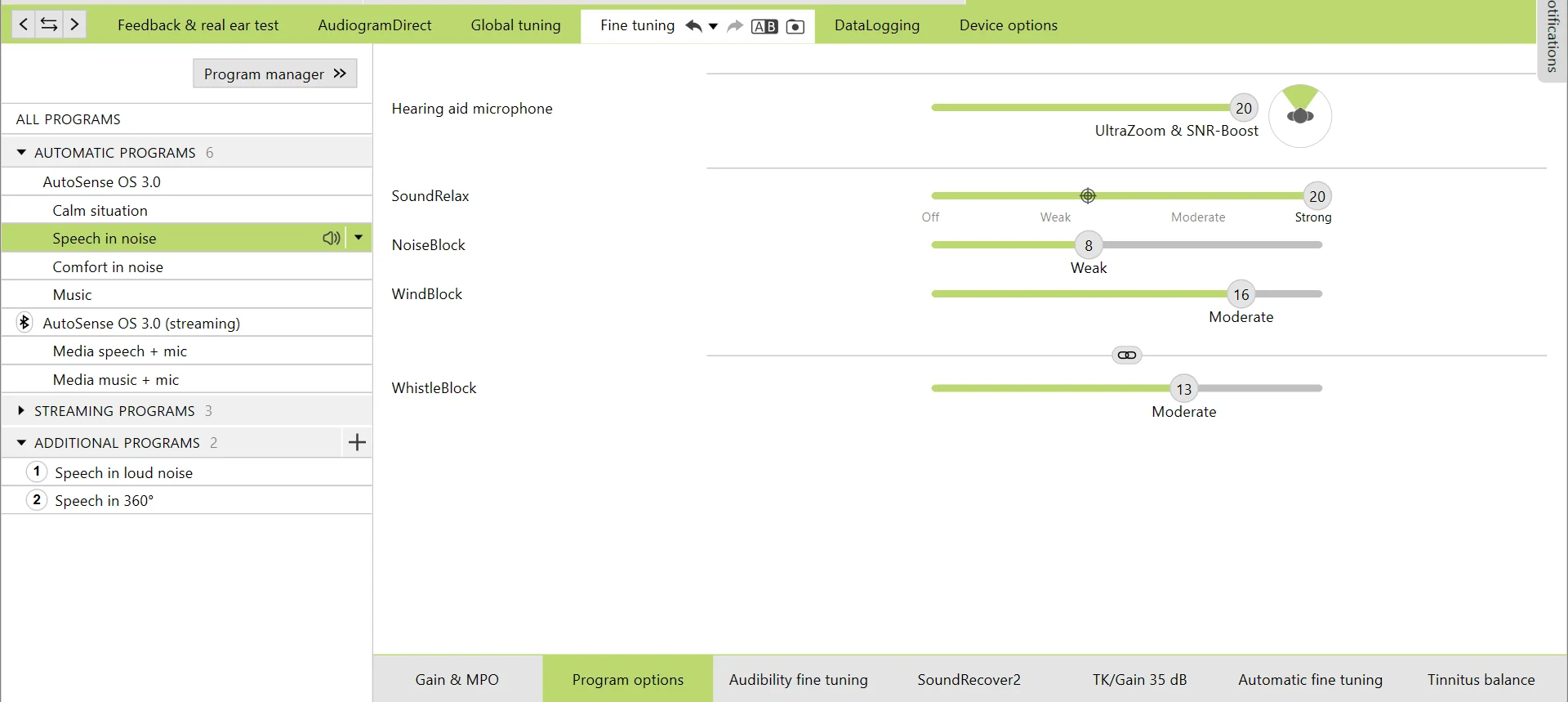
In the attached screenshot, is the Program Options tab for my Speech in Noise program.
For users of Phonak Target, as you are aware, there is a circle with crosshairs inside along the slidebar for Hearing Aid Mircophone, Sound Relax, Noise Block, Wind Block & Whistle Block.
As you can see from my set up, my settings are all set where the “crosshairs” are with the exception of Sound Relax, which is all the way to the right of scale.
My question is, is where the “crosshairs” is determined by the or is this the same for everyone? I can’t find a comprehensive theory of operation guide for Phonak Target, only found a very basic step by step guide that could probably be understood by a monkey.
If you could tell me if yours looks different that mine, that will probably answer my question.
You’re ignoring this member’s posts.




 North Springfield, Pennsylvania
 North West UK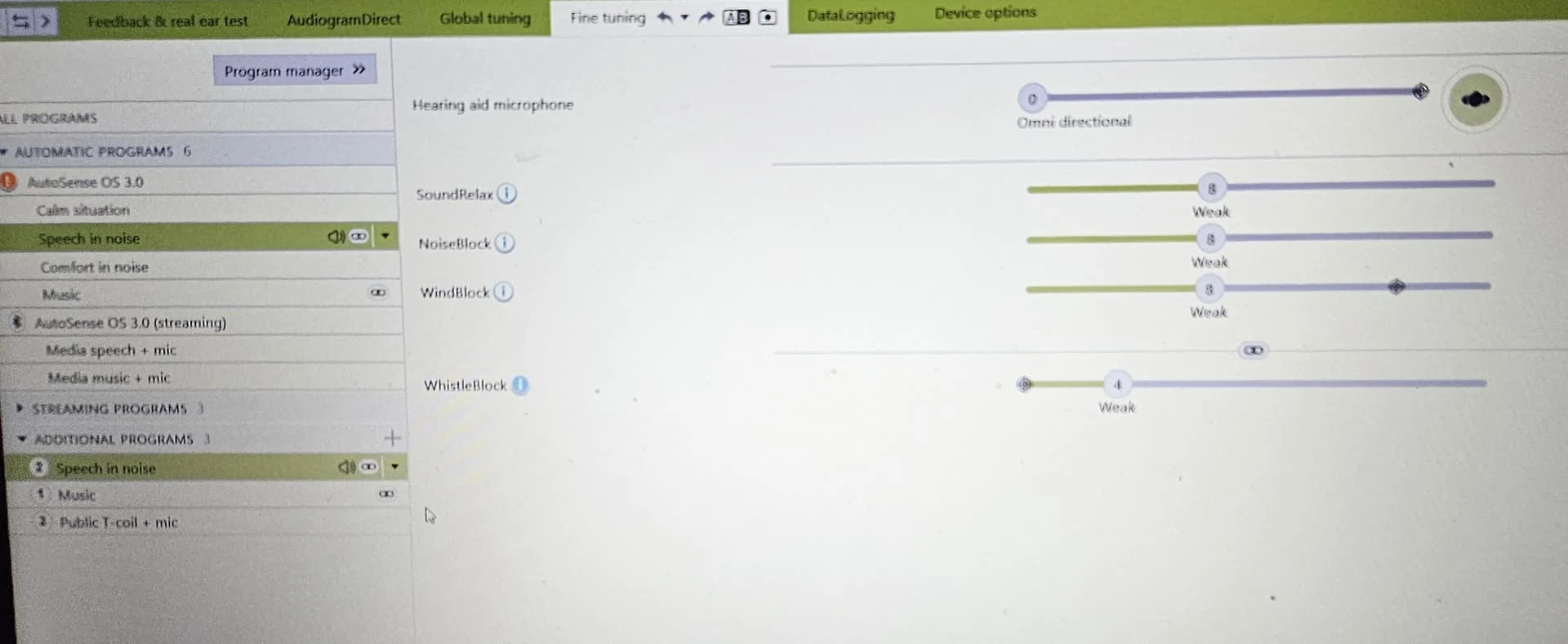
 Ontario