You’re ignoring this member’s posts.
Need. please, where can I download the Starkey Inspire 18.0.10291.0 Multi-Brand software? please help me
This topic is closed.
14 replies425 viewsLast reply
You’re ignoring this member’s posts.


Starkey Inspire
@Kash @tenkan, for Starkey multibrand install normal latest Starkey Inspire and Starkey Patientbase , then startup the software with the Windows Run command.
Press Windows-Key + R and enter the desired command line
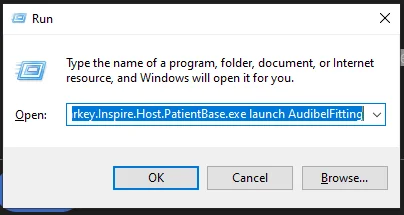
command line for Audibel
C:\Program Files (x86)\Starkey Laboratories\Inspire OS\Starkey.Inspire.Host.PatientBase.exe launch AudibelFitting
Run command for MicroTech
C:\Program Files (x86)\Starkey Laboratories\Inspire OS\Starkey.Inspire.Host.PatientBase.exe launch MicroTechFitting
Run command for NuEar
C:\Program Files (x86)\Starkey Laboratories\Inspire OS\Starkey.Inspire.Host.PatientBase.exe launch NuEarFitting
Run command for Amplifon
C:\Program Files (x86)\Starkey Laboratories\Inspire OS\Starkey.Inspire.Host.PatientBase.exe launch AmplifonFitting
Run command for Audika (French/Francaise)
C:\Program Files (x86)\Starkey Laboratories\Inspire OS\Starkey.Inspire.Host.PatientBase.exe launch AudikaFitting
Run command for AudioSync (Brazil = Portuguese) (Pro Akustik = German)
C:\Program Files (x86)\Starkey Laboratories\Inspire OS\Starkey.Inspire.Host.PatientBase.exe launch AudioSyncGeneralFitting
Run command for AGX/AudigyGroup
C:\Program Files (x86)\Starkey Laboratories\Inspire OS\Starkey.Inspire.Host.PatientBase.exe launch AudigyGroupFitting
Run command for Visaudio (French/Francaise)
C:\Program Files (x86)\Starkey Laboratories\Inspire OS\Starkey.Inspire.Host.PatientBase.exe launch VisaudioFitting
Run command for Medtronic
C:\Program Files (x86)\Starkey Laboratories\Inspire OS\Starkey.Inspire.Host.PatientBase.exe launch MedtronicFitting
Run command for Lisound (Chinese/Zhongguo)
C:\Program Files (x86)\Starkey Laboratories\Inspire OS\Starkey.Inspire.Host.PatientBase.exe launch LisoundFitting
Run command for Horex (German/Deutsche) Telefunken
C:\Program Files (x86)\Starkey Laboratories\Inspire OS\Starkey.Inspire.Host.PatientBase.exe launch HorexFitting
Run command for Kind
C:\Program Files (x86)\Starkey Laboratories\Inspire OS\Starkey.Inspire.Host.PatientBase.exe launch KINDFitting
Run command for Starkey
C:\Program Files (x86)\Starkey Laboratories\Inspire OS\Starkey.Inspire.Host.PatientBase.exe launch Starkey
Alternative you can create a .BAT-fle. Then double click this BAT-File for startup/running Inspire in the required 3-rd party mode.
next line is the start (first line) of the BAT file:
ECHO OFF
set “parm1=launch”
set “parm2=null”
CLS
:SELECT
ECHO.
ECHO Choose a Number:
ECHO 1 = AGX/AudigyGroup
ECHO 2 = Amplifon
ECHO 3 = Audibel
ECHO 4 = Audika (French/Francaise)
ECHO 5 = AudioSync (Brazil = Portuguese) (Pro Akustik = German)
ECHO 6 = Horex (German/Deutsche) Telefunken
ECHO 7 = KIND
ECHO 8 = Lisound (Chinese/Zhongguo)
ECHO 9 = Medtronic
ECHO 10 = MicroTech
ECHO 11 = Starkey
ECHO 12 = NuEar
ECHO 13 = Visaudio (French/Francaise)
ECHO.
set /P MyNum="Please enter a number between 1 and 13? "
If %MyNum% == 1 SET “parm2=AudigyGroupFitting”
If %MyNum% == 2 SET “parm2=AmplifonFitting”
If %MyNum% == 3 SET “parm2=AudibelFitting”
If %MyNum% == 4 SET “parm2=AudikaFitting”
If %MyNum% == 5 SET “parm2=AudioSyncGeneralFitting”
If %MyNum% == 6 SET “parm2=HorexFitting”
If %MyNum% == 7 SET “parm2=KINDFitting”
If %MyNum% == 8 SET “parm2=LisoundFitting”
If %MyNum% == 9 SET “parm2=MedtronicFitting”
If %MyNum% == 10 SET “parm2=MicroTechFitting”
If %MyNum% == 11 SET “parm2=Starkey”
If %MyNum% == 12 SET “parm2=NuEarFitting”
If %MyNum% == 13 SET “parm2=VisaudioFitting”
If %parm2% == null GOTO ERROR
GOTO STARTSW
:ERROR
ECHO.
ECHO You Selected an Invalid Number: %MyNum%
ECHO Try Again
GOTO SELECT
:STARTSW
ECHO You Selected %MyNum% %parm2%
Start “” “C:\Program Files (x86)\Starkey Laboratories\Inspire OS\Starkey.Inspire.Host.PatientBase.exe” %parm1% %parm2%
ECHO Starting Your Selection %parm2%
set “parm2=null”
PAUSE
EXIT /B
:: Instructions for Changing this Text into an Executable .Bat file
::
:: 1) create a new Text document with notepad (inside a folder execute right click and choose new → Text document
:: 2) open the new Text document via double click.
:: 3) Select and Copy CTRL+C the above instructions (from line1: ECHO OFF to last line: EXIT /B)
:: 4) Paste (CTRL+V) the instructions into the new Text document
:: 5) Save Text document as: StarkeyOtherBrands.Bat (Menu: File/Save as…)
:: 6) Now you can double-mouse-click your new StarkeyOtherBrands.Bat to run/execute the commands
::
You’re ignoring this member’s posts.
where can I download the Starkey Inspire 18.0.10291.0 Multi-Brand software?
@Kash , i dont have Inspire 18 , but you could also use the later versions
please check your PM for a download link of
→ Starkey Inspire 19 (2018) and Patientbase
You need to install both: Inspire and Patienbase
Then open the Windows Run command window
→ press Windows-Key + R and enter the desired command line.
Tip: Use copy and paste for entering the command line.
You’re ignoring this member’s posts.
You’re ignoring this member’s posts.
KashAuthor
\Starkey Laboratories\InspireOS\Starkey.Inspire.Host.PatientBase.exe launch AudibelFitting
bro only starkey is opening .no other company is opening.windows plus r then i put the audibel command line only starkey is popping up on inspire no other brands showing up,what i did wrong. how to get audibel and nuear brands from this inspire
You’re ignoring this member’s posts.
KashAuthor
C:\Program Files (x86)\Starkey Laboratories\InspireOS\Starkey.Inspire.Host.PatientBase.exe launch AudibelFitting
i am running windows 10 64 bit .not able to run patientbase properly.net1 framework 2.0 failure
You’re ignoring this member’s posts.
there were a typo in the command lines and it is now corrected.
( there must be a space between Inspire OS )
Please try again with these command lines
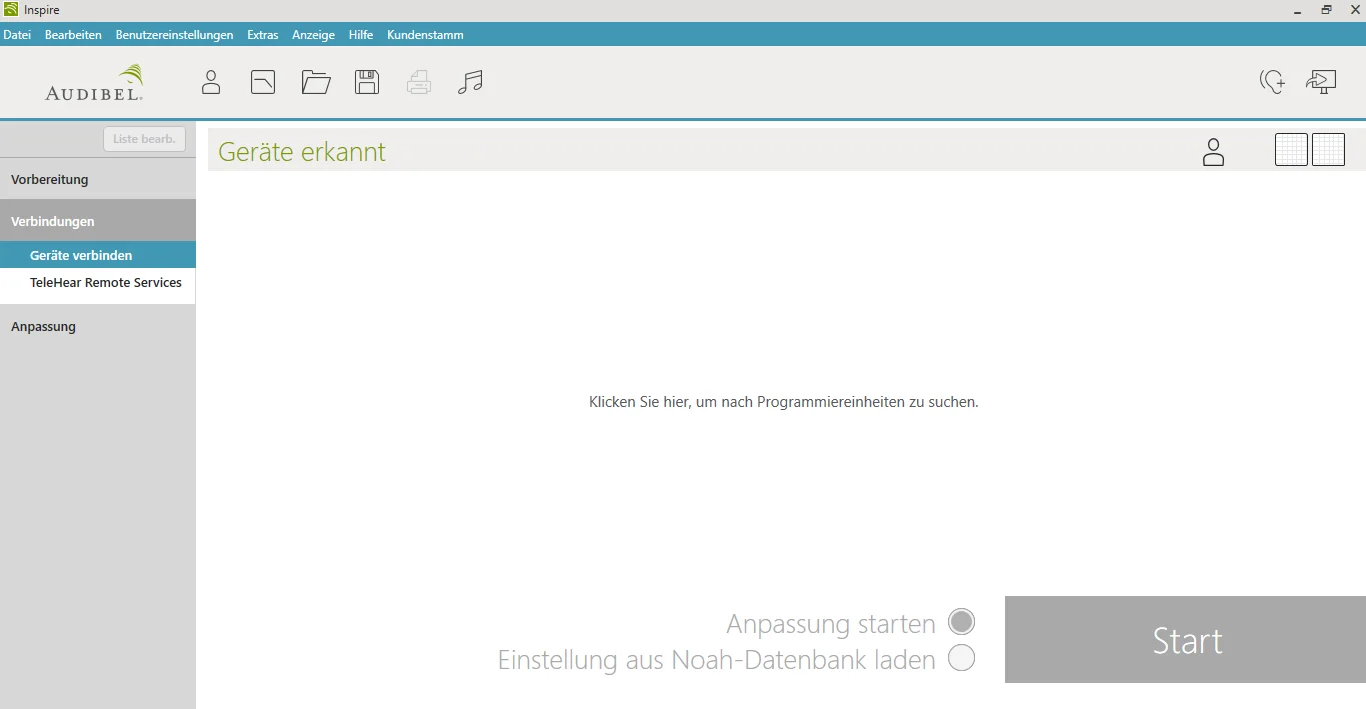
Audibel
C:\Program Files (x86)\Starkey Laboratories\Inspire OS\Starkey.Inspire.Host.PatientBase.exe launch AudibelFitting
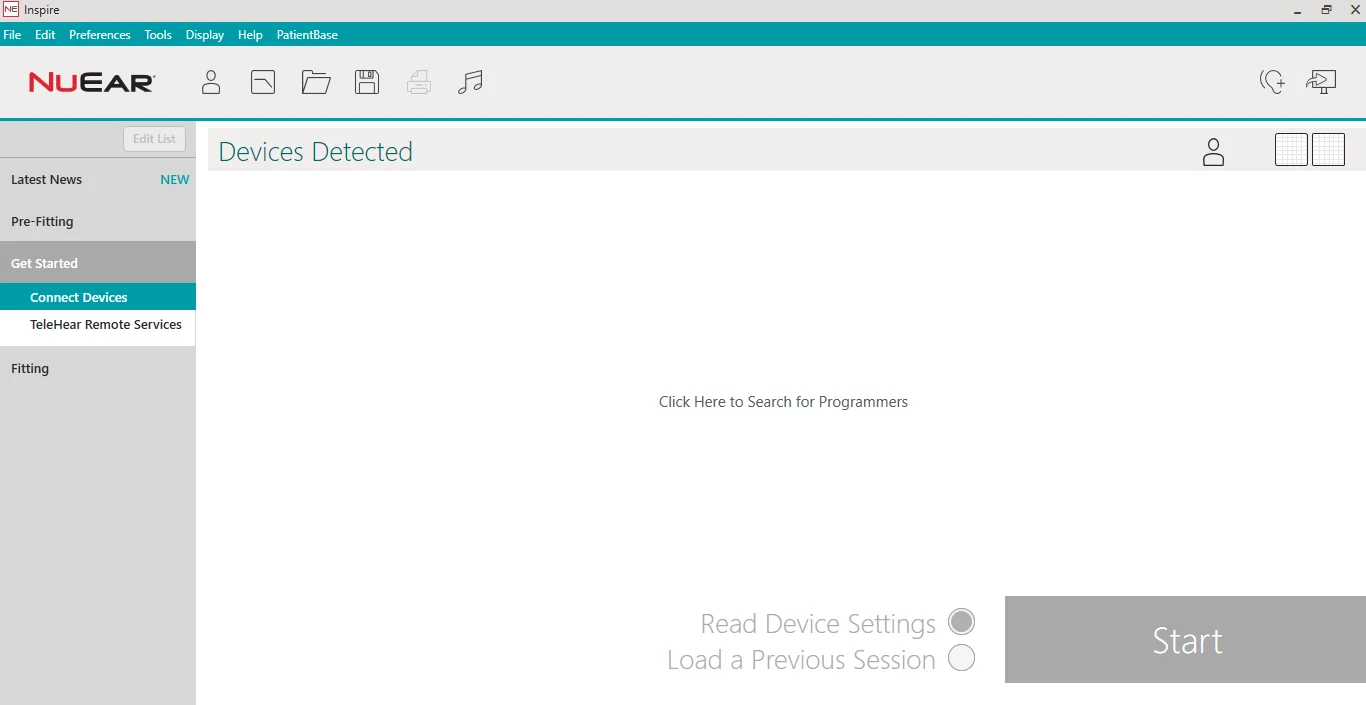
Nuear
C:\Program Files (x86)\Starkey Laboratories\Inspire OS\Starkey.Inspire.Host.PatientBase.exe launch NuEarFitting
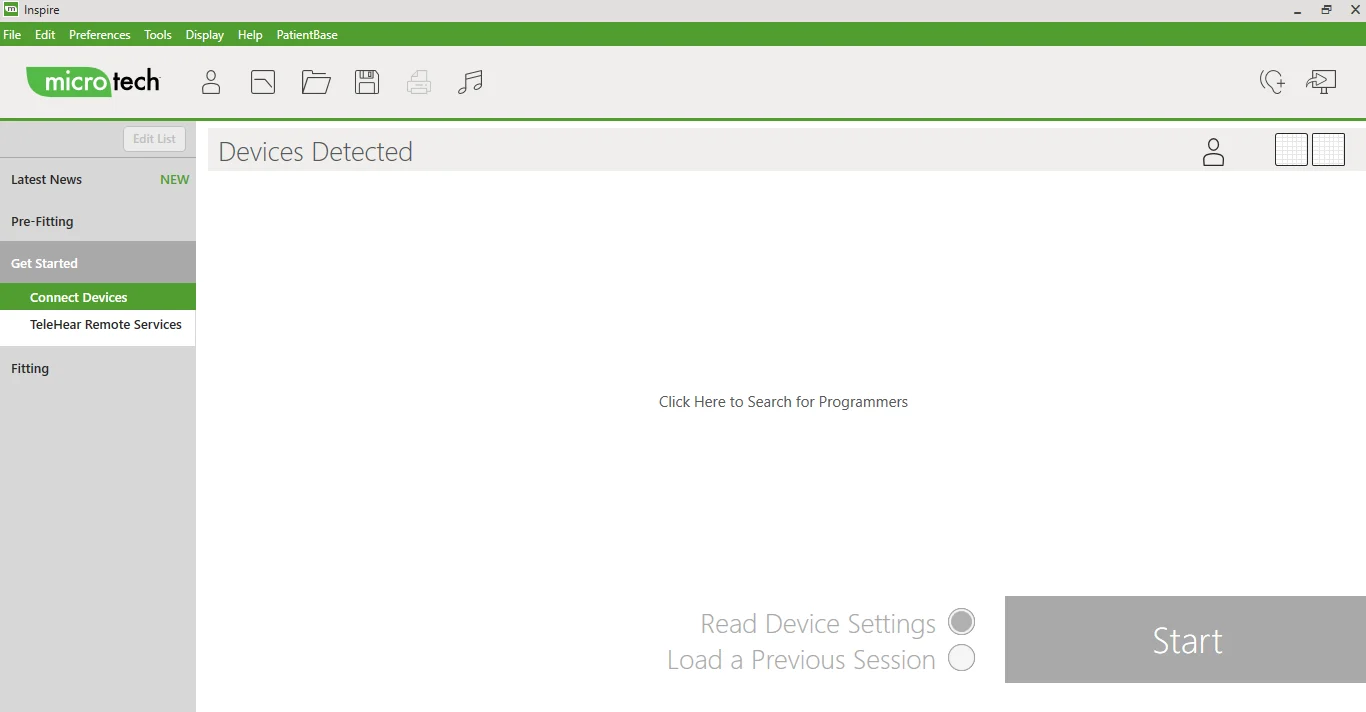
MicroTech
C:\Program Files (x86)\Starkey Laboratories\Inspire OS\Starkey.Inspire.Host.PatientBase.exe launch MicroTechFitting
You’re ignoring this member’s posts.
You’re ignoring this member’s posts.
My Dad passed recently and my Mom gave me his newish hearing aids to see if I can do anything with them. They are Starkey Evolv 1200. Are you able to provide the Starkey Inspire Program?
My current are Phonak Audeo (circa 2018) so I want to reprogam his to try. Mine still work but I’ve replaced the battery in one and now the other one is fading. I have the Phonak Target software (from HearingTracker) and Noahlink - I have used them often over the years.
You’re ignoring this member’s posts.

tenkanProvider
Hi there, sorry to hear about your dad hope everyone is doing okay I difficult times.
You can still use the Noahlink so I’m sure you’ll be up and running in no time, quite a difference between Phonak and Starkey so should be interesting to see how you get on.
You’re ignoring this member’s posts.
You’re ignoring this member’s posts.
You’re ignoring this member’s posts.
Hey, I’m new to self programming and need inspire software download to adjust my backup hearing aids… Any help would be appreciated.
You’re ignoring this member’s posts.
tenkanProvider
Hi there, great your giving a go, be sure to do some research and read the user guides before starting, you’ll need the correct programming device as well.
You’re ignoring this member’s posts.
Related discussions
Hearing Aid Self-Fitting (DIY)1 reply
Fitting Software Requests300 replies
Fitting Software Requests26 replies
Hearing Aid Self-Fitting (DIY)9 replies
Hearing Aids144 replies