I’m not entirely sure, but I think the ‘flutter’ is caused when the aids identify the tone(s) causing feedback and transpose them down some amount. this processing takes some time–a fraction of a second. Meanwhile, you still hear the tone issuing from the real world outside. So the difference between the two causes the 'speaking through a fan effect". You hear the real, initial tone through your vents, and then the same processed tone a fraction of a second later. Someone who knows more may come along and correct me here.
The traditional feedback strategy is a 3-prong approach → 1. A 10 Hz frequency shift, 2. a phase change, and 3. a gain margin reduction. With this 10 Hz frequency shift, if you listen to pure tone sounds, the fluttering is caused because you hear the natural unshifted sound through the vent hole into your ear, and you also hear the amplified sound that is shifted by 10 Hz. The combination of these 2 waveforms from the pure tone would sum up at some spots and cancel at other spot along the time spectrum, therefore creating the fluttering that you hear. But usually this is only obvious for pure tone sounds. If it’s complex sounds, it’s not really noticeable, so that’s why hearing aids have been able to get away with this technique.
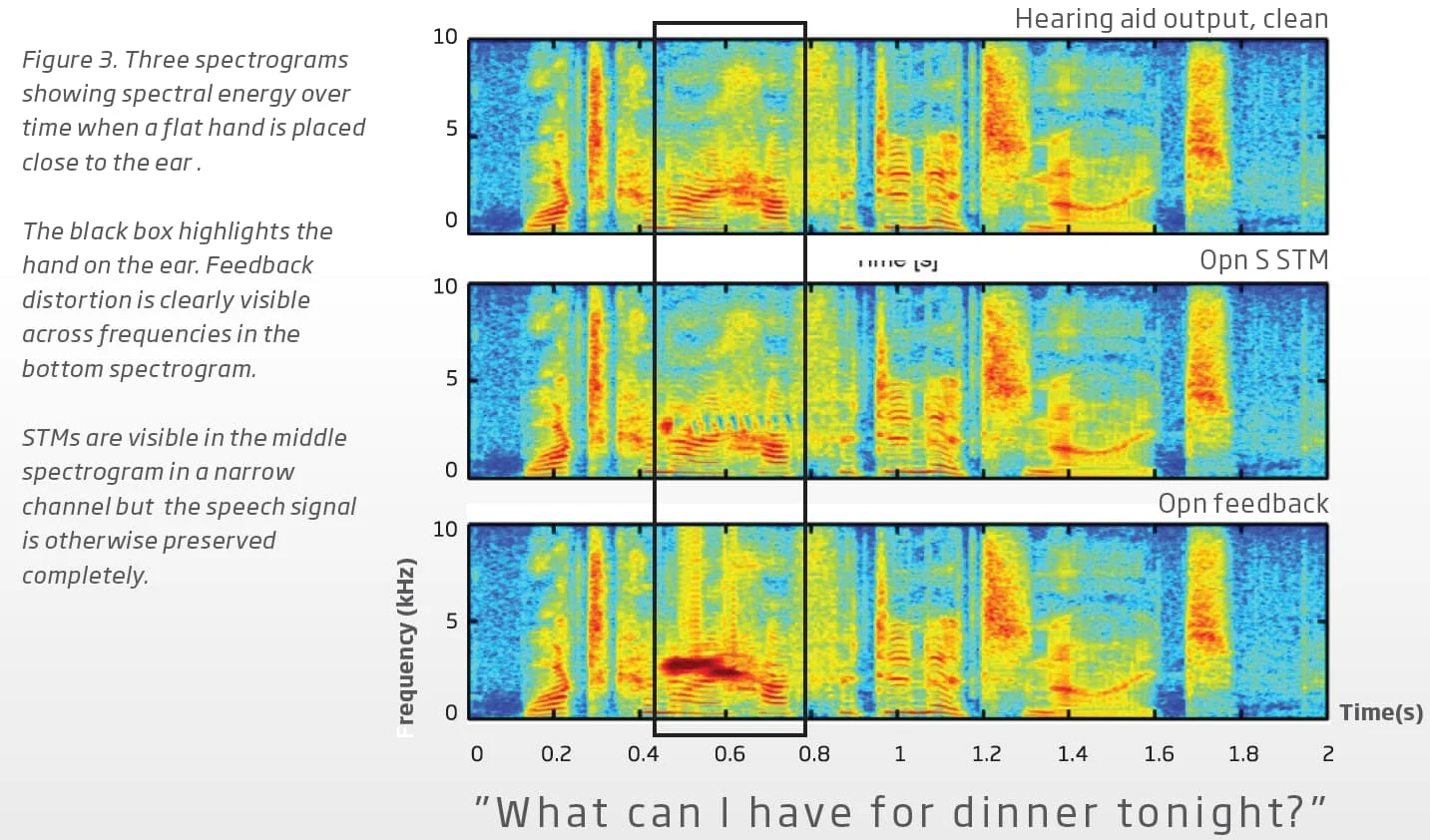
Oticon aids since the OPN S has created a new feedback prevention technology called MoreSound Optimizer that is different than the 3-prong feedback strategy of the past that was described above. It prevents feedback by scanning the spectrograms looking for potential energy build ups. If it finds a spot with enough energy build up to cause feedback, it inserts “breaks” in there to break up the energy build-up to prevent the feedback from happening. Unfortunately, these “breaks” can be heard by some folks, and it’s a repeated audible sound, so people relate to them as fluttering. Below is a screenshot describing this technology in more details.
Oticon had a lot of complaints about this fluttering noise, so they did a firmware update to make the “break” insertion less prominent, to reduce the aggressiveness of this interference, by introducing a LOW value in between NORMAL and OFF. This seems to solve the fluttering for a lot of people by allowing them to switch this feedback manager to LOW instead of NORMAL.
This is the fluttering that I was referring to when I heard @Jonathan_B bring it up. It wasn’t the fluttering from the old traditional feedback technology due to the 10 Hz frequency shift. These 2 things are entirely different, although they both usually are commonly referred to as “fluttering”, which can lead to a misunderstanding that they are one and the same cause due to feedback, but they’re really not.

 SoCal
SoCal

