The non-HA models work with Classic BT and BT LE at 48 kHz iirc and don’t do Auracast.
Their specifications say all of the Voyager transmitters can broadcast in . The issue is which fidelity setting they are using, high or low fidelity.
I believe your Jabra hearing aids only support low fidelity. So if you try to connect to a transmitter that is broadcasting in only high fidelity, it wouldn’t connect. The Oticon and Philips hearing aids can connect to either low or high fidelity.
Again, I believe this is a support issue, one star ratings, and returns, therefor Avantree sells one transmitter set at low fidelity and one set at high fidelity.
If my aids don’t do HQ and your buds don’t do SQ we can’t sit down together and watch a show using the same transmitter. Unless of course it’s that FlooGoo unit. Also, it acts like a bug. It falls over. Not intended behaviour. There’s a good reason why a manufacturer might restrict hearing aids to 24 kbps streams. They are power-constrained devices. I can’t think of any reason why buds shouldn’t do both. As you said, your Philips can.
Well if the hearing aids are power limited, then why do the Philips and Oticon hearing aids have no issues with being able to connect to either low or high fidelity?
Outside of the support issue, there shouldn’t be any reason for a transmitter not to be able to simultaneously broadcast in both low and high fidelity.
Frankly, I think it’s more like the manufactures aren’t thinking things through, or perhaps they think their customers are too stupid. So they figured they would just dumb things down.
The assistant app is not required for some devices when listening to open broadcasts (no password). For example, from the Avantree Aria Aura online user guide:
Join an open broadcast: (no password)
❶ Slide the power switch to ON.
❷ Hold → for 5s → LED blinks orange.
Joined: LED turns solid orange.
This could be implemented on hearing aids and would be a great user interface improvement for many people.
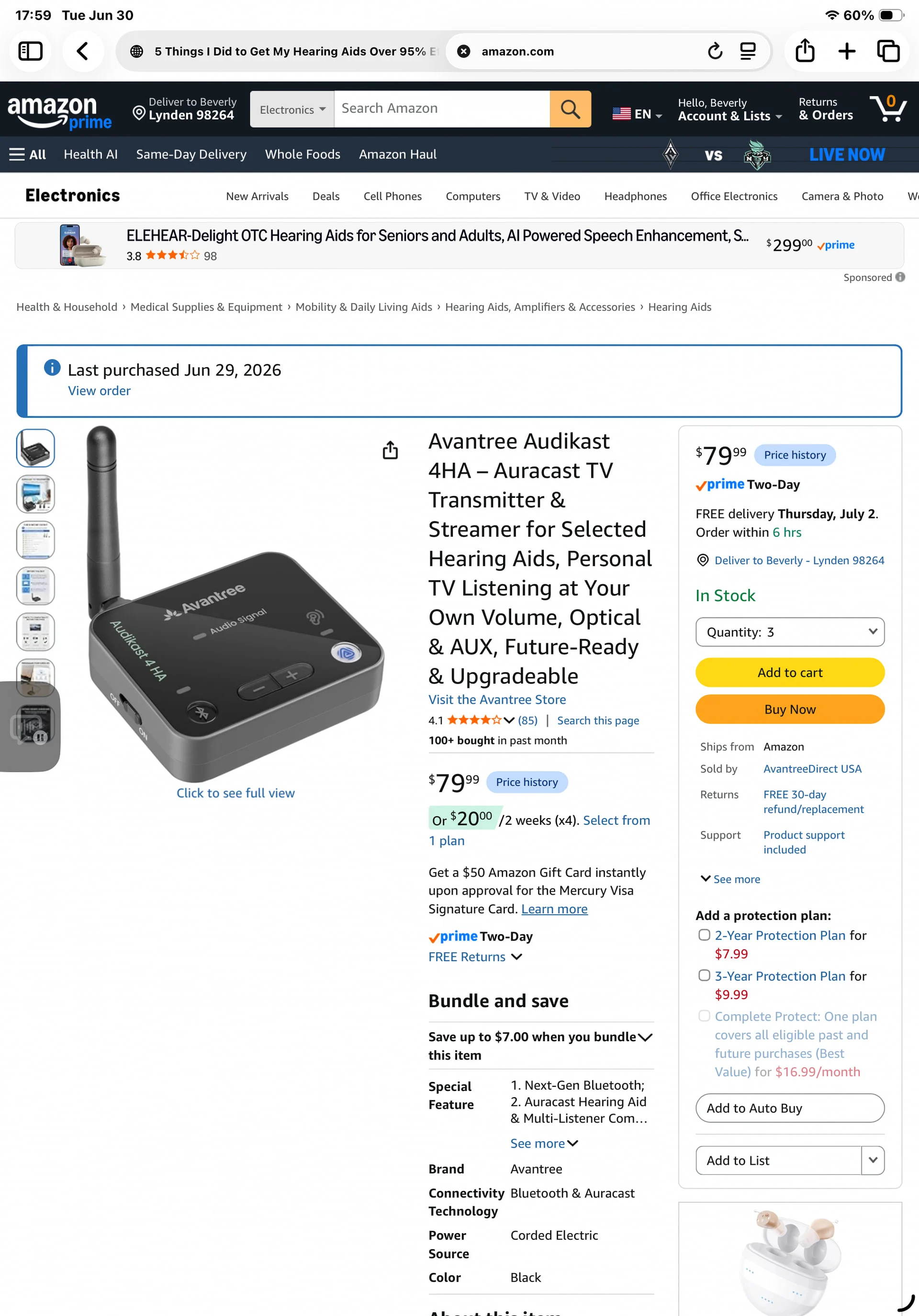
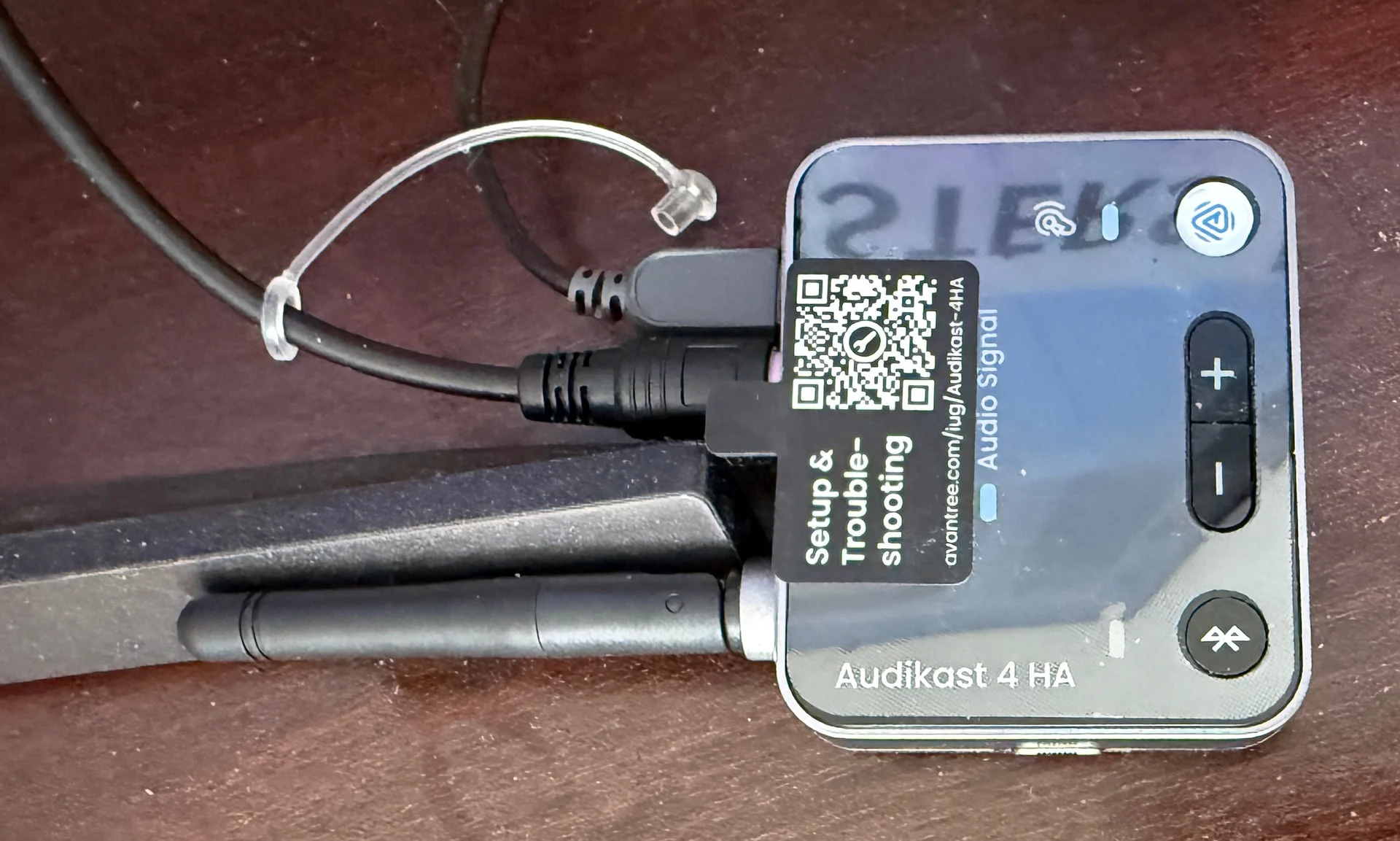
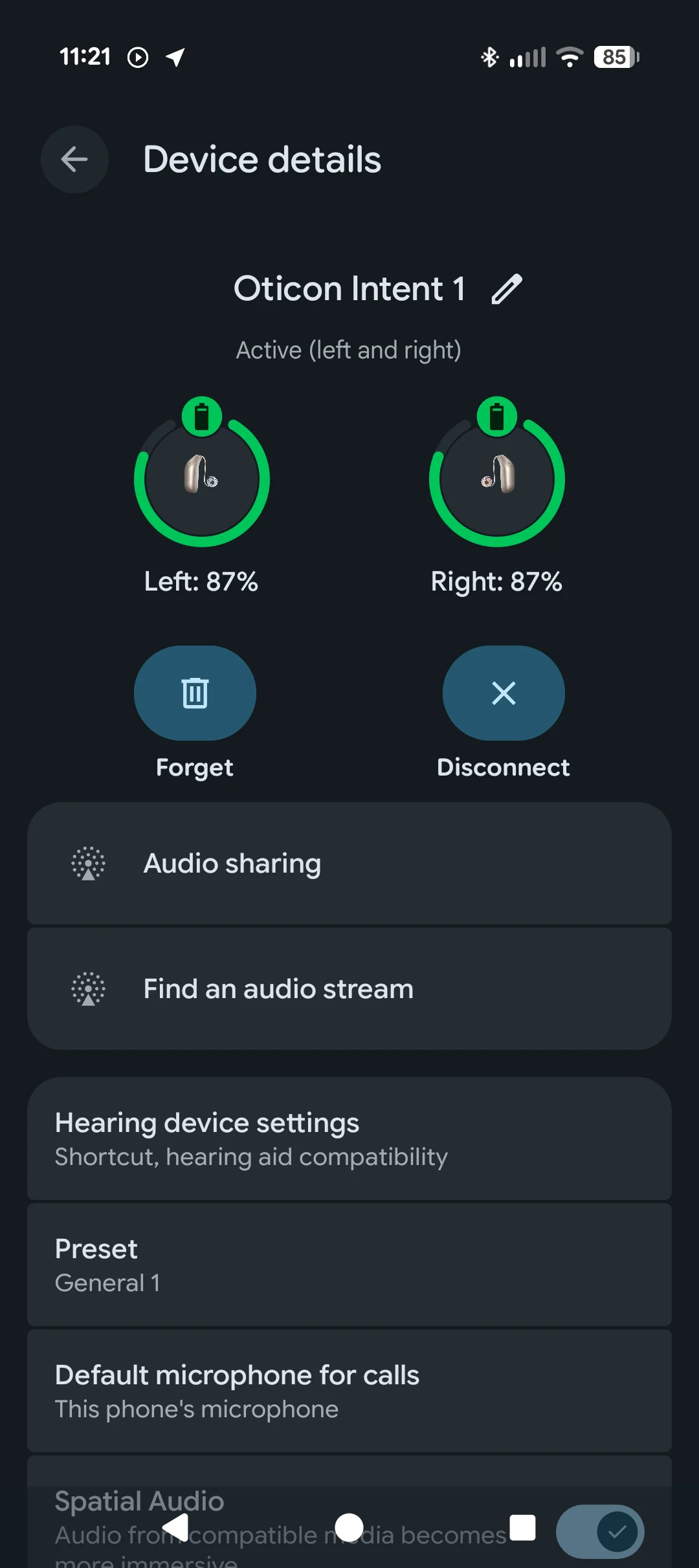
I have purchased a couple of Audikast 4HA transmitters. I donate them to venues that I occasionally attend and they have proved successful. Typically they plug into the sound system of the lecture hall via the 3.5 mm cable that comes with the unit. I have Jabra Enhance 700 aids and the app for those aids is useless when it comes to . But with my Pixel 9 phone I can connect the phone to the 4 and that connects to the hearing aids. This is the path I use on the phone: Settings>Accessibility>Hearing Devices>Hearing Aids>Settings>Find an Audio Stream>Avantree 4HA. This works perfectly, but it is cumbersome.
If I’m at a venue where there is no sound system I have a DJI mini mic. This comes in a small case that contains a receiver and two microphones, all of which are powered by rechargeable batteries which are charged in the case. The microphones pair with the receiver when they are removed from the case. The Avantree 4HA plugs into the receiver and the set-up is complete.
The big disadvantage here is that the 4HA has to be powered by a typical cell phone charger and a USB-C cable, so you have to be able to access a 120V outlet. I did ask Avantree if I could power the 4HA with an auxiliary cell phone battery/charger, but they said no. I haven’t challenged that opinion yet, but I intend to. For true portability the 4HA needs to be battery powered.
The specs I am looking at say that the 4HA runs on 5V/1A. So regardless of the answer you received, if a power bank has a port that provides 1A at 5V then it should work.
This is the path I use on the phone: Settings>Accessibility>Hearing Devices>Hearing Aids>Settings>Find an Audio Stream>Avantree 4HA. This works perfectly, but it is cumbersome.
With your Pixel 9 you can have a quick settings tile for your . Tap the icon > tap the gear icon > tap Find audio Stream. 3 steps!
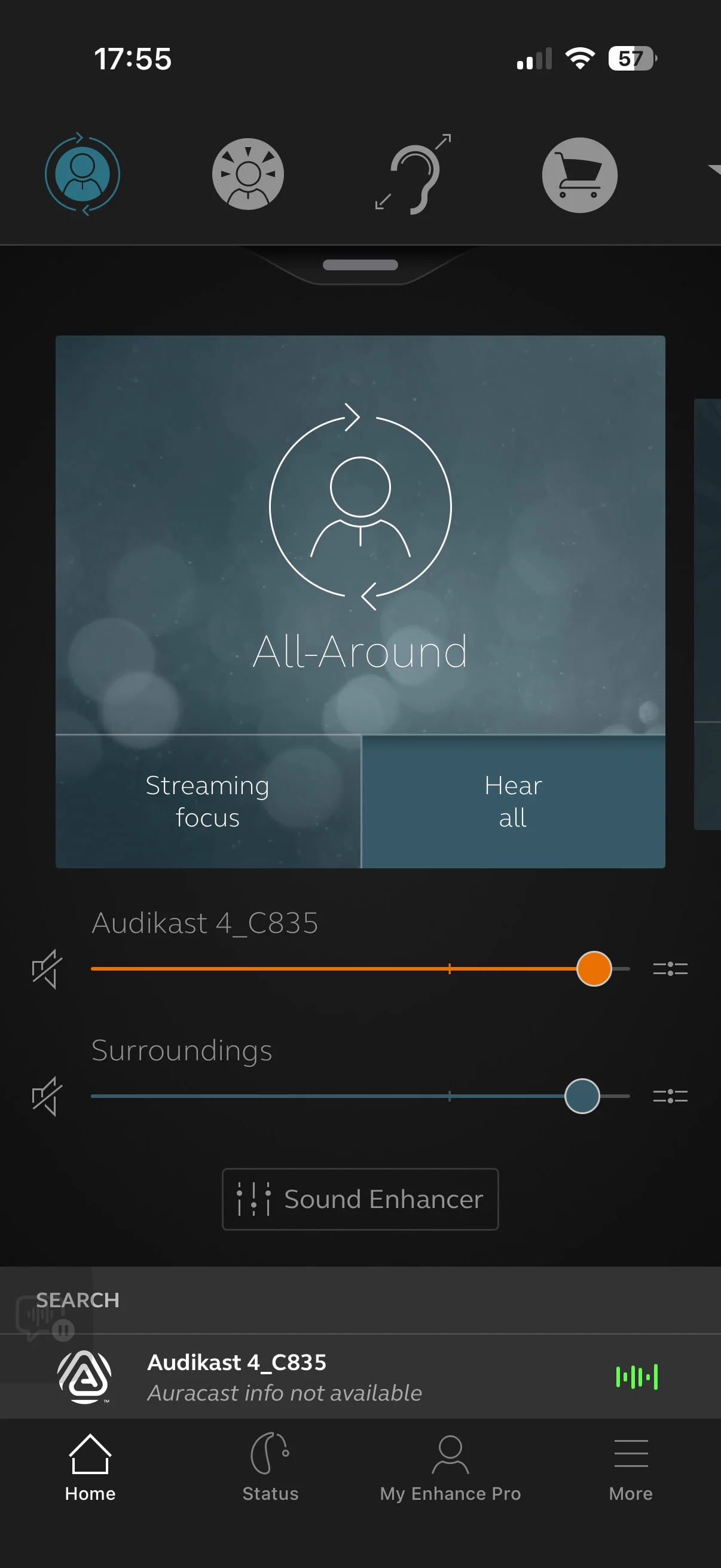
: Ta DAaaaaa! My AudiKast 4 _C835 here about an hour ago. In less than 10 minutes, opened package, downloaded instructions & took a screenshot, PLUG ‘n Play friends. For me, the challenge was to get the finicky optical cord plugged into the TV outlet correctly because of arthritic fingers. Turned that little card sized transmitter power button on, grabbed my phone and headed to the recliner chair. Tapped the JABRA/aka Resound App. Looked to the bottom of the All Around screen and tapped AUDIKAST 4 ~~~ Voila ! It was broadcasting immediately. Now, it’s just going to take a little time with some minor new audio adjustments with the h a app. Already dropped the TV volume with my tv remote (that should please the nearby apartment neighbors).
Nice! I got the HomeSpot BA210 v2 transmitter. It works very well on my TV, also optical connected. I use it daily. The HomeSpot didn’t work well connected to my PC as a test. Not enough volume.
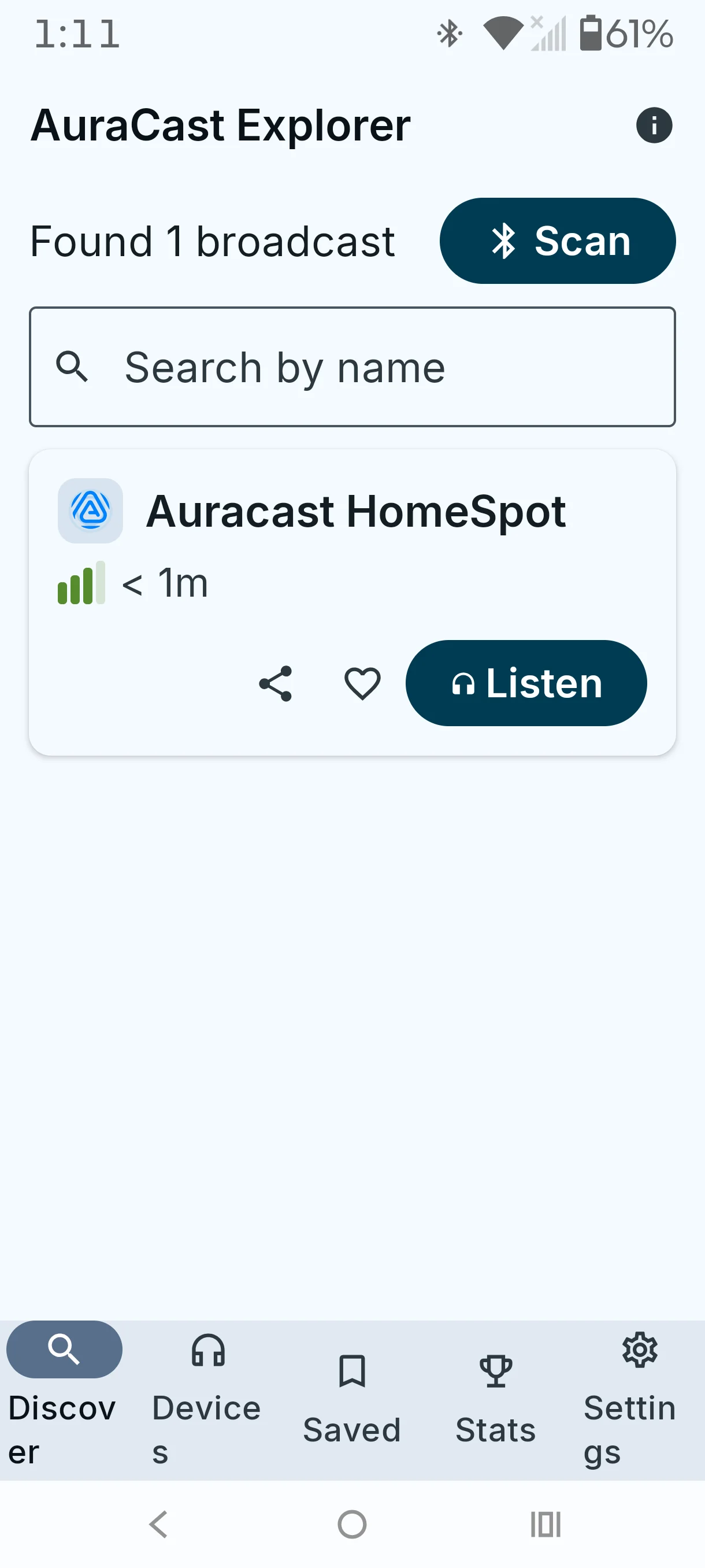
For Android owners there is an AuraCast Explorer app in the Google Play Store. AuraCast Explorer lets you discover Bluetooth broadcasts happening around you. I wouldn’t know how well it works though.
I just installed it on my Pixel 9 and get a message that my OS doesn’t allow apps to start listening “yet”. I have an email in to the Google hearing aid help folks to see what they have to say.
The app has in app purchase. I think I seen somewhere $1.86.
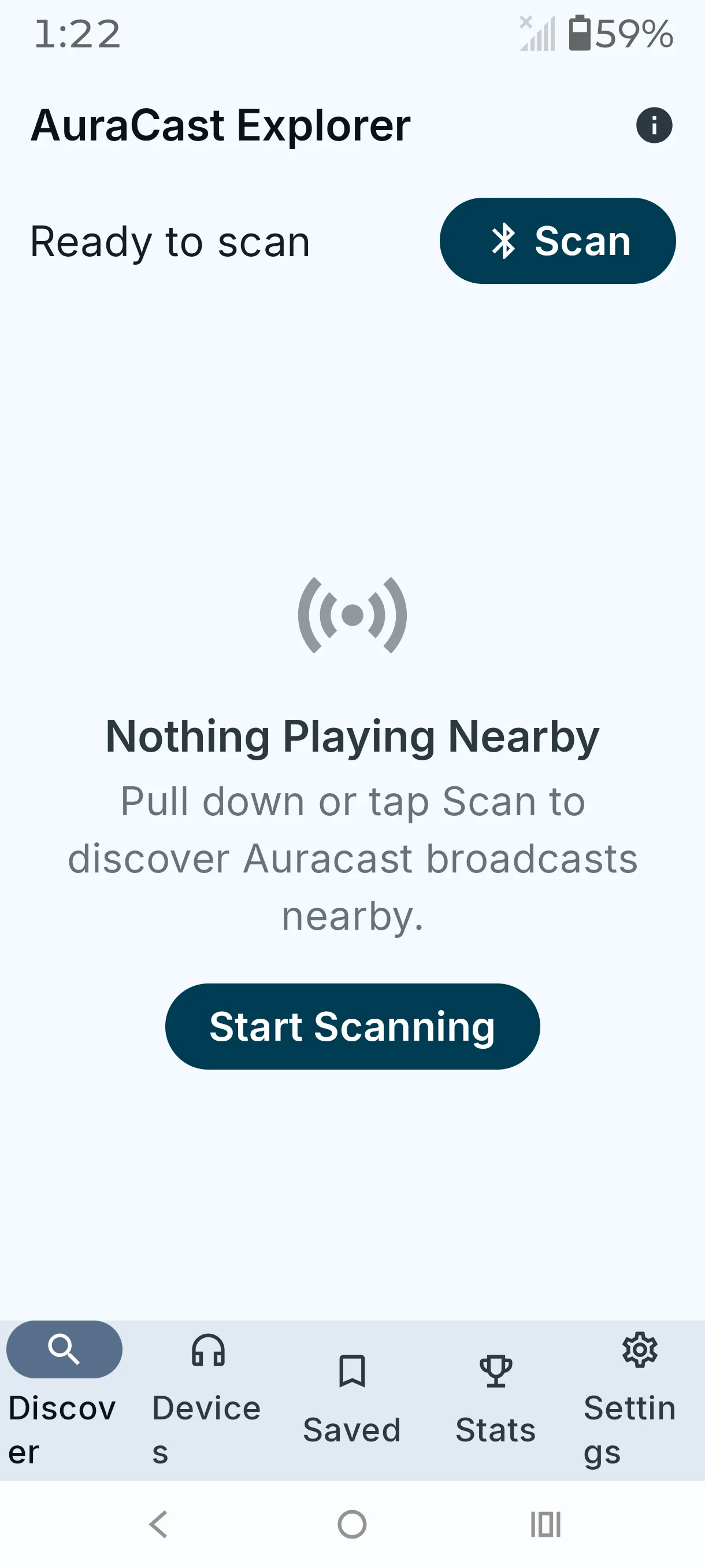
Anyway, I installed it on my Motorola phone to test. First time opening the app it wanted permissions for Allow AuraCast Explorer to find, connect to, and determine the relative position of nearby devices. Next the app wanted Bluetooth turned on. Then I let it scan for any broadcast’s. The app did find my HomeSpot transmitter. I also tried the app again after turning off my transmitter. See screen shots below.
See @bpeckham suggestion to see if you have that option on your Pixel.
First, I’d like to thank @d_Wooluf for introducing our FMA120 as an Auracast and LE Audio transmitter last year. Without that introduction, we might never have discovered this wonderful place to connect directly with our customers.
Since we launched the FlooGoo FMA120 in November 2023 on Amazon, we’ve received tremendous feedback from early adopters of LE Audio and Auracast, especially from the hearing aid community. As with any new technology, Auracast faces some compatibility challenges, an…


 SoCal
SoCal
 Reading
 for 5s → LED blinks orange.