
As more users have asked us for guidance on church audio setup, we’ve created a dedicated guide specifically for this use case.
Here are the key points of the setup:
- In a typical church, the sound board connects and mixes multiple microphones (wired or wireless) along with inputs from other devices.
- The main output from the sound board (usually via an XLR connector) can be sent to a PC for recording or monitoring. This can be done with an XLR-to-USB cable, or — if available — through the sound board’s built-in USB interface. An XLR-to-line-in cable is another option.
- Once the audio reaches the PC, it can be broadcast directly using the latest FlooCast app (v1.1.6).
- If the PC is also playing audio into the sound board, that signal will be mixed into the main output and automatically included in the broadcast.

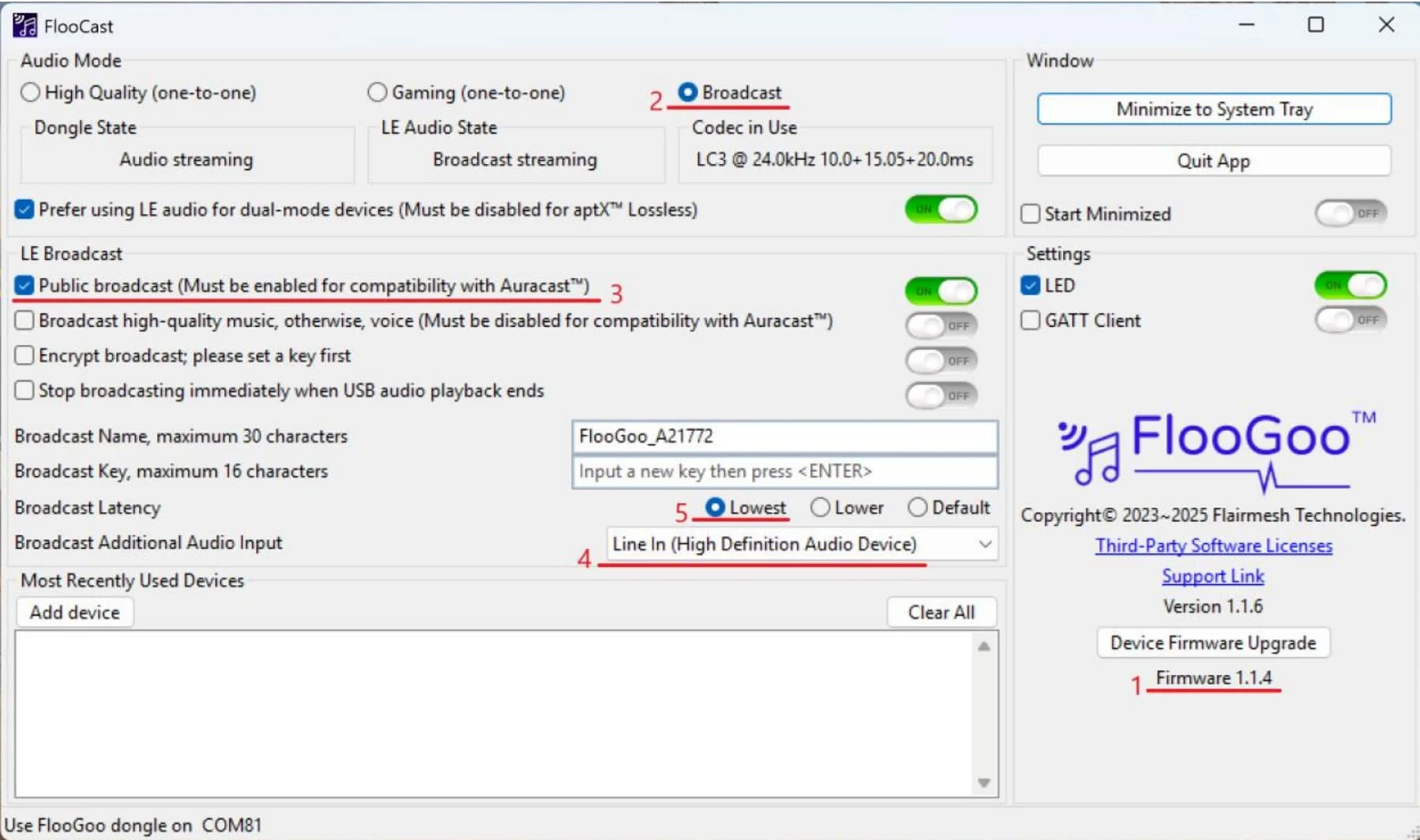
In this setup, FlooCast should be configured for broadcasting. Make sure the Windows audio output device is set to the PC’s analog output that feeds the sound board — not to the FMA120. The screenshot below shows an example with a Line-In device. If your sound board is connected via USB instead, simply select the corresponding USB device.
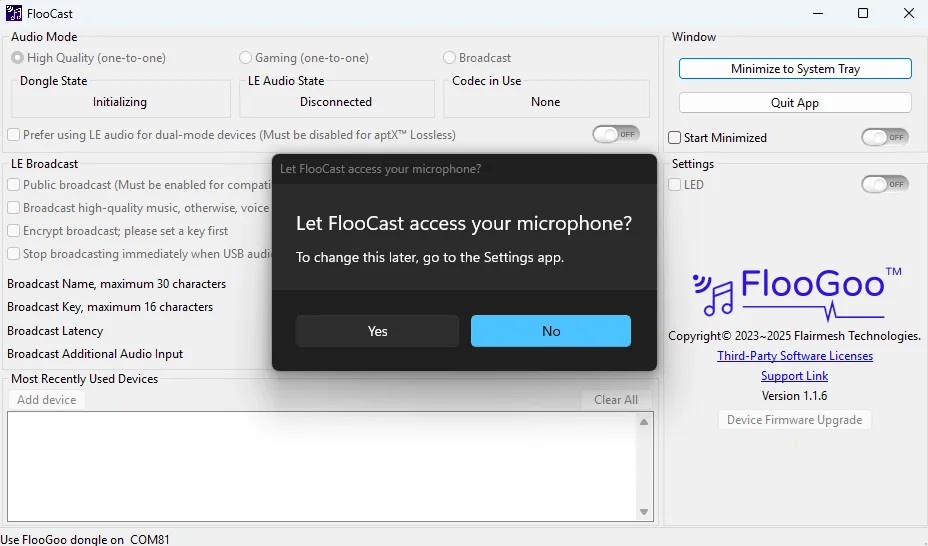
The first time you access “Broadcast Additional Audio Input,” you’ll be prompted to allow microphone access — please make sure to grant permission.
You’re ignoring this member’s posts.