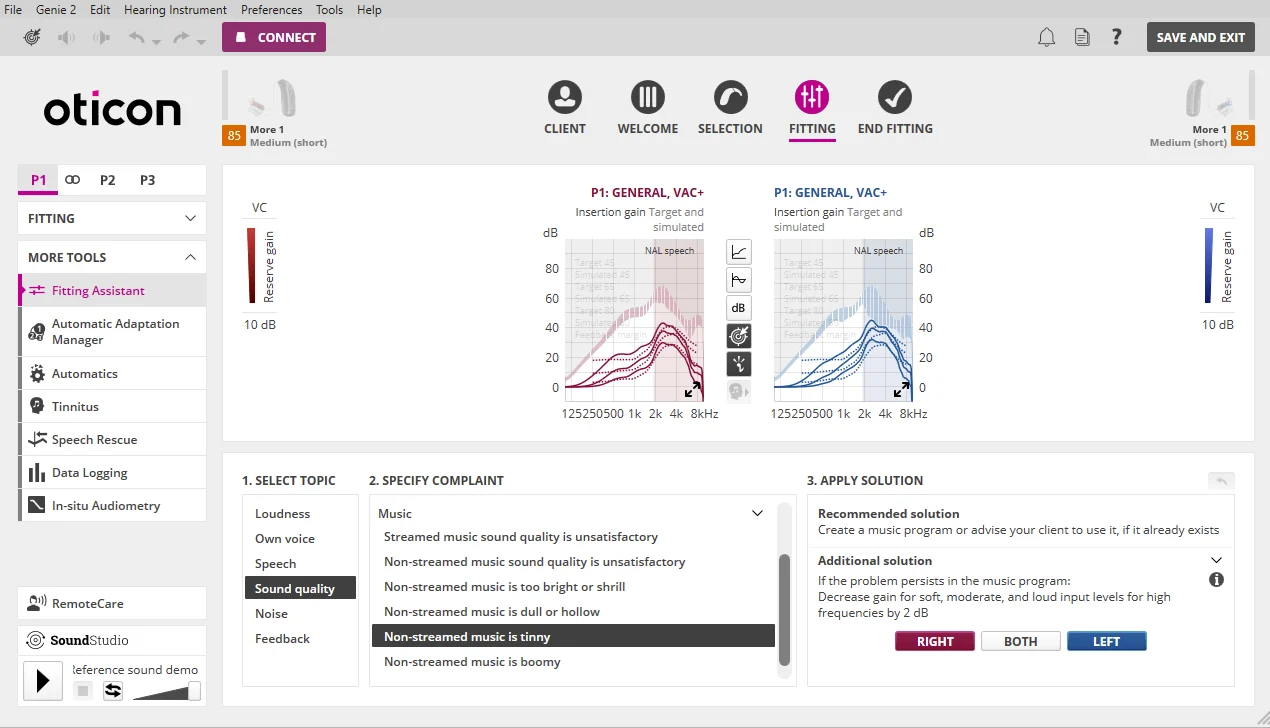
I would at this point try something else. I would create a new customized “headphones” program that’s a copy of the default General P1 program, and in there you can start making adjustment to eliminate the feedback. If you already have the Feedback Management setting to Normal and it’s causing feedback, chances are you will also hear it if it’s switched to Low, but it doesn’t hurt to try. If Low doesn’t help either, you can try to put it back to Normal, then run the Feedback Analyzer WITH YOUR HEADPHONES on. This will ensure that the condition of wearing your headphones will be taken into account automatically by the Feedback Analyzer when it determines the gain reduction after the white noise scan, in order to guarantee no feedback with the headphones worn on your head.
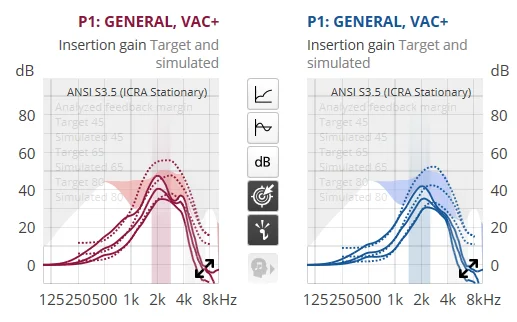
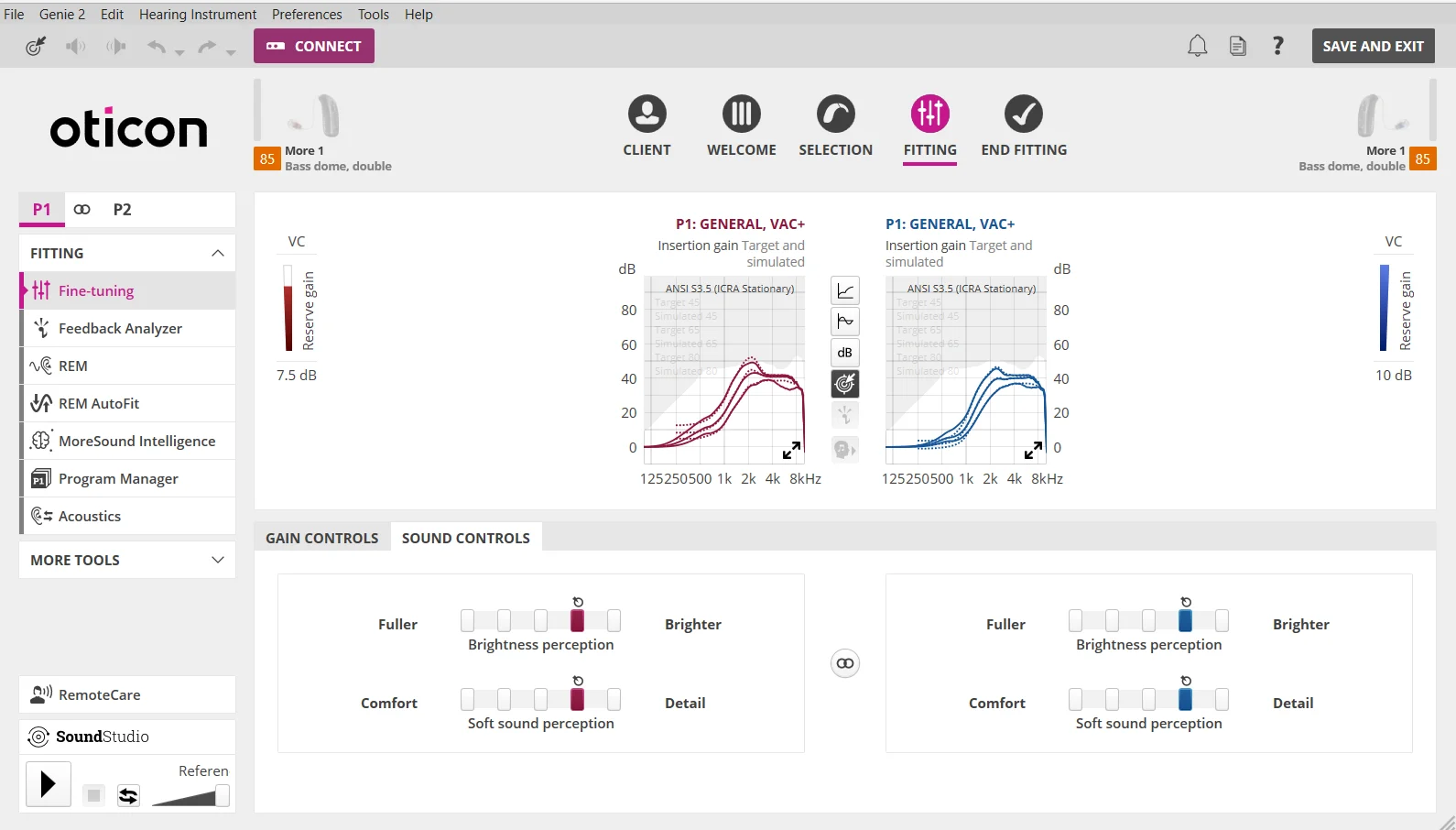
Your gain margin will probably be reduced significantly (you’ll see a greyed out area on top of your gain curve in the Fine Tuning section (see example screenshot below), but it’s probably OK as long as you only enable this Feedback Shield functionality in your customized Heaphones program and not in the other programs. You can also experiment with either leaving the newer (Sound Optimizer) Feedback Management setting to Normal, or change it to Low or OFF to see if it makes any difference, but whatever you set for this, apply it only to your customized Headphones program, and leave it to Normal (or whatever it currently is set to) in the other programs if that’s how you have it right now.
@Volusiano I finally got around to trying this. I tried first the Feedback Management settings to a P4 program which was a copy of my general program in P1 i use day to day. I set it to LOW like you suggested but I still get the whistling like I reported in my original post.
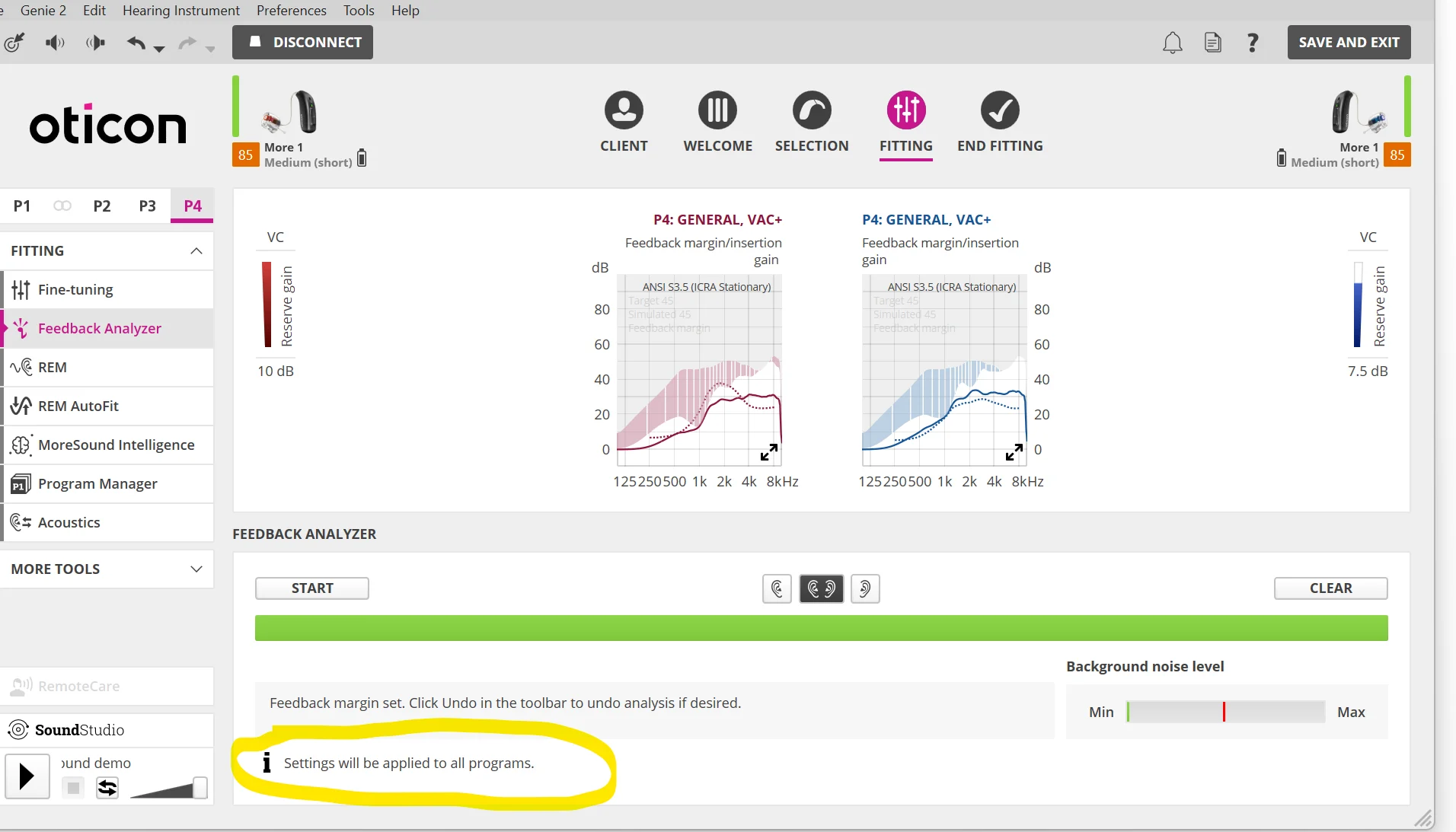
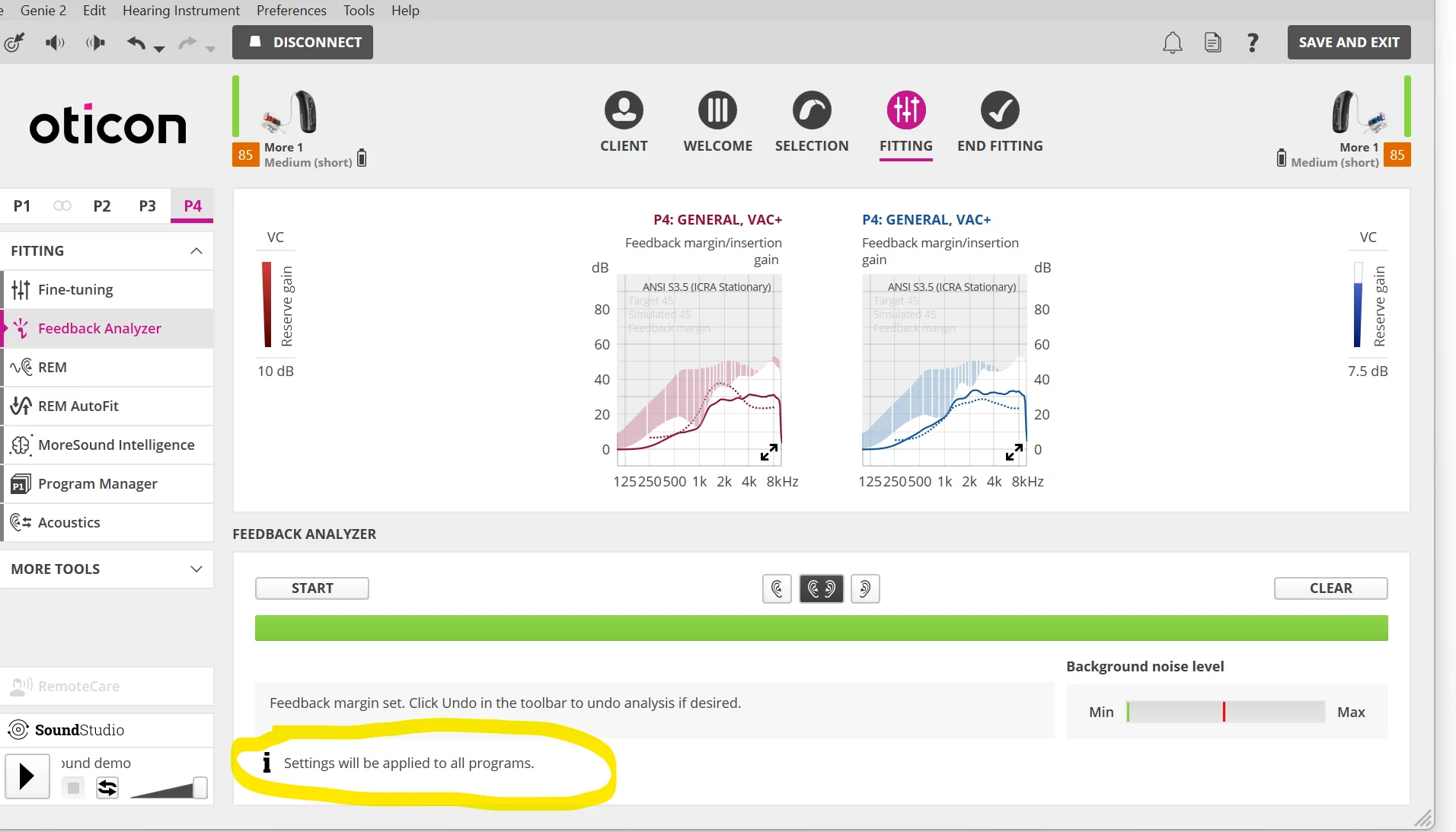
I then reverted that and tried your second suggestion which was to run the Feedback Analyzer with headphones on to the same copy of my P1 that’s now in P4.
I did notice a mention at the bottom where it says “Settings will be applied to all programs”. Is there no way to restrict this only to P4 or am I misunderstanding what its saying on this screen?
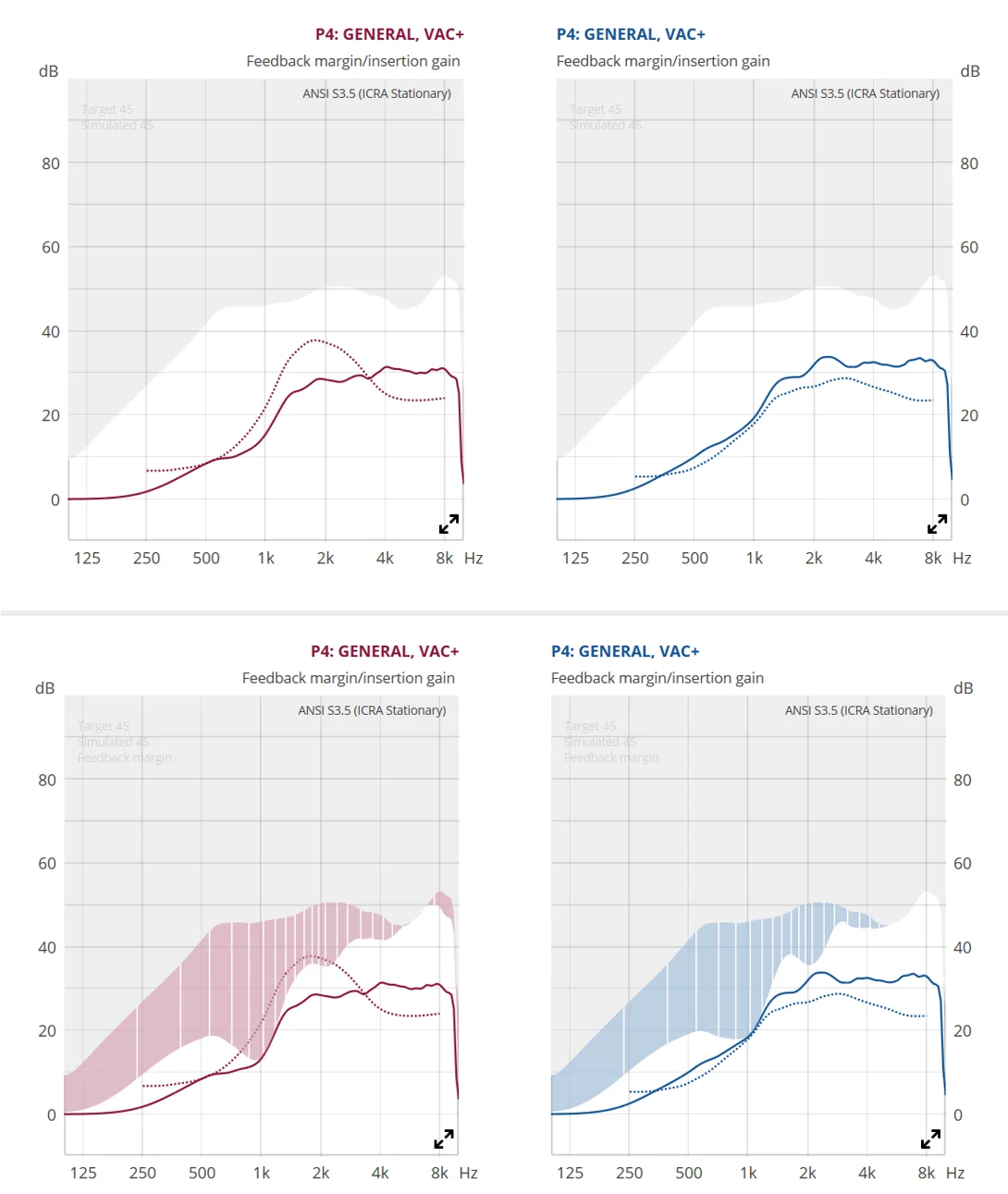
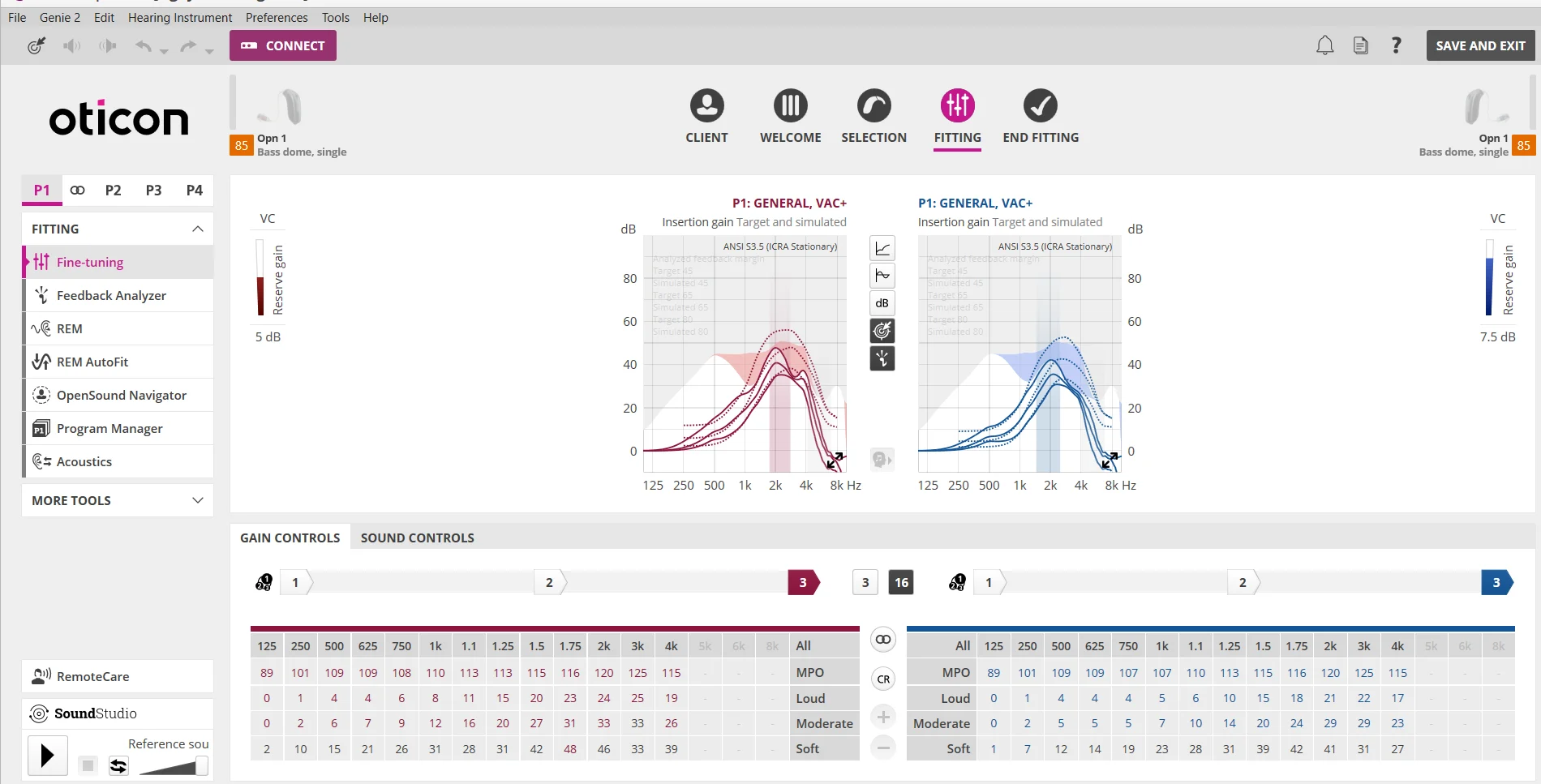
Also as a comparison, here is the original charts before feedback analyzer I just ran and after (before is top, and after is bottom). I haven’t saved this yet to my hearing aids due to the concern of this applying to all programs, so i’m being cautious here.
You’re ignoring this member’s posts.


 SoCal
SoCal