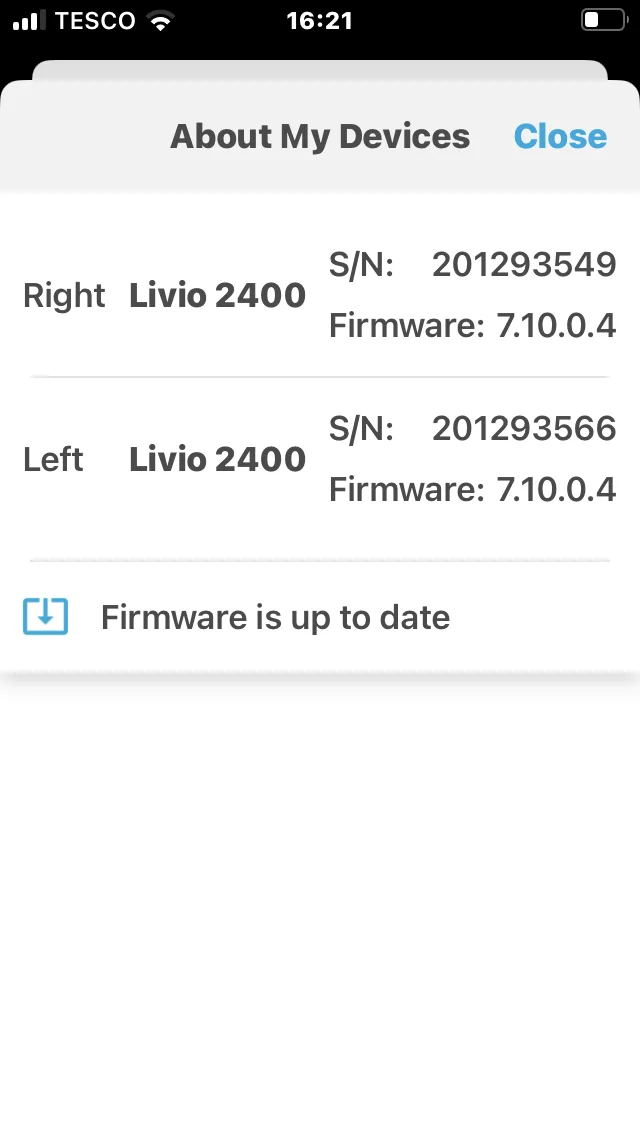
How do I know which model I have purchased please ? I see the info and firmware but make no sense of it.
I was hoping as they are advised as 2400 that’s what I have but I’m not sure unless it’s a very early model?
I don’t know how you will differentiate between (Livio Edge / Livio AI / Livio) without using a hearing aid programming device and connect the hearing aids to the fitting software. Though, maybe we can find some clues?
I’m in the uk, are they that price here too ? Cheapest I have seen is £119
On different note. When I connect these to the link program, will I loose their current settings? As I’m new to this it would be nice to have something to work with rather than starting from scratch.
The Livio devices features Healtable Hearing Technology with integrated sensors
Body and Brain Tracking with Thrive Hearing Control App (Sensors)
Natural User Interface Controls (Touch Control)
Start/Stop Accessory Stream with Tap Gesture
If you have an Livio AI model then the Thrive App will show you an step counter (fitness section) and the Hearing Aids have sensors for the tap/touch control.
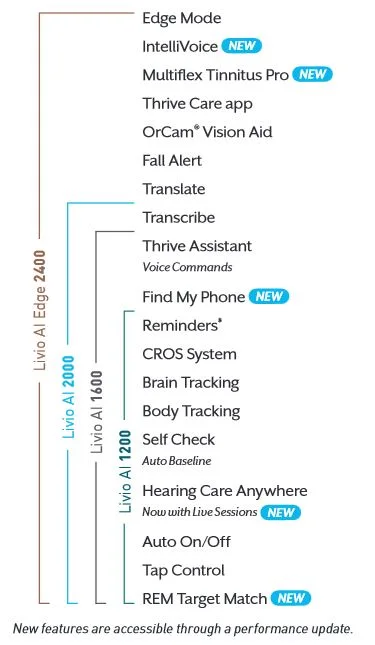
Edge Mode is an on-demand feature of our Livio Edge AI hearing aids
that uses on-board AI to enable instant, optimized noise management
and speech audibility adjustments when patients are in challenging
listening environments — like situations with extreme background
noise or when talking to people wearing face masks.
Please note that between 2019 and 2021 Starkey made some changes in the Livio device portfolio
The Livio line of hearing aids were first released in 2018, so the following models were available at first in 2018.
Livio 2018 generation
Livio 2400 → this premium device were the first available “Livio AI”
Livio 2400
Livio 2000
Livio 1600
Livio 1200
Livio 1000
In late 2019 Starkey released a new iteration of Livio and tickled down the AI to the lower tech tears, so more devices were available as Livio AI (member archive) line and they were released late 2019)
Livio 2019 generation
Livio Edge AI 2400
Livio 2400
Livio AI 2000
Livio AI 1600
Livio AI 1200
Livio 1000
Only the AI devices have the sensors for Tap-gestures/auto-off /etc.
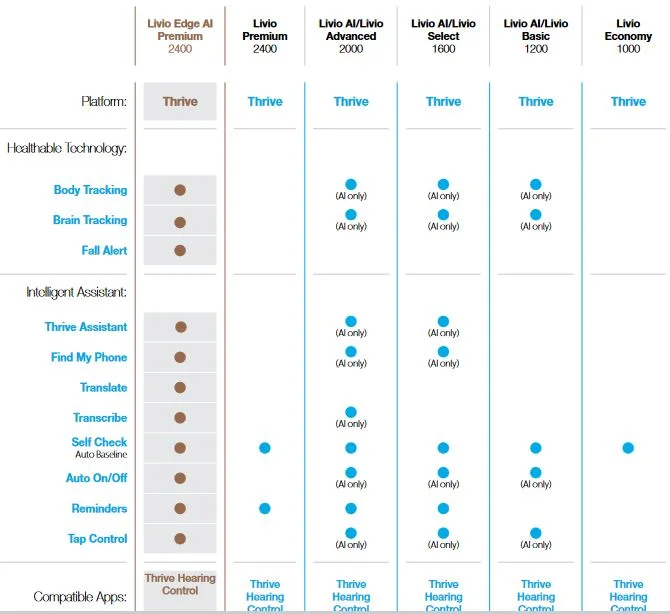
On the Starkey Pro website i found this feature overview for the Livio hearing aid model line for year 2020, see this picture from 2020 product cataloge1 (page 9).
feature overview: Livio Edge AI / Livio AI / Livio (last status from 2020)
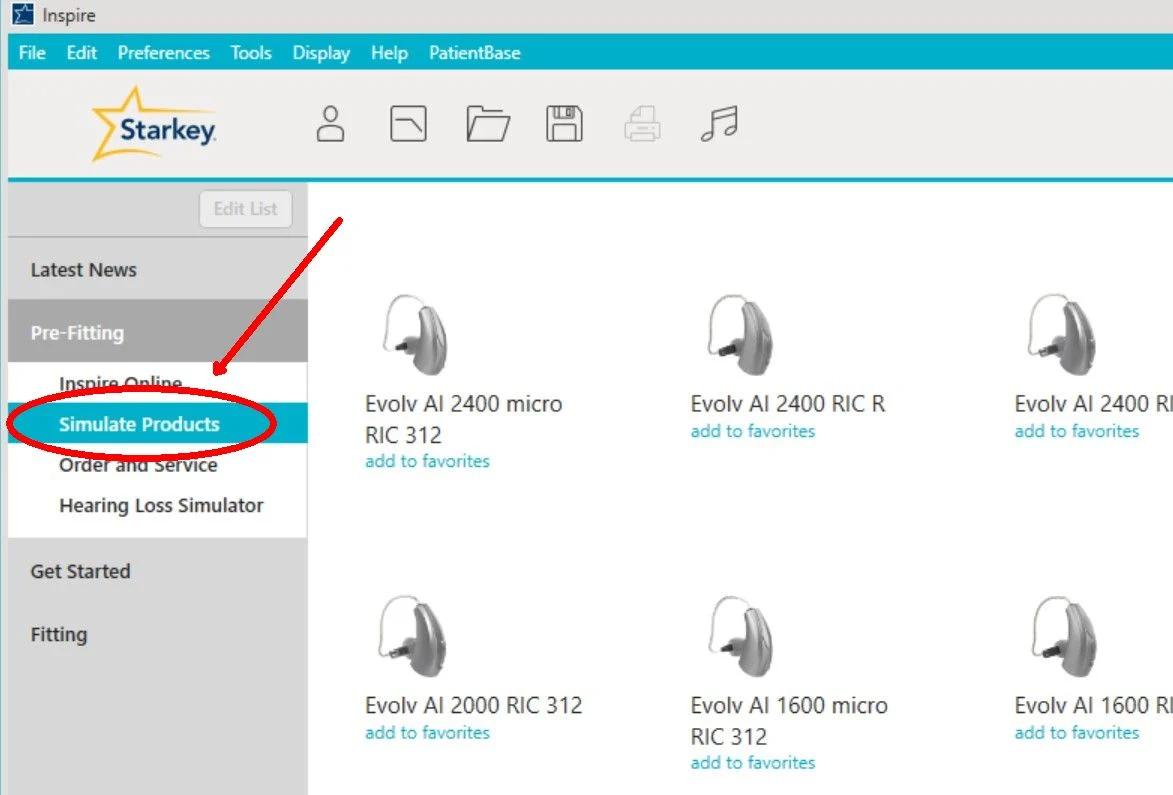
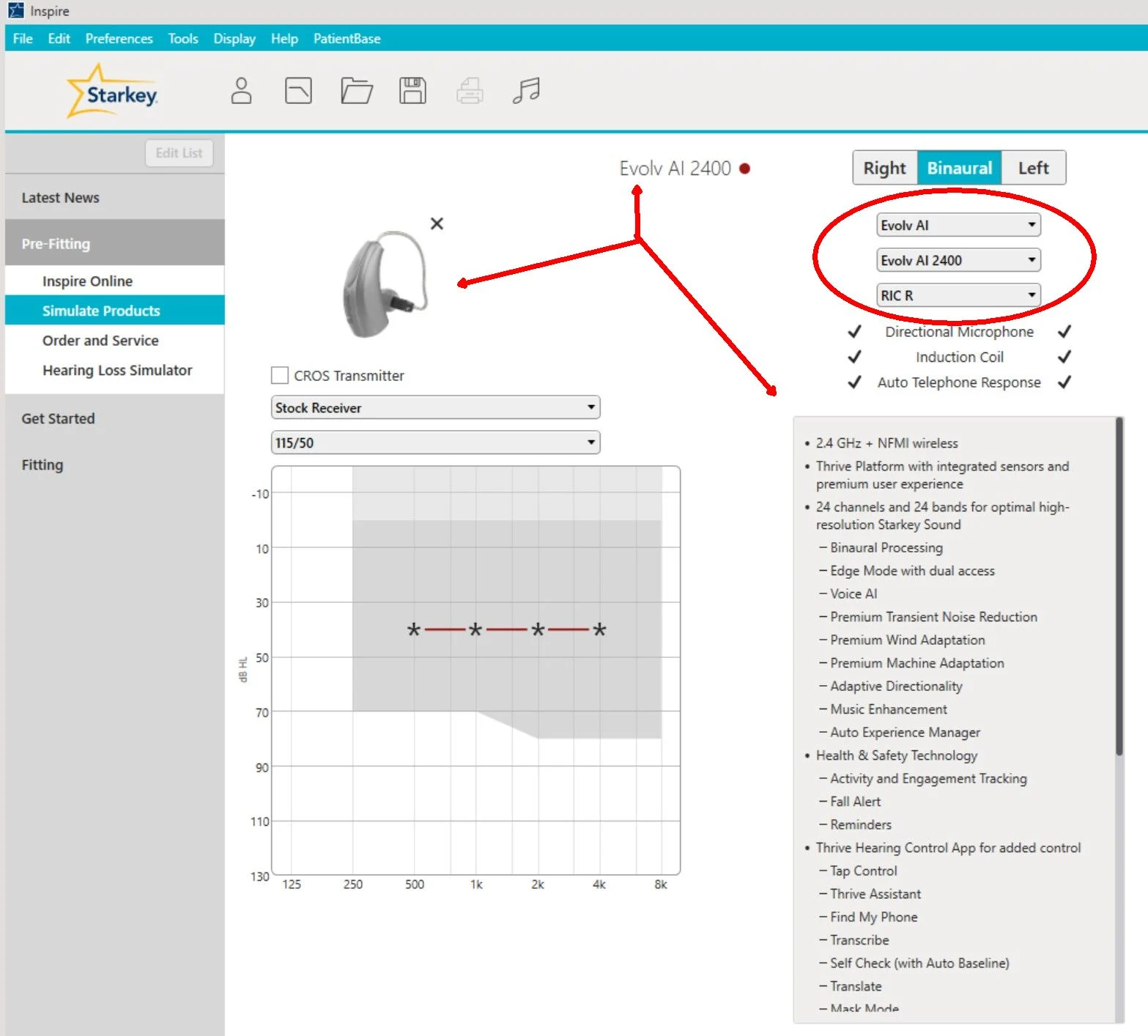
The (Simulate Products) feature seems much easier to use. You can just access it from within Starkey Inspire, also from the new Starkey Pro Fit, or pretty much any fitting software.
Look at all the models you can (Simulate/get-specs-for) on the first clip. Look at all the pulldown menus you can use to select different models on the second clip.
Hi
I have looked at the information you both have given me and I have come to the conclusion i really need the Noah link wireless to confirm which model i have. I have a voice talk to me on changing settings also I have assist but I don’t have the fitness counter thing.
I have Comfort Boost , which i have no idea what that is either ?
The instructions booklets that come with these are very basic to say the least.
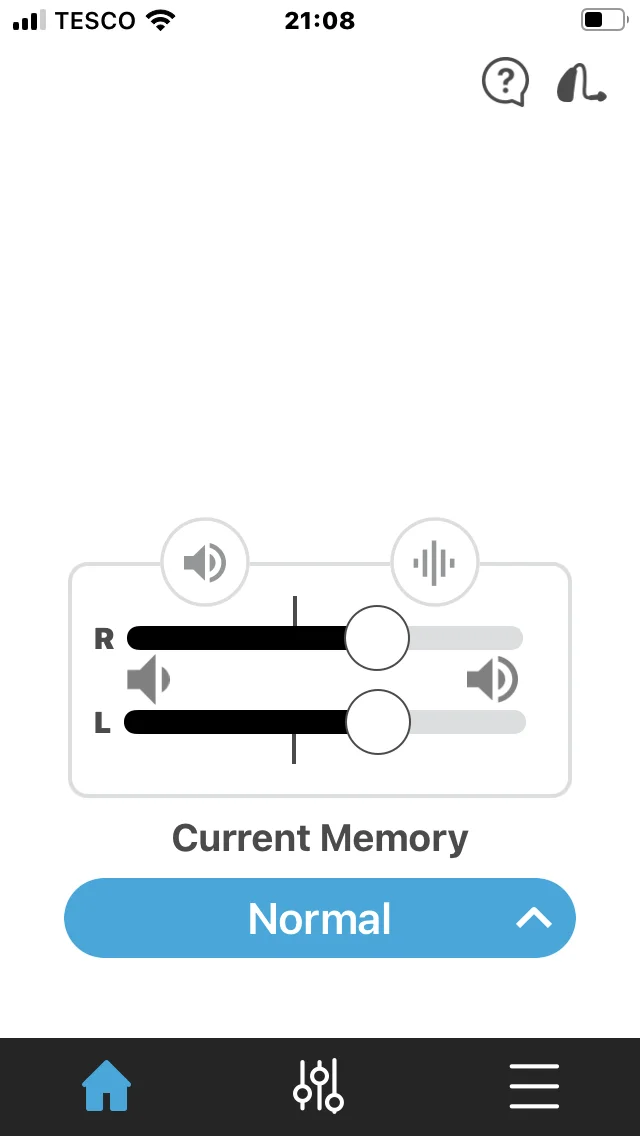
This is the main screen and I believe the right hand button ( tab ) is comfort boost.
It seems that you have the Livio 2400 , not the Livio Edge AI 2400.
Voice indicators is very common for Starkey.
Since 2010 (Bluewave platform) all Starkey hearing aids have the Voice indicators, when changing programms, you hear a voice saing One, Two, Three etc. Depending how much programs are setup for the .
This is activated as standard setting, but could also be set to Tonal beep sequences.
The Oticon hearing aids (eg. OPN1, More, Real) also have this voice indicators when changing the programs, and this could be activated inside the fitting software.
Yes it does seem this way. I was sold these as 2400 . Over all I’m happy with them but all the same not happy being sold something I don’t have. Is the AI really any benefit to me does any one know ?