You’re ignoring this member’s posts.
New update to My Phonak app
This topic is closed.
30 replies2.6k viewsLast reply

 Toronto, Canada
Works great for me with my Lumity L90 and iPhone 14 Pro Max. No issues.
Jordan
You’re ignoring this member’s posts.

Problem solved with widget in new My Phonak App:
The new My Phonak update includes a widget to show battery levels, and the program in use. I installed the widget on my iPhone, but it did not show any info. I found that after installing the widget, you need to power down and restart the phone, then tap the widget to start the app, and allow it to connect to your hearing aids. Connection settings in the App should be set to “stay connected”.
You’re ignoring this member’s posts.
Is this update for iPhone only? For Android, the Play Store shows the last update was in October. And the ability to mute, change volume, and change programs from the home screen has been present since I got Phonak last summer.
You’re ignoring this member’s posts.

This app is installed in my Motorola android phone and works very well. Totally functional, aggressively grabs my Phonak aids upon turning them on.
You’re ignoring this member’s posts.

I have a Samsung A545G and it works flawlessly, Sonova should of had this software ages ago.
You’re ignoring this member’s posts.
You’re ignoring this member’s posts.
I tried the Widget and immediately deleted it. It wasn’t that useful if you don’t keep the Lumity hearing aids connected all the time via the app setting.
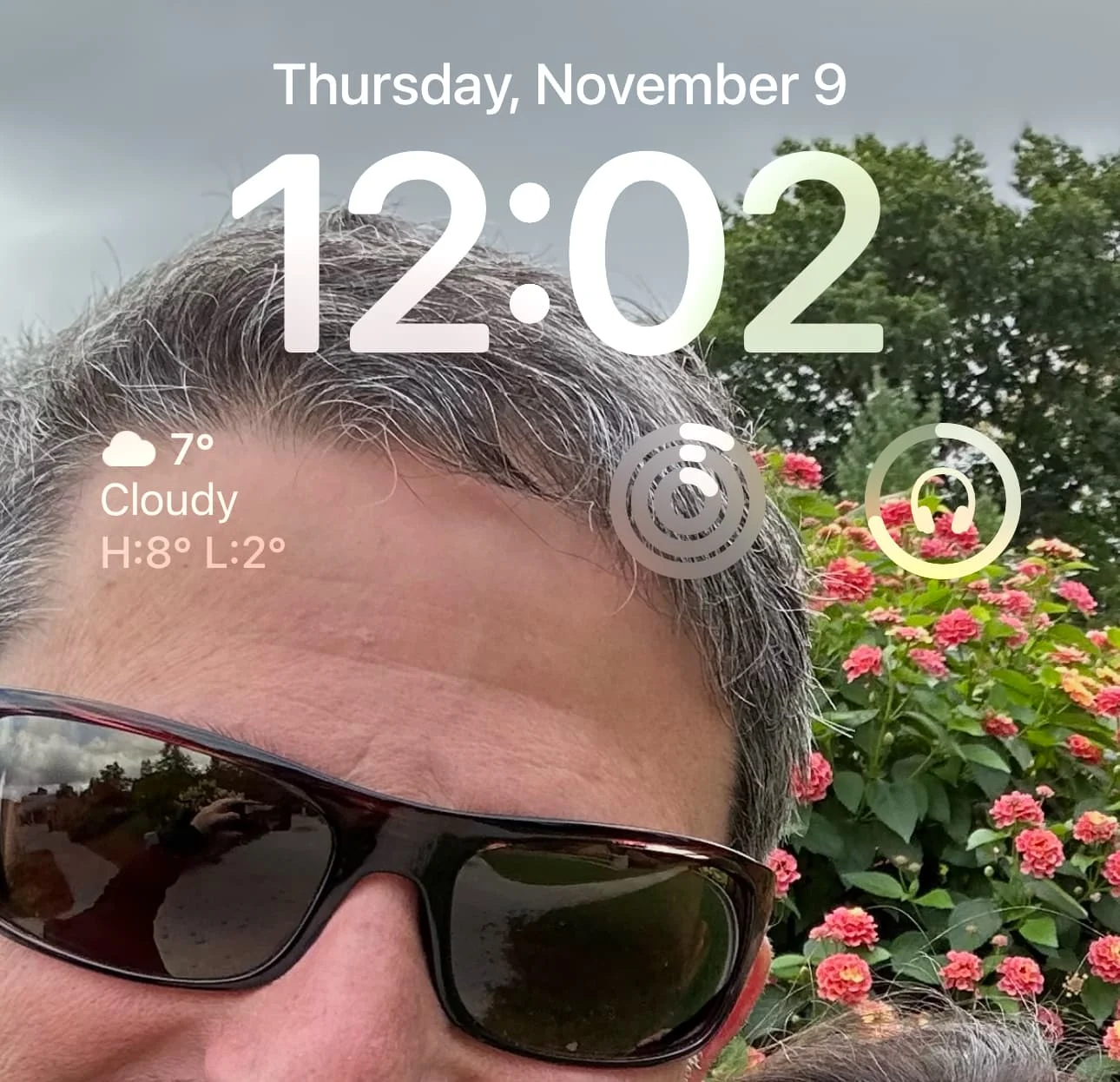
Here is a much better way to keep tabs on your Lumity battery life. Use the Battery Lockscreen Widget in iOS (see photo showing a circle with headphones in the middle). Way better and with an iPhone 14 or newer, the always on display lets you glance over anytime to see the battery life without touching your iPhone.
Jordan
You’re ignoring this member’s posts.


DaleM, it’s for android, it’s in addition to the app, not an update to the app itself. The widget you can enable separately. I put mine on a secondary screen for a bit more room, it can take about a third of a screen.
Press and hold on any blank screen area for access to widgets you can emable.
You’re ignoring this member’s posts.

it can take about a third of a screen.
nice app … BUT … it is twice the size it need to be and uses up WAY TO MICH space on the screen …
You’re ignoring this member’s posts.
You’re ignoring this member’s posts.

Widget is a waste of time.
It doesn’t actually show you what program you’re in despite being always connected until you tap on the widget and open the App.
You’re ignoring this member’s posts.
That is strange as on the widget on my Samsung phone, program chosen is always listed.
You’re ignoring this member’s posts.
You’re ignoring this member’s posts.
You’re ignoring this member’s posts.
No issues at all with the new Android app 6.6.0.952 version dated 11/8/23 with my Audeo Paradise P90-13T aids. In fact, this update fixed issues I had with switching settings and inputs. On a OnePlus 10 Pro 5G.
Charles
You’re ignoring this member’s posts.

Thank you! I had no idea how to find the widgets!
You’re ignoring this member’s posts.

 North West UK
It doesn’t actually show you what program you’re in despite being always connected until you tap on the widget and open the App.
It does on my Android phones.
S23+ for P90
S21 (no sim) for M70
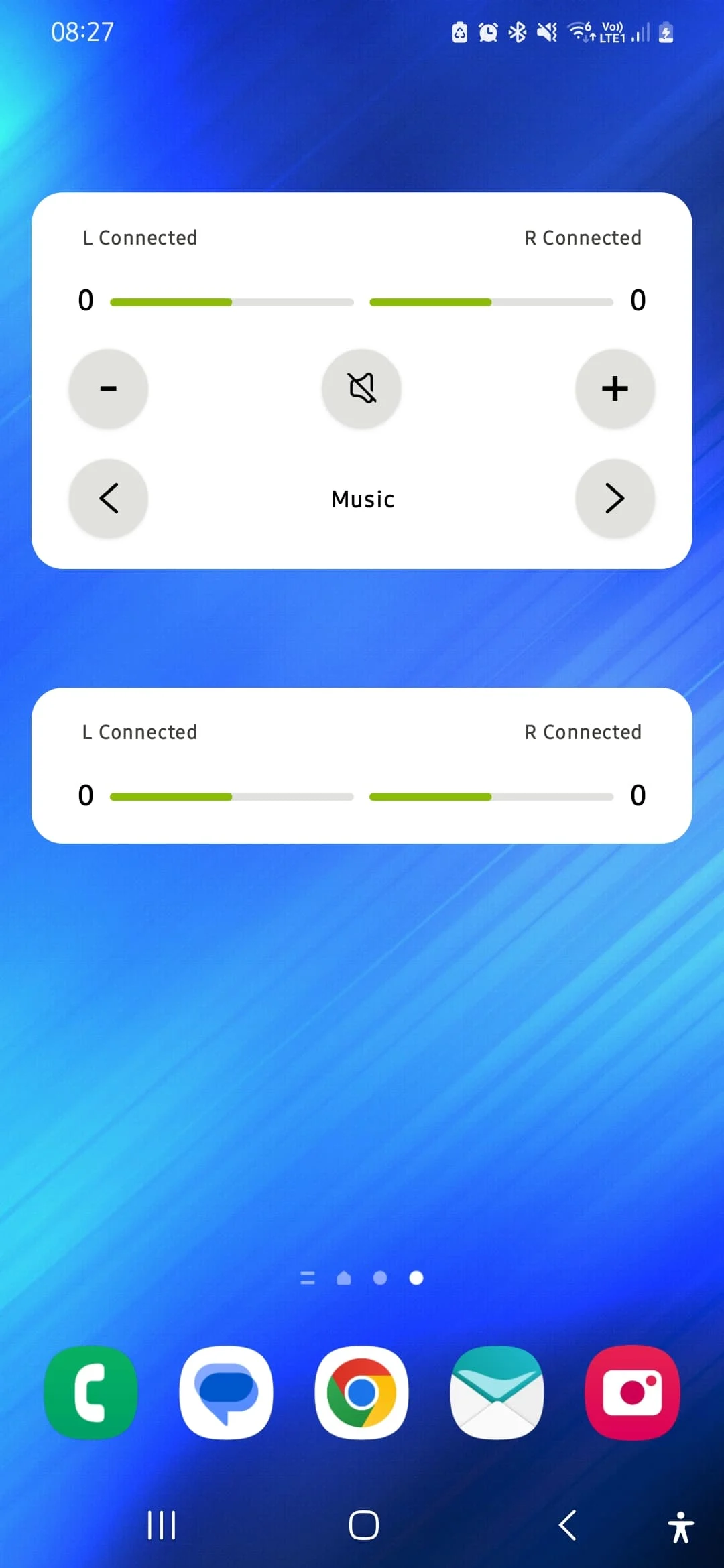
The 2 widgets available:
You’re ignoring this member’s posts.
Might be different to iPhone.
I find the stay connected only works if you keep the App open. Others with iPhone have said the same.
You’re ignoring this member’s posts.
@Zebras
Could be.
I find the “Always On” isn’t 100% reliable, and my Marvels sometimes struggle to connect.
The top widget, I find very useful, as it’s quick to change programs. The bottom widget does nothing. I’m guessing it’s because I have battery aids, so there’s nothing to really display.
You’re ignoring this member’s posts.
Related discussions
Hearing Aids9 replies
Hearing Aids6 replies
Hearing Aids24 replies
Fitting Software Requests1.1k replies
Uncategorized451 replies