
It’s too bad that Phonak doesn’t make some of its speech-in-noise media available on the Internet to allow users to practice adjusting Spheric noise reduction settings and learn the adjustments that work best for them.
Using such media in Target, I played around quite a bit, and here’s what I found. I tried the algorithm vs. Phonak’s proprietary 3.0 algorithm. Relative to APD, NAL-NL2 seems to raise high frequencies and decrease mid-frequencies a bit. On some of the Phonak speech in noise, with Spheric reduction turned on, speech, particularly female speech, was clearer but the overall sound, particularly for music, was tinnier and didn’t sound as rich and deep as with APD 3.0. So, I decided to stick with APD 3.0 and adjust my Spheric speech program via the MyPhonak app if needed to improve speech clarity.
If your has created a separate manual program for Spheric Speech in Loud Noise, if you enter that program in the MyPhonak app and hit Adjust Program down at the bottom of the screen, then tap on the three vertical slider bars icon to the right of Equalizer Presets at the top of the screen, here’s what you see:
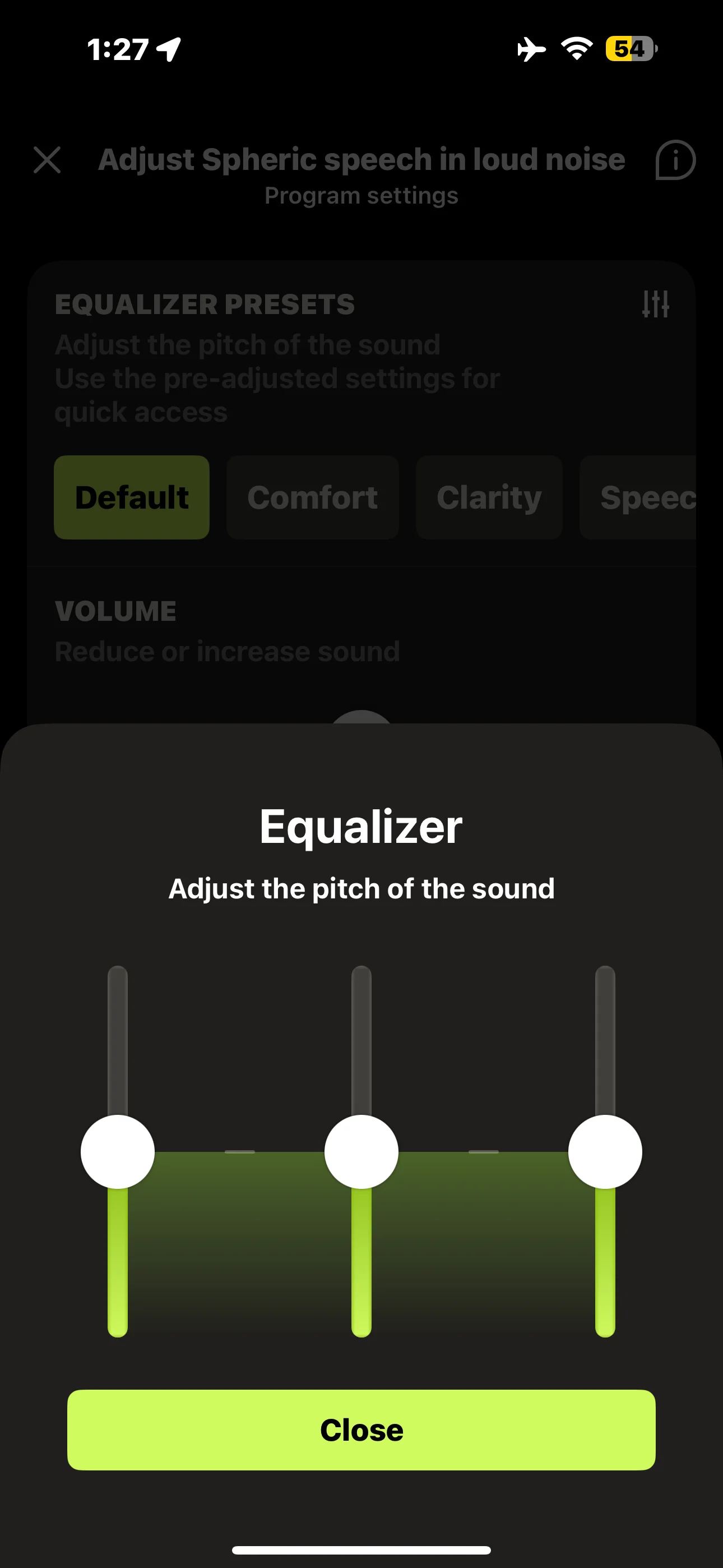
Base, mid-tones, and treble are all set equally at default levels.
While in the Spheric Speech program, if you tap on the Speech option at the top of the screen, the equalizer presets are shifted to raise mid-tones and lower base and treble volumes. Presumably, most speech frequencies are in the midtones. Here’s the shift that results:
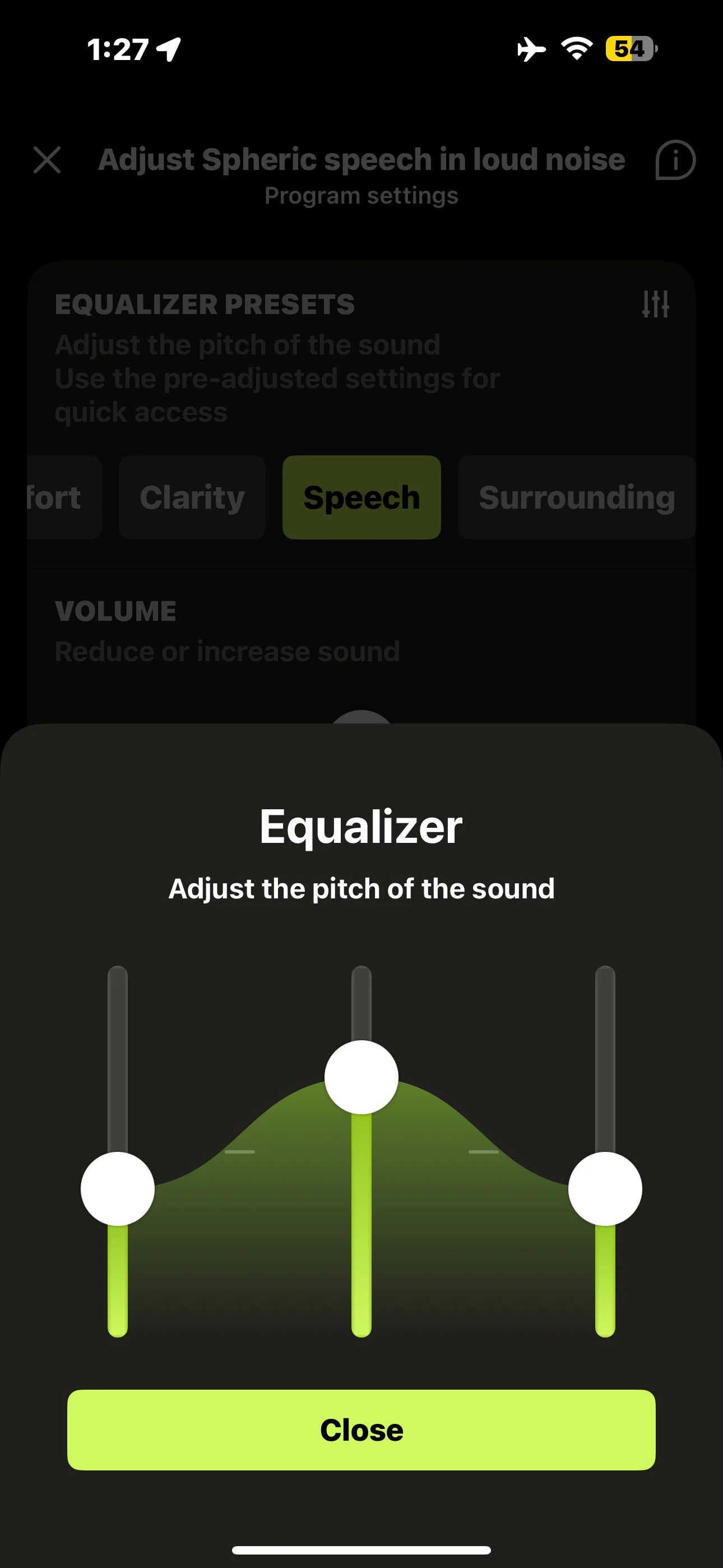
I’ve found that improves speech clarity for me.
But what I like even better in terms of speech clarity is to also increase the treble (high tones). Here’s what I’ve done:
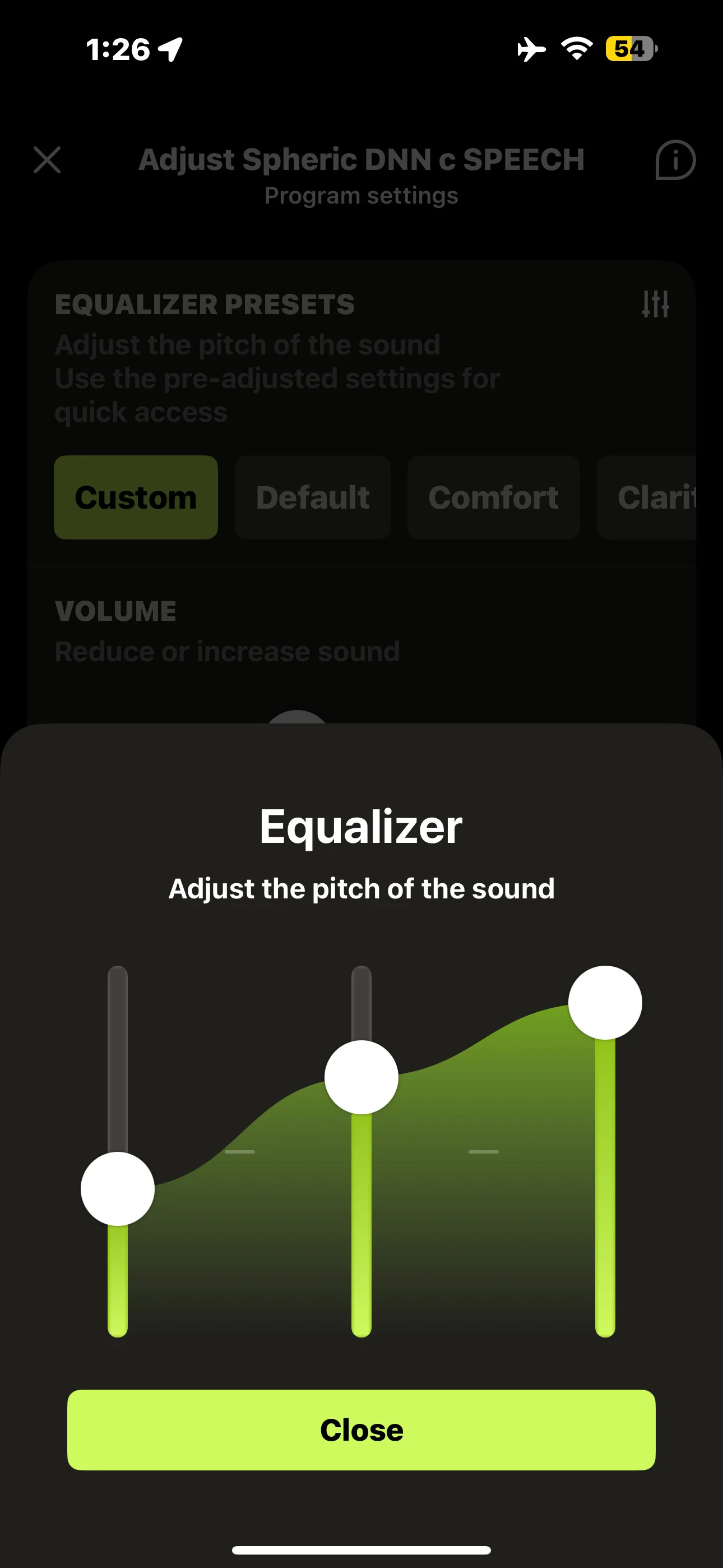
Perhaps this is a little like the improvement I found with increased high-frequency volume using NAL-NL2. But it’s not a “permanent” across-the-board change like switching my fitting algorithm. It’s just a change in a custom program that I’ve created for difficult speech situations, and I can easily adjust it on the fly in the MyPhonak program.
Since the Phonak speech in noise sounds in Target are probably copyrighted and not sharable, I suggest for playing around in a reproducible way with a recording and Sphere sound settings, that one could try the Hear Advisor unprocessed noisy cafe sounds available in any of their hearing aid tests. Here is a link to the sound:
d26t98c74zewbt.cloudfront.net/cafe-1_2tv1_open-ear_normal.mp465
It came from the following Hear Advisor web page (the Noise, No Hearing Aids option): Phonak Sphere Infinio Expert Review46
From the same web page, here is a recording of the improvement in speech over noise that Hear Advisor was able to obtain from a test dummy with tuned Spheres:
d26t98c74zewbt.cloudfront.net/phonak-audeo-sphere-infinio-90–speech-in-noise–tuned.m4a42
The following YouTube video is a good test of Spheric noise processing power. I found the Spheric processing removed most of the noise from the first half of the recording and tremendously reduced the reverberation noise in the second half of the recording. YMMV. I’m wearing power domes and have a pretty occlusive fit, which helps greatly in noise reduction.
You’re ignoring this member’s posts.
 And there are way too many other people yakking all around you!