
tenkanProvider
Welcome to the forum, sure but you’ll also need the Noahlink Wireless programming device for your projects.
Do read the user guides as well, very helpful for setting up your the first time.
You’re ignoring this member’s posts.
892 replies36.7k viewsLast reply
Welcome to the forum, sure but you’ll also need the Noahlink Wireless programming device for your projects.
Do read the user guides as well, very helpful for setting up your the first time.
You’re ignoring this member’s posts.
Thank you for the quick response. I will look into the Noahlink Wireless and take a closer look at the user guides, also I am pretty sure I saw a training video on YouTube. They have already been set up originally by the audiologist I got them from, but I was an audio engineer for 15 years and want to be able to tune them ‘on the fly’.
You’re ignoring this member’s posts.
Just be sure to save your original audiologist clinic settings before you start making changes,from the launcher screen just click on “connect to ReSound Smartfit” and then once connected just click on “save” (bottom right corner)
Then start a new client for your project.
You’re ignoring this member’s posts.
I have the Resound Omnia version, but I do not see that on the ‘fitting’ list. Will it show up once I get the Noahlink? or will I need to wait for a newer version of the software?
You’re ignoring this member’s posts.
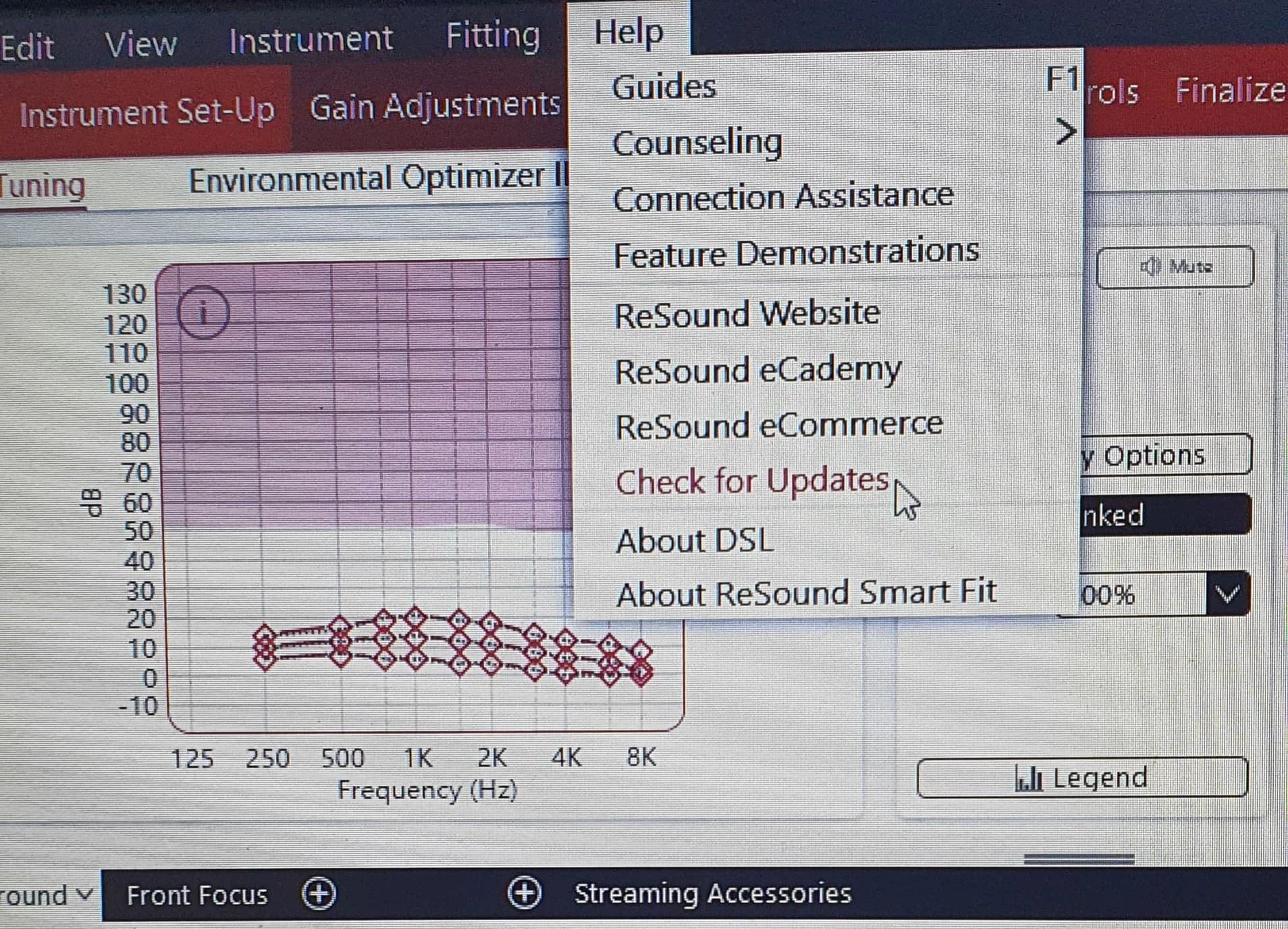
Hi there, if not showing then yes just use the built-in updater in SmartFit, once updated you’ll see the Omnia.
You’re ignoring this member’s posts.

You need SmartFit 1.16 to program the Omnias. As @tenkan says you should be able to update the version you have but 1.16 has been on Resound’s download site for months so I don’t know why you have anything different if it’s a new install.
You’re ignoring this member’s posts.
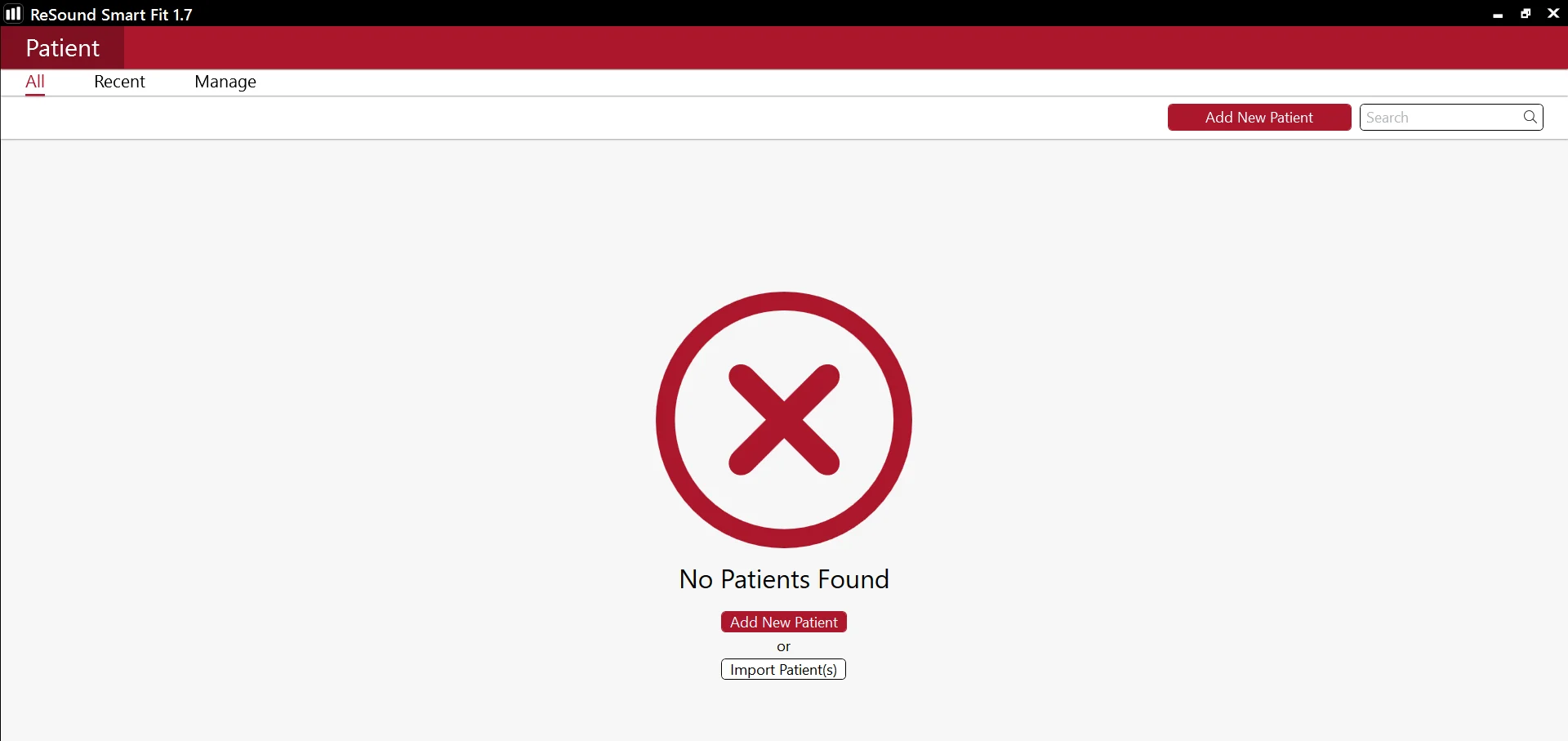
I do not have the menu options at the top. When I run the app the program looks like below. Could it be that it is a 32 bit app and I have a 64 bit computer? or is it because it is running in standalone mode? I tried running not in standalone mode and the program freezes on the splash screen. And on install the option to install standalone is checked and greyed out so I can not change. Any thoughts or help would be appreciated.
You’re ignoring this member’s posts.
Ok so you only want to use standalone install, i see the problem from that screenshot is you don’t have you connected, but you dont have to, you can use simulation mode, you’ll see from my previous picture that you need to be on the tuning page and not patient details, so just make up a patient (client) and use simulation mode, this should take you to the correct page.
You’re ignoring this member’s posts.
What you need to do is to add a new patient. You don’t need to put any details in except a name (which doesn’t need to be a real name!). Then save the new patient and then go to Fit patient. Search for hearing aids, select your’s that will show up and then hit connect.
You mustn’t have your hearing aids in a charger or connected to your phone (so turn off Bluetooth on your phone) and they must be turned on. You may need to restart them to get the recognised.
You don’t need to use simulation mode (although that will work, but it’s clunky and unnecessary).
You’re ignoring this member’s posts.
This was just for updating SmartFit tho, i thought it was pretty easy to do, I’d connect after I’d updated because they said they couldn’t find their model.
You’re ignoring this member’s posts.
Ok but why does he need to update it? The latest version has been on the download site for months. You just run that and it uninstalls any old version before installing the current one.
You’re ignoring this member’s posts.
You’re ignoring this member’s posts.
Hi
I am looked everywhere for a link to download the Resound Snmart fit fitting software.
I have the Noahlink wireless interface, just need to download the software.
Does anyone have a link they can share with me please?
Many thanks
You’re ignoring this member’s posts.
Welcome to the forum,sure but do read the user guides before jumping in as it’s very helpful.
You’re ignoring this member’s posts.
I am also interested in grabbing a copy of the Resound Smart Fit software for my Omnias.
Unfortunately, the only audiologist in my area is moving away, so I am looking for ways to make minor tweaks on my own. I’ll be sure to make multiple backup copies of the original audiologist’s settings prior to making changes.
I have already purchased a Noahlink wireless device and have a copy of the Smart Fit user guide.
Of course, provided as-is, no support expected, everything is at my own risk and I understand that I risk unintentionally damaging the hearing aids in the process.
You’re ignoring this member’s posts.
Welcome to the forum, sure no problem, great you have your Noahlink wireless sorted, do read the user guides as well, very handy for setting up the first time.
You’re ignoring this member’s posts.
Hi folks,
My father-in-law has lost one of his Linx2 961 hearing aids.
My hope is I can pick up a preowned one to replace the lost one and then figure out how to program it with the help of his last assuming I can get a copy of those.
Before that though I need to see if I can gather up the required pieces, starting with the fitting software.
I was aware Aventa was the software at one point but it seems there is Smart Fit now.
Advice on the correct software to use (and a link to a download) would be much appreciated.
Appreciate I’ll need to get a Noahlink wireless too.
Any advice on where to get a good deal on the Noahlink wireless and a replacement Linx2 961 would be welcome too! I’ll be needing a high powered receiver also but I have a source for that having replaced one for him before.
Thanks in advance for any advice.
You’re ignoring this member’s posts.
Welcome to the forum, ok so no problem getting the software, SmartFit comes with Aventa so no worries there yes the Noahlink wireless programming device and the linx2 can easily be got from eBay.
You’re ignoring this member’s posts.
Hi All, I’m trying to install the Resound Smart Fit module for Noah, is anyone able to assist with a download link, I cant seem to find it anywhere. Thanks.
You’re ignoring this member’s posts.
Welcome to the forum, are you a audiologist clinic? As you don’t need Noah for standalone install.
You’re ignoring this member’s posts.
Log in to reply to this topic.
Hearing Aid Self-Fitting (DIY)3 replies
Fitting Software Requests416 replies
Hearing Aid Self-Fitting (DIY)1 reply
Hearing Aid Self-Fitting (DIY)5 replies
Hearing Aids52 replies
 Surrey, UK