You’re ignoring this member’s posts.
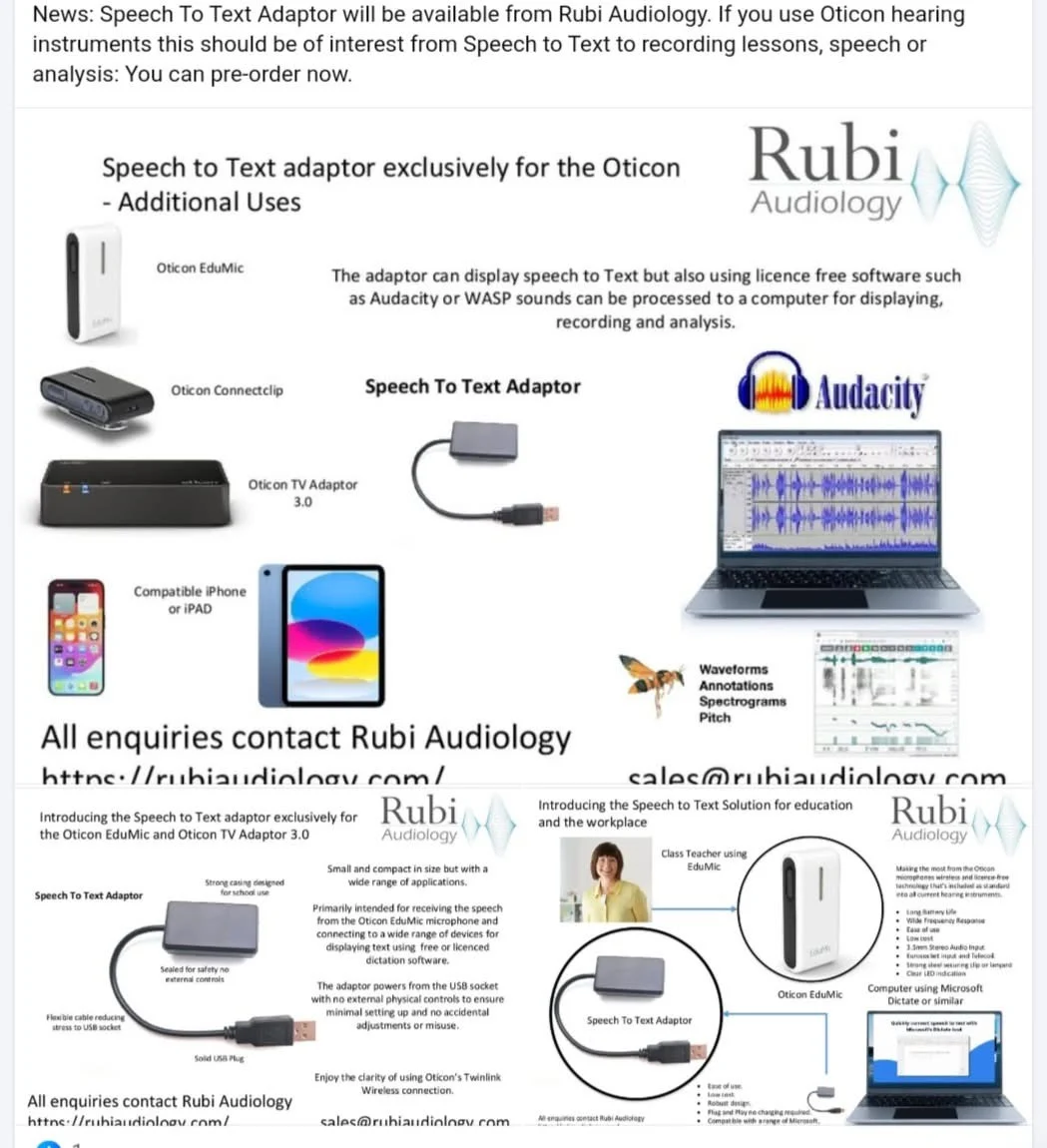
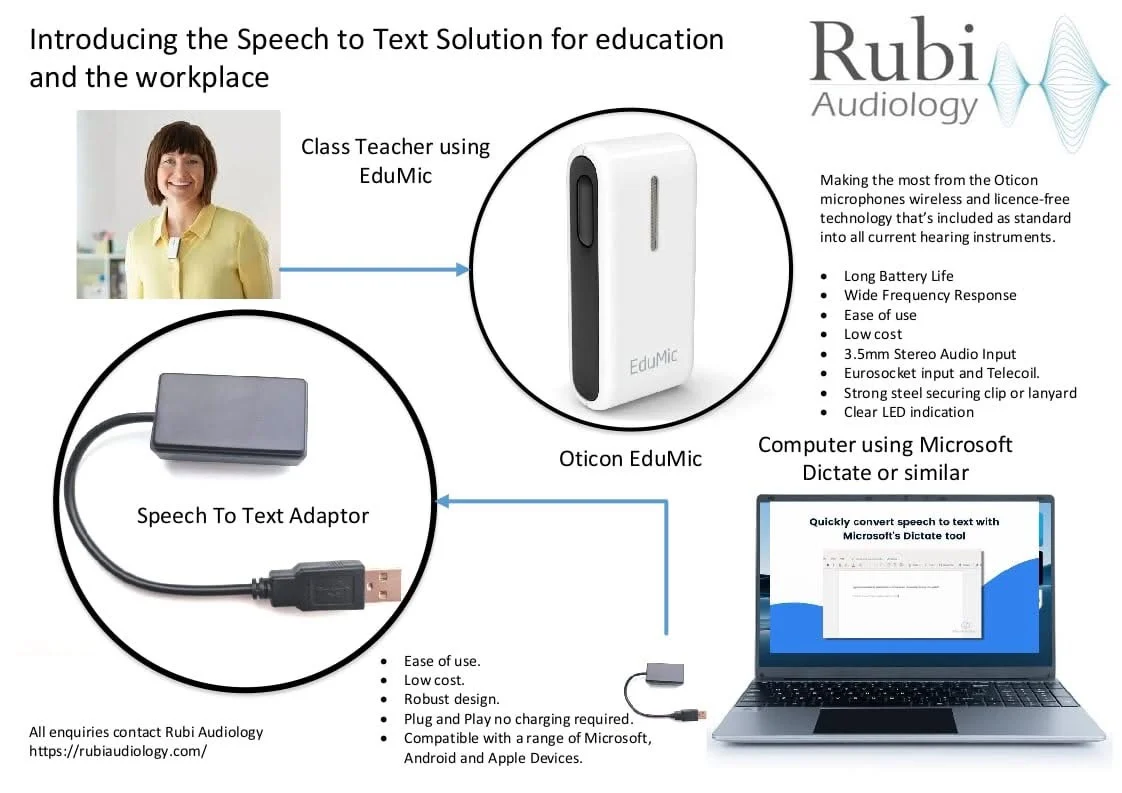
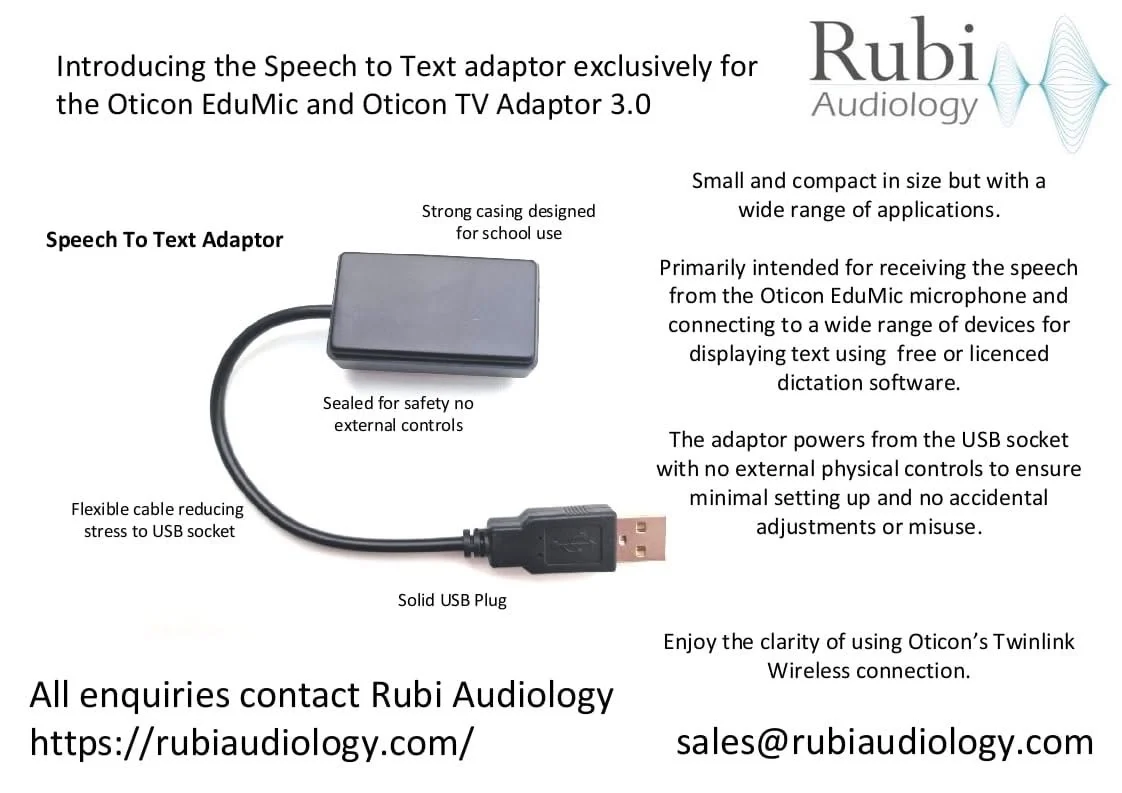
Speech to Text with Oticon EduMic + other Oticon Accessories
13 replies378 viewsLast reply
And again, I didn’t figure it out
Edumic doesn’t have Bluetooth. How does it connect to this adapter?
You’re ignoring this member’s posts.
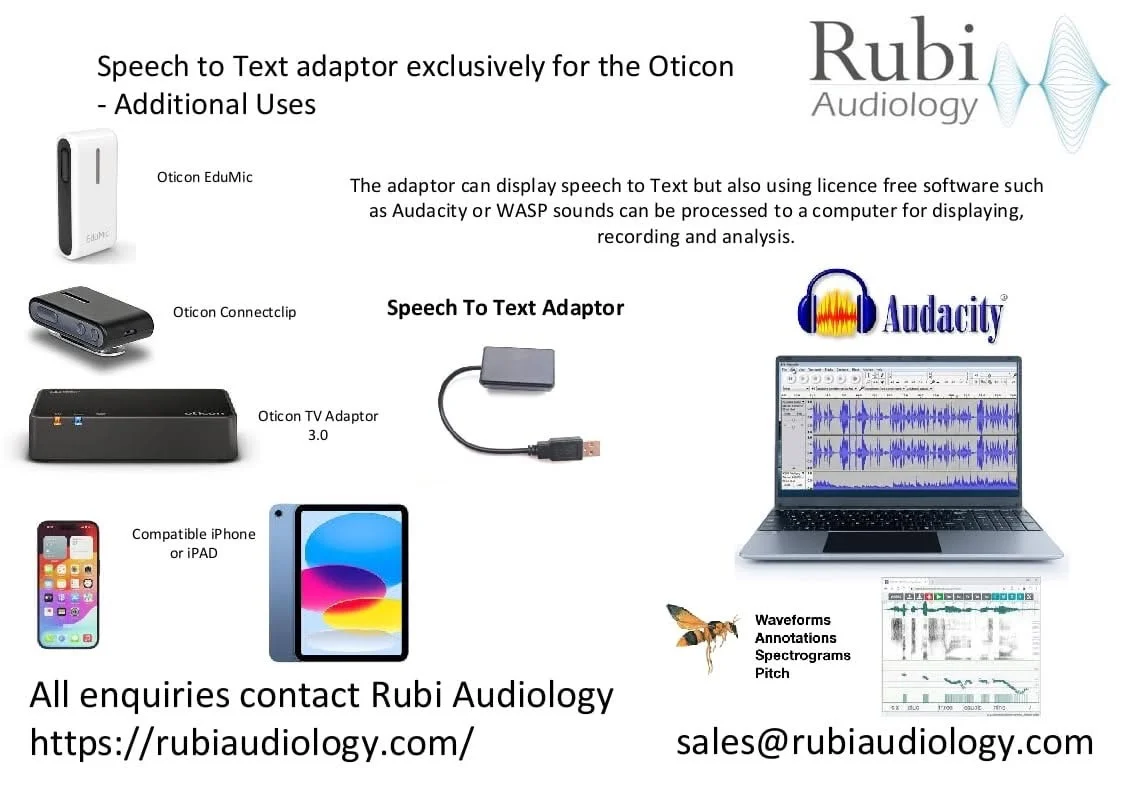
I’m not sure how it works but it also works with the Oticon TV Adaptor 3.0 which I thought was rather good.
You’re ignoring this member’s posts.
Why don’t you want to try glasses with speech recognition? Here’s an interesting option, it recognizes many languages and translates them.
Languages Support (Transcription and Translation) : English(American & British & Canadian)、Spanish、German、French(French&Canadian)、Dutch、Deutsch、Italian、Hebrew、Portuguese (Brazil &...
You’re ignoring this member’s posts.
Why don’t you want to try glasses with speech recognition?
Oh I do if I can find ones that aren’t so expensive or I can try and get them funded.
My village I live in, has a charity to help out people who live there. I could apply….
I posted about the Oticon box for others to see as not everyone wants to get a Phonak Roger for the speech to text option.
You’re ignoring this member’s posts.
The EduMic and the TVAdapter are received by the aids via the same program. So if the gadget receives the audio-data sent by the TVAdapter, it will also receive that from the EduMic.
I somehow fail to see the merit of this gadget.
- If someone is wearing an EduMic, you could also give them a bluetooth headset or mic to stream directly to a PC or laptop.
- If you’ve connected an audio-output to the TVAdapter, you can also directly input that audio into a PC or laptop.
- If someone is speaking live, you could also pick the sound up with the mic of a phone and directly use that for speech2text.
I doesn’t seem like they’re selling much more than the gadget. It seems like they’re using the speech2text software that is currently being developed due to all those online meetings in which apparently a lot of people need subtitles to understand what participants are saying. ![]()
Still, glad that they at least mention the EduMic. It felt like I bought a obsolete piece of tech, when I found out it switches my REAL 1 aids to the wrong program, when it’s turned on. (It switches to the mic-program instead of the TV-Adapter/EduMic program.)
So it seems that they are selling a way to use speech2text in a setting in which the technological knowledge is absent. Which is of course nice. It’s like tech support in the form of a gadget and an app.

You’re ignoring this member’s posts.
Using a Speech to Text App on your phone with a person who is quite far away and in noise, would not work.
I’ve tried it. This is the reason I bought the Roger NeckLoop to use the Phonak Roger as Speech to Text.
Just thought it was cool that people who have Oticon accessories have an option as well.
I’d imagine it would be useful in education more than anything else.
You’re ignoring this member’s posts.
I understand that TwinLink from Oticon is installed in this adapter. But how did Oticon allow this? Does this mean that third-party manufacturers can use TwinLink? If so, why hasn’t anyone released a USB adapter for connecting Oticon hearing aids to any computer?
You’re ignoring this member’s posts.
It might be some proprietary RF, likely over 2.4Ghz. Also could be Infrared, but that seems unlikely.
You’re ignoring this member’s posts.
I appreciate your post.
I’ve had Widex and 3 pair of Phonak. I want to know about other hearing aids so that I can find the best hearing aid maker for my future hearing aids.
DaveL
Toronto
You’re ignoring this member’s posts.
Hello Zebra and others I have just read this post and should be able to answer some of this. The need for this adaptor came about because there are an increasing number of Oticon/Oticon Medical Users in education who can benefit from Speech to Text displayed during lesson. Whilst they can hear via the EduMic (or in some schools using the TV Adaptor 3.0 connected to a classroom audio system) they can struggle and miss things. The adaptor can connect to a students computer (if in higher education), a tablet or mobile phone using suitable Type C or such adaptors. With nothing to adjust or charge as it powers from the plug it’s more reliable. Many Apps in education are free and work well provided they have good degree of signal/Speech over the environmental (in this case classroom) noise.
Another benefit of this is lecture recording what is being picked up by the EduMic/TV Adaptor.
This was developed working with Oticon UK. Any questions just ask.
You’re ignoring this member’s posts.
There’s already an Oticon EduMic, TV Adaptor 3.0, Connectclip, or newer (Intent and newer models coming) to connect to a computer.
You’re ignoring this member’s posts.
Log in to reply to this topic.
Related discussions
Uncategorized30 replies
Hearing Assistive Technology20 replies
Hearing Aids10 replies
Uncategorized451 replies
Hearing Aids174 replies