@user490 For what it’s worth, I asked Phonak US this exact question on their recent social media post2 about the Virto R Infinio release. No reply to my comment. In fact, there hasn’t been any meaningful reply from Phonak US—just the usual and condescending “we’re sorry for any inconvenience.” I’ve yet to receive a substantive response to any of my inquiries. That silence is part of the problem.
It can seem that hearing aid manufacturers do not want to maximize sales volumes and want only enough business. Most of the companies are European so perhaps that thinking is common there. For different reasons the various brands are making it hard to pick a next hearing aid to try. Widex with a cloud approach. Phonak with mystery hardware issues. With more digging others might also have issues sufficient enough to make consumers look elsewhere. Perhaps there should be a lemon law on medical devices to force accountability.
It can seem that hearing aid manufacturers do not want to maximize sales volumes
Sorry, that’s twaddle.
Sonova literally decided to go the conventional Bluetooth route to maintain phone compatibility across as many devices as possible - unlike the remainder of the industry.
It’s caused trade-offs for battery life and now in some cases the kind of connectivity problems listed above, which might not have been evident at the bench testing stage. As far as I know ‘some’ of these issues might be caused by timeouts at the handshaking stage. Aside from the interference suggestion (which would affect everyone), I think there’s a further issue at play.
My personal theory is that some users charge their aids within Bluetooth proximity of their phone and some don’t. This establishes two very different user profiles; in both cases the connection is suspended, however where the aids are rebooted outside of the phone Bluetooth range, the original connection is absolutely lost: so another one is added to the list (every day).
It won’t be long before the length of the list causes the handshake to time out. Fully wiping the connection and rebooting both devices, rather than just turning your IPhone/Hearing Aid on should help. It might be prudent to learn the hard reset for the Sonova aids too.
This feels like a really long explanation of the IT crowd idiom……..
My personal theory is that some users charge their aids within Bluetooth proximity of their phone and some don’t. This establishes two very different user profiles; in both cases the connection is suspended, however where the aids are rebooted outside of the phone Bluetooth range, the original connection is absolutely lost: so another one is added to the list (every day).
This is a very interesting theory. For the record, I always charge my iPhone and Sphere’s beside each other. When I pull the Sphere’s out of the charger in the morning, they always boot up while I am standing right beside my iPhone. I’ll add one more thing…I always pull the Bluetooth connection Sphere (for me this is the left hearing aid) out first so that it is always the hearing aid booting up first. Turning the left one on first always results in a connection. When you pull the other Sphere out first, they don’t always immediately connect to my iPhone.
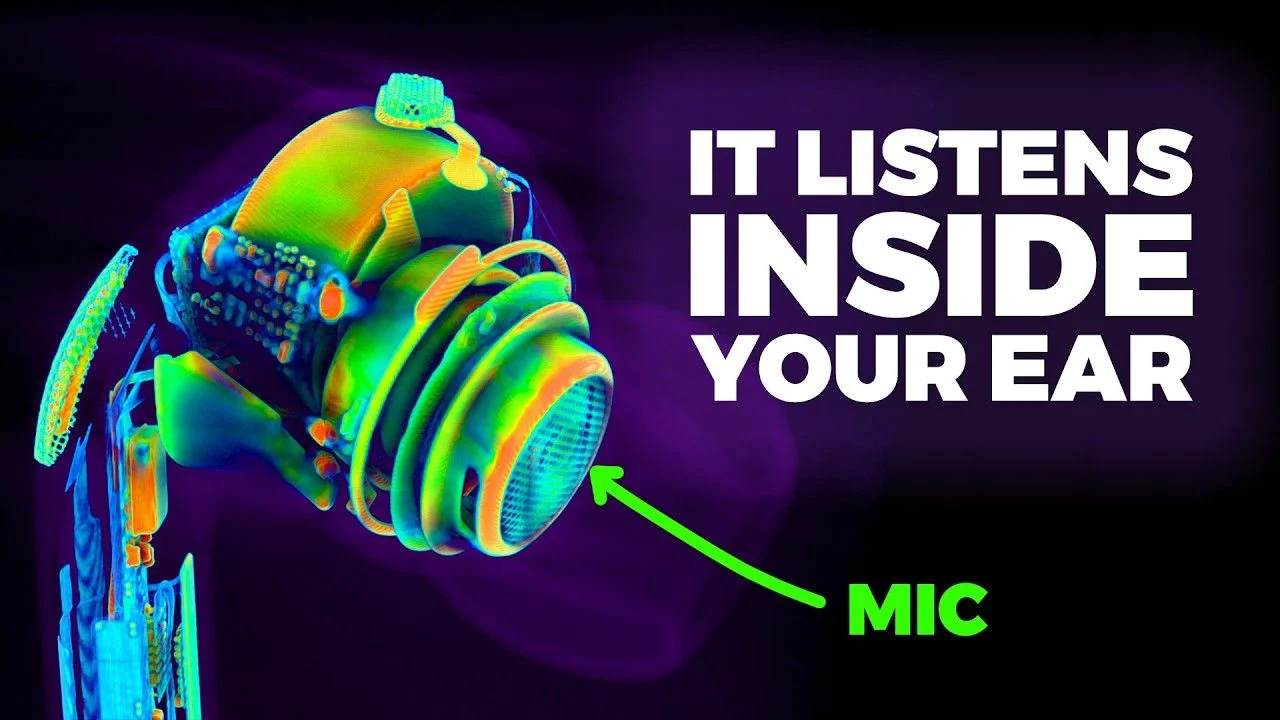
Not on point in this discussion, and has likely been mentioned before. May as well post the link though in case someone finds it useful. https://www.youtube.com/watch?v=FglLmaptyDg42
My problems with these Phonaks Plase let me know if others have the same.
The bluetooth is intermittent meaning I cannot screen read on using iPad or listen to music. The TV streamer works fine. However, I have other big issues. The sound quality varies all the time and leaves me unable to hear at all at tis worst, even with the volume turned right up. In noisy environments they seem to act in revers, dampening down speech while leaving background sound at normal levels. Go into a supermarket and all I can hear is the freezers. Stand net to the kettle and I cannot hear any speech. The worst is a reduction in volume to the point I cannot hear even if turned up and I have had to remove them and use older Oticon Play provided by the NHS. I am seeing my audiologist tomorrow and will be asking for replacements that work or money back - we can hope. As severely sight impaired, I need the streaming through bluetooth to work and these are very expensive aids. They did go back for repair when the left stopped working and have had ne software updates without improvement.
Thx especially to matthears / jordanK; I’ve skimmed most of thread. 1st my exp. as requested by OP; 2nd request for summary of best practices, solutions.
Use iPhone, Roger ON ext. mic, iMac, and two laptops (MAC and Dell); TV streamer. Numerous disconnects and/or failure to connect (or extremely long time to do so) as shown in app. Most with TV streamer, including App being very slow to return to Automatic when TV streamer no longer in use andd powered off. Probably good support for Jordan’s hypothesis in my case. Meaning I moved from a semi rural location with closest neighbor 150’ away, and others >500’ and in that setting rarely had any issues. Now in a small apt with neighbors to sides and above; problems in new environment. I need to connect to Target to know firmware. Prior HAs were Costco KS10 (Phonak Paradise) and issues were quite rare.
Can someone summarize best practices from this thread? I’ve taken some notes:
Jordan’s suggestion of tapping devices when first opening App on phone (this has been helpful to me).
Suggestion of post #14 for sequence for uninstall/reinstall of app and BT device connections.
I am wondering if (signal interference is cause / contributor) whether using a longer cable connection between TV and Phonak TV connector so that latter is closing to me might be helpful?
Is there any value in switching whether Sphere’s connect to R or L hearing aid (and then pass that signal to the other HA via Phonak’s inter-aid link?
While I might hope that Sonova solves our problems centrally and am slightly encouraged by yur convo W admin there, it seems likely that each of us must figure out what works for us. Thus my hope for a consolidated post of best practices, trouble shooting (and particularly IF your symptoms are __ or __, then youo might try __ first, and then __. I have some tech knowledge but not nearly enough to have effective strategy beyond a shot gun approach to solving - or just “tolerating” the annoyance.
Interference is certainly not the whole problem. I sometimes have interruptions in streaming every few seconds, also when i just have my iPhone with me and there is no building within 200 meters.
At home and at work it is not reliable enough for Teams calls. That might be interference, but my 300 euro airpods and 25 euro AliExpress headphones are rock solid. Why can i not get a reliable connection with my 5000 euro !
My hope is on LE audio if/when that update ever comes.
I just purchase a pair of Phonak Aud’eo Sphere Infinio 90 hearing aids Friday and they have disconnected 5 times in the last 18 hours also I have tinnitus and unable to connect with the tinnitus program and ideas
I don’t know about Sphere’s, but in Marvel, Paradise and Lumity, the Tinnitus programme is set in the fitting software. Personally, I don’t have it enabled, even though I have Tinnitus
Same device, similar issues, 1 year in. I find that periodically switching Bluetooth side helps a bit, and evens out battery wear). Also periodically check in the vein hope there may be a firmware update, but nothing so far ( I do my own programming). My biggest bugbear is that the holds on to old connections with grim determination such that I frequently have to restart the BT enabled aid to connect to the device on my lap. If I stream from my Apple Watch, when finished have to delete the pairing else it reconnects in preference to everything else.
So yes it’s a dogs dinner, my Paradise was noticeably better.
And then there is the long ongoing issue of BT streaming of phone calls where the other party can’t hear what I’m saying as it picks up background noise far better than my voice.
Given that its 18months since launch and no updates suggests to me that these issues are hard wired and not correctable.
I’ve done a bit of further investigation to figure out what is causing the disconnects. Couple of observations:
I never have issues with disconnects on my iPhone 16 Pro Max.
Almost all disconnects are on other devices like my Dell Windows laptop, etc.
Turning off Bluetooth on other devices when you are not using them helps as you can only have two devices connected at the same time
Leaving Bluetooth on for more than three devices will mean that two devices will grab the connection with your Sphere’s and you will think you are having connectivity issues with the third device. Don’t do this…
The only device I leave on all the time is my iPhone as I always want to be connected to receive calls and to stream, etc.
When I just have my iPhone and Dell laptop connected at the same time (i.e. only two devices with Bluetooth active), I still have disconnect issues with my Dell laptop.
KEY POINT: When I then turn off Bluetooth on my iPhone, the disconnect issues go away.
It appears that the iPhone is somehow grabbing the connection from the Dell laptop and this is causing disconnects.
Not sure if this is a Sphere software issue or an iOS/iPhone issue. Could be both.
To summarize, I now believe the disconnect issues are caused by another device temporarily grabbing the Bluetooth connection and causing your current streaming device to drop. Just my 2 cents…
I’ve been using the Spheres for 8 months now, and my experience is 100% matching yours, Jordan. I will add something: my corporate Dell Laptop pairs with the but no sound comes through, and according to our IT Dept this appears to be a Windows driver issue. Luckily I also have a Roger ON mic which, when connected to the laptop via USB, acts as a dongle for the HAs. Since I don’t have admin rights on the laptop, I decided not to bother the IT Dept any further.
I also have a MacBook Air at home, and the BT connectivity has never been an issue there. One thing I have noticed is that the Mac and Windows notifications seem to take over the connection every time, which means that if I am in a call (or streaming audio) on the iPhone, the stream will be interrupted and the notification will be played. Now, if the notification sound is disabled, you will still get the BT takeover, and that will just sound as if the connection is briefly lost. That’s quite sneaky.
Overall, I think that your advice is solid -it’s also not too complicated to just disable the BT (or simply disconnect the Spheres from the BT menu!) on a device you’re not going to use for a while. I just do that when I’m done streaming from the Mac.The overall experience, when compared to what I had to go through on my previous HAs (Signia Pure, MFI) is just so much better.
One thing I will ad is that it’s important not to underestimate interference, and it’s possible that under some very specific circumstances the Spheres might be slightly worse: in my case, when I walk through the central station hall in The Hague, I just have to completely stop streaming from the iPhone. That’s a situation where the Signia were doing slightly better.
One final remark: In some situations I could experience bad connectivity with the phone in my pocket, and that would immediately stabilize when taking the phone out. Note that this is not ALWAYS happening, only in places where there was definitely some interference (train platforms, crowded supermarkets, etc.), otherwise the connection is 99% of the time stable.
To anyone having very bad connectivity issues, I can only advise you to insist with your providers/professionals to have the devices checked/repaired.
I was searching Reddit to see if other iPhone users are having this same issue with Bluetooth headphones dropping the connection or noticing that their iPhone is stealing the connection, etc. After all, as far as the iPhone is concerned, the Sphere’s are just another Bluetooth headset.
Have a look at this post. Kinda feels like the same issue we are having with our Sphere’s:
“I regularly do workouts without my phone streaming music from just my watch, which I love. Could be going on a run or doing some calisthenics outside on the lawn. But often when I get close enough to my phone (which is indoors in another room) it suddenly steals my airpods’ bluetooth connection from my watch while I’m listening to music on my watch. Which is mildly infuriating. It will pause my music mid-song to steal headphones. Worse, if I’m doing a workout just outside or chillin’ in the kitchen making a smoothie (e.g. “on the edge” of connection range to the phone) then the phone will keep doing this every 1 to 5 minutes. Constantly pausing my music and stealing my airpods. How do I get it to stop doing this?”
While reading about every ones problems with streaming I decided this afternoon to test Pandora being streamed into my Spheres. I decided to try Pandora on my Windows 7 Pro updated to Windows 10 which has been updated to Windows 11. I was streaming from my laptop earlier this morning but went to run a few errands so the aids were definitely disconnected at that time. Anyway ,sitting here reading every ones trials and tribulations pertaining to these Spheres I can sit here and shut down streaming on my Samsung 25 and start Pandora on the laptop and aids play as expected with no connecting or disconnecting anything in laptop or Spheres. I then stop streaming from the laptop and start streaming Pandora again from my phone and it switches flawlessly.
I can also vouch for the aids prioritizing a phone call by shutting down Pandora and switching to the call.
Just and FYI and saying it does work correctly with some setups.
I am new to this forum. Just seen this topic. I also have just started using the Phonak Infineo Sphere’s and also have the same problem with streaming sound keeps cutting out. I wonder if the Phonak Virto R has the same problem.



 Wales, UK
 Toronto, Canada

 The Netherlands

 North West UK

 North Springfield, Pennsylvania