I have heard from early Sphere firmware 2.0 users that Sphere mode now has up to a 80% increase in battery time per day. And the 2.0 claim is a total if 56 hrs on a full charge. Also users have said the auto changes are much more sensitive requiring much fewer program changes. Any reviews on battery like would be helpful from users using the 2.0 update. Please comment on overall clarity in noise and normal situations. Thanks. it all helps us all.
Also users have said the auto changes are much more sensitive requiring much fewer program changes.
Can you elaborate on what this means, Tony? I assume you meant “AutoSense 7” when you said “auto changes”, right? So if it’s more sensitive, shouldn’t it switch programs more often, instead of “requiring fewer program changes”?
Also, when you say “Sphere firmware 2.0”, you mean the Ultra firmware upgrade/update? As far as I know, the noise reduction functionality of the Spheric mode is the same and not improved in the Ultra firmware upgrade, only the battery efficiency is improved in the Spheric SILN program. So much to the point that they removed the option to limit the Spheric SILN use to 3 hours a day that was in a previous version of Target. Target 11.1 no longer has this option to impose the 3 hour limitation.
As far as I know, the noise reduction functionality of the Spheric mode is the same and not improved in the Ultra firmware upgrade, only the battery efficiency is improved in the Spheric SILN program.
I seem to recall that at least one or two people were saying that they did notice a functional change in Sphere 2 - if memory serves, they said that background noises sounded less weird or artificial. (My dedication to scientific research, at least so far, has not extended to subjecting myself to environments I dislike just to test my Spheres.)
It’s entirely possible that I’m misremembering - memory is, as you know, the second thing that goes.
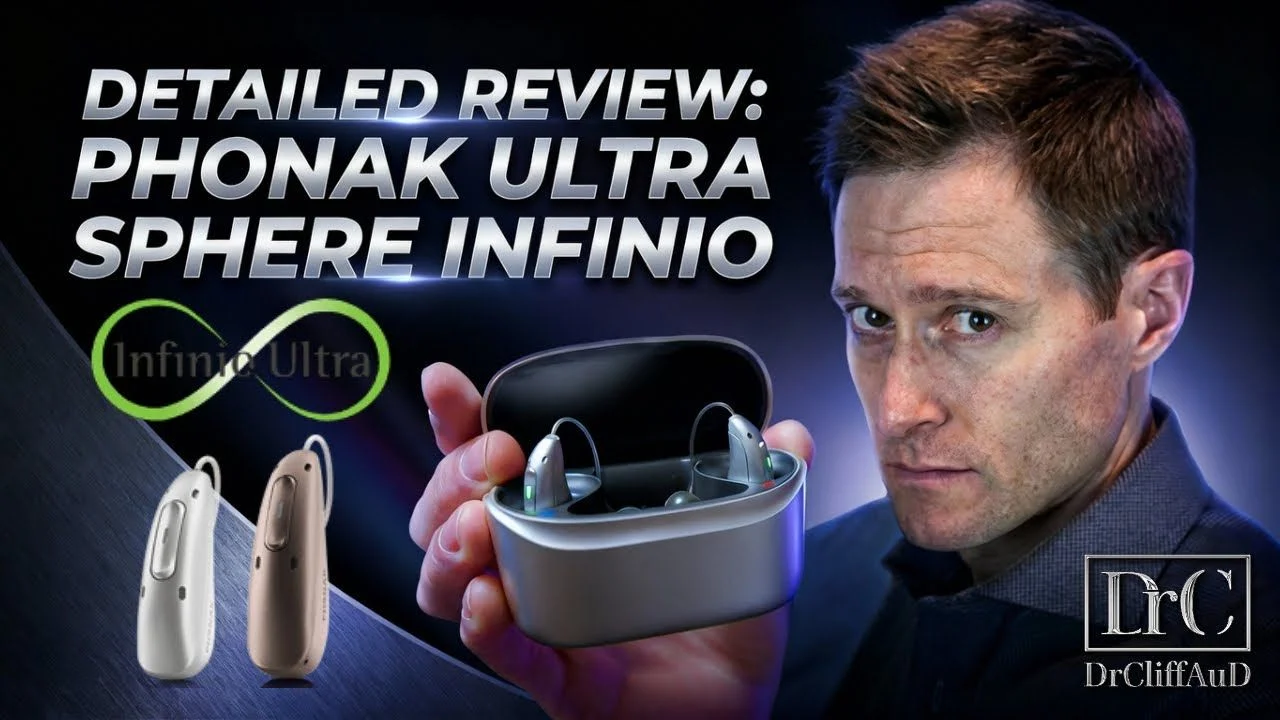
Yeah, they did say that it’s Spheric Speech Clarity 2.0. I just remember seeing in a video by Dr. Cliff (see below at 8:40 minute marker) that he said he didn’t notice any difference. But it doesn’t mean that other people wouldn’t notice a difference themselves. So that’s really the extent of what I heard, from this Dr. Cliff video. But it is a new 2.0 version so there’s probably improvements that can be noticed by users.
I am hearing from users, few program changes. Are you using the 2.0? curious as users claim battery life is much improved in Sphere mode. Thank you for theist
I have installed the Ultra firmware update on my I90 Sphere already, so yes, I’m on the Spheric Speech Clarity 2.0. Too bad this is all new to me, so I won’t have any old reference point from before when it was 1.0 to compare against. I need to find a few noisy places to go to. Still haven’t been able to do that yet.
No reason to go to a noise trap just to test. I pick up my Spheres next Friday. I will be curious to see if the custom slim tips with very specific venting ordered do anything. My left er canal is smaller than my right, I have never been able to benefit from custom molds, but I hear the titanium and venting might help that. My provider is a former sound engineer so he is as interested as i to maximize this. I will, however make certain to leave his office with a few dome options. As I waitt I am wearing I90’s wit the ERA chip only and I cut slits in the which helped me feel unplugged. I gained some clarity, but I did not expect a lot because this of course do not have the chip. Onward we go
I can’t speak for the generations after the Marvel aids. I do know even back then they could be set so Auto Sense was bumpless. The newer versions of Auto Sense are probably even better but can’t judge them.
I like automobile analogies, I can relate.
Whitehats analogy is a little harsh IMO. Self programming I had the opportunity to mess things up and fix them too. Auto Sense is one of those things I messed with.
Also users have said the auto changes are much more sensitive requiring much fewer program changes.
I have a small array of manual programs i could set manually by button or app. Previously, I put the aids in music for music portions of a church service. It was (previously) discriminating worship music as noise. And crushing it. There were situations where it went into spherical mode, and I felt speech in noise was a bit better. Likewise sometimes I just wanted spherical, and it was flip-flopping back and forth between and spherical. All that has disappeared. I still have the programs. But I’ve only used them to test automatic vs a particular program. It is still changing programs in the background. I poke at myphonak will reveal the music program during worship music. But I didn’t have to do anything to get there.
Maybe I exaggerated for argument’s sake? But it is just more abrupt. A day using the backups reminds me pretty quickly. I even like the sound in quiet much better.
A few more updates about my experience with the Phonak I90 Sphere over this weekend. First update is about listening to streaming content. There are 2 programs for streaming, one is called Media Speech + Mic, and the other is called Media Music + Mic. I’ve been doing a lot of streaming use over the weekend, and I have found that in general, streaming is good for either speech or music.
Unlike the Auto program where you can do a few clicks into the Update button to reveal which of the 6 built-in programs AutoSense selected at that instance for your environment, that doesn’t work with streaming. AutoSense OS (for streaming selection between speech and music) doesn’t allow you to click into the Adjust button (it’s grayed out), so you cannot have MyPhonak reveal whether AutoSense OS has selected Media Speech or Media Music.
This leads to my point. I’ve experienced plenty of times when I’m streaming just speech only, and it sounds fine, then all of a sudden, the speech sounds louder and warmer, then a few seconds later, it went back to normal. I thought it was weird, so I’d rewind the video back to before this happened, and played it again, just to see whether this is how the actual streaming content was, or whether this is due to an AutoSense OS change between the Media Speech or Media Music program. Sure enough, the replay of that part now didn’t sound louder or warmer suddenly, like it was before. This means that the sudden change was not due to how the content is, but it was due to AutoSense OS changing, probably from Media Speech to Media Music, then a few second later, back to Media Speech before. This doesn’t happen all the times, but it seems to do it often enough to be annoyed by it once in a while.
The same experience with listening to streaming music. It’d be nice and full, then all of a sudden it sounded very thin and hollow. I suspect that here’s when AutoSense OS switching from Media Music to Media Speech for some reason. But it’s not like the streaming music content had transitioned from a full sound mixture to a different thinner sound mixture or anything. Just doesn’t seem like there’s any rhyme or reason for the change.
The point here is that based on my personal experience, I think AutoSense OS in AutoSense 7.0 for streaming is still not very reliable yet. I think the difference between speech only and music only streaming content should be simple enough to be easily recognizable, yet AutoSense OS is still doing a poor job of maintaining the correct selection from only 2 type of sounds, either speech or music. Not impressed about this. Also, the Media Speech sound is a bit too tinny for my taste. I’ll probably have to go in there to fix it up to make it sound fuller. But to be clear, this is AutoSense OS for streaming only. It’s not the regular AutoSense for environmental sounds.
It’s funny that in a recent video from Dr. Cliff about the Sphere Ultra upgrade, at time marker 5:45, he said that the Ultra Sphere upgrade now allows for better identification of different types of music, like Hiphop, Classical, Electronic and Jazz. Boy, I don’t know about that claim, when AutoSense OS still can’t get it right in switching between Speech and Music when streaming. How is it smart enough to know how to identify between different musical genres? But to clarify, he wasn’t talking about AutoSense OS for streaming. I think he was talking about AutoSense for environmental program. However, inside the Target sw, I still only Classical, Pop and Choir as the only 3 music categories that has different sound profiles that can be adjusted. So how would one adjust for HipHop and Electronic and Jazz now that those types have been added like Dr. Cliff said??? And what is “Electronic” music anyway? OK, maybe Pop, Rock & Roll, Country, Orchestra, Instrumental, New Age, Acoustic, Percussion, or whatever. But Electronics??? What does that even mean?
On a last note, I tried to find someplace noisy like a Starbuck cafe yesterday to test out the Spheric SILN program, but unfortunately the place we found was not full of people because it was early afternoon. However, they did play loud background music, so that was pretty much the “noise”. But on the other hand, it was not a cozy little cafe, but a rather spacious place with high ceiling. But we had to make do with the place, and I tried to carry a conversation with my wife there anyway. Her voice was loud and clear among the background music, but to be honest, just the loud background music alone wasn’t a challenging enough environment in my book anyway to test out the Spheric mode.
I did have a chance to wear my Real several months back when we had a birthday lunch at a Cheese Cake Factory restaurant with a group of family of 9 people. We sat at a long table and I was at the end. The restaurant wasn’t extremely noisy, but still busy enough with sounds. I didn’t have much issue with understanding speech at my table, but of course I can’t hear what was said by the family members at the other end of the long table because I was on this end. But I could understand the people near my half of the table. So I thought the Real did a good job there. But I also had to be attentive in trying to listen to what I want to hear, because I had to tune out the noise to focus on the speech, as it’s the nature of Oticon’s open paradigm to let you hear everything still, even though it cleans up the speech at the instance speech is detected to help you understand speech better.
My expectation with the Sphere, if I had worn it at that same environment, would be that I wouldn’t even have to be attentive and focus to listen to and understand the speech by tuning out the noise myself. I would expect the Sphere to tune out most of the noise for me, such that I can hear the speech just fine without even having to try to “listen” for it. Hopefully it’s going to live up to the hype and meet this expectation.
We pretty much don’t go to restaurants often anymore because I’m on a strict low sodium and low carb diet now after my surgeries, so most restaurant foods are not suitable for me anymore. I’m also retired now so I don’t have a work environment to test things out. Hopefully with the holidays coming up, I’ll be able to find some other noisy opportunities to test out the Spheric mode more in the upcoming months to come.
Did you find the speech or music streaming to be best all around? If one does all streaming best set the other up like it. Take difference out of the picture.
Speech and music streaming had the same issue years ago. My hearing back then wasn’t all that good and music wasn’t a priority. Hopefully you can find a happy medium.
Did you find the speech or music streaming to be best all around? If one does all streaming best set the other up like it. Take difference out of the picture.
Speech and music streaming had the same issue years ago. My hearing back then wasn’t all that good and music wasn’t a priority. Hopefully you can find a happy medium.
I have the luxury of so I was able to adjust the music streaming to my liking. It took several tries, however. I didn’t have to adjust anything for speech streaming and it sounds fine to me. Which is understandable because speech is simple, while music is more complicated and a lot more subjective to the listener, so it’s normal to want to fiddle more with the music streaming adjustment.
It’s not straightforward compare to the Oticon Real streaming because Oticon doesn’t separate out speech streaming or music streaming like how Phonak has it. The way Oticon streams is that it uses the gain curves of the environment sound setting it has and just apply those gain curves for streaming. So when I just stream media content normally, it’d pick up the gain curves of the General program (which is the Oticon VAC+ rationale in my case). This tends to be nice and clean and originally “lean”. If you stream music content through here, it sounds good, but it lacks the “oomph” that the lows and mids can bring to the music.
On the other hand, if you stream music and change to the MyMusic program, the MyMusic program brings additional coloration to the music sound, adding more “oomph” to it with more lows and mids. So it depends on what kind of music you listen to. Maybe with classical or instrumental, where you want to hear the authentic sound without any coloration, you just stream while you’re in the General program (Oticon VAC+ in my case). Also for speech streaming, it’s best with the Oticon General program. But if you listen to Pop or Rock & Roll and you want the music to sound more full with extra bass, then you can stream while you have MyMusic selected. Some of the purist users tend to hate the Oticon MyMusic because it adds way too much coloration and takes away from the authentic sound of the music.
I adjusted the Phonak Media Music streaming program to something in between the Oticon General (lean and clean and authentic streaming sound) and the Oticon MyMusic (fuller warmer sound with more oomphs). So it’s not really apple and apple comparison between Phonak streaming music and Oticon streaming music in the first place. But at least with the Oticon music streaming, I have 2 options on how I want to hear the music, depending on the type of music. With Phonak, however, the AutoSense OS takes over control of the selection and only gives me 1 choice for music streaming. So that’s more limited than the 2 choices that I have with Oticon.
Do you need both streaming programs? Can you remove one so it can no longer switch on you?
It’s not a choice for me the way Phonak has set up their streaming programs. That’s part of your AutoSense OS, and you can’t delete either of those 2 programs. It wouldn’t make sense to only have 1 program in AutoSense OS because the whole point of AutoSense OS is to choose between at least 2 or more programs.
Plus the gain profile designed for speech is probably going to make music sound very tinny and horrible, maybe like listening to an AM radio. You want a fuller range in the music gain profile to get a more fuller sound for music.
Commenting on your experience with Real at the end of a long table. That pretty well is my experience with the Intent and was not a lot better with the Sphere. I attributed the lack of difference with the Sphere to the single vent domes verse a more closed mold. I have pretty well given up on the WOW factor for any aids in a loud environment. Don’t take this wrong, both aids very good, just not the WOW. I am very interested in your opinion when you have a chance to test in this type of environment.
I discussed this in another thread. Everything is better. I no longer switch programs manually in situations where I habitually changed programs. Sounds in calm are clearer. I do better with my wife yelling across the house. She knows not to do that but does it anyway. Wind is better. Spherical is a bit better. Speech in noise seems a lot better. Transitions between programs done automatically seem smoother, less noticeable.



 SoCal
SoCal
