
 Auckland, New Zealand
This may be a dumb question but is the log in where you get an email reply going to be the way to log in or is it just for now?
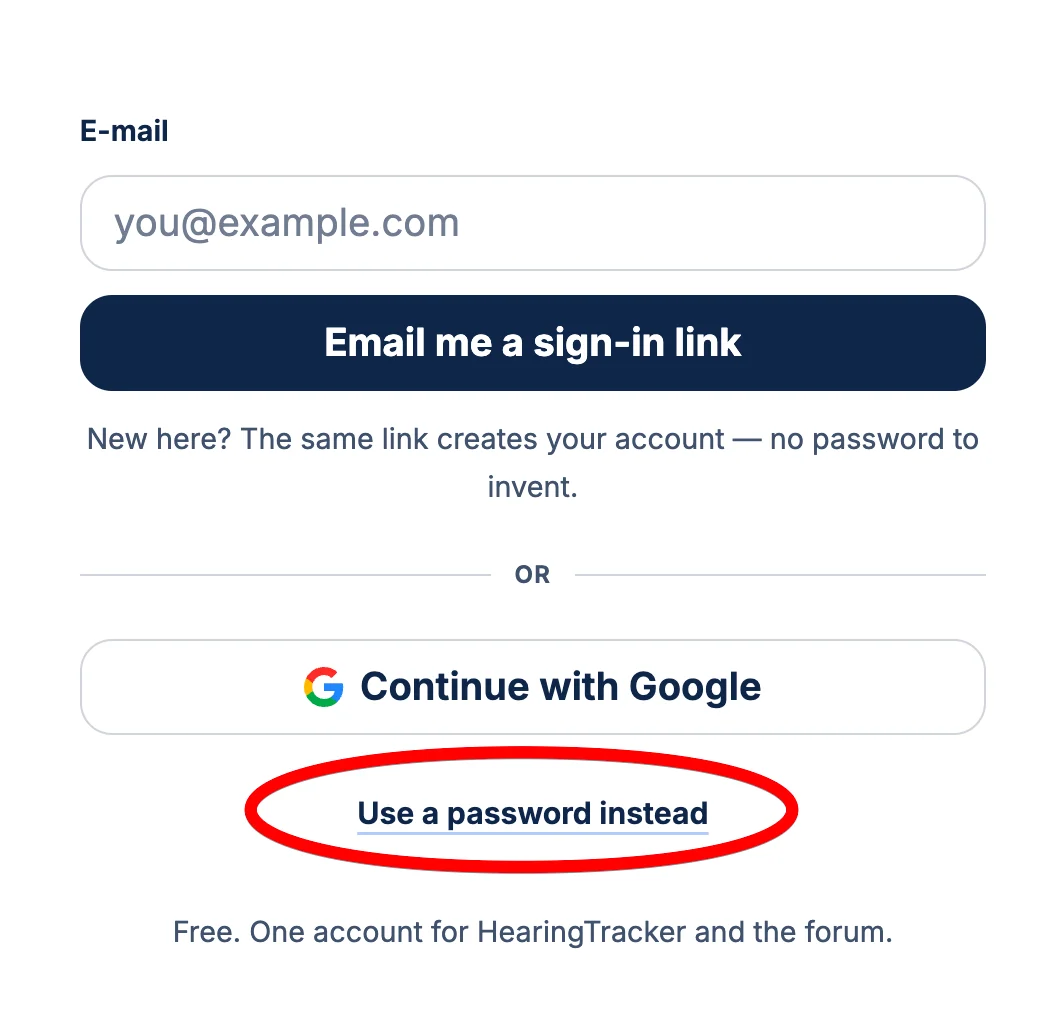
You can set a password if you prefer:
You’re ignoring this member’s posts.
This topic is closed.
204 replies5.7k viewsLast reply
This may be a dumb question but is the log in where you get an email reply going to be the way to log in or is it just for now?
You can set a password if you prefer:
You’re ignoring this member’s posts.
It seems to be a slider on the bottom now, but it doesn't display on all threads.
I removed the slider on the bottom because it seemed a little pointless and took up space. Did people use the slider much on the old site? I can build a more elaborate one.
You’re ignoring this member’s posts.
this is Deaf_Piper I’m locked out as my email has changed. The forum won’t recognize my new email. Can you please help get me back into the forum. Thank you Sheryl.
It looks like you found your way back in? If something's still not right, please email me abram@hearingtracker.com
You’re ignoring this member’s posts.
What does that mean? As far as I am aware I have only ever had a forum login which I thought was my Hearing Tracker account. So what's being linked to what? I just said yes, because I wasn't sure what would happen if I said no.
It's basically just the main hearingtracker website sharing your email with the forum. Probably overkill to ask for your permission! It's safe.
You’re ignoring this member’s posts.
The old system used to have a little indicator up by the tab that a new item has appeared.
You will now see a red dot in your browser tab when you have notifications.
You’re ignoring this member’s posts.
In reply to @Hearing_Potential
Could we please have custom time zone settings?
Changed to relative time "8h" (ago) etc.
You’re ignoring this member’s posts.

@AbramBaileyAuD the only way I can get back in is through the sign in link in the email that was sent to me.
My new email can’t be recognized at sign in. The Sheryl 94.hullin@ bigpond.com isn’t in existence for me to check your email you send to check accuracy of emails.
Thanks Sheryl.
You’re ignoring this member’s posts.

Gone a bit glitchy, posting/draft posting, something wrong with the clock function? Or timing out re-edits of this post…..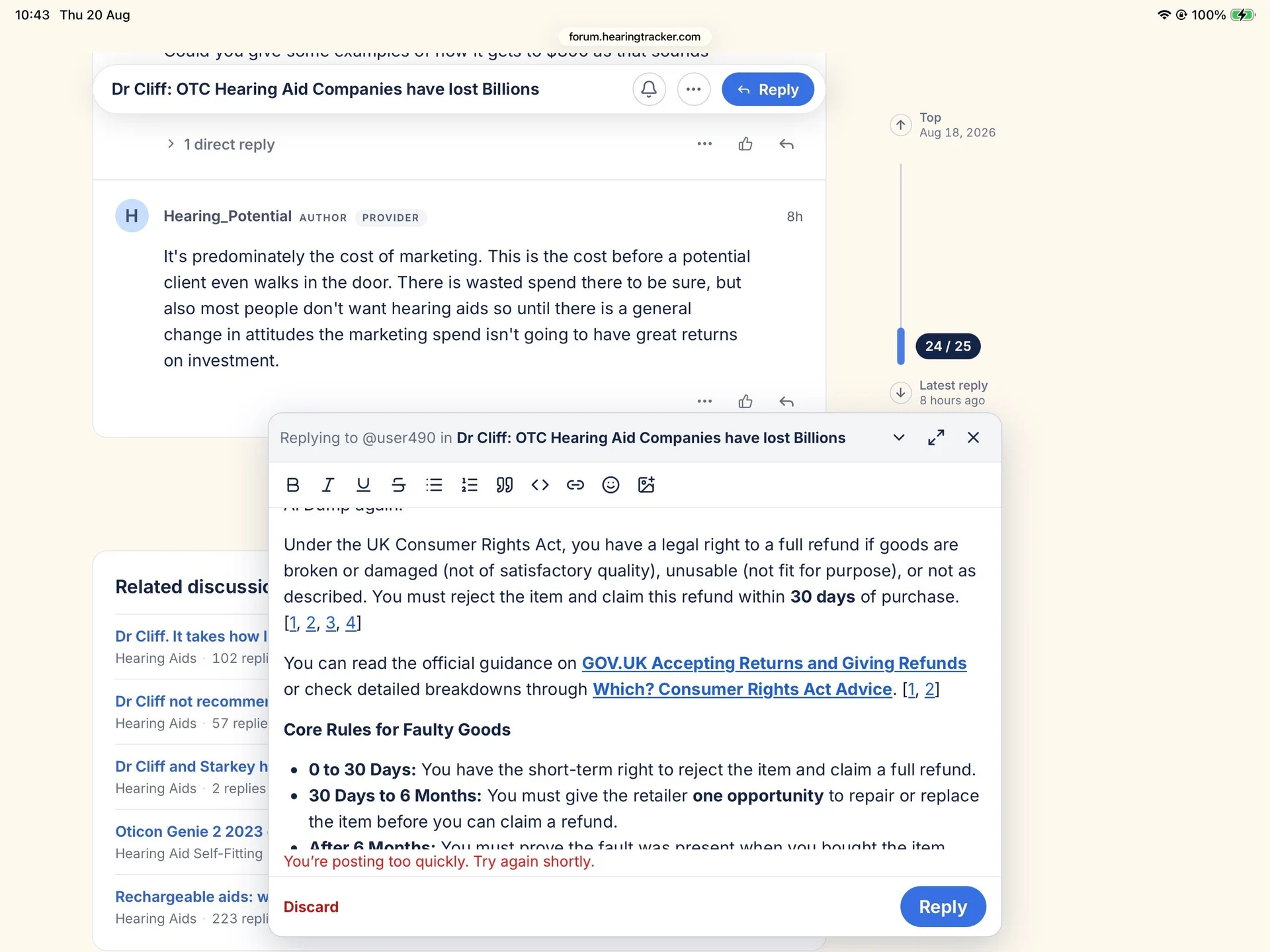
You’re ignoring this member’s posts.
On a PC click on Um_bongo screen shot above to make the screen shot larger which seems only to put the screen shot in the center of the and same size without any additional zoom in option. I think on the old forum we had the option to click again for additional zoom of the image. This action makes the image larger than my viewing area but I could move the image around.
You’re ignoring this member’s posts.
I'm fixing this. I had some aggressive anti spam stuff you tripped on. Dialing it back. The posting too quickly message was incorrect, so fixing the error messages as well.
You’re ignoring this member’s posts.

Thanks Abram  It took some working out that can be accessed by clicking users' names now. How do you load a custom avatar?
You’re ignoring this member’s posts.
Click on your avatar in top right, then your username, then edit profile tab. Upload then hit save.
You’re ignoring this member’s posts.
You’re ignoring this member’s posts.
Going to take a little break now for sleep. I have noticed while signed in that it can be a little slow clicking into partially read pages. Some scrolling/jumping issues are also still occurring. I'm very sorry about this. I'll hopefully have the last of those bugs worked out tomorrow.
You’re ignoring this member’s posts.

I am liking the new forum layout. Reminds of buying a new phone and needing to sit down with it to figure it out.
I can't imagine asking for changes at this time. You are getting plenty of help in that area.
You’re ignoring this member’s posts.

I will get use to the new format but I find it less user-friendly at this time.
You’re ignoring this member’s posts.
You’re ignoring this member’s posts.
I just tried using the Link icon
 to add a link to a post, but it didn't appear to do anything. Nothing was visibly added to the draft. Edge browser on Windows 11.
You’re ignoring this member’s posts.
Some entries in **Explore today’s conversations **don't have activity today or even very recently. Like "I'm done with Costco".
You’re ignoring this member’s posts.

Ok so after a bit of use the PM doesn't work very well, still no way to edit a sent message, and I keep getting an error message about I'm typing to quickly?
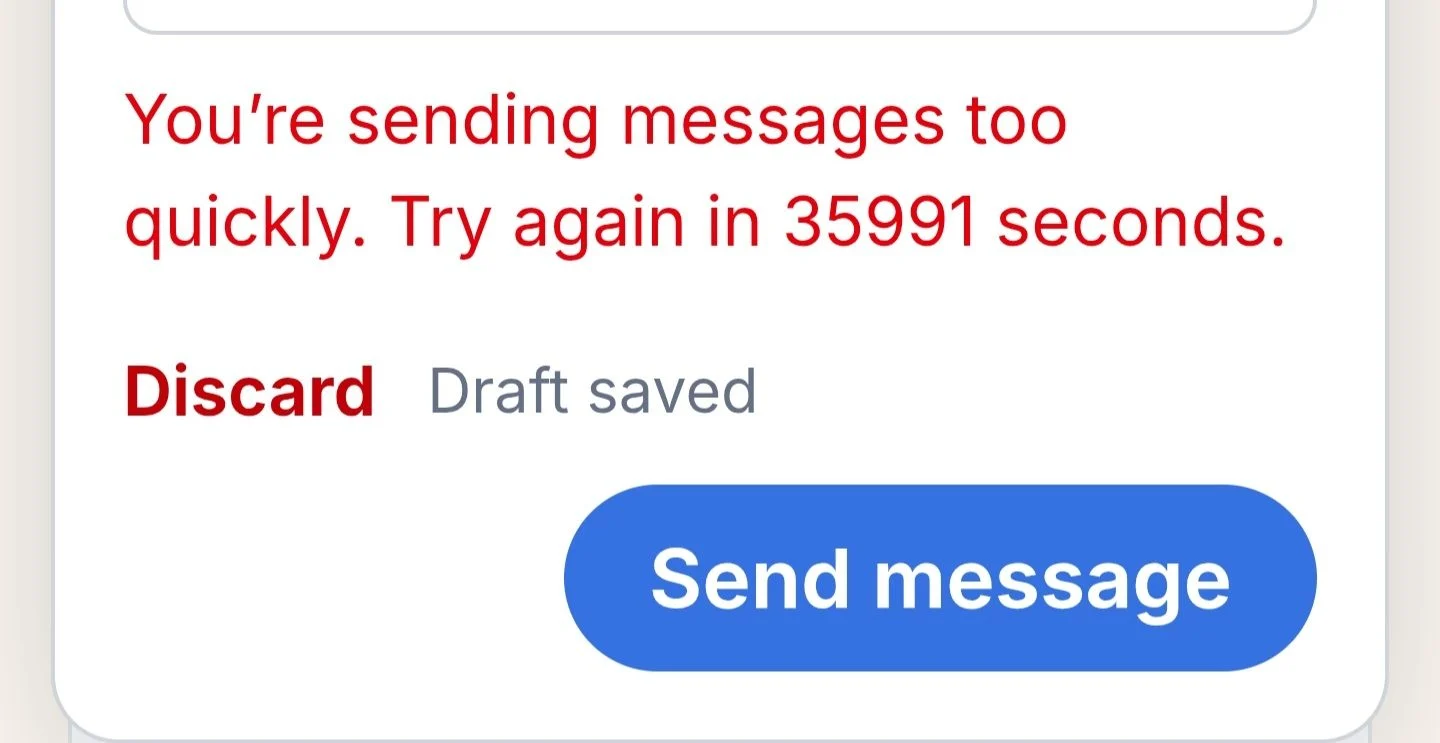
Also the reply to messages is not keeping in order of the thread, instead of going directly below the person I'm replying to, it just shows at the bottom of the thread, regardless of how many people I've replied to, also when replying I have to type out the @members user name almost in full now otherwise I have to scroll through all the other members names to find the member I'm replying to.
You’re ignoring this member’s posts.
Announcements9 replies
Hearing Aids6 replies
Hearing Aids10 replies
Fitting Software Requests1.1k replies
Hearing Aids104 replies
 Melbourne
 Wales, UK
 Alabama