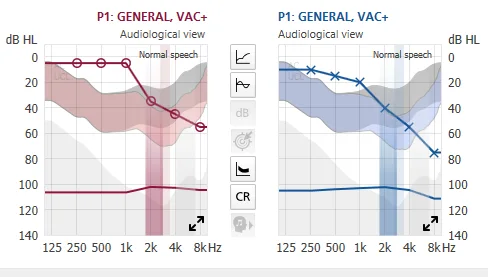
Can you tell me what the portions of the graph shaded in red and blue represent?
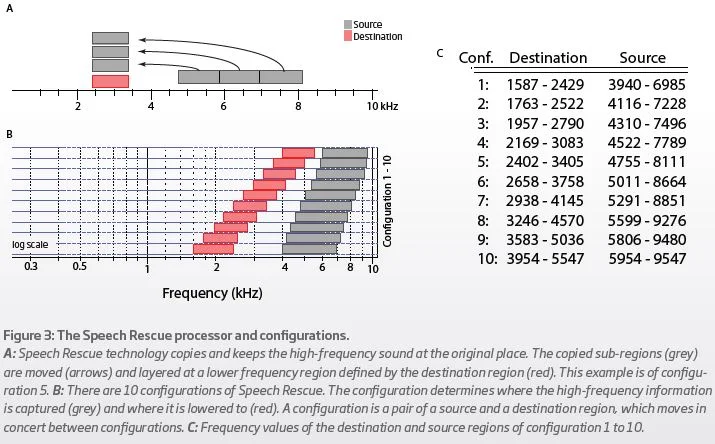
If you mean the vertical colored bands, those are the destination frequencies of the Speech Rescue function. The vertical gray band, which in your graph is all the way to the right, shows the source frequencies for Speech Rescue.
You might have noticed, too, that there are up to 10 different Speech Rescue configurations (see table below). I don’t know how it comes to pick which configuration based on your hearing profile, but it looks like it picked configuration 8 or 9 for you. In my case it picked configuration 1 for my left ear but configuration 9 for my right ear. That resulted in hearing the lowered sounds differently to me. So I manually changed the right ear setting to configuration 1 to match with my left ear setting. You can definitely try different configuration and see which one you like the best. I like configuration 1 the best because that’s the lowest destination band I can set where I can hear the lowered sounds the most clearly.
You’re ignoring this member’s posts.