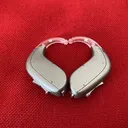
I bought a phonak paradise P90 R. It feels a bit crackling in my phone calls, especially during the call.
You’re ignoring this member’s posts.
This topic is closed.
22 replies6.5k viewsLast reply
I bought a phonak paradise P90 R. It feels a bit crackling in my phone calls, especially during the call.
You’re ignoring this member’s posts.

 Turkey
Use MyPhonak App, open the menu from the button at the top right side of the screen, go to “Hearing Aids” menu, at this screen go to “bluetooth phone calls”.
Change the setting into static instead of dynamic. Restart your hearing aids by clicking volume down for few seconda and do the same to reboot them.
Try a phone call again.
If it still continues open an app that plays music at background. While sound plays from your , open MyPhonak app, go to the setting of curent mode from the button that stands at bottom right of the screen. Pull the slidet to the right side. That disables the device to listen outside voices while you are using your HA as handsfree.
Try each step at a time. One of them will fix your problem.
You’re ignoring this member’s posts.

What phone do you have? Apple iPhone had a problem with Bluetooth noise that was fixed in one of the latest updates (14.2).
You’re ignoring this member’s posts.
You’re ignoring this member’s posts.
Make sure you aren’t too far from your cell phone. The range on my Paradise to my iPhone XS is only about 15 feet max & that’s with clear line of sight. Walls reduce that. With my last pair of HAs, Oticon Nera 2s, & the Oticon Streamer I could wander my entire house on a call without problem. While I’m glad to be rid of the streamer (necklaces are back!) I have to keep the phone either on me or at least pretty close. Good luck.
You’re ignoring this member’s posts.
Anyone got a proper solution for this? I’m still
suffering despite having the setting to “fixed”.
Cheers
You’re ignoring this member’s posts.

It was only iPhone 12 models, only MFI hearing aids and it was fixed with 14.2.1
You’re ignoring this member’s posts.
I have an iPhone 12 Pro with iOS 14.5 and Phonak P90R and have the issue.
The same problem also occurs with my iPhone SE…
I’ll test with an iPhone 11 and report back…
You’re ignoring this member’s posts.

It was only iPhone 12 models, only MFI hearing aids and it was fixed with 14.2.1
Sorry, @david.hendon, but I don’t believe that this statement is accurate.
You’re ignoring this member’s posts.

Along with the bandwidth the aids need to be properly fit using the real ear and feedback tests performed.
Good luck with this.
You’re ignoring this member’s posts.
Thanks. But I only get the problem when I use the phone to make a call. I never have a problem using Spotify on the iPhone or watching YouTube videos. So basically anything that uses the mic on the hearing aids is where the problem occurs.
Could it still be a fitting issue if this is the case?
You’re ignoring this member’s posts.
Apple iPhone had a problem with Bluetooth noise that was fixed in one of the latest updates (14.2).
@Timothy was talking about iPhones specifically. My statement was, as a matter of fact, entirely correct in that context.
You’re ignoring this member’s posts.
only MFI hearing aids
Phonak Paradise aren’t , they are Bluetooth Classic.
You’re ignoring this member’s posts.
Phonak Paradise aren’t MFi, they are Bluetooth Classic.
Yes exactly. That is my point.
You’re ignoring this member’s posts.
Whatever … [sigh]
iOS14 and iPhone 12: What is Causing Hearing Aid Issues? | Sound Audiology...7
As an audiologist, I am thrilled to see the smile on a client's face when they begin to hear with confidence. I also appreciate it when recognized bran ...
You’re ignoring this member’s posts.
Could it still be a fitting issue if this is the case?
Yes, very much so…
You’re ignoring this member’s posts.
Just tested on an iPhone 11. Got the same issue!! So I think you’re right - it could well be a fitting issue so I’ll have a word with my friendly audi…
You’re ignoring this member’s posts.
Is the crackling sound in your ears or the receivers - my issue is that the sound is clear for me on a phone call but the receiver has the distortion and cracking. I’m using Phonak P90r and iPhone XR.
You’re ignoring this member’s posts.
It’s a sort of static crackling sound that sounds like it is coming from the sound source itself. It is very distracting and can make it difficult to hear the other person.
You’re ignoring this member’s posts.
My audi gave some advice and so far it seems to have helped. I’ll keep testing over the next few days. Here’s the tip:
It seems the problem I had was caused by using the shortcut Control Centre menu. So far it’s been good but time will tell.
Apparently this is a known issue to do with Bluetooth timing and Phonak/Apple are aware.
You’re ignoring this member’s posts.
Hearing Aids20 replies
Hearing Aids49 replies
Hearing Aids13 replies
Fitting Software Requests1.1k replies
Uncategorized451 replies

 Surrey, UK
 Oticonian/Disposablyte