You’re ignoring this member’s posts.
Help for download of Phonak Target 7
This topic is closed.
648 replies28.6k viewsLast reply
You’re ignoring this member’s posts.

You’re ignoring this member’s posts.
You’re ignoring this member’s posts.
You’re ignoring this member’s posts.
Hi,
could you also provide me with a link to the Phonak Target 7.x
I am grateful for any help. Thank you all!
You’re ignoring this member’s posts.
Hi,
I am new to this forum and would appreciate your help. I am about to upgrade from Phonak Bolero B50M to Phonak Audeo B90 and would like to fit them myself.
I have managed to obtain an iCubeII and now need the Target software. I believe that version 5.0 or higher is sufficient, but would version 7 provide useful additional functionality, particularly if I upgrade in the future?
I have spent a lot of time trying to locate the Target s/w but without success. I would be grateful if anyone would give me advice on where to go for an appropriate version.
Thank you in advance for any help.
You’re ignoring this member’s posts.
You’re ignoring this member’s posts.
You’re ignoring this member’s posts.
Many thanks for all the answers.
Target 7.1 now installed. I’ve been browsing through the program without connecting my . In fact I haven’t bought the Noahlink yet. I want to make certain I know how to save the current fitting which are on the HAs. Is it Fitting tab > copy program settings > select left HA > select right HA?
You’re ignoring this member’s posts.
Many thanks for the replies.
I downloaded the fitting guide from the Phonak website which also gives tons of information.
Thanks
You’re ignoring this member’s posts.

 Switzerland
I fully understand your concerns, I also was afraid to do some wrong programming the first time.
But copy program settings > select left > select right HA is the wrong approach. It is only to be used if you want to have the programming copied from one HA to the other. Usually you do not need to do this.
To save the HA’s setting do as follow:
Start a new session named f.e. “original” and select “connect”. Then leave the session right away and you will be asked where to save: to the session and/or to the hearing aids. Click the checkbox for the session only.
Reload an old setting to the HA is also easy to do:
Target compares selected session’s data and the hearing aid data when connecting. If they are different, Target will ask you whether to use the sessions data or the hearing aids settings.
Select this time the sessions data.
Then leave the session.
Again, you will be asked, where the data shall be saved: hearing aids and / or to the session. Select only the hearing aids, so your (prevously) saved session will be untouched.
To play around, choose another session to start your own setting. Best is to define even a new customer name for your own sessions. To keep your originals save. For example name it “selffitting”.
This time you can save in both, the hearing aids and the session data.
You’re ignoring this member’s posts.
HI - Just discovered this site. Much appreciated.
I am deaf in my left ear since age 5. Currently using a 6 year old Phonak Cros aid and am waiting for Phonak to add Cros capability to their new Paradise models. I would like to try the Target Software to see if I could program it myself once it is released. I already have the iCube ii interface.
Thanks
You’re ignoring this member’s posts.

tenkanProvider
Paradise models. I would like to try the Target Software to see if I could program it myself once it is released. I already have the iCube ii interface
You’ll need the Noahlink wireless programming device for the Phonak Paradise models, unfortunately iCube ll stops at the belong platform.
You’re ignoring this member’s posts.
You’re ignoring this member’s posts.
You’re ignoring this member’s posts.
Would highly appreciate receiving the link. Trying to pair my Roger Pen with my Paradise and my audiologist won’t do it as I didn’t purchase through her office (>$1,000 for the pen).
Thanks in advance.
You’re ignoring this member’s posts.
tenkanProvider
Yeah these clinics that do this are just so spiteful, but all is not lost… what is the exact model of Rodger pen you have, do you have the Rodger microphone as well?
But do use the search button from right here on hearingtracker, as there’s a lot of posts on this very topic. Sometimes it’s possible to do yourself with the Rodger microphone to install the licence into your , sometimes you need a Rodger installer.
Use this link to find out what you need to do.
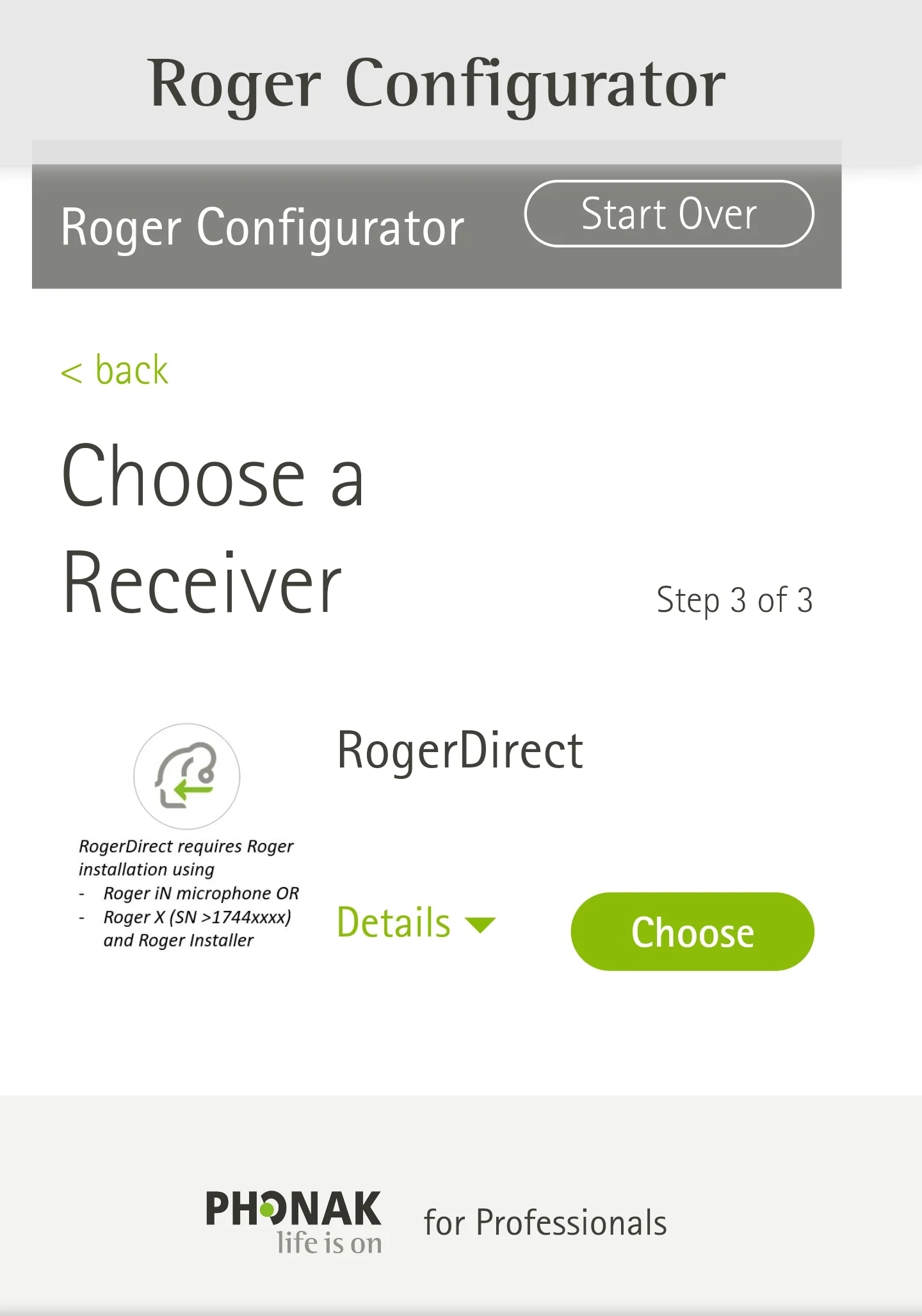
https://www.phonakpro.com/com/en/support/product-support/wireless-accessories/roger-configurator.html#127
Good luck
You’re ignoring this member’s posts.
Is it the Phonak Roger Pen 1.1 that will work with the Paradise?
EDIT - I mean the Roger Pen iN that works with the Paradise, not the Roger Pen 1.1.
You’re ignoring this member’s posts.
You’re ignoring this member’s posts.
Related discussions
Hearing Aid Self-Fitting (DIY)163 replies
Hearing Aid Self-Fitting (DIY)1 reply
Forum Support10 replies
Fitting Software Requests869 replies
Hearing Aid Self-Fitting (DIY)302 replies