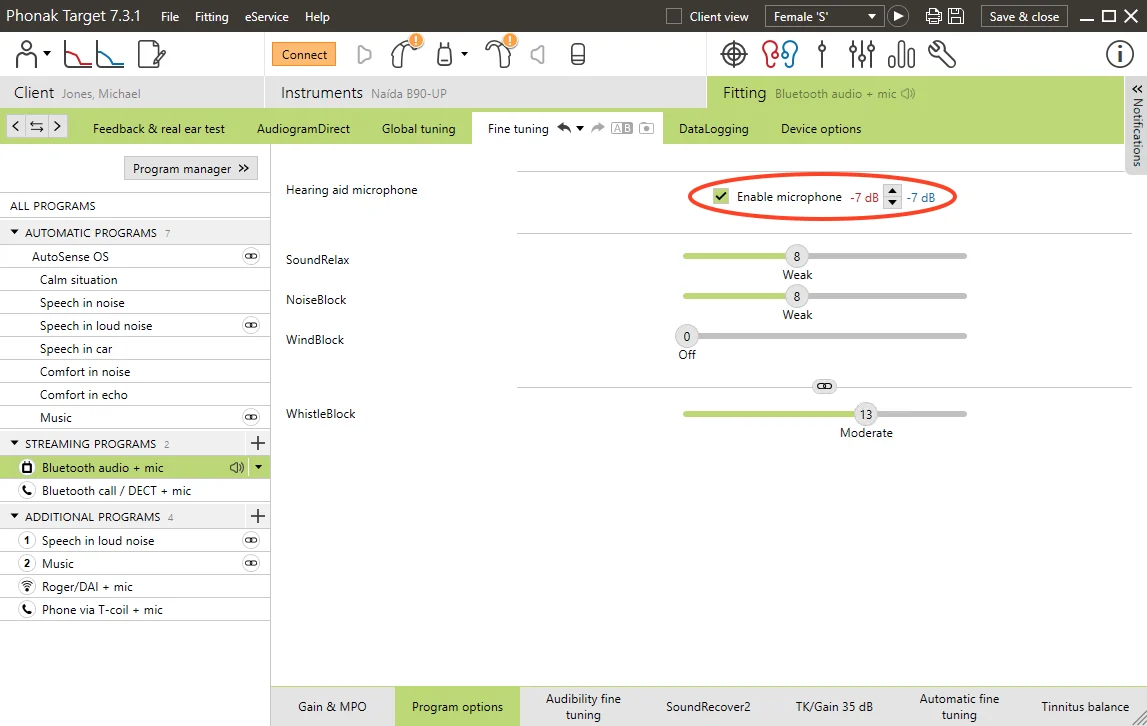
I’m not sure this is actually possible even with the software. But, I would love to be wrong, as this is a complaint of mine. When I’m in a very noisy environment and want total focus on the stream, I’m unable to disable the ambient sounds. You can reduce it, but not disable it, it seems.
EDIT: Yes, it is possible. See the following:
- Disable the mics when streaming. (in Target-SW: Fine tuning, Autosense, streaming program options). This cuts the ambient sound completely off, up/down buttons change the loudness of the streaming source
- Long press button down to mute/unmute ambient sound. (in Target-SW: Device Options) Muted: This cuts the ambient sound completely off, up/down buttons change the loudness of the streaming source only. Unmuted: up/down buttons change the loudness of both ambient and streaming simultaneously.
I can only disable the hearing aid microphones in Target for my Phonak B UP using option #1. Option #2 is not available for me.
I’d prefer to have streaming with microphones on for most applications, but would like the ability to switch to a program where it turns them off. But, for me, it doesn’t look like that’s an option.