They disconnect from my computer Bluetooth and don’t seem to automatically reconnect. I say they don’t seem to as it did auto connect on at least one occasion. So I have to turn off my aid and turn it back on for it to reconnect to BT on computer. Is this expected behaviour or am I doing something wrong?
There’s been some discussion about this issue on the forum, it’s a known issue, the easiest way to fix it was getting the TV Connecter and plugging that into your laptop.
When I get notifications on my iPhone it temporarily disconnects the BT
I wouldn’t think this should happen, but if the disconnection is only for a few seconds I wouldn’t worry about it.
Is there a solution to this or is it just how it is i.e. have the sounds but accept the disruption.
If the disconnection is longer then a few seconds I wouldn’t accept that, there’s quite a few settings on your iPhone for Bluetooth and notifications.
I don’t use iPhone, but if you use the search button from right here on hearingtracker, you’ll see quite a few posts on iPhone set ups.
then the it drowns the sound a bit
Is this ambient sounds you mean, if so, that would be the microphone attenuated for streaming, so could be set up like that by your audiologist.
The sounds are actually coming through quite loud also, so I’m not sure where I can adjust this if at all?
This could be an iPhone thing, I do believe there’s a volume control for notifications in phone settings, you could try that.
Is there a way of finding out what devices the aids are paired with or anyway of knowing or setting priority?
Have you checked, maybe you could do this in the Phonak App?
Going into the App I get the message - “Connecting - this may take some time”.
The update has apparently fixed most of the issues, but for you if you can’t connect full stop then there’s something wrong, if you’re updated to the latest version and still can’t connect to the App, then you’ll need to reach out to Phonak support or your audiologist.
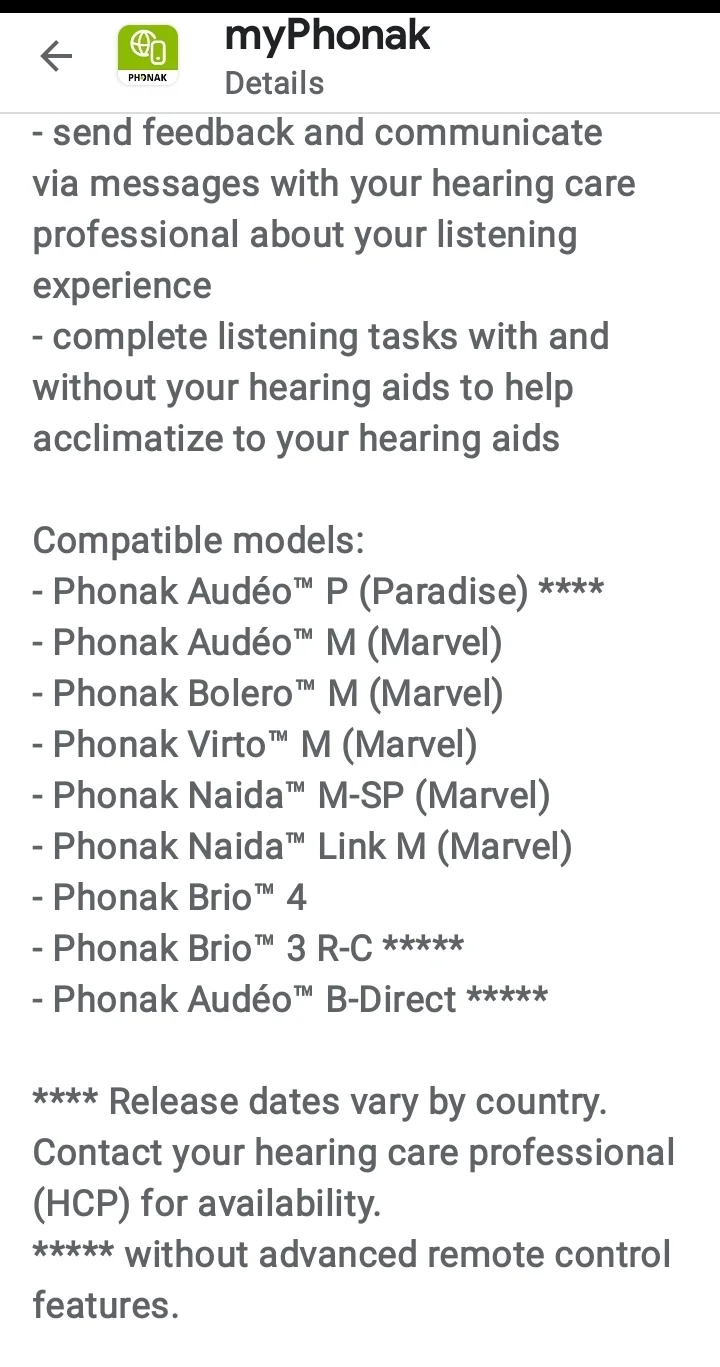
Edit: I just noticed in the list of compatible models, the Paradise Naida are not listed? Only the Marvel Naida is listed.
Hopefully that’s just a typo.