You’re ignoring this member’s posts.
Thread to Announce Latest ReSound Smart Fit Updates
This topic is closed.
105 replies7.4k viewsLast reply
The professionals use Noah 4 (licenced). Is there a program on the market to read these Noah 4 files nhax /enhax (or can it be input to the smart fit stand alone, which normally uses html)?
You’re ignoring this member’s posts.

tenkanProvider
You don’t need or want this software for projects, you use “standalone mode” Noah software cannot program your , I believe the import export feature usually uses nhax file?
You’re ignoring this member’s posts.
I think they use nhax/enhax for the patient data (in may case they have given me such file for all the sittings), whereas the standalone program uses for the import/export xml files.
You’re ignoring this member’s posts.
@tenkan : Happy New Year! I hope all is well 
Next week I will be trading in my Phillips 9040’s for the ReSound GN Custom ’s (Costco). I have not been able to get a exact model unfortunately. As I was successful in updating the programming to my 9040’s to have tinnitus support with Phillips HearSuite, and I am hoping to do so on the new ones coming.
I have installed the following setup on my Win 11 laptop with a Noah Link installed:
ReSound Smart Fit Standalone (1.17)
ReSound Smart Fit Transparent (1.17)
ReSound Accessory Updater
The Standalone does not seen to run as it just hangs at the loading screen; however, ReSound Smart Fit Transparent App does run, and launches Smart Launcher. I can also see that it detects my Noah Link. I believe I was able to run that App before but I cant recall. I am getting things in motion for next week.
Do you know the difference between these 2 apps? The download, I have also seems to be a 32 bit. Do you know if a newer version, or 64 bit is available?
Thank you again for your support!
-Jeff
You’re ignoring this member’s posts.
tenkanProvider
Do you know the difference between these 2 apps?
Apps you mean software, what’s ReSound Smart Fit Transparent? Never heard of it, is it the one for Live Assistance?
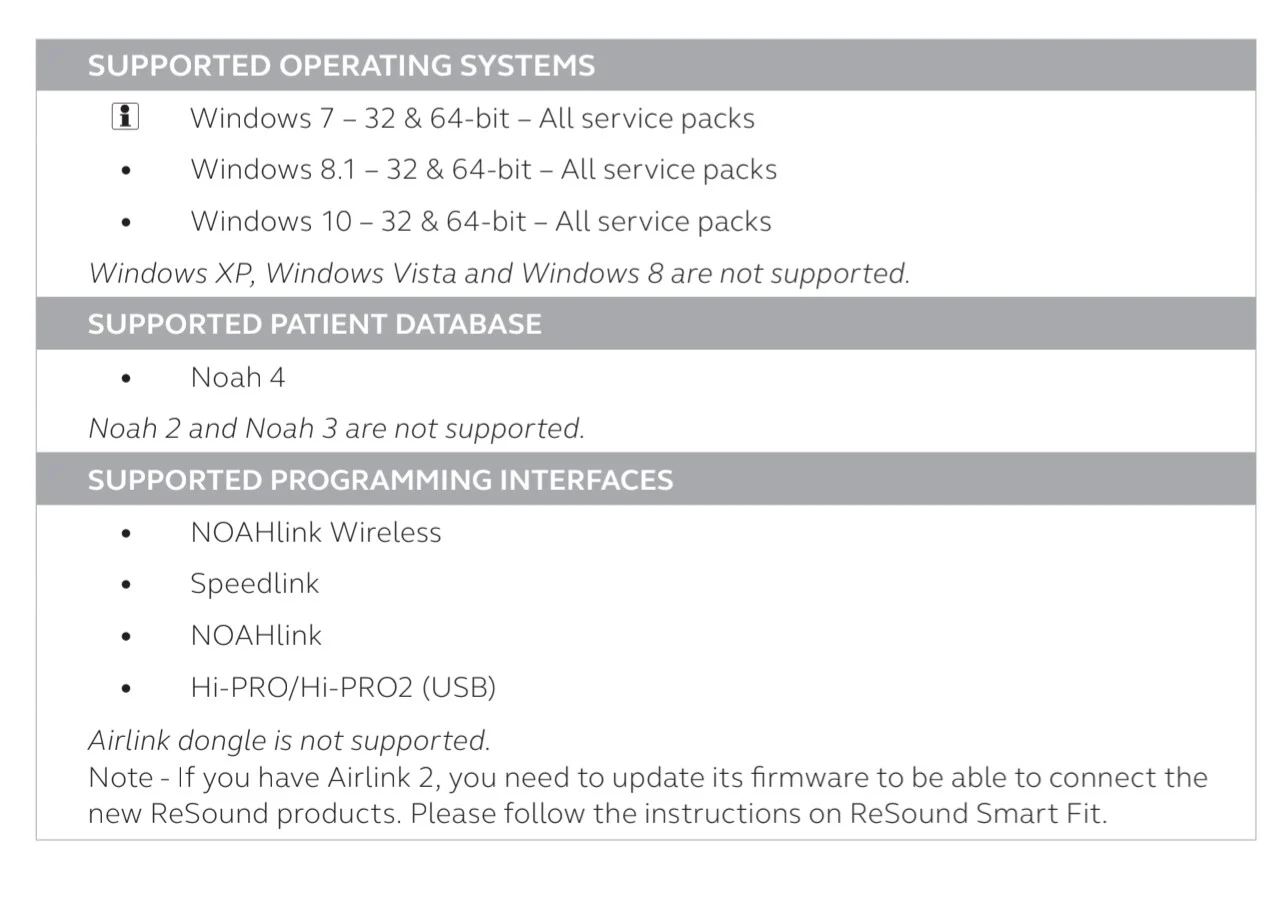
Anyways just uninstall it, you don’t need it right now, and then restart your PC then plug the Noahlink wireless into your USB port, wait for it to be discovered,and then load SmartFit, should be good to go, both 64/32bit should run SmartFit, win10 is recommended 64bit so I guess the same for win11.
You’re ignoring this member’s posts.

both 64/32bit should run SmartFit, win10 is recommended 64bit so I guess the same for win11
Hmmm! Turns out I’m running the 32-bit version of Smart Fit on Windows 11 Pro but it works fine. x86 is 32-bit, x64 is 64-bit.
Task Manager Details (vertical) tab on left:

Anybody care to vouch for the behavior of the 64-bit version on Windows 11? I prefer to run 64-bit when available.
There is a new Audiology Online course that will run Monday, 1/12/24 on Smart Fit v1.17. “In addition to reviewing software basics, this course will make note of changes in ReSound Smart Fit 1.17.”
ReSound Smart Fit 1.17: An Introduction | 39054 | Hearing Aids - (audiologyonline.com)25
You’re ignoring this member’s posts.
I removed, and re-installed and the App does seem to be running now. That other Transparent one is gone. Not sure, but it was linking to the Fit patient window which launches Smart Launcher. Weird.
Now the million dollar question is will it support what I’m about to purchase? I know they are programed with the Noahlink and the Audiologist at Costco confirmed this, and that they use their own version of that software.
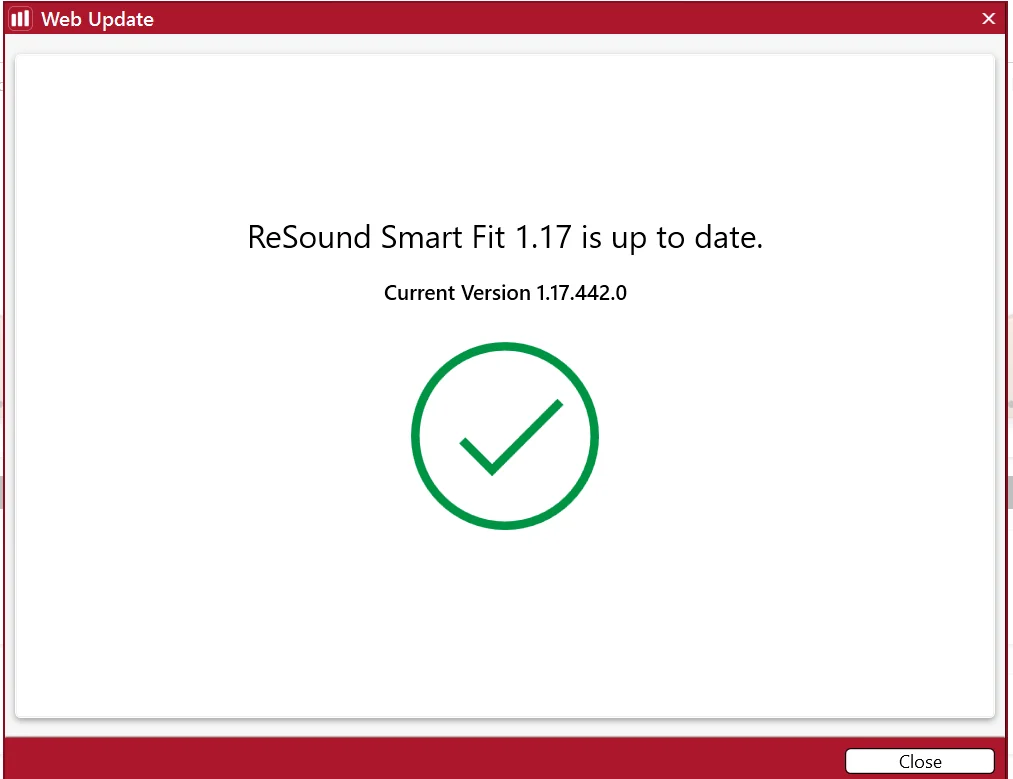
Hoping this will go as well as Phillips did for me to load the device(s) and add tinnitus support. Have you ever done this before with the ReSound Smart fit software? Is 1.17 the latest version? I do not see an updater feature on the app.
Cheers!
JM
You’re ignoring this member’s posts.

You’re ignoring this member’s posts.
tenkanProvider
Hmmm! Turns out I’m running the 32-bit version of Smart Fit on Windows 11 Pro but it works fine. x86 is 32-bit, x64 is 64-bit.
Yeah that’s correct, it should have no problem, I only mentioned the “recommendation” for 64- bit because I saw it written on one of SmartFits minimum requirements guide.
Is 1.17 the latest version?
Yes for now it is.
I do not see an updater feature on the app.
In SmartFit software its there, in the App you can get firmware notification as well.
You’re ignoring this member’s posts.
tenkanProvider
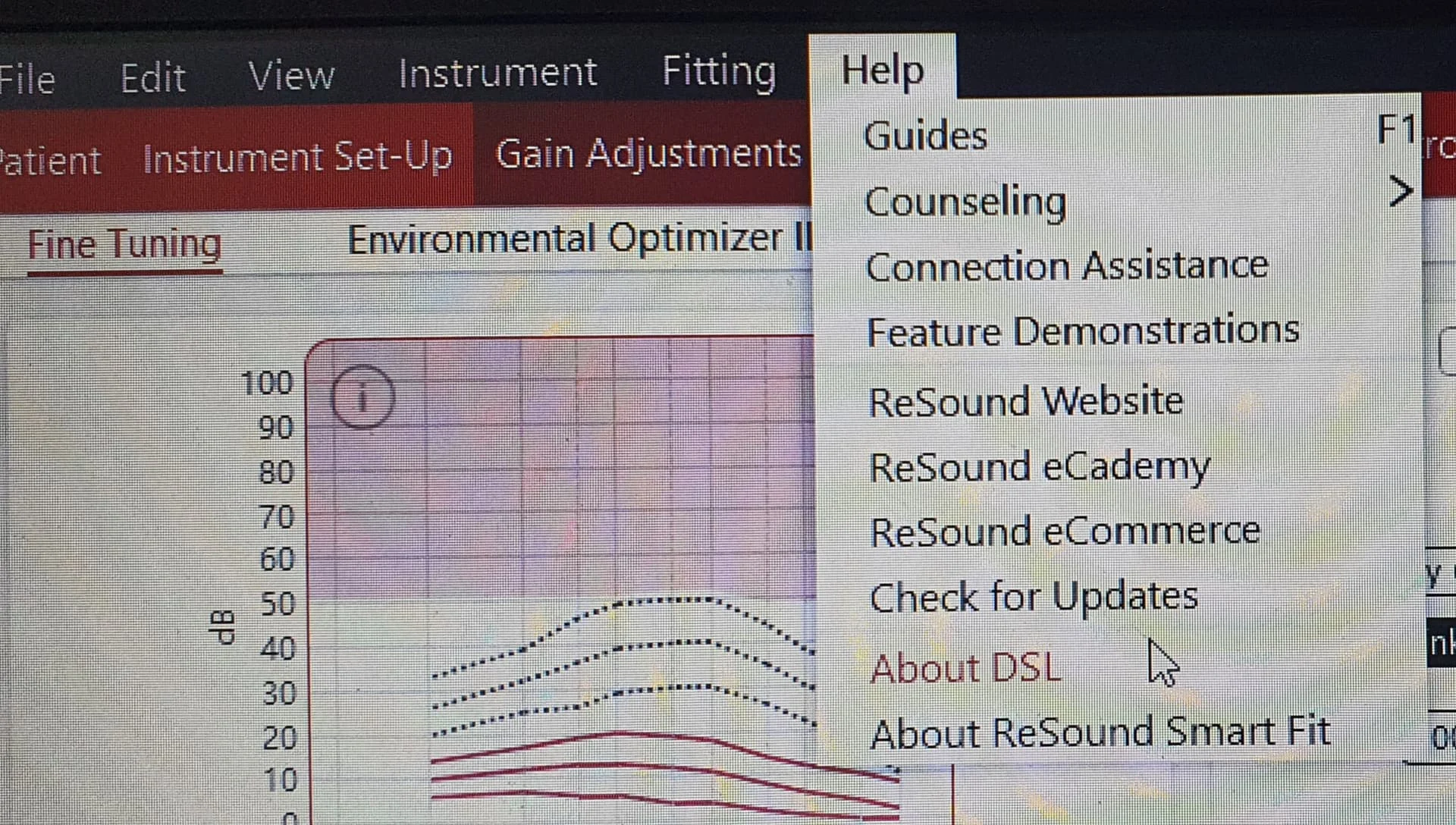
Ok so to get to the “check for updates” you need to open up a client (even in simulation mode) and open up to the fine tuning page and at the top you’ll see “Help” click on this and you’ll get a drop down menu then click "check for updates "
You’re ignoring this member’s posts.
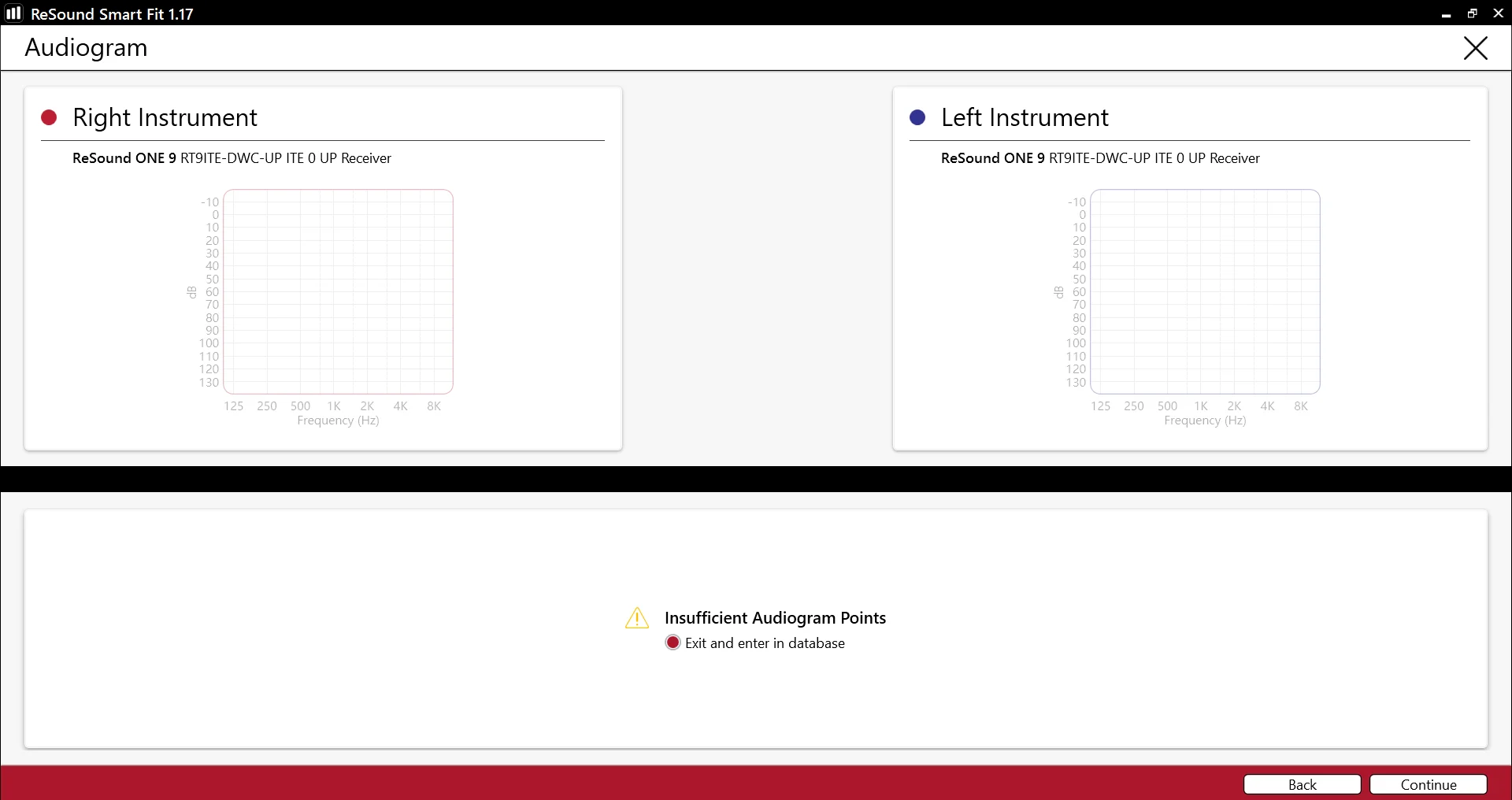
I am not able to see those options. As I do not yet have the hardware, I have selected a random , then clicked on Simulate. I cant do much form that window. It says insufficient points. I have not loaded my Audiogram as I am hoping to pull it from the HA’s once purchased like i did with the Phillips. Is that possible? I wonder if I can export it from HearSuite to ReSound.
You’re ignoring this member’s posts.
You’re ignoring this member’s posts.
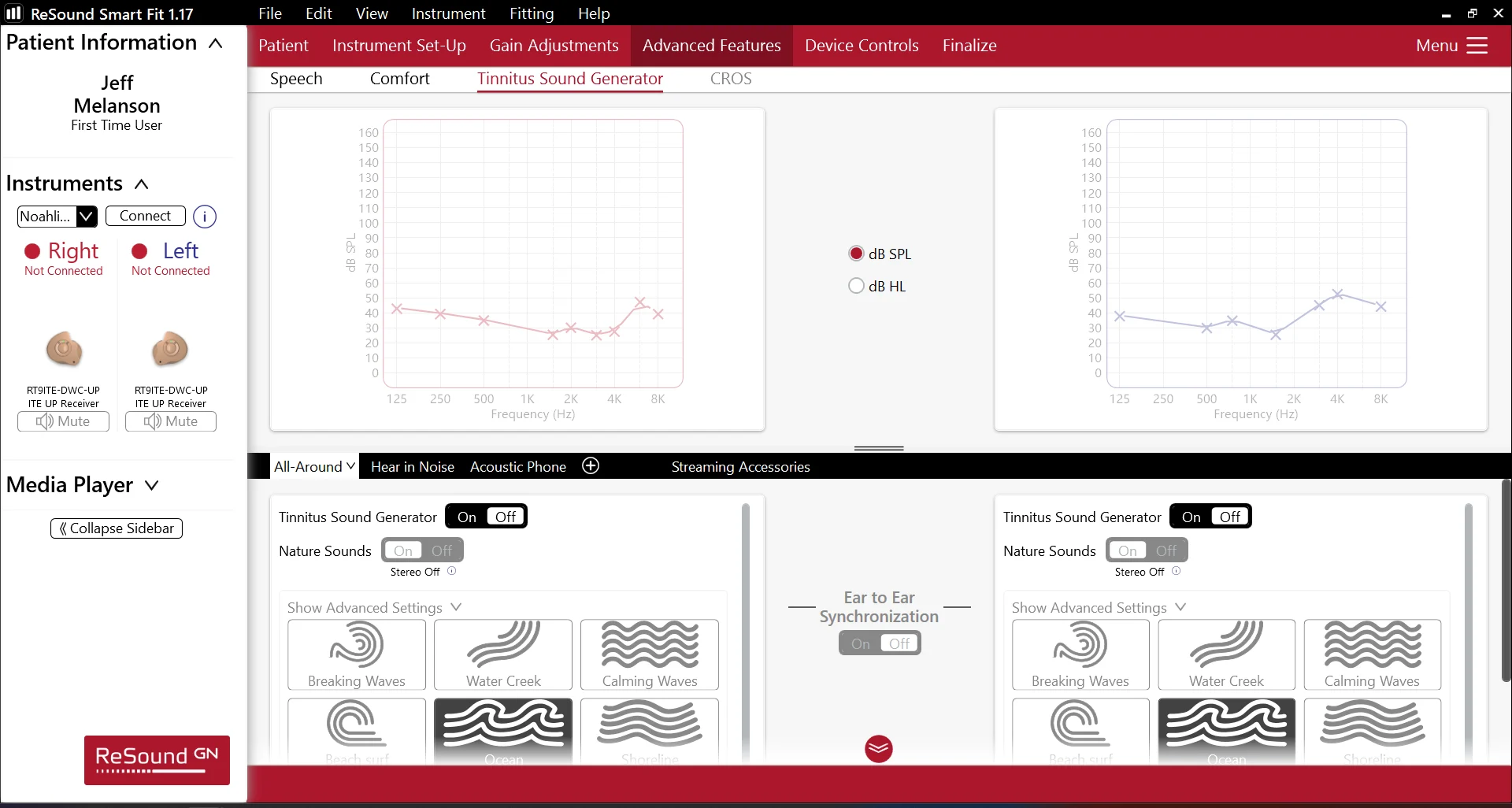
I was able to locate the tinnitus features as well! I really hope this works, its looking promising.
You’re ignoring this member’s posts.
Please could someone DM me the Resound Smart Fit download link? Resound One wearer here. I have the Noahlink Wireless device ready to go. Thanks!
You’re ignoring this member’s posts.
tenkanProvider
Welcome to the forum, sure but do read the user guides as it’s very helpful for setting up the first time.
You’re ignoring this member’s posts.
You’re ignoring this member’s posts.
I have recently inherited my late father-in laws brand new Omnia 7 hearing aids and would like to program them to compare with my existing Oticon Opn S1 .
Please could you DM me the link to SmartFit 1.16 or later? Many thanks
You’re ignoring this member’s posts.
tenkanProvider
Welcome to the forum, sure, great your giving a go, however you’ll need the Noahlink wireless programming device for any DIY projects, easy enough to get from eBay.
Read the user guides as it’s very helpful for setting up the first time.
You’re ignoring this member’s posts.

You’re ignoring this member’s posts.
Related discussions
Manufacturer Support17 replies
Hearing Aid Self-Fitting (DIY)19 replies
Hearing Aids174 replies
Uncategorized451 replies
Hearing Aids108 replies