You’re ignoring this member’s posts.
Danalogic Ambio software
130 replies4.9k viewsLast reply

tenkanProvider
Hi there @user946 great your giving a go, do read the user guides as it’s very helpful for setting up the first time and don’t forget you’ll need the Noahlink wireless programming device.
You’re ignoring this member’s posts.
Hi - I have discovered my 92-yo mother’s Ambio S67s, found the instruction book on-line and have got them working. However I would like to investigate the programming, as she’s had them a while and her hearing seems to have deteriorated. I understand a Noah wireless device is also needed but I need to find out if they’re unlocked, which I think can still be achieved with just the Danalogic software v1.18. Would it be possible to send me a link, say by DM?
You’re ignoring this member’s posts.
tenkanProvider
Welcome to the forum @imkidd57 yeah it’s possible to danalogic models, as you mention the Noahlink wireless is required, be sure to read the user guides as it’s very helpful for setting up the first time.
You’re ignoring this member’s posts.
Is there someway that I could use the Favourites in BeMore to select the programmes on the top button?
You’re ignoring this member’s posts.
tenkanProvider
Welcome to the forum @gigaday, so you mean the top buttons on your , if so this can be done in the software, all you need is software and a Noahlink wireless and you could otherwise back to the clinic.
You’re ignoring this member’s posts.
Thanks for your reply tenkan. Where can I get the software and a Noahlink? It sounds like something that I should be able to adjust myself.
You’re ignoring this member’s posts.
tenkanProvider
Yes definitely you can do it, software is free and the Noahlink wireless can be brought on eBay and Amazon among other websites.
You’re ignoring this member’s posts.
A couple of questions:
- I have seen comments that NHS Danalogic aids might be pin-code locked. How much of a problem is this likely to be?
- I see on eBay that most Noahlinks are advertised as Wireless 2 but some are not version 2. How important would it be to opt for the version 2?
Many thanks
You’re ignoring this member’s posts.
tenkanProvider
Actually I haven’t heard that the danalogic are locked as such, same as Oticon Xceed from them aren’t locked, don’t worry about which version of Noahlink wireless, both the MK 1 and 2 do exactly the same thing, cheers
You’re ignoring this member’s posts.
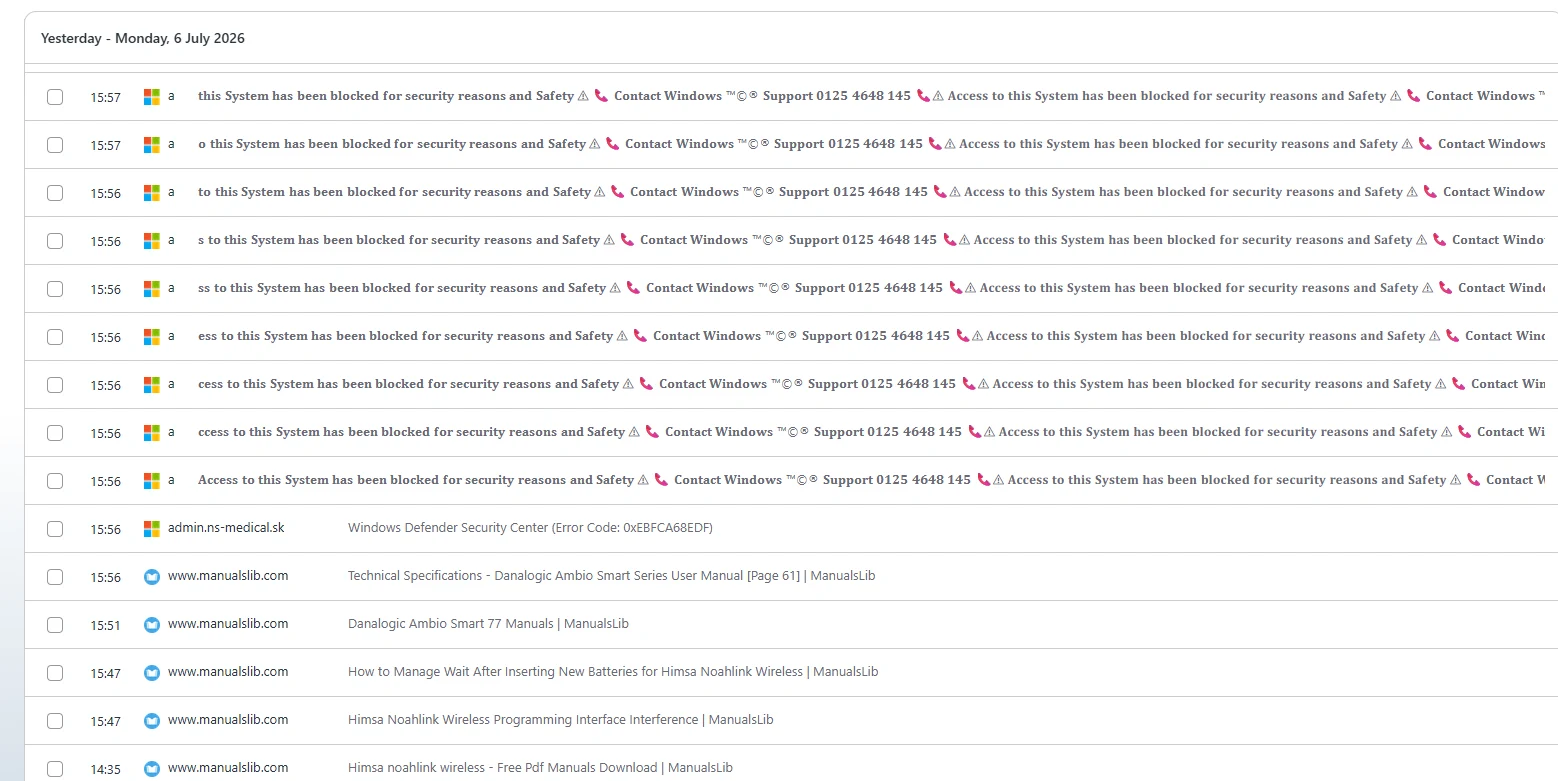
Thanks tenkan. I now have the Noahlink and I can connect to my Ambio S77 aids. I accessed the manual on www.manualslib.com1 but there was a Trojan virus detected in the manual for the S77 so I was not able to see the whole thing. In the fitting software I can see all sorts of things but I am very wary that I might accidentally mess something up. Is it possible to save an original of my personal setup as a backup?
You’re ignoring this member’s posts.
01 Free Hearing Aid Fitting Software
I’m not sure if I did this by accident or on purpose but I now have my aid settings saved to the database (Win11 PC) and I can reload them with my aids turned off - so I think my settings are saved.
You’re ignoring this member’s posts.
tenkanProvider
Yes absolutely you can, this is the first thing I recommended you do, make 2 clients up and then just connect your and then save, this is your original audiology settings, you then use you other client for your projects, you found a virus on a user manual? highly unlikely! You can get more guides through the software as well.
You’re ignoring this member’s posts.
Thanks tenkan. I was just nervous about trashing the NHS audiology settings before I had time to save them. First time I’ve seen the Danalogic settings screens.
Unless you are not using Windows 11, you might be able to reproduce this. It happened while I was viewing www.manualslib.com1 - nothing else.
You’re ignoring this member’s posts.
tenkanProvider
I wouldn’t worry to much about that, download to a flash drive and use from there, but you probably know this already, but both ReSound and Beltone are exactly the same as danalogic, so user guides etc are pretty much the same.
You’re ignoring this member’s posts.
Thanks for that tenkan. I’ve set up a “test patient” so now I have a backup. I’m still getting used to these new aids with the double domes, I wasn’t sure how far to insert them in my ears. They are in as far as they want to go now and it’s a different experience. I will be having a go at setting up the additional programmes on the top-most button - I’m guessing the pre-sets for All-Around, Hear in Noise etc are each factory settings that I can tweak - if I have any idea what to do …
You’re ignoring this member’s posts.
tenkanProvider
All good,I think you should check out the demo simulation mode a bit more, you can then see how the software works, you want to know what you you need to try/do before you make those changes, as for your domes yes make sure they’re fitting deep,I wonder how’s the occlusion, you haven’t posted your audogram but have you considered custom moulds with vent.
You’re ignoring this member’s posts.
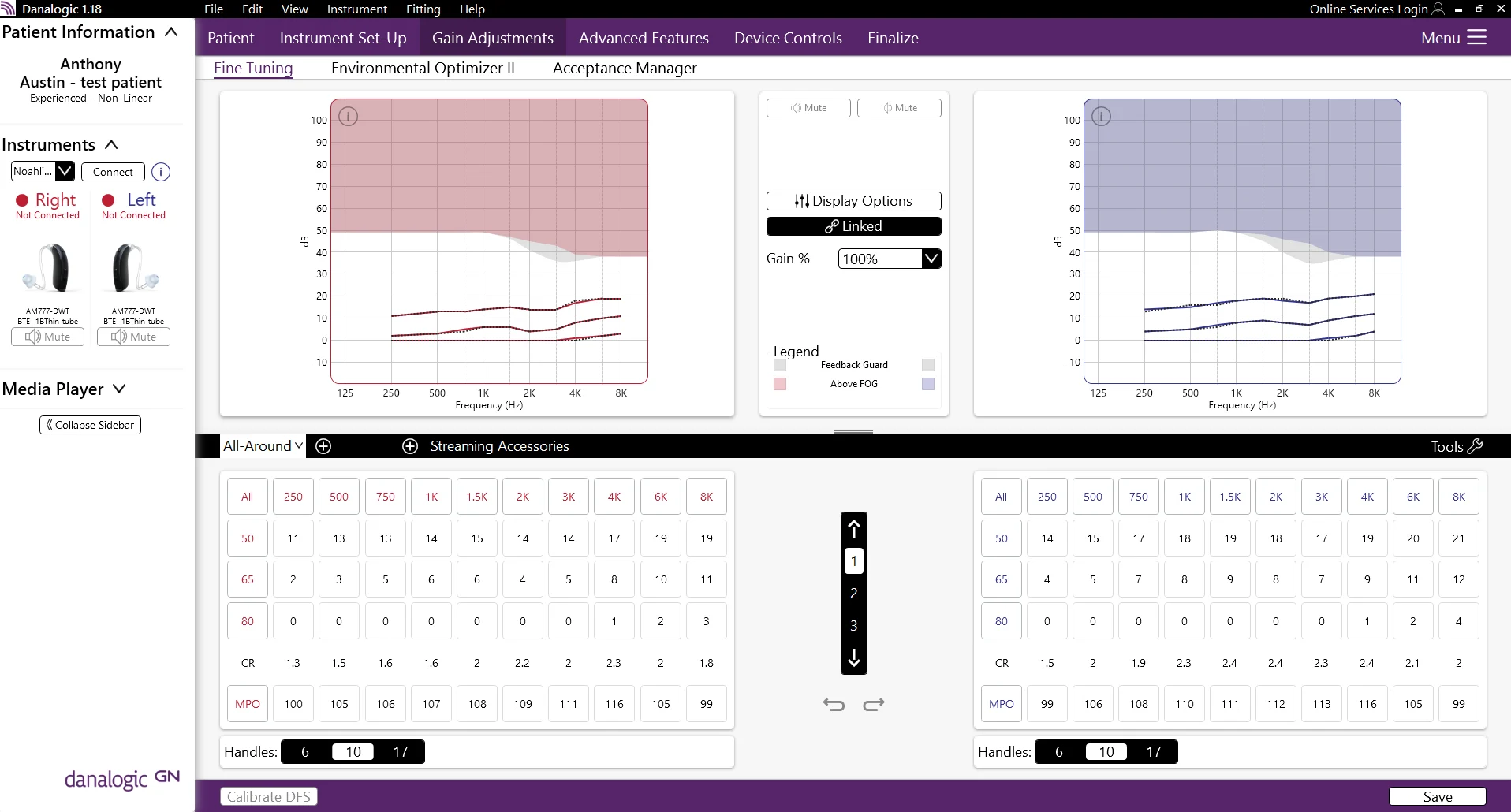
I am familiarising myself with the various settings screens - is this what you meant by “demo simulation mode”? I am posting a screenshot of one of the settings screens, any pointers would be welcome
You’re ignoring this member’s posts.
The main thing I wanted to do was use a programme button to drop the volume level immediately by quite a bit. I’d thought that Gain % would do this but it looks like it’s global and I can’t assign it to a button. Which means that I have to try to understand how to tweak the numbers in the tables, except that I don’t know what they all mean. Help appreciated …
You’re ignoring this member’s posts.
tenkanProvider
Hey don’t forget to read the user guides before starting, if you go to “Device controls” there you can make adjustments to various configurations, I have never used danalogic models but they are the same as ReSound, you don’t want to just change a program to drop the volume, set up a volume control on your toggle buttons, cheers
You’re ignoring this member’s posts.
Log in to reply to this topic.
Related discussions
Fitting Software Requests0 replies
Hearing Aids3 replies
Fitting Software Requests1 reply
Hearing Aids3 replies
Hearing Aids12 replies