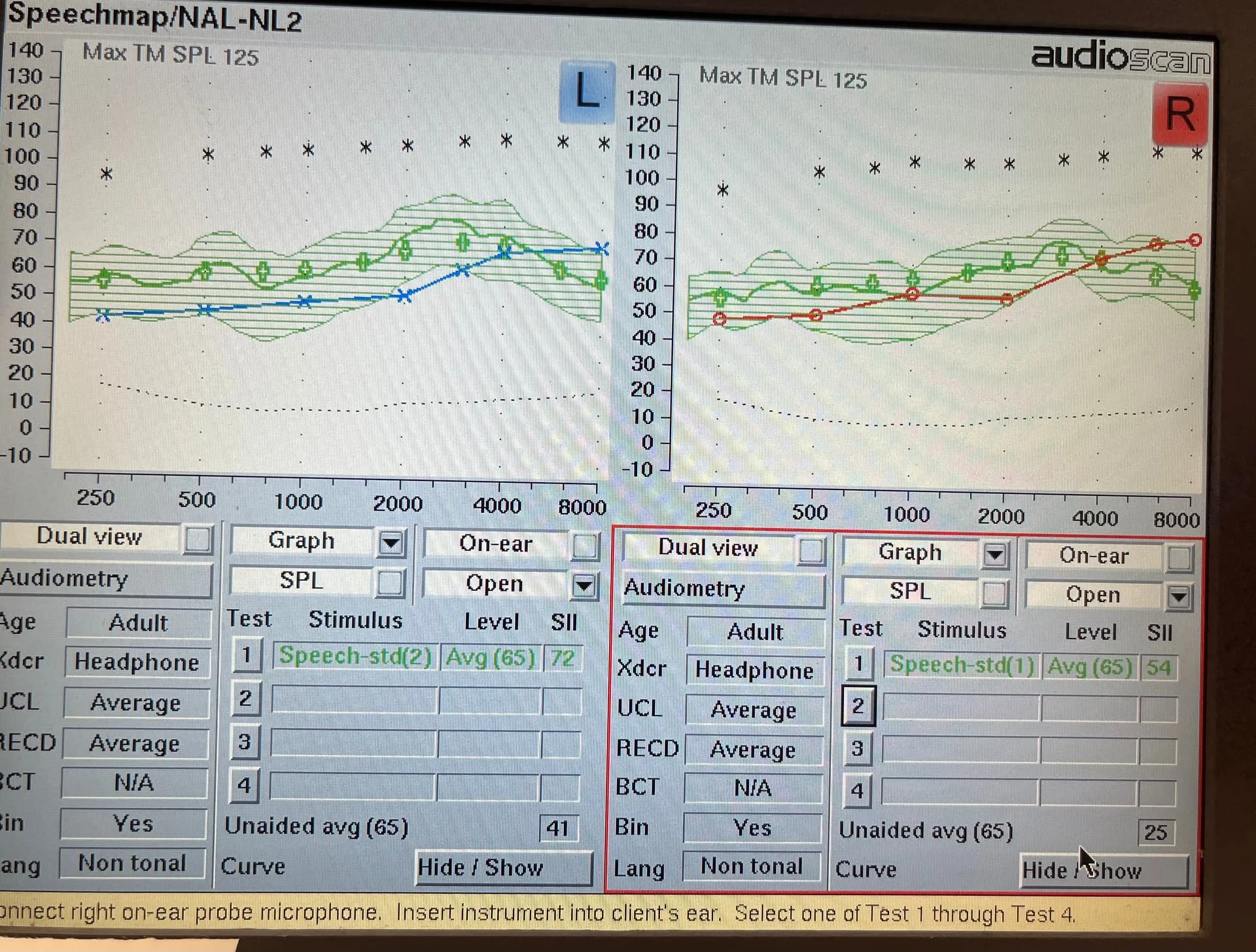
Had a measurement done, and the doctor tweaked things a bit, an improvement in several areas. But can someone explain what I am seeing in the photo of the REM computer.
You’re ignoring this member’s posts.
This topic is closed.
10 replies648 viewsLast reply
Had a measurement done, and the doctor tweaked things a bit, an improvement in several areas. But can someone explain what I am seeing in the photo of the REM computer.
You’re ignoring this member’s posts.
X-axis is frequency low to high, y-axis is volume in quiet to loud. Blue and red lines are your hearing loss (left and right respectively), under which you do not hear and over which you do. Green crosses are the prescriptive targets for 65 speech. Green line is the average output of your hearing aids and hatched area is, simplistically, kind of a measure of the dynamic range of speech, the peaks and valleys.
This is a good fit to NL2 targets for average-loud speech. Max output and compression unknown.
You’re ignoring this member’s posts.
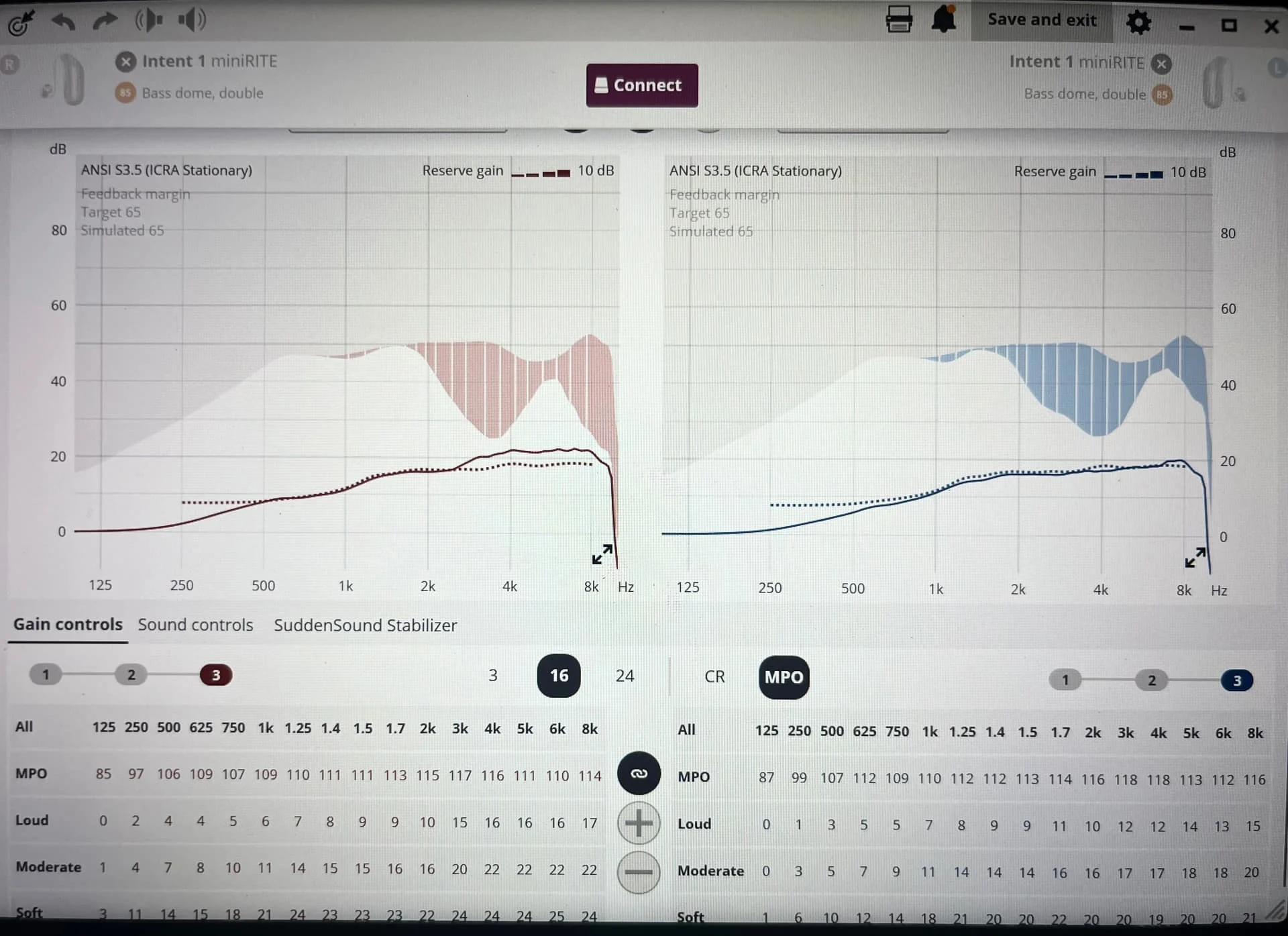
Thanks for info. The axis not a problem or blue and red lines, but the green and hatched area were a mystery. Here is what Genie 2 showed. The tweaks were done to Program 1 which was Oticon’s VAC+. Trying to figure out how to compare.
You’re ignoring this member’s posts.
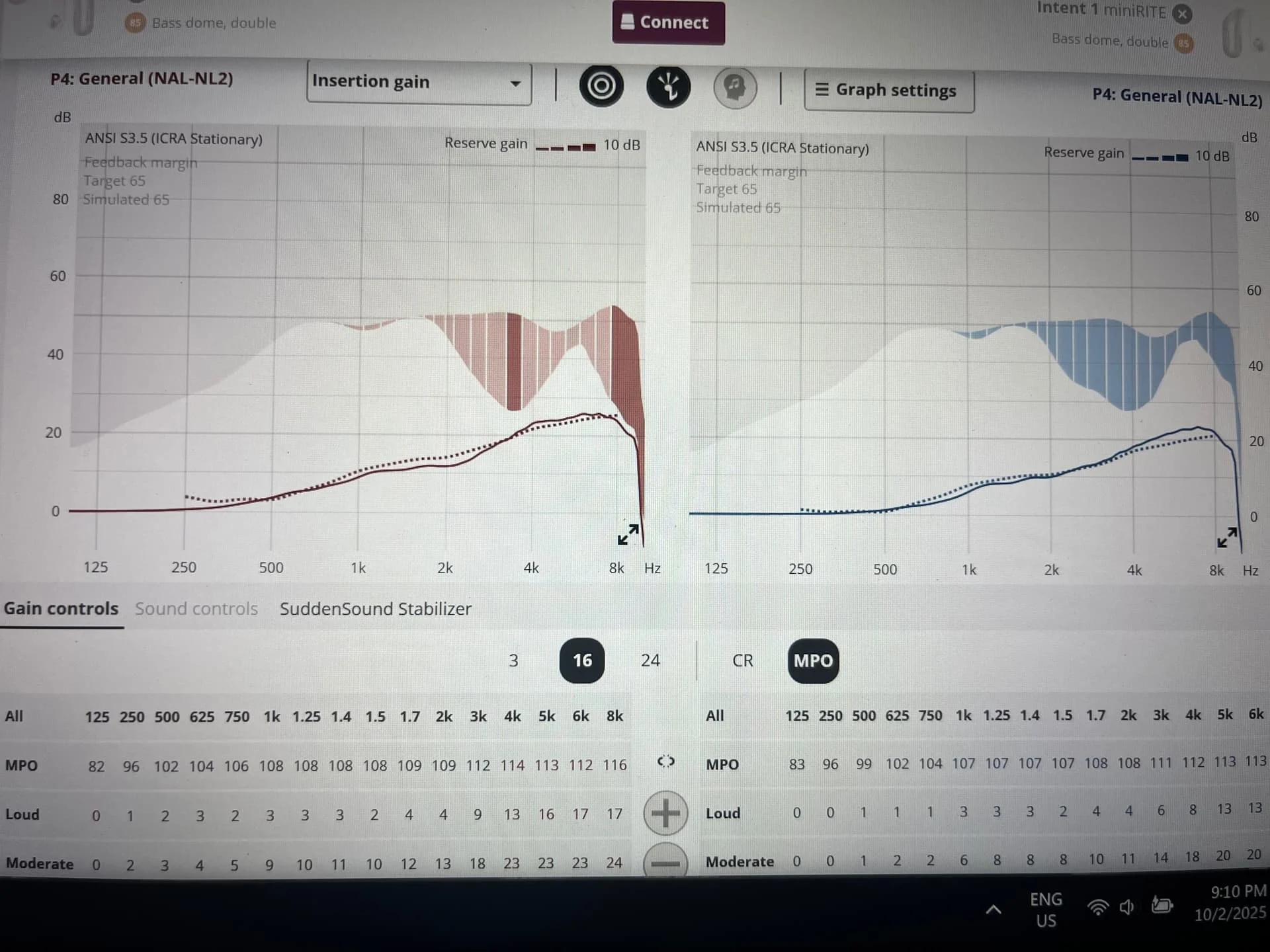
I already had added a program as the fourth program. It looks different on Genie 2 compared to Oticon’s proprietary VAC+. But I had messed with it as experiment. I noticed the differences in some situations.
After the VAC+ was tweaked by , the first big thing noticed was the bathroom fan was not so annoying!
You’re ignoring this member’s posts.
The green hatched area is the spread of the amplified speech spectrum over test time, The green line is the average amplified speech spectrum. The green crosses are the target. The green line traces the crosses closely, thus proving that the fit is good
You’re ignoring this member’s posts.
if you want to compare result to Target, switch target display to or Speechmap view. you currenly have it on Insertion gain
You’re ignoring this member’s posts.
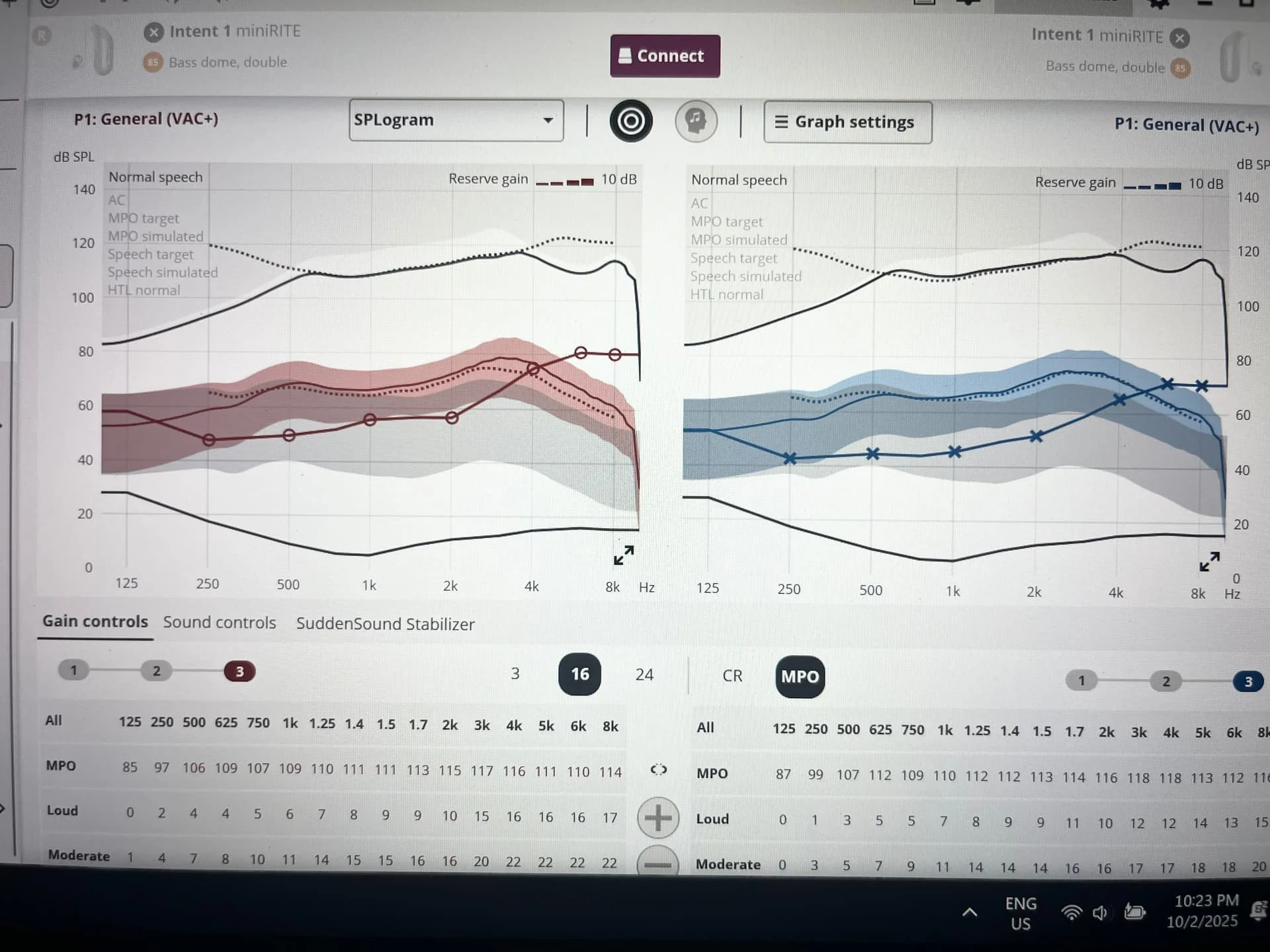
I am assuming Target is another brand fitting software. I have Oticon Intent 1, the software is Genie 2. I did find a SPLogram display. I don’t understand it at all. Do you know what the 4 shaded areas mean? Looked like this:
Oops - discovered that moving the mouse over the portions of the graph named what they are. Thank you for advice on using this graph to compare.
You’re ignoring this member’s posts.
Oops, sorry. Target is for Phonak, Genie for Oticon. This may be already obvious, but what this view shows is that aided 65 speech input exceeds your hearing threshold up to 4k, and therefore will make this level of speech intelligible, at least in quiet. This is the power of this view and .
You’re ignoring this member’s posts.
Thanks for the description, it is one thing to learn what the lines on the graph are called and another to understand what is the significance.
You’re ignoring this member’s posts.
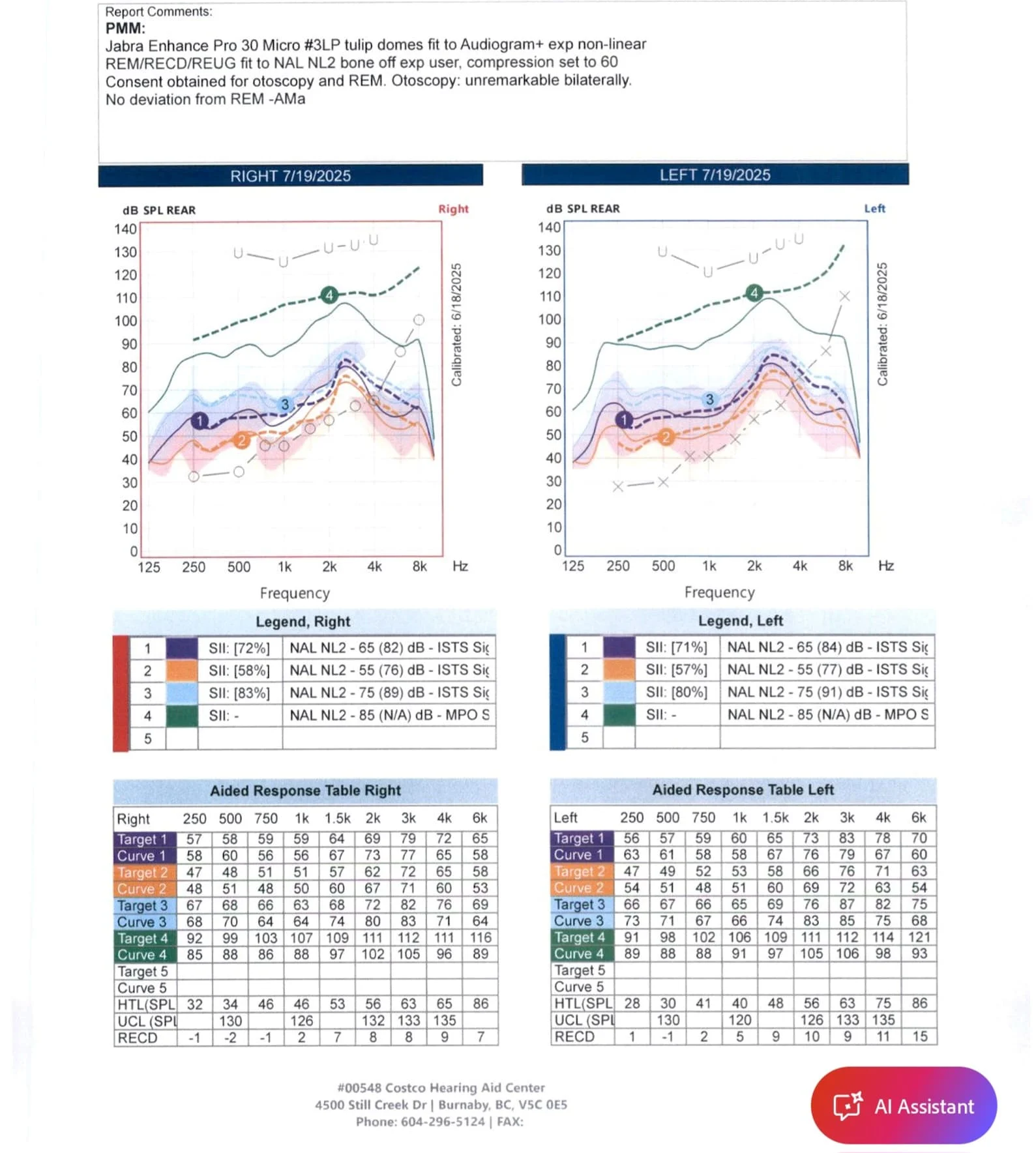
I have questions about the settings in the higher frequencies 4k & up.
Why is curve 4 so high?
Thoughts by members with more understanding than me would be appreciated.
Michael
You’re ignoring this member’s posts.
Curve 4 is the maximum output. Don’t worry about not being right on target with that one, you’re not squished.
You are a little underfit in the highs though, with curve 1/2.
You’re ignoring this member’s posts.
Hearing Aids12 replies
Hearing Aids5 replies
Hearing Aids5 replies
Fitting Software Requests1.1k replies
Uncategorized451 replies
