I believe this is new but in any case some of you may not know this.
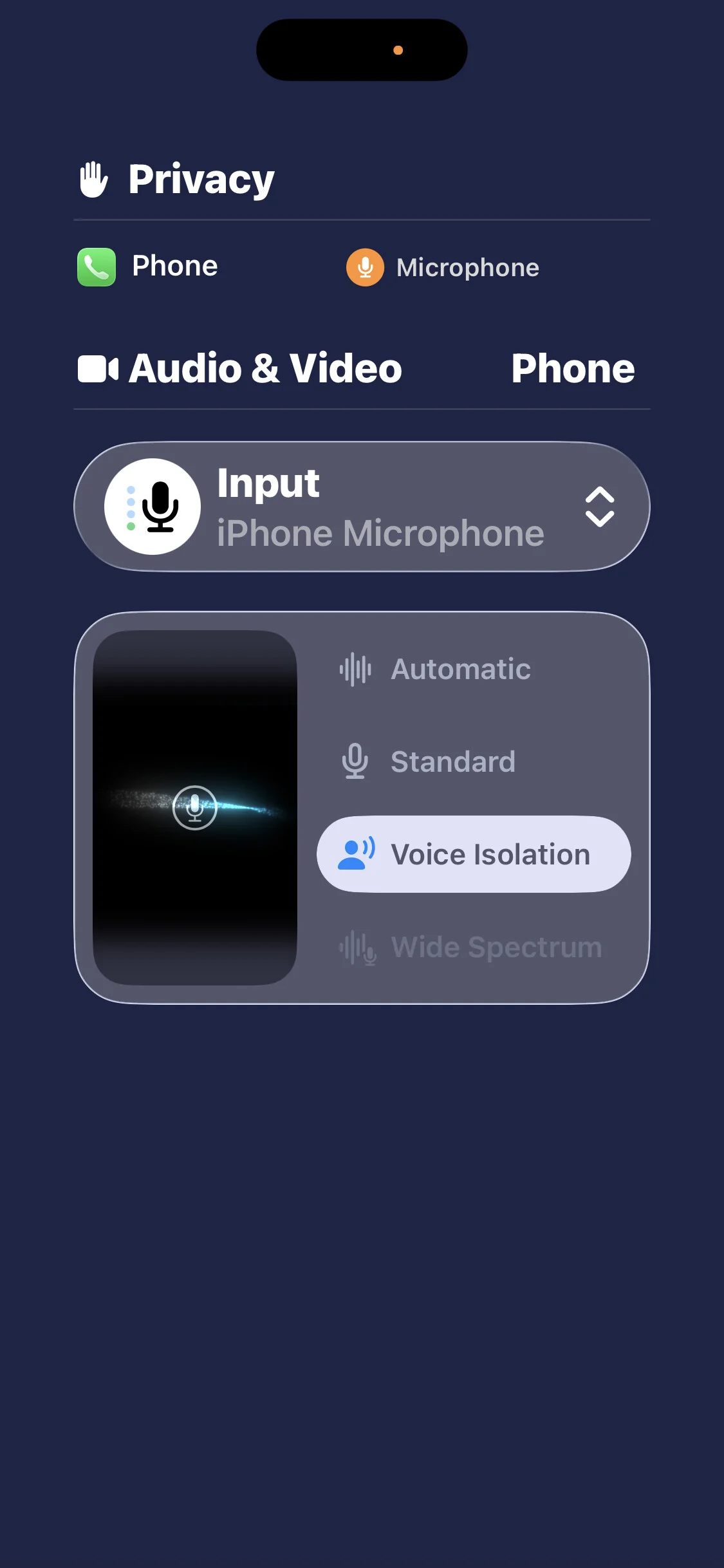
You can now with the Phonak aids (Phonak Audeo Paradise P90) make a choice to use the iPhone microphone rather than the Phonak built in microphones. I happened upon this option when I wanted make sure I was using Voice isolation settings during calls. This isolation has been an option for maybe 2 years.
Why do? People often have problems hearing me properly when using the Phonak aid microphones but changing to iPhone mic was not an option before. You will need to have your phone reasonably close to your mouth if you opt for the iPhone mic usage, of course.
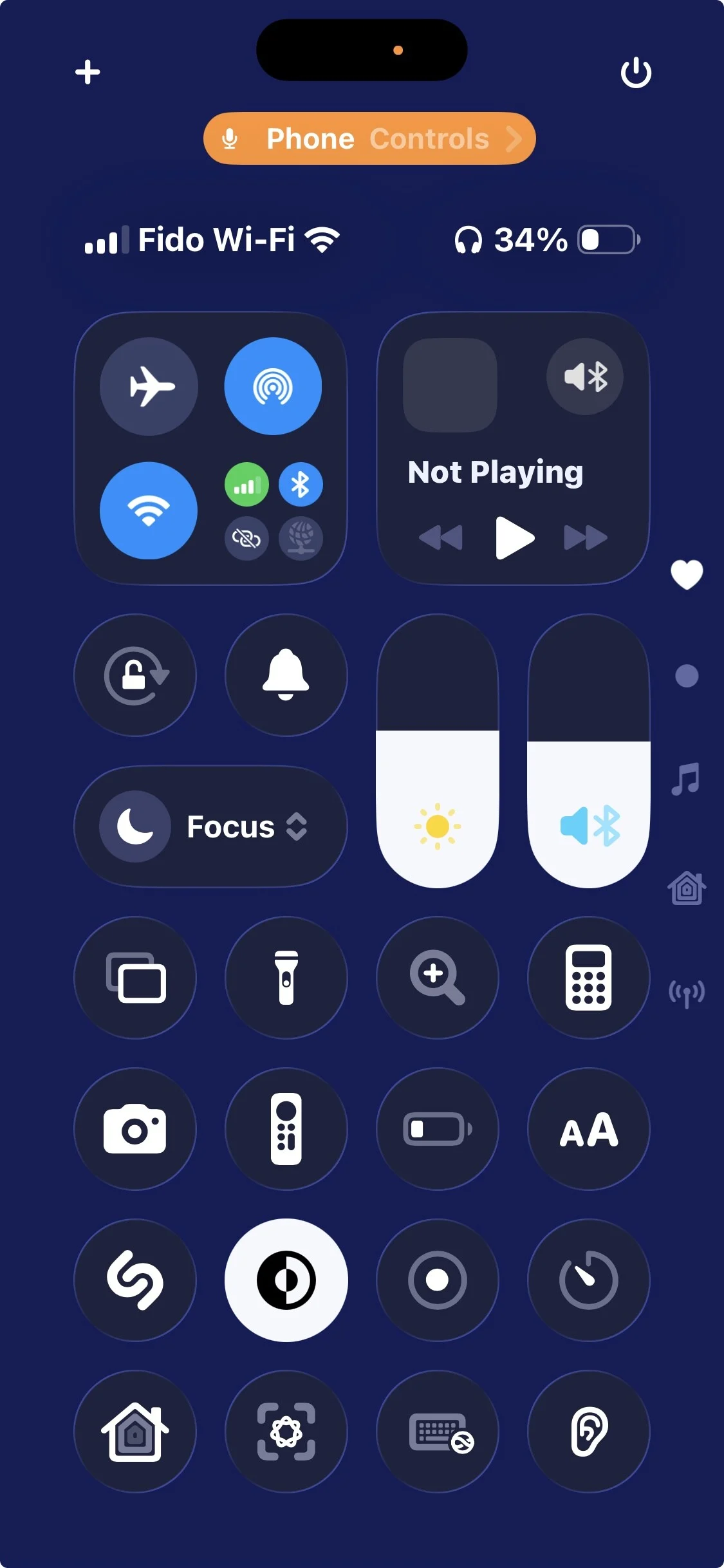
You need to be on a call to choose but once picked the use of the iPhone microphone sticks until you change it again. Photo 1 shows Control centre is open and there is an orange mini window that shows Phone controls. Tap that
How to do:
While in a phone call, open your Control centre (slide down from top right of your screen.
Tap Phone Controls
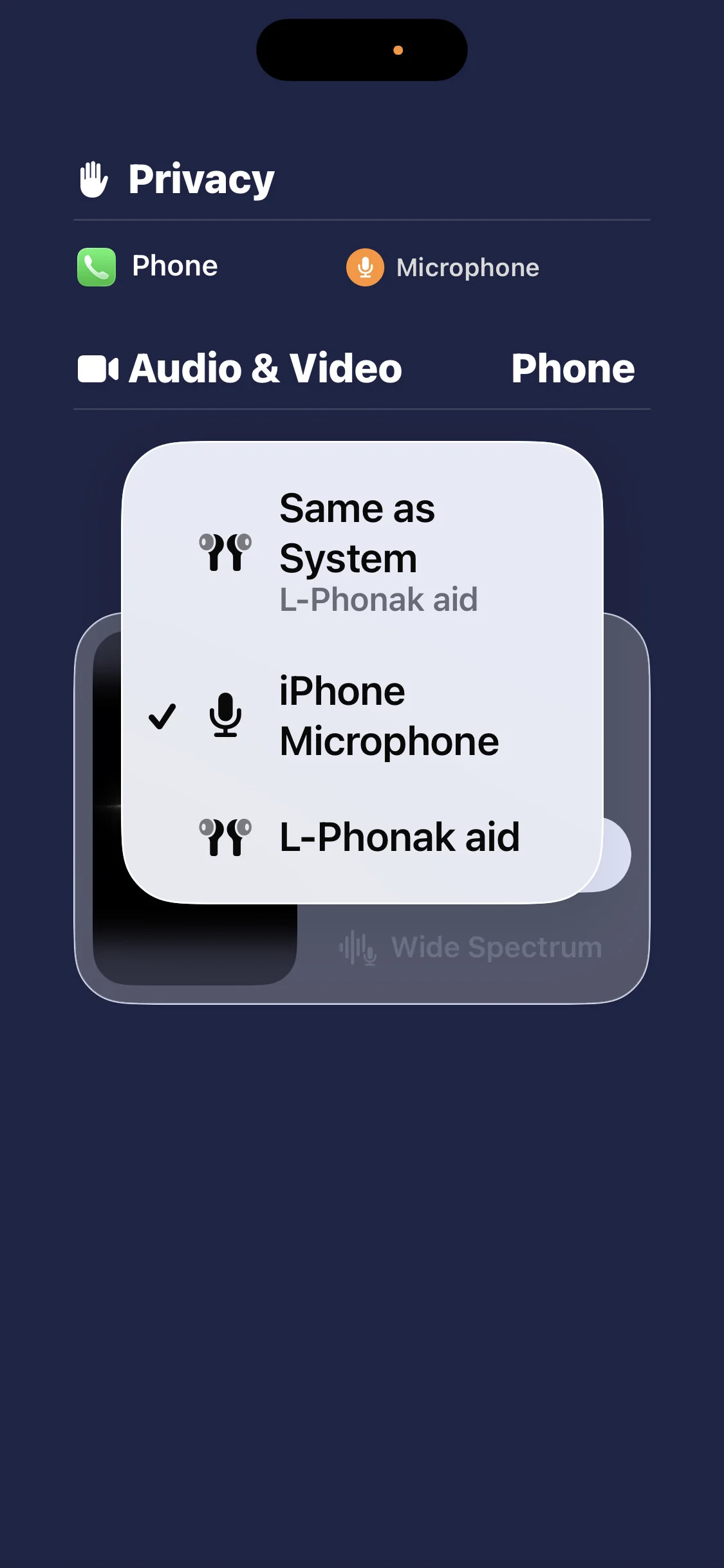
Tap Input
Choose option desired (iPhone microphone or your Phonak bluetooth which is usually left aid)
I hope this helps others as it has helped me.
You’re ignoring this member’s posts.


 New England
 The Netherlands

 Ontario

![[IMG_1424.PNG]](/uploads/original/0029530dc29831f22ef3e78c6e81a68e7d599bf4.jpeg)