 San Diego, CA, USA
You’re ignoring this member’s posts.
The Oticon Companion app for android
31 replies1.5k viewsLast reply

OkrightNorwich, Norfolk UK
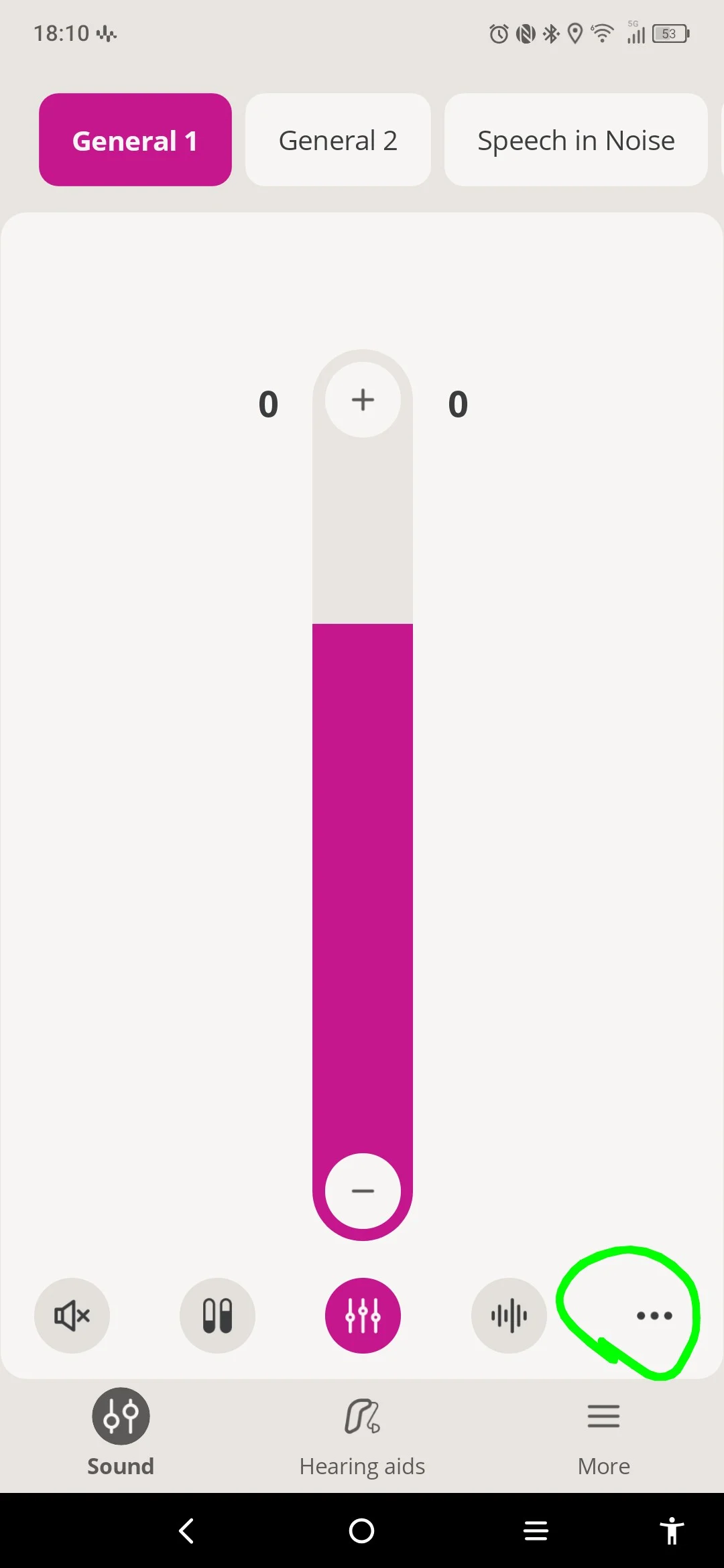
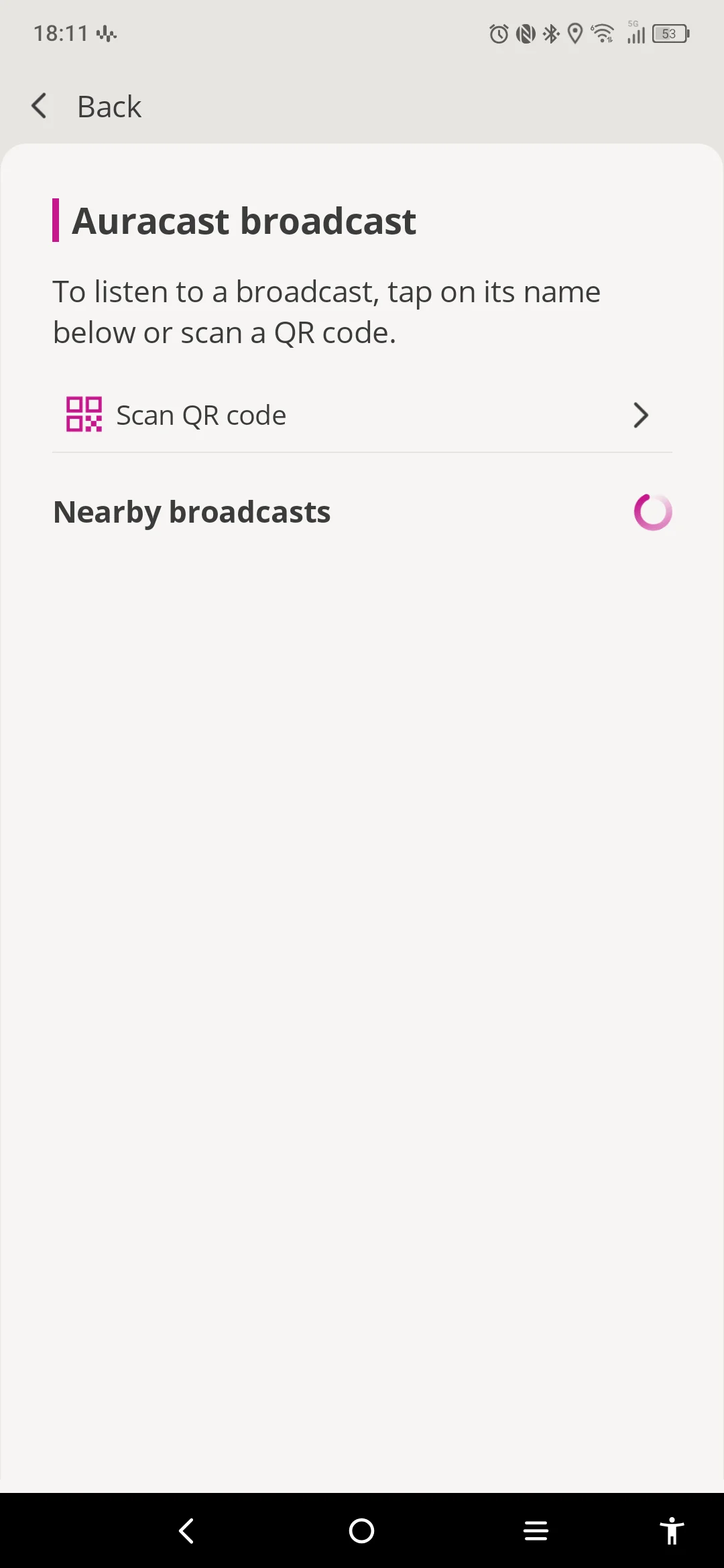
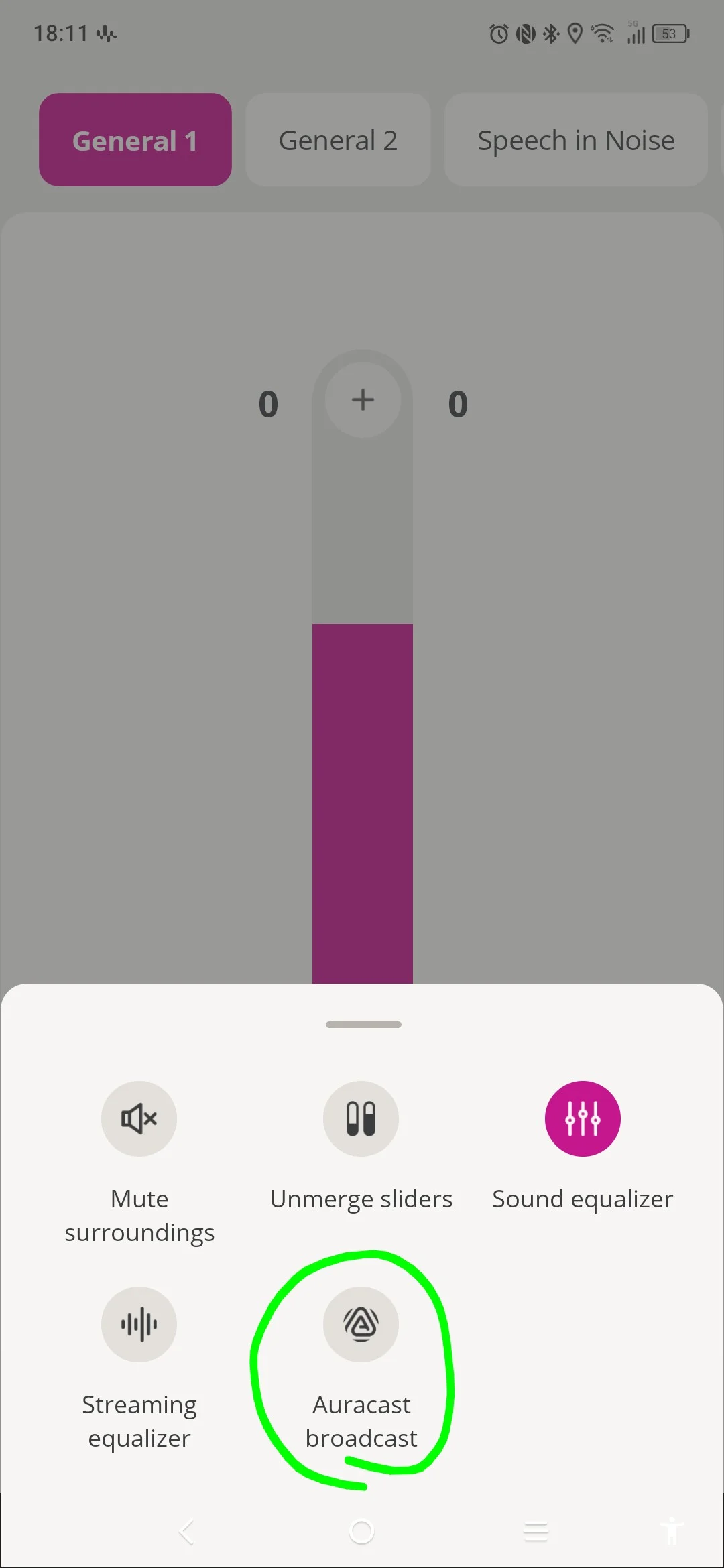
my Intents are on 1.3.0 and have just got the updated Oticon companion app on Android. Clicking on the three dots brings up an broadcast option. That opens another screen which appears to be searching for broadcasts.
Just need to find a location to test it 
You’re ignoring this member’s posts.

That is the issue nor many places have at this time. I live in a very rural area and do not expecting auracast any time soon
You’re ignoring this member’s posts.
Just need to find a location to test it
You can test it with any phone that supports audio broadcasting, such as the Samsung Galaxy S23, S24, S25, and some Google Pixel models. I tested it with a few Samsung devices, and it worked fine during the time I tested it.
If memory serves me well, on Samsung devices you can go to Settings → Connections → Bluetooth → tap the ⋮ (More) menu → select Broadcast sound using (or Auracast broadcast) → play any audio in that device (like an YouTube clip) . Then, tune in to that broadcast using your Companion App in your phone.
You’re ignoring this member’s posts.
I updated Companion for Android last night. Today, my S24 Ultra battery went flat after just 1/2 day of normal/light use. The operating system flagged the Companion app as experiencing unusually high battery drain, so I put the app into deep sleep. iPhone users are experiencing the same current drain issues with the Companion app. Fortunately, I can switch Intent programs and connect to via Android without the Companion app. This is a problem that Oticon will need to fix ASAP. Don’t they test the app? It would take less than one single day to find this issue in Beta testing.
You’re ignoring this member’s posts.
I have the updated companion app on my Samsung S25FE connected to my Oticon INTENT1 aids and I haven’t noticed any battery life issues. And I stream uo to 4 hours a day.
My question is did you clear all data after the app updated the pair your aids fresh. This could be the issue.
You’re ignoring this member’s posts.
You’re ignoring this member’s posts.

You’re ignoring this member’s posts.
I had not previously done that, but I did do it after reading your suggestion. So far today, the Companion app has been responsible for 0.5% of my battery drain. Yesterday, it was responsible for over 50% of my battery drain. So, that appears to have fixed the problem. THANK YOU!
You’re ignoring this member’s posts.
NOTE: If your Android phone is relatively new you can listen to from the Bluetooth setting as the phone is Auracast capable. I do that with my Galaxy S25 (listening to my HomeSpot BA210 V2 AV broadcaster).
You’re ignoring this member’s posts.
OkrightNorwich, Norfolk UK
My TCL nxtpaper 60 ultra is LE audio enabled (experimental) it seems to work fine with my Oticon Intents. But doesn’t seem to have any options.
So I purchased the Avantree Audikast 4 and connected it to my Panasonic TV with the toslink cable. I’m able to use the Companion app to connect with Auracast. It’s amazing. I can’t detect any delay.
You’re ignoring this member’s posts.
You’re ignoring this member’s posts.
Log in to reply to this topic.
Related discussions
Hearing Aids11 replies
Uncategorized451 replies
Hearing Aids50 replies
Hearing Aids102 replies
Hearing Aids5 replies