
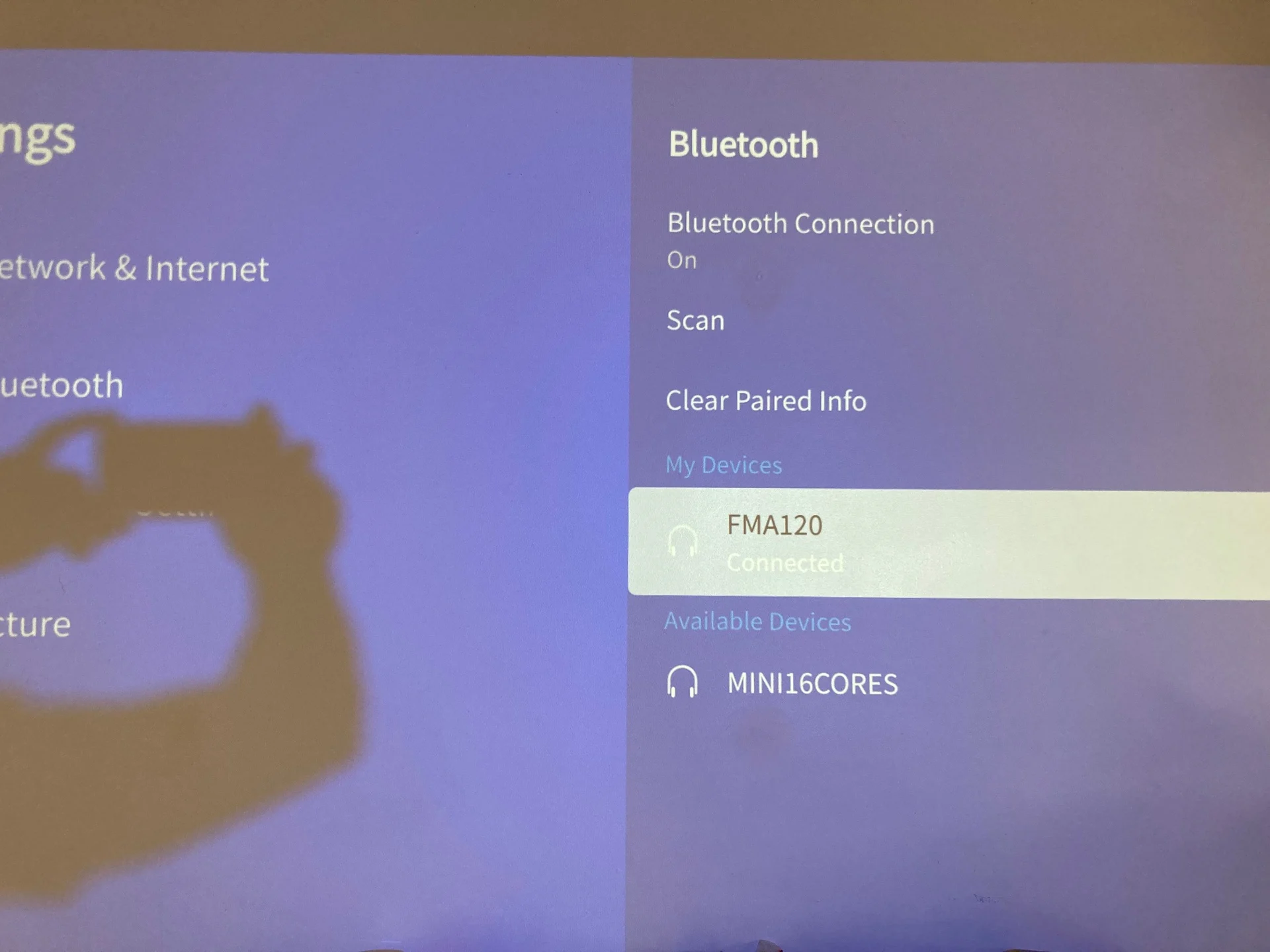
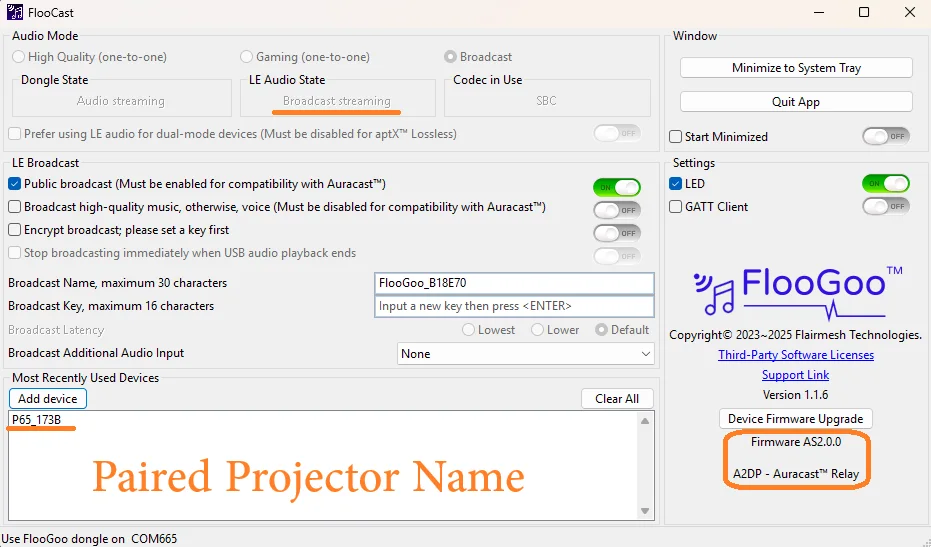
Many TVs that only provide an optical output also support Bluetooth headphones. In that case, you can simply load the relay-mode firmware onto an FMA120 and pair it with the TV just like a Bluetooth headset. The FMA120 will then broadcast the audio wirelessly via .
After pairing, there’s no need to plug the FMA120 into a PC or the TV—just power it with any USB charger, and it will begin broadcasting automatically whenever the TV connects to it over Bluetooth.
Regarding latency: since all PCs and TVs already compensate for the delay of classic Bluetooth audio to maintain lip-sync (the player delays the video so it matches the Bluetooth audio), the relay-mode solution will offer the same—or even better—latency compared to wired connections. This is because PCs and TVs do not compensate for any additional delay introduced when converting a wired audio signal into Auracast.
Here’s an example using relay mode with an iWIMIUS P65 Smart 4K Projector.
For more information, please visit our support page.
FlooGoo FMA120 — LE Audio / Auracast™ USB Transmitter/Receiver & Relay22
Auracast™ broadcast, unicast, low-latency modes, and codec visibility—configured with FlooCast.
You’re ignoring this member’s posts.