Can someone recommend Bluetooth connector for Tv to connect to Danalogic Ambio hearing aids as my Tv does not recognise the hearing aids through its own Bluetooth.
I am based in Dublin, Ireland so ideally would like recommendations from Ireland or the UK but happy to seek elsewhere if needs be!
Welcome!
It appears those aids are from the GN hearing company. They have a tv connector - TV Streamer 2. I highly recommend getting that instead of using bluetooth. I really like my Phonak tv connector. The support for those aids seems to suggest it will only bluetooth connect to a device running the bemore app.
I have the Resound streamer 2 on my main Tv in the sitting room. There’s some slight issues but nothing to do with the streamer or hearing aids thankfully! The Tv is held with a bracket against the wall and I stupidly didn’t check the back of the Tv properly and looks like the bracket is directly above the led insert (for the life of me I cannot remember the name) so I’m hoping my granddad can help with this.
I was moreso hoping maybe something smaller when I am watching Tv in my bedroom and not having to disconnect and reconnect the Streamer when I need to use it. I bought the Resound phone clip + for my work laptop and works a treat but not the best for the Tv (unsure why tbh)
TV Bluetooth → FlooGoo (relay mode) to convert classic Bluetooth to → another FlooGoo as a standard Auracast receiver connected to your phone → your hearing aids receive audio from the phone.
This setup does not require any cables to be connected to your TV.
If your TV handles classic Bluetooth latency reasonably well, this approach can work quite effectively. It also has an extra advantage: you can use the second FlooGoo with your phone to access public Auracast broadcasts when they become more widely available.
You can refer to the following thread if you’re interested:
Many TVs that only provide an optical output also support Bluetooth headphones. In that case, you can simply load the relay-mode firmware onto an FMA120 and pair it with the TV just like a Bluetooth headset. The FMA120 will then broadcast the audio wirelessly via Auracast.
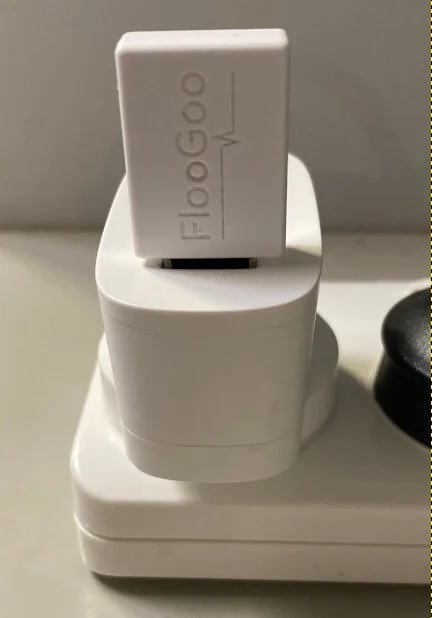
After pairing, there’s no need to plug the FMA120 into a PC or the TV—just power it with any USB charger, and it will begin broadcasting automatically whenever the TV connects to it over Bluetooth.
Regarding latency: since a…
First, I’d like to thank @d_Wooluf for introducing our FMA120 as an Auracast and LE Audio transmitter last year. Without that introduction, we might never have discovered this wonderful place to connect directly with our customers.
Since we launched the FlooGoo FMA120 in November 2023 on Amazon, we’ve received tremendous feedback from early adopters of LE Audio and Auracast, especially from the hearing aid community. As with any new technology, Auracast faces some compatibility challenges, an…
Shop FlooGoo FMA121 Bluetooth Adapter – Dual-Mode, Dual-Input, aptX Lossless, Low Latency, TX/RX, LE Audio, Hearing Aid Support, USB & 3.5mm for PC, Laptop, Tablet & Gaming. Free delivery and returns on eligible orders.
Hearing aids don’t need to support natively—that’s exactly why we added receiver mode on the FMA120/121. It lets you use Auracast with your existing setup (phone + hearing aids) as a simple add-on.
We’ve just started selling the FMA120/121 on Amazon UK, though they’re currently shipped from Australia. If you buy from us, feel free to leave a message—we can preload the relay/receiver firmware so you don’t need to set it up yourself.
There may also be UK resellers who sourced units from Amazon US and can ship faster, but in that case you’ll likely need to load the firmware yourself.
FYI, relay mode is only on the FMA120 for now. It works well with TVs (and is cheaper than the FMA121)—just power it from a USB port on the TV or a nearby charger, connect it from the TV’s Bluetooth menu, and it’s done—no cables.
For phones, the FMA121 is a bit more convenient thanks to the USB-C connector.
There may also be UK resellers who sourced our devices from Amazon US and can offer faster local shipping, but in that case you will likely need to load the correct firmware yourself.

 Dublin, Ireland