

The Jabra App has not yet been updated to version 1.39 and therefore currently does NOT support . Try the ReSound app.
You’re ignoring this member’s posts.
This topic is closed.
75 replies2.6k viewsLast reply
The Jabra App has not yet been updated to version 1.39 and therefore currently does NOT support . Try the ReSound app.
You’re ignoring this member’s posts.
Loopster,
The state of the iPhone should not be an issue. You only want to know if the iPhone helper app can select the channel for you in the . The connection from the Auri to the Hearing aids will be broadcast.
Over in the FMA120 discussion there is more info. and that YT video (which had a lot of errors) Did show it working by using the Resound Smart App . What were your results?
You’re ignoring this member’s posts.
What were your results?
Unfortunately, the member forgot to bring his phone to church this morning. Rescheduling the test to tomorrow morning.
You’re ignoring this member’s posts.
You’re ignoring this member’s posts.
The Resound Smart 3D app has the assistant built in. The home screen shows an Auracast selection bar at the bottom. Otherwise, it appears to be functionally identical to the Jabra Enhance app.
I have uninstalled the Jabra Enhance app from my Galaxy S25 Ultra phone and replaced it with the Resound 3D app and can verify that it works perfectly with my Jabra Enhance Pro 20 aids.
You’re ignoring this member’s posts.
It works!
Here is a summary:
I would like to thank @Ranson, @RSW, and others for their help. Hopefully the Jabra Enhance app will be updated soon and this would work out of the box for anyone with Jabra .
You’re ignoring this member’s posts.
 Dallas Ft. Worth Texas
That’s because Jabra is the Costco branded name of the same hearing aids. Both ReSound and Jabra are made by the same manufacturer, GN. I assume that at some point GN will make the change in the Jabra app. I’m also assuming that they wanted to try it out on one app first to make sure it works and, “Piss off fewer customers”.
You’re ignoring this member’s posts.
The Assistant will work with the BeMore app as well as it is also at the current version number as the ReSound Smart 3D app. Danalogic and their BeMore app are another GN brand. The color is the same as the Jabra app if one cares. I prefer the Burgundy color of the Smart 3D app, as it is my favorite color and have been using it for many months now.
You’re ignoring this member’s posts.
You’re ignoring this member’s posts.
Thank you for the update @NormPete , and welcome! I am excited to have the Enhance Pro app usable to Jabra Enhance Pro 20 interested in .
You’re ignoring this member’s posts.
You need him to get a phone that is capable. It is the go between the ’s and your Auricast system. It is a must for what your trying to do
You’re ignoring this member’s posts.

It seems like the Phone doesn’t need to be but rather Bluetooth LE, that’s reading from trial of membres on this forum.
See this thread:
I have Jabra Enhance Pro 20 aids and a Samsung Galaxy S25 Ultra phone, both of which support Auracast, and I have been experimenting for several weeks with both my aids and also with both Samsung Buds 3 Pro and Sony Libkbuds S earbuds. To do so, I purchased and tested 6 different Auracast transmitters on 2 different Windows computers. Here are some of my findings to date: Of the 6 transmitters, only 2 work with my aids, 3 work with the both brands of earbuds but not the aids, and 1 doesn’t see…
You’re ignoring this member’s posts.
@Dr_Palmer, sorry but that is wrong. The phone does NOT have to support . It only needs to tell the which Auracast stream to connect to.
You’re ignoring this member’s posts.

Do you just need to go into Bluetooth settings or through the App to use capabilities?
You’re ignoring this member’s posts.
On ReSound/Jabra, it’s done through the app.
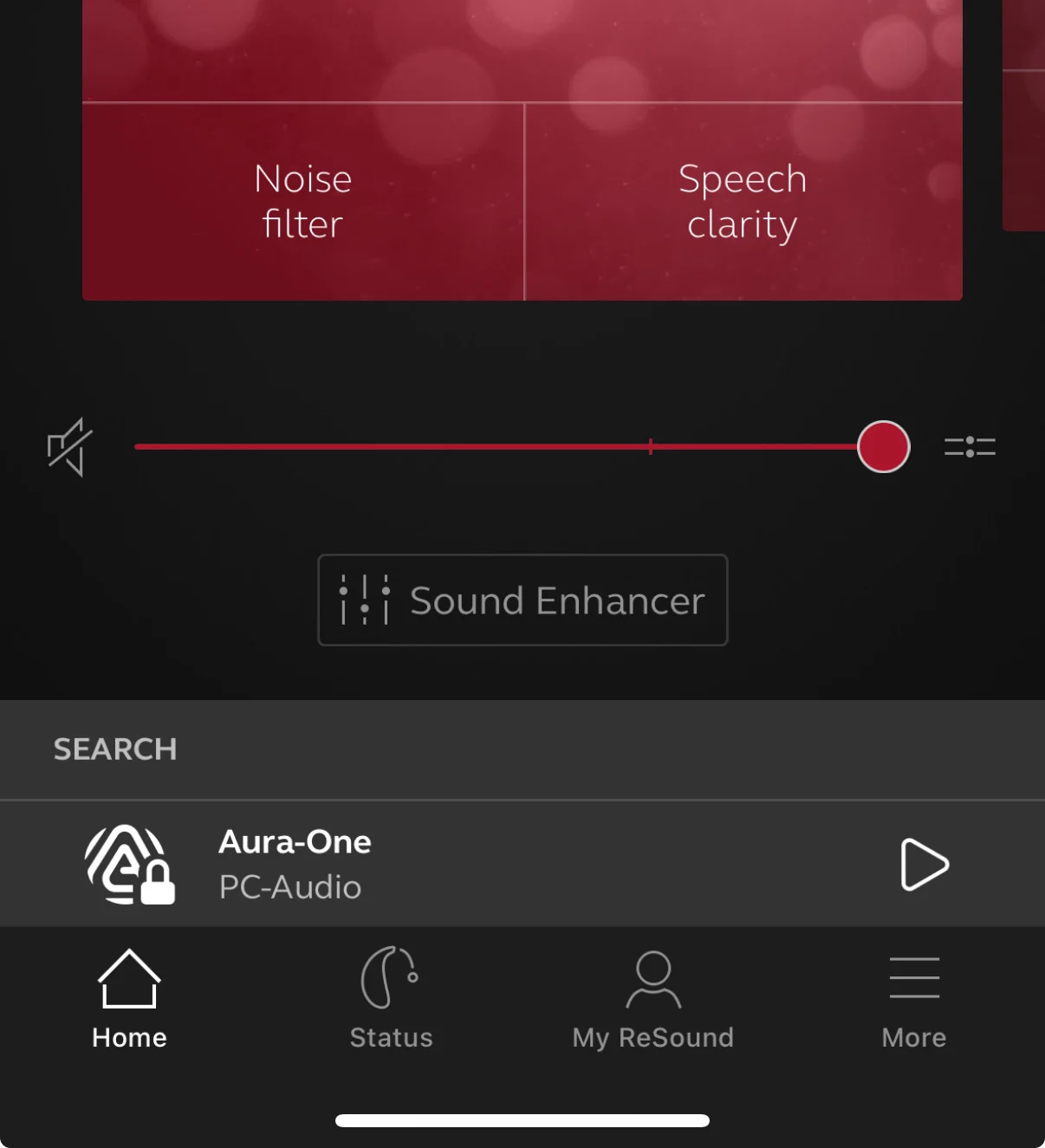
Click on the ‘play’ symbol next to the name to start listening to the Auracast stream:
While listening to Auracast, the app will look like this. Click on the green audio symbol on the bottom right to stop the Auracast stream.
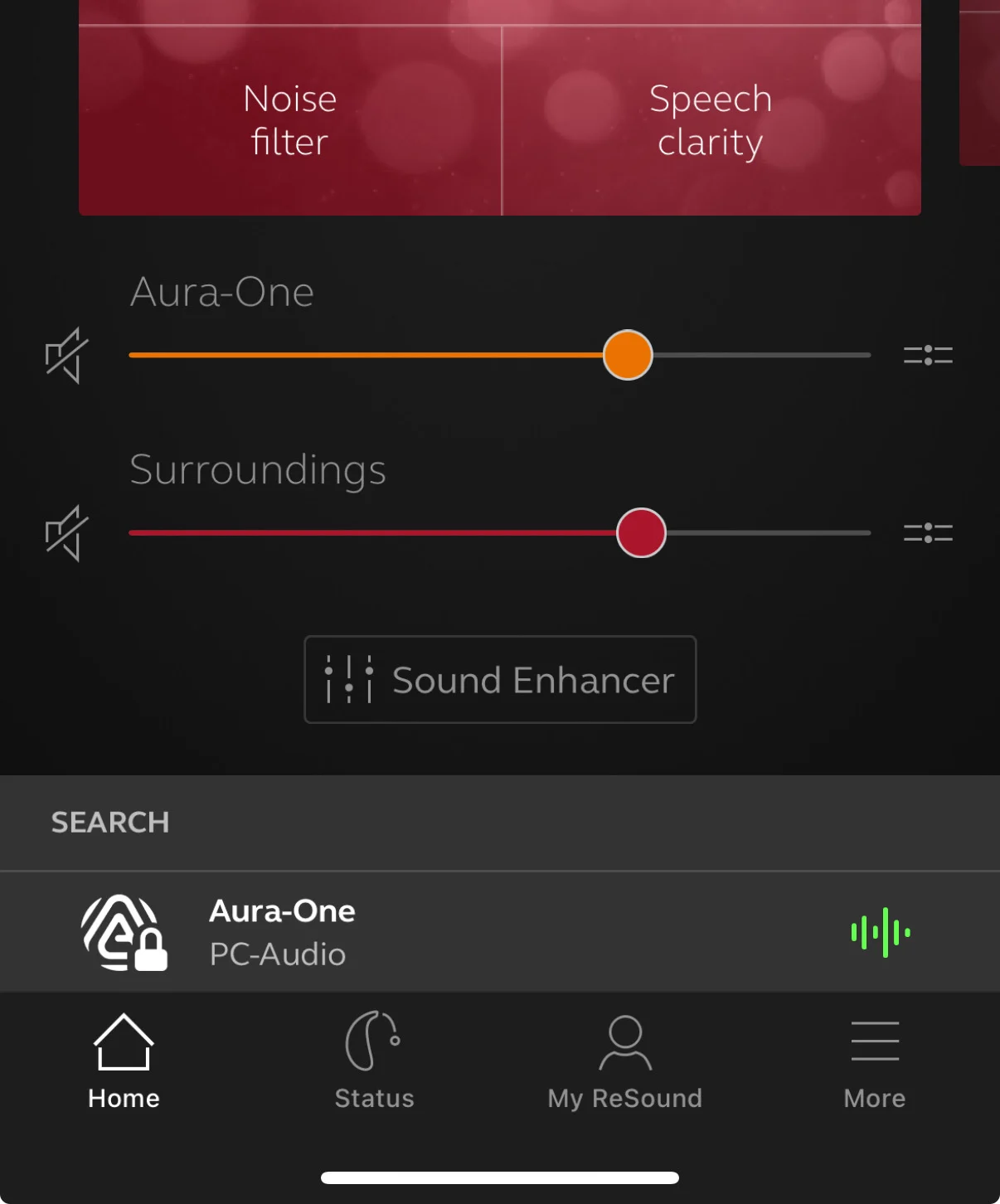
That’s all. You can now listen to audio from your phone again.
Also, if there is an incoming phone call while listening to Auracast, the Auracast stream will automatically be paused while talking and resume when the call ends.
No need to fiddle with Bluetooth settings.
You’re ignoring this member’s posts.
Dallas Ft. Worth TexasAlso, you can set up your iPhone to read incoming text messages to your hearing aids when they come in. No app is needed. To set this up, Go to settings app > Settings > Notifications > Announce Notifications select chose Select Notifications ON and right below below select Hearing Aids ON. Back out two pages and close Settings app.
You’re ignoring this member’s posts.
You can access a broadcast from either an app assistant, like the Resound app, or the broadcast assistant can be built in the phone, like what Samsung has done.
Go to the Bluetooth website and find the interview where they state that the assistant can either be built into the phone or you can use a stand alone app
You’re ignoring this member’s posts.

Now if we can get the other hearing aid co’s to update their app to be an assistant, do you hear me Rexton
You’re ignoring this member’s posts.

Hi! I’m Phoebe from Avantree — we help a lot of churches set up group listening systems, so I’ve seen this question come up often.
The Jabra Enhance Pro 20 is Auracast-ready, but it looks like the feature still isn’t active yet — there’s no way to scan or join broadcasts from the app or iPhone right now.
That said, if the user has a Samsung phone that supports Auracast (like a Galaxy S24 or S23), they might be able to scan and join the broadcast through the phone and stream audio to their hearing aids that way — as long as their hearing aids are paired with the phone.
It’s not the same as native Auracast support in the hearing aids, but it can be a helpful workaround!
— Phoebe @ Avantree
You’re ignoring this member’s posts.
Phoebe-
It is available in the Jabra Enhance app (on the iPhone) as of about a month or so ago.
Make sure you have the latest version of the app.
You’re ignoring this member’s posts.
Hearing Aids6 replies
Hearing Aids9 replies
Hearing Aids37 replies
Hearing Aids79 replies
Hearing Aid Self-Fitting (DIY)2 replies