No you need to worry about this, all you need to do is copy your existing settings into target and save them there, yes the clinic will notice a time stamp difference, but that’s all it you revert back to those original settings, seriously tho once you start on your projects I’m sure you’ll not be going back, only reason maybe to get new molds made etc
When you first open Target, create a “new client”, something like “L30 UP Original” as the name. Restart the aids and turn off any Bluetooth connections. When you first connect it will ask you if you want to take the settings from Target or the Hearing aids. Choose hearing aids. This will download everything the Audiologist has done. At this point I would “save and disconnect”. You only ever use this client if you mess up in , it’s your backup.
*Note: In global tuning, make a note of which fitting formula your Audiologist used.
Now, create a new Client as your DIY client. In this you can enter your last , if you have it. Connect the aids, this time choosing the Target option (rather than hearing aids). Once connected, I’d run the feedback/real ear test. It’s not a proper “Real Ear” test, but it does compare how your hearing aid speakers are working with your Audiogram. It also sets a feedback threshold line. I find this threshold overzealous, so I allow some overprogramming, so gains can exceed this line. Next, I’d do an Audiogram Direct (in situ) hearing test. The actual test is better done by another person. Once done, go to Global tuning. The fitting formula can be changed here. I don’t know which formula Target would choose for you here, as your loss is different. You can experiment here. By now your hearing aids are programmed. Go into fine tuning. Here, you can set up additional programmes. In your case, as an experiment, I’d add Music as an additional programme, and set it as startup. I’d also add Speech in noise. Autosense would then only be available by manually selecting it. Once done, save and exit.
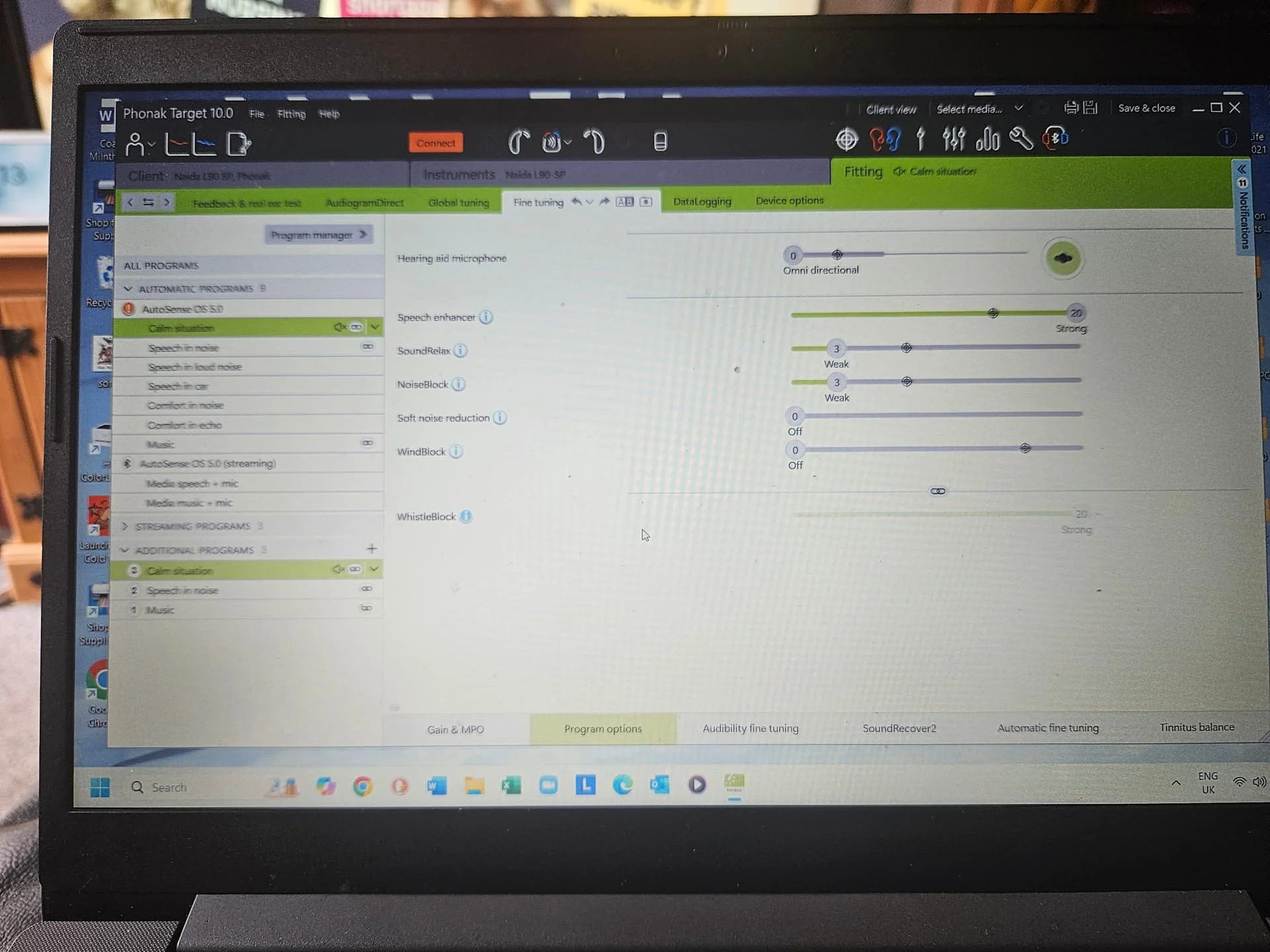
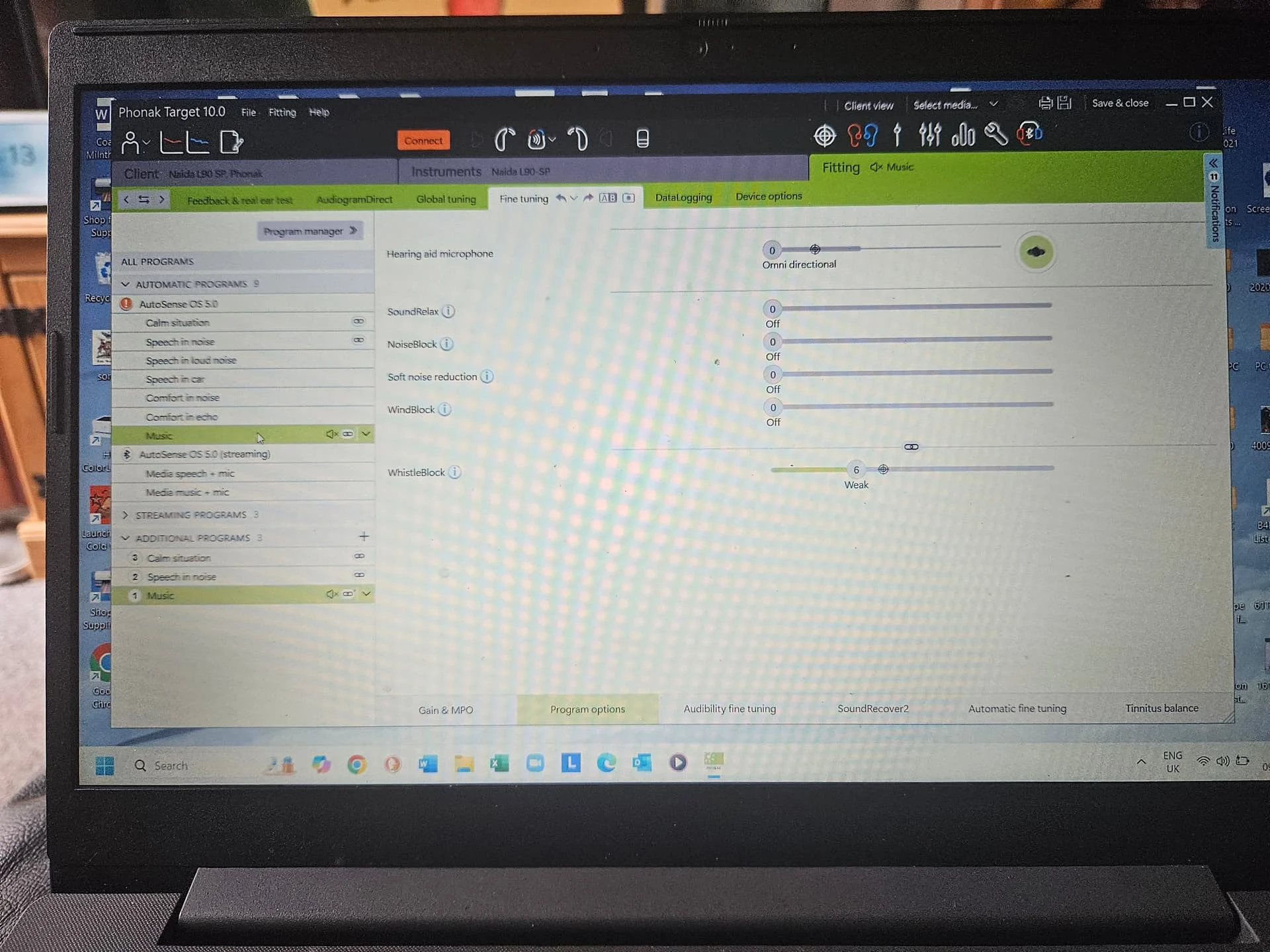
*Note: Program Options, makes all the difference, on the functionality of Phonak , and you can personalise them for your needs. You can also customise each program, for its levels of noise reduction. For example, I’ve found “Calm Situation” has too much noise reduction, as does “Speech in noise”. I found Speech in noise does reduce the volume of background noise, but it also reduces the volume of the person you’re trying to hear. All this can be amended to your liking.
Live with your new settings for a day or two, making notes on the performance of Music, Speech in Noise & Autosense. Play around in the app, to see if you can get better results by using some of the sliders, or the graphic, making notes on what works.
This is what I do anyway. In your case, I’d firstly ask your Audiologist to add Music as an additional programme. You can scroll through the added programmes with long presses.
Thank you very much for your explanation. I don’t fully understand. I need to study the topic more, but it will be useful in the future.
I have the “additional program” named “Music” and maybe it has everything disabled (Note: But according to the myphonak app, the base program for this is “Calm Situation”)
This “Music” program is the basic and essential one. I know that the Naida Lumity L90 and L70 UP versions have another “Music” program; I don’t know the difference with the one I currently have.
It was added by my doctor.
I don’t know if this affects my problems, but the “Fitting Formula” chosen by my doctor is: v5a Adult
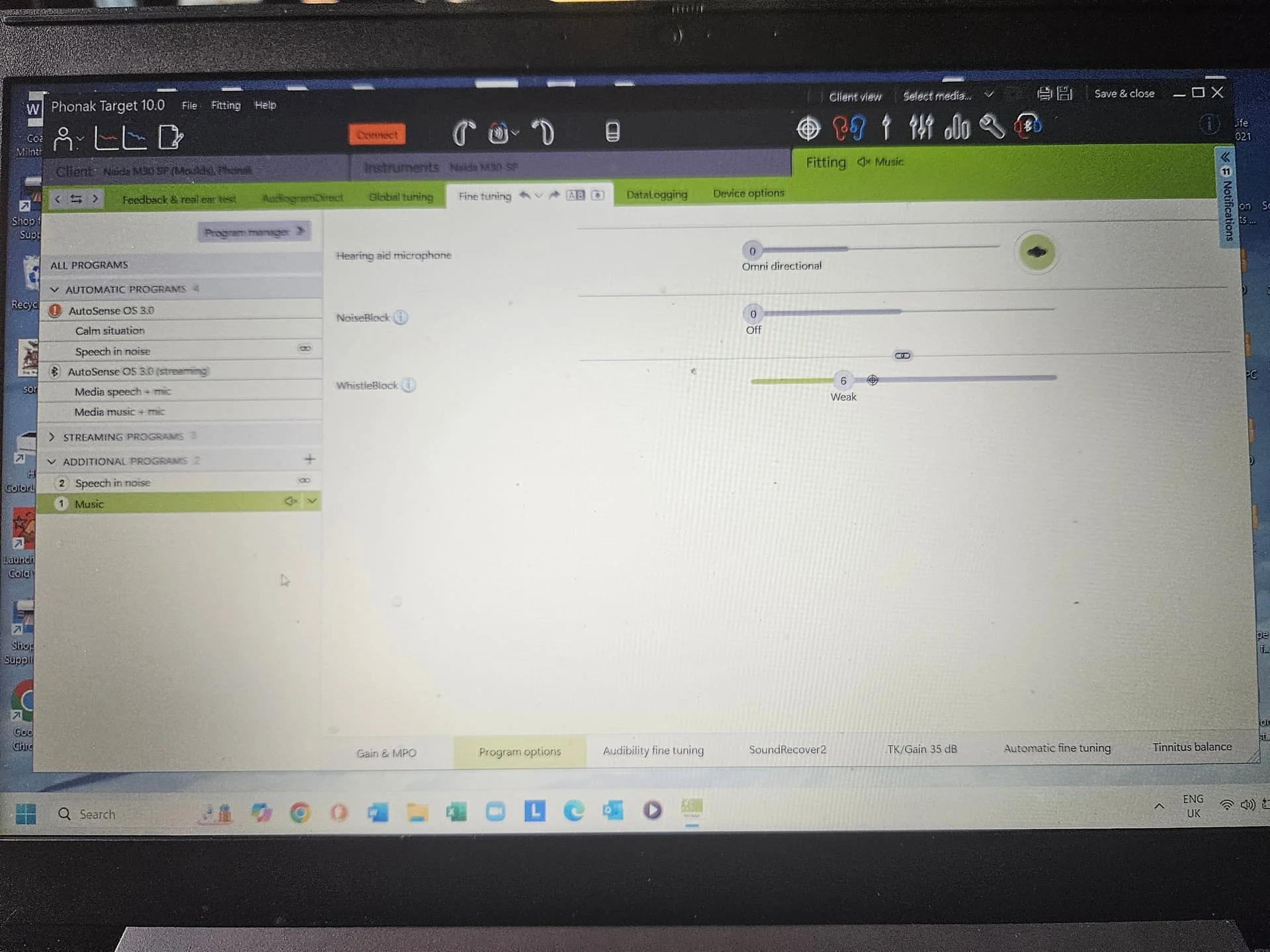
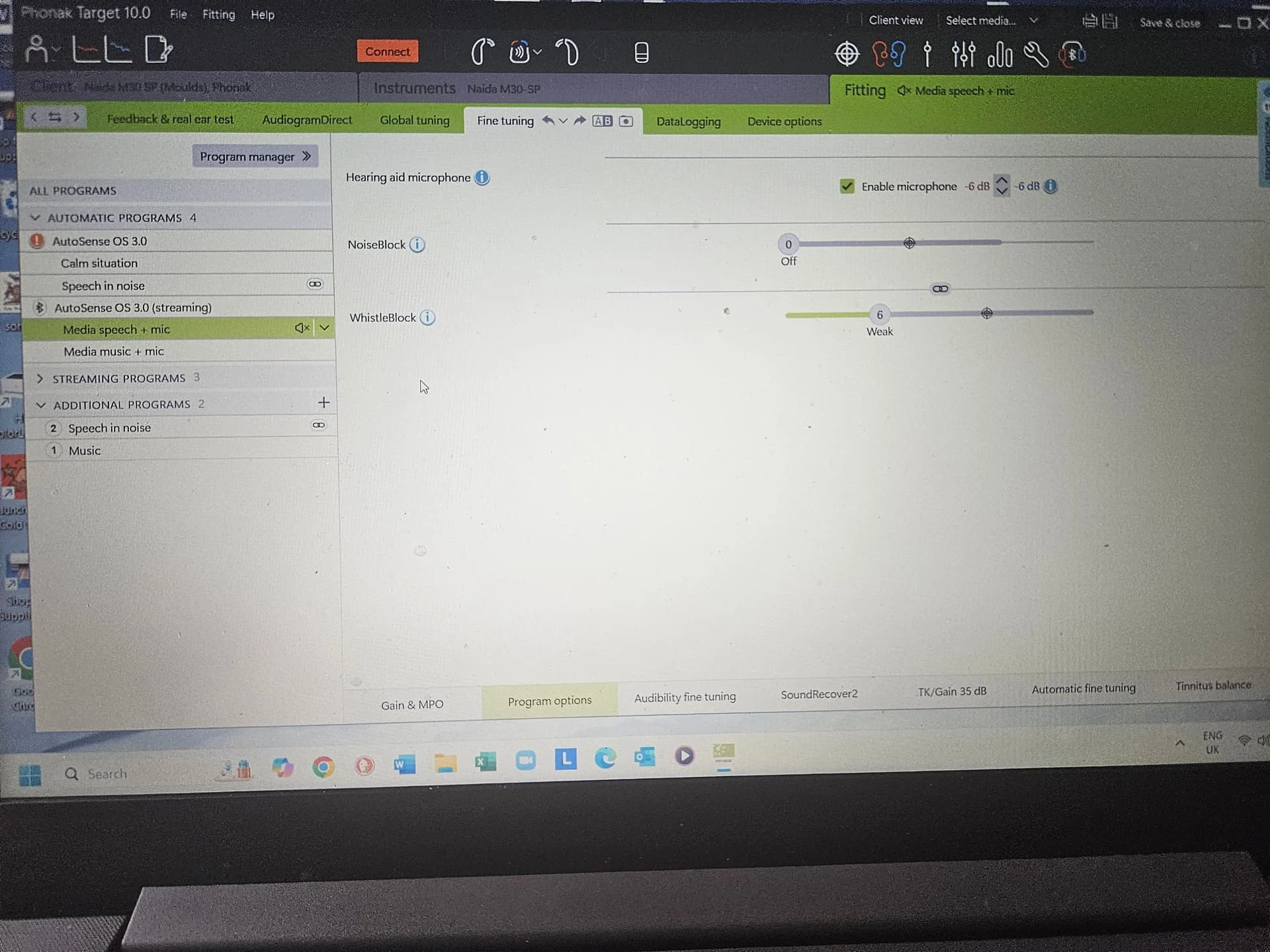
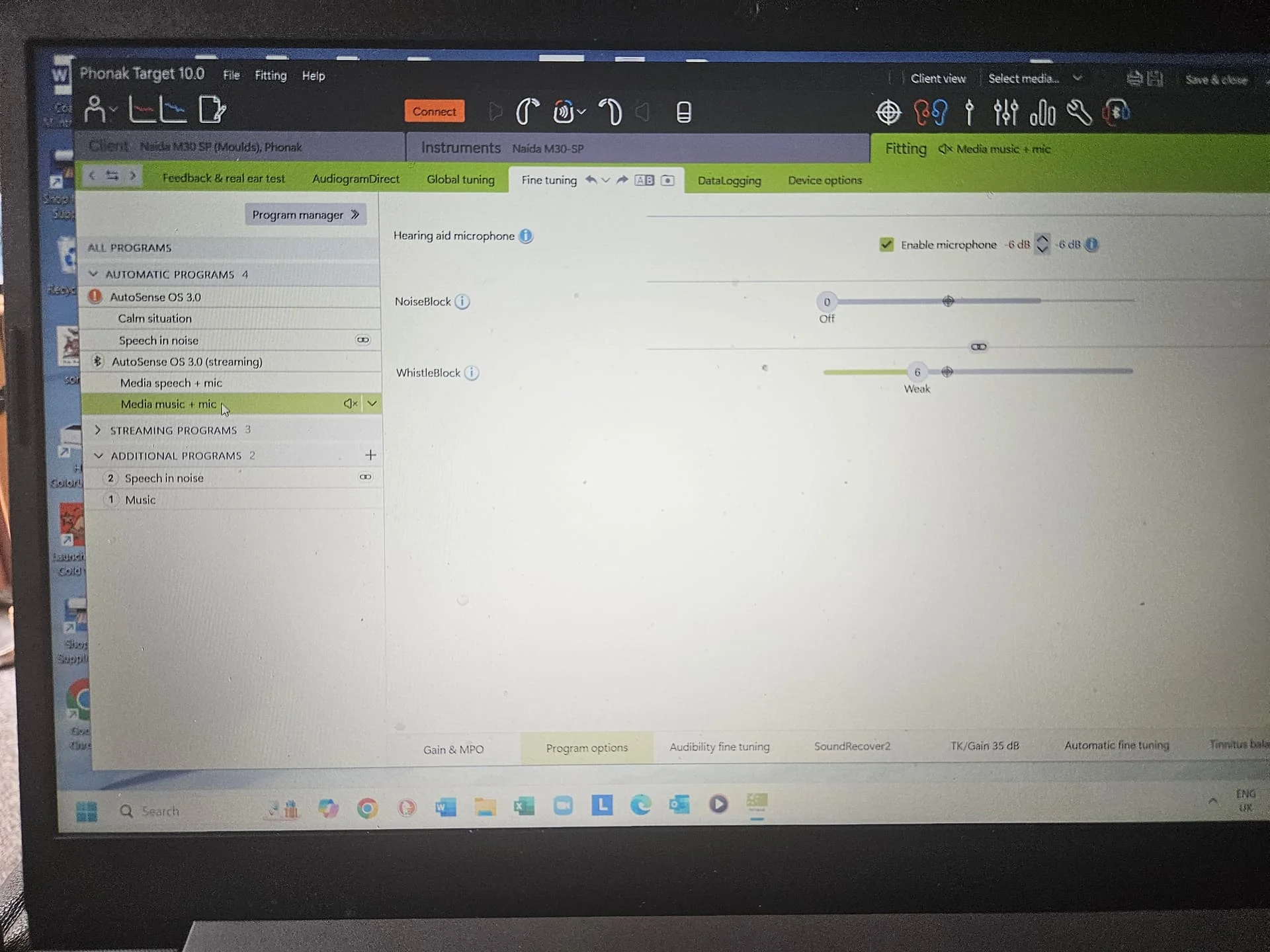
The basic programmes of your L30s are Calm situation and Speech in noise. There will be a list of additional programmes you can add (including Music), but they’ll be made from those two above. The L70s and L90s will have more base programmes. I have some M30 SPs, I’ll have a look in Target to see how the music programme works in Program Options
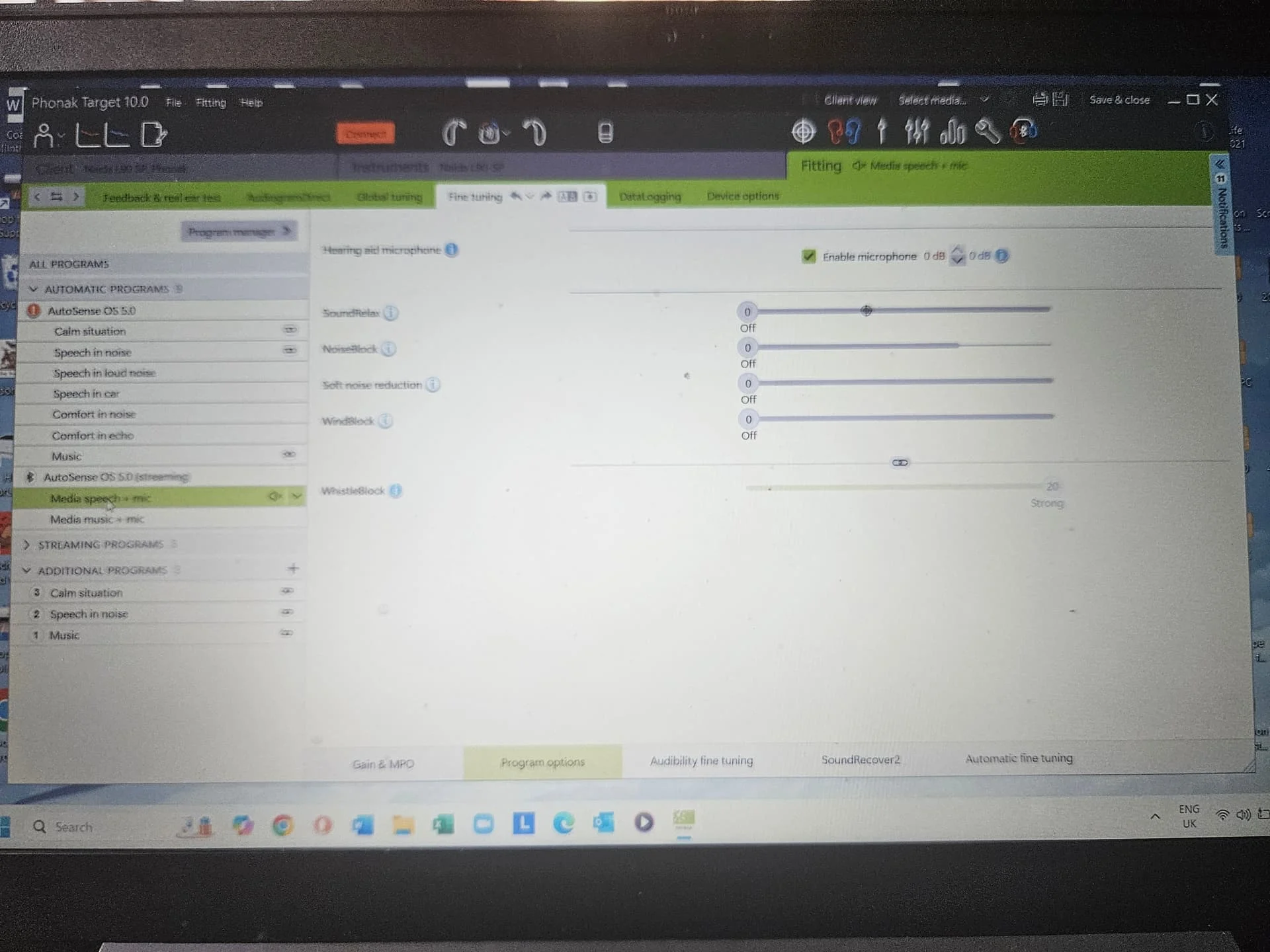
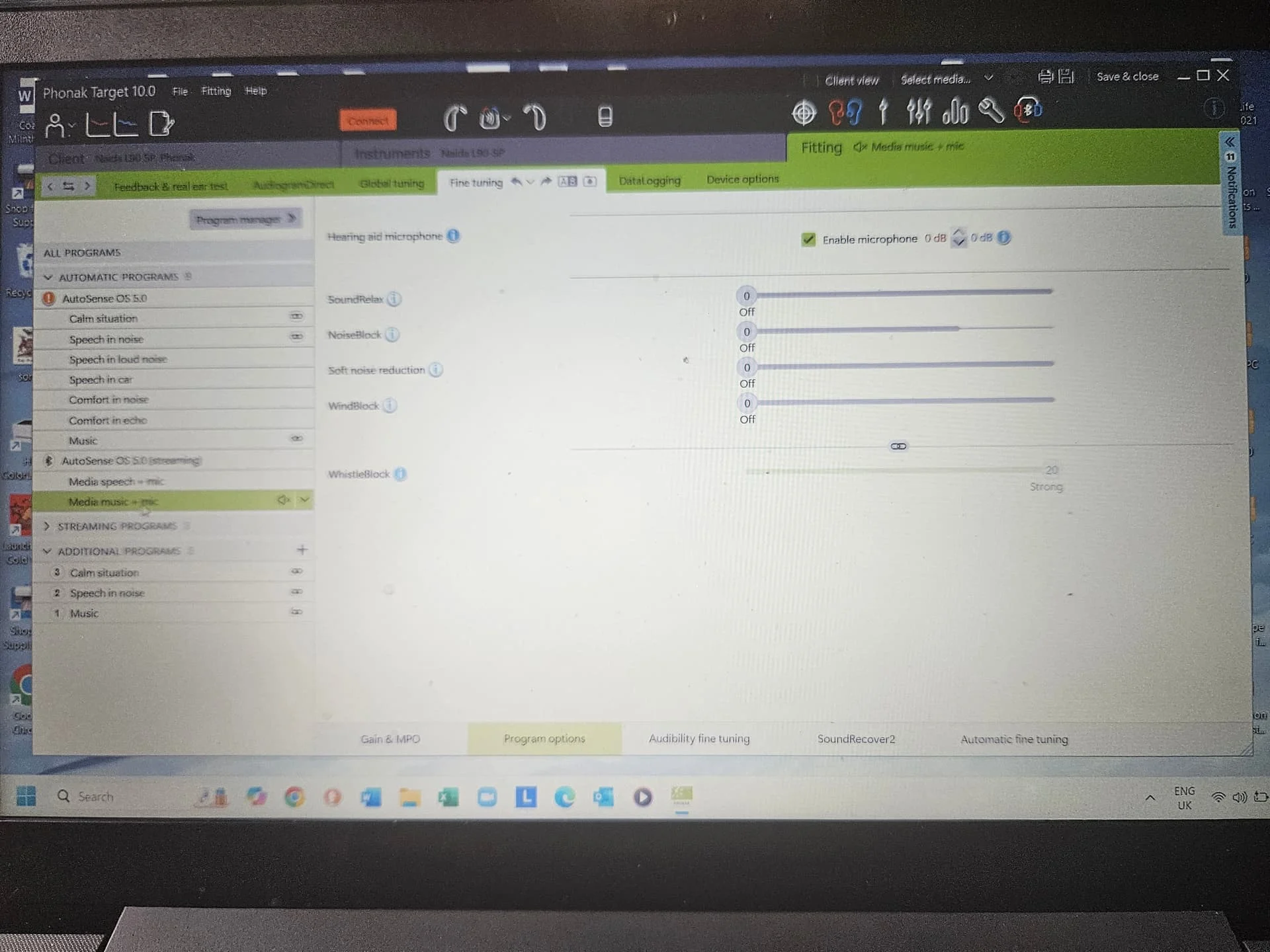
Thank you so much for your screenshots. You’ve practically disabled everything in your streaming programs.
And in the “Audibility Fine Tuning” tab, have you changed anything?
Is Soundrecover2 enabled on your streaming programs?
Yes, my doctor temporarily disabled SoundRecover2, and I noticed a big difference. The voices were softer and less clear without it enabled. So they left it on.
Your hearing loss and PeterH hearing loss are like night and day different. Absolutely no comparison.
As he said sound recover is not needed for his loss. For your loss sound recovery is like having an ace in the hole. It should be adjusted to max to give you the most benefit.
You are doing great with self programming.
Hope this helps.
I have Phonak Audeo Paradise P90R hearing aids.
A kind participant in our forum provided a link that explains the myPhonak APP. Here are my notes from my iPhone.
It explains setting in the APP.
myPhonak
Audeo Paradise P90 Rs
Natalie Nelson Nov 21 2021
audiologyonline
Frequencies ± 12 in 3 dB increments
Bass <290 Hz
Middle 500-2.5 kHz
Treble >1.5 kHz
Volume ± 12 dB in 3 dB increments
Noise Reduction & Speech Focus
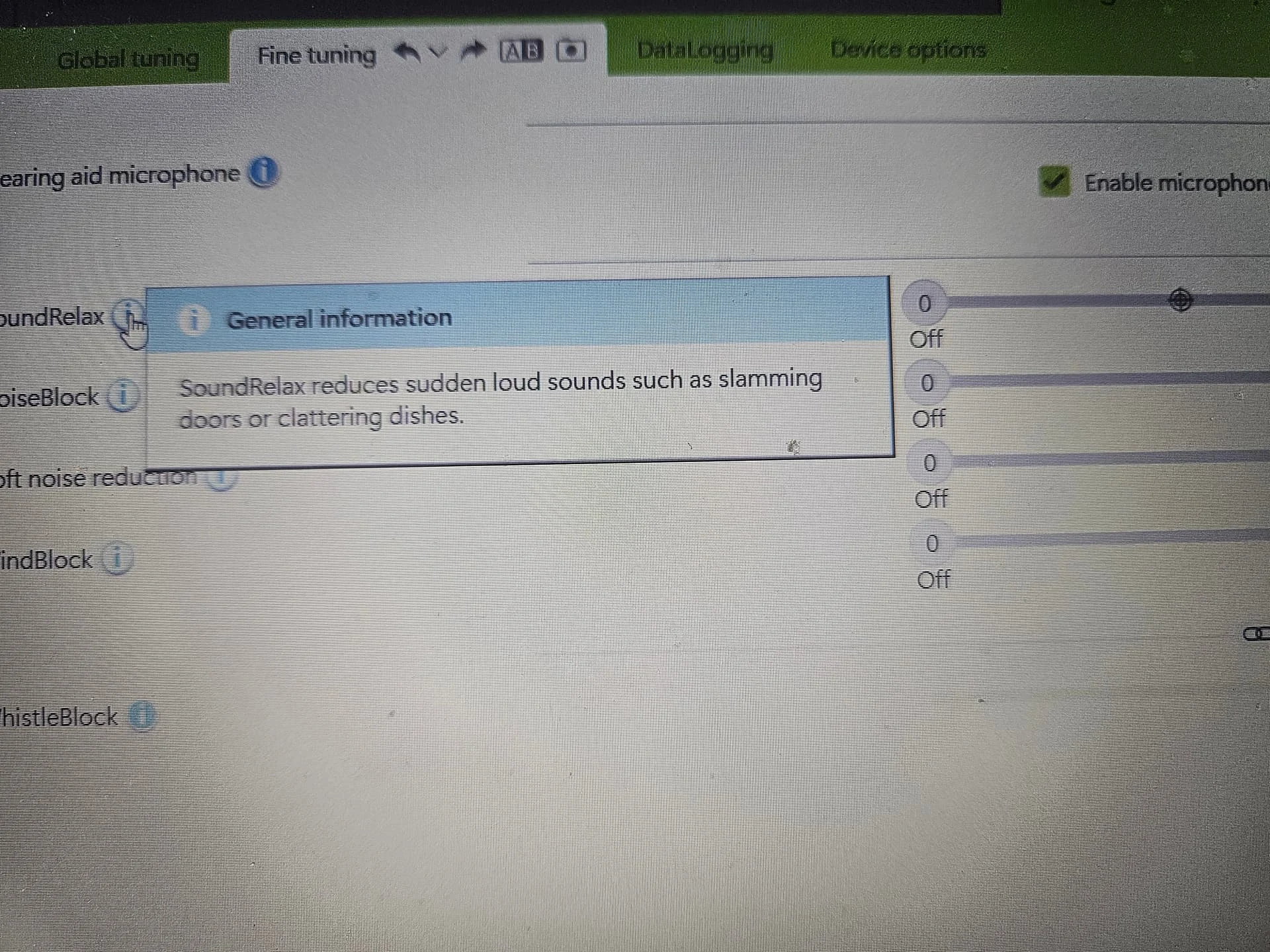
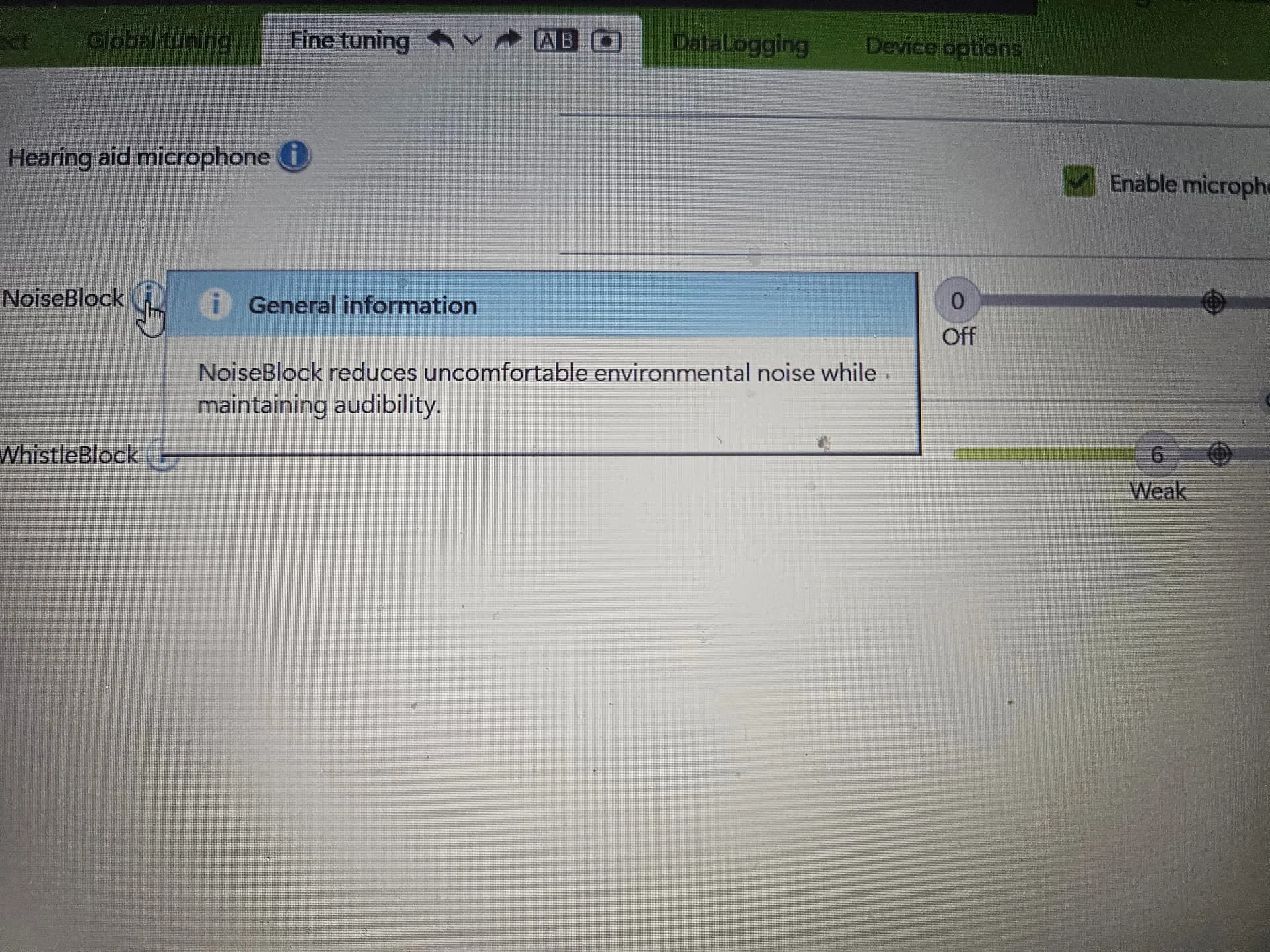
Noise Reduction controls NoiseBlock in Target
Step in the APP are steps in Target Off/Weak/Moderate/Strong
Speech Focus (Paradise &Marvel)
Speech Focus controls the Microphone directionality in Target software
Slider bar in the APP controls patients to go from Omnidirectional to Ultrazoom
Paradise P90
THE FIRST 50 % of the slider bar CONTROLS MICROPHONE DIRECTIONALITY
THE SECOND 50% of the slider bar CONTROLS DYNAMIC NOISE CANCELLATION
When the SLIDER BAR IS SET TO STRONG IN APP OR TARGET IT CAN PROVIDE up to 4dB additional in Speech in Noise or Speech in Loud Noise Situations
Dynamic
DECREASE LOUD to Increase Soft
Tied to G80 and G50 gain Settings respectively and CHANGE THE LEVEL OF COMPRESSION applied to the incoming signal


 North West UK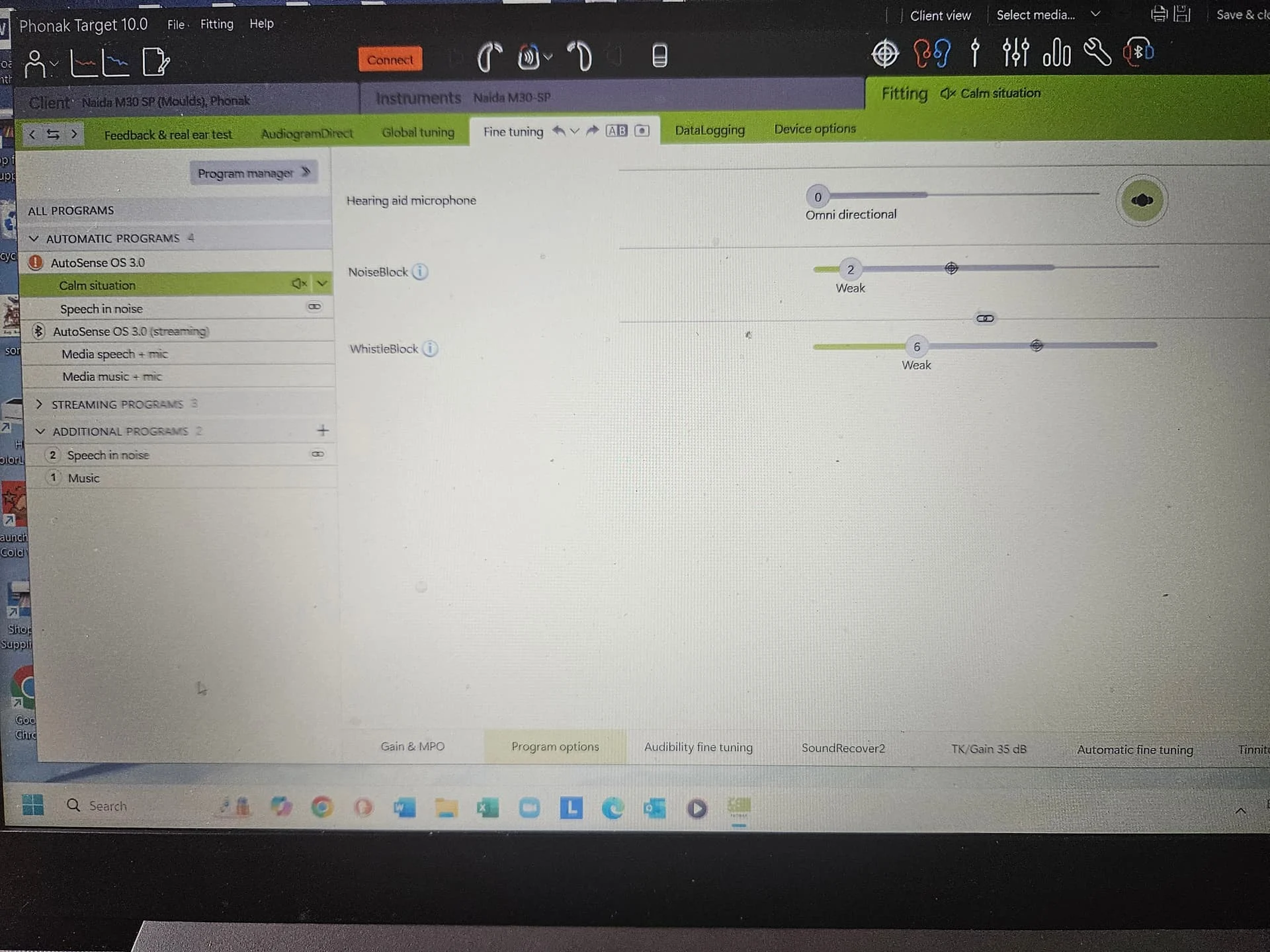

 Texas Hill Country
 Canada (Toronto) YYZ
 Poland