I have Oticon Sage miniBTE aids. I can connect my Android phone to them using the Oticon Companion app but when listening to audio books I have a problem in that the volume isn’t high enough to hear well even with the volume on my phone turned up to full. Changing the volume on the hearing aids doesn’t make any difference in this situation. A Google search gives “you can adjust it using the Oticon Companion app, the volume controls on the hearing aids” No, this does not work! A friend of mine has the same problem. Any idea what I can do to increase the volume?
This was written in the Oticon Users Facebook group: “Audiologist can go into Accessories section of Fitting software and increase volume of Phone connection up to 9dB. This does not affect normal volume control only to Phone/Tablet”
I have a similar problem, but in the reverse direction. My streaming volume is too loud with my Pixel 9 and Oticon Intent 1s. I have to turn the volume down so much that I only get to adjust a few steps at the very bottom of the volume control range, resulting in volumes that are too soft or too loud. Thanks for posting this thread. I’m also planning to chat with my provider to adjust this to a more comfortable listening level that maximizes use of the phone’s volume control range (I hope).
I think you can save setting in companion app, maybe that goes for streaming volume too.
doesn’t your phone save volume settings? you leave it at 20% it stays there?
the same thing can be done in genie 2, you can set the phone volume by default to -3 and -6dB.
that is always active with that setting you won’t get your full volume back if you want to listen to music. it’s always gonna be lower with -3 or -6dB.
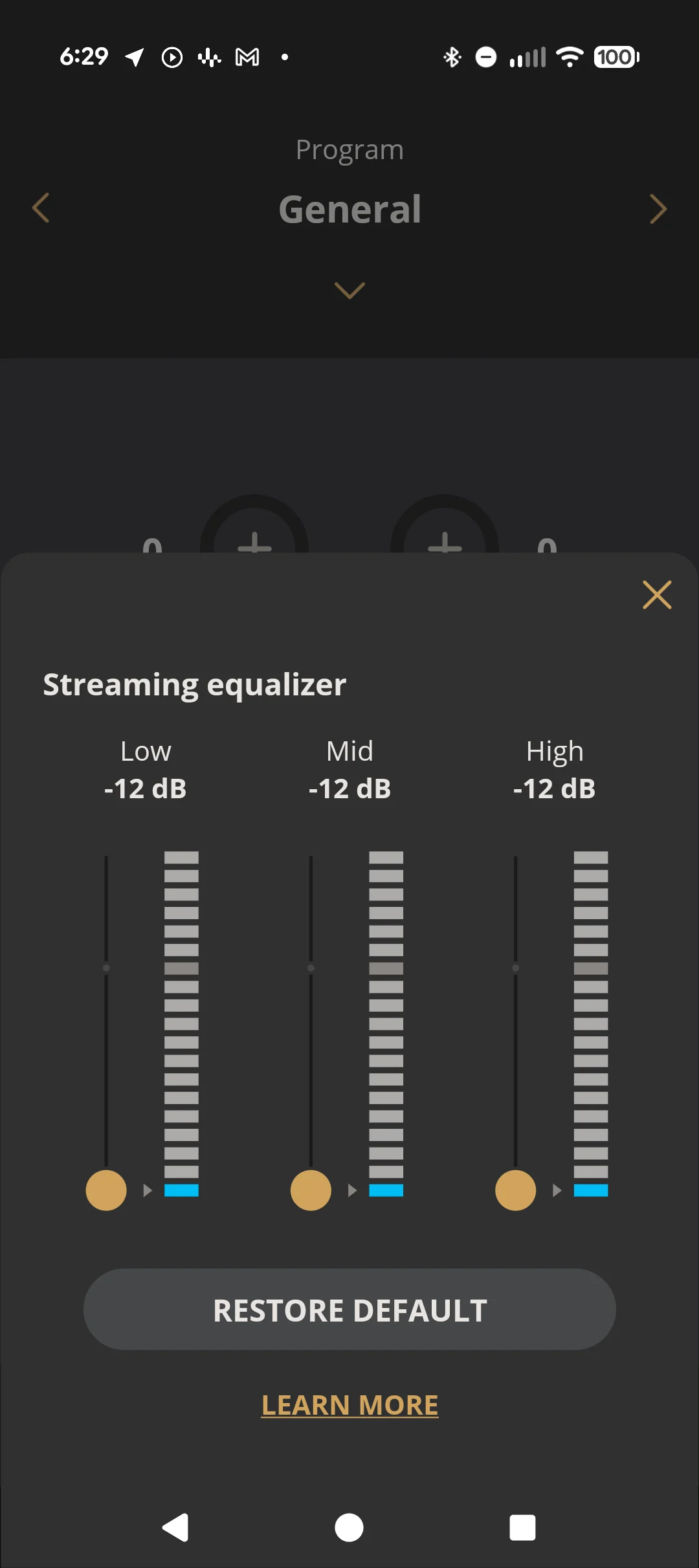
The companion app will let me adjust the streaming equalizer. If I use this to turn everything down, then I get a more usable range on the phone’s volume control, but I don’t consider this a solution. If I use this, then I’ve lost the ability to use the equalizer.
Likewise for for @Giblets01. Attenuation can be -12, but amplification is only +6 . It may not get out OP where they want to be, and then there’s no adjustability of tone.
My phone’s volume control has about 25 steps. Today a comfortable listening setting is in the lower third of that range, and I’ll rarely go above 50% because it’s uncomfortably loud, and there are times when adjusting the volume in this lower third, that I can’t find a good volume. It will be to quiet or too loud, there are only 8 steps down there.
What I want to set set my phone’s volume control at about 2/3 for a comfortable listening volume. This gives me about a third of the control to make it louder (and about 8 steps), but I won’t venture into this range often, and I’m not likely to think that the difference between these two steps is too loud or too too loud.
If I can set the comfortable volume at 2/3 this gives me about 16 steps below that, and I’ll be less likely to hit the too quiet or too loud situation in that expanded range.
Now, I want all of the above without having to touch the equalizer. To me the equalizer is about fine tuning low, mid, high once I’ve found my comfortable listening volume. If I have to turn my equalizer all the way down to get the range that I want on the phone’s volume control, then I’ve lost some functionality of the equalizer. It can boost, but it can’t attenuate because it’s already at full attenuation.
Okay all of that said, I’m not planning to do any on these new hearing aids until my gets them dialed in the way I want. The HIS is way more experienced than me at this, and I paid for this expert support. So while genie can adjust this, I want my HIS to make this adjustment.
Maybe sometime down the road I’ll feel more comfortable messing around in genie, but right now I’m a rookie, and I’m not ready to go there yet.
yes, but if you don’t fit yourself ask your fitter to reduce volume for your devices. it can be increased of an offset and decreased. this doesn’t affect you ability to use the equalizer and is in addition to the equalizer.



 London
 San Diego, CA, USA