You’re ignoring this member’s posts.
Welcome to the new Hearing Aid Forum!
This topic is closed.
204 replies5.7k viewsLast reply

You’re ignoring this member’s posts.

 Auckland, New Zealand
Ok so after a bit of use the PM doesn't work very well, still no way to edit a sent message, and I keep getting an error message about I'm typing to quickly?
Sorry, I missed that you wanted to edit a SENT message. Will look into that. And will fix the typing too fast thing.
You’re ignoring this member’s posts.
I will get use to the new format but I find it less user-friendly at this time.
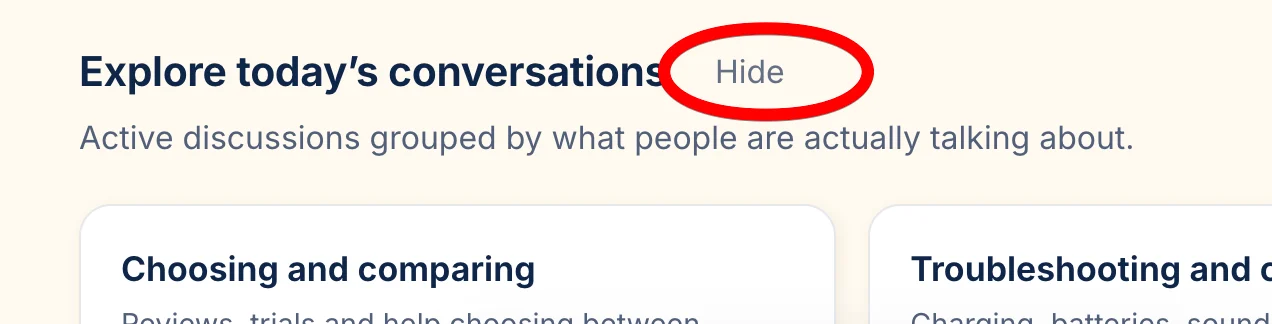
I like that you said at this time, because we're still improving it, and will be continuing to take your feedback for a long time. Let me know if there's anything specific. I will work on the "since your last visit" rework of the home page today. Also note that you can permanently hide the new section on the home page. That was really built to give new users a quick orientation rather than to be a main point of interaction for experienced daily users:
You’re ignoring this member’s posts.
Regarding linking, I see the confusion. You need to highlight the text you want to turn into a link first. I will improve this too to avoid future confusion.
You’re ignoring this member’s posts.
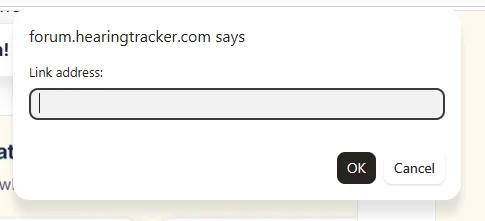
You need to highlight the text you want to turn into a link first
I pasted it into the dialog box that came up:
You’re ignoring this member’s posts.
entries in **Explore today’s conversations **don't have
Replying to my own post to point out
entries in **Explore today’s conversations **don't
I copied "Explore today's conversations" from the header of that section and pasted it into the reply box, where it showed up as bold. So I figured it would post that way. But in the post the markdown appears instead.
You’re ignoring this member’s posts.

I can't read my messages today. I could when I last checked...the first day it went live (yesterday? day before?) but now I can see that I have a message but I can only read a preview and cannot click on it.
You’re ignoring this member’s posts.

 Melbourne
Can anyone help please? I can’t work out how to find private messages now. I only have an iPhone not a desktop or laptop to work with. I know I’m IT challenged, but I can’t find them.
You’re ignoring this member’s posts.
I can't read my messages today. I could when I last checked...the first day it went live (yesterday? day before?) but now I can see that I have a message but I can only read a preview and cannot click on it.
I just reworked personal activity feed and notifications feeds. I will look at messages next. I checked mine and could read them.
I also did some work on the scroll jankiness... and speed. Server just deployed so might take a while to settle and become quick.
You’re ignoring this member’s posts.

 Rural New England
Maybe it exists and I am just misunderstanding what is presented, but is there a “new topics” button like unread?
WH
You’re ignoring this member’s posts.
You’re ignoring this member’s posts.
You’re ignoring this member’s posts.

@AbramBaileyAuD : So while not logged in I see the never-read thread titles are bolded. If I read a thread that I haven't read yet then the title goes not bold. But if after a while I refresh the page, and notice that there's a new message in that same thread then I notice that it hasn't gone back to bold. I read it and the new messages are there but I think I would prefer the title be bold after the refresh when a new message has been added.
And the old system used to have a little symbol or number in the tab area indicating that a new message has been added somewhere. This does not.
But maybe you're not interested in readers that aren't logged in. :)
Also, when I use your Latest reply thing you showed me earlier and then use the back function (alt-left or back button on browser) then it doesn't go back. I have to go back again to go back to the previous page.
Edit: Then when I go back I see a new reply indicator on the thread and it's me. Maybe one shouldn't see an indicator when it's your own reply.
You’re ignoring this member’s posts.
Genuinely curious why you would want to use the forum logged out since your reading history won't be synced with your logged in user. I would not advise that. Will think about what you said though!
Regarding the latest reply thing. Do you mean the sidebar thing?
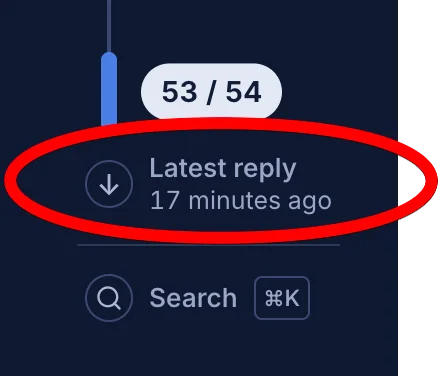
If so, what are you expecting to happen when you click back?
You’re ignoring this member’s posts.
When not logged in and using the latest reply, when I want to go back it returns to the top of the thread. I go back again and it goes back to the previous page.
When logged in however, it goes back to the previous page. Obviously that's the expected result.
I don't like HAVING to log in to a site to use it's functions. When I wish to say something then obviously I log in. Then I might or might not log out again for some time. I know that when I log in then I'll get all those notifications etc. I'm fine with that.
You’re ignoring this member’s posts.
I don't like HAVING to log in to a site to use it's functions. When I wish to say something then obviously I log in. Then I might or might not log out again for some time. I know that when I log in then I'll get all those notifications etc. I'm fine with that.
Ok. I suppose that makes sense, but would drive me nuts to see things as unread that I read already :)
When not logged in and using the latest reply, when I want to go back it returns to the top of the thread. I go back again and it goes back to the previous page.
When logged in however, it goes back to the previous page. Obviously that's the expected result.
I see the issue you're talking about now. Interesting one. Will make it always go back to the last page.
You’re ignoring this member’s posts.
With the multiple tabs I have open, when I click this tab while logged in, I get the little red indicator and the new threads and bolding come out up top.
When not logged in, then I refresh and the new threads are up top. But those that I HAVE read before are not bolded when they have a new reply.
The old system would show a little indicator on the tab while I'm over on another tab. Then I would know to go back and refresh to see new replies. That was handy.
When logged in then it behaved differently. So I logged out every time.
This new version shows nothing.
These are all just adaptations I use on sites. None of my other usual sites show any new indicators. It's just that this sites previous version did.
You’re ignoring this member’s posts.
You should get a little red indicator in your browser tab when you have notifications (when signed in). Would you like an option to have the red indicator when there are new unread posts? Replies should already create the red dot. I have been seeing this myself.
You’re ignoring this member’s posts.
I would like that...when not logged in...and not on that tab.
Another site I use doesn't change read threads back to bold when a new reply is added....when not logged in. So oh well. But it would be nice.
Did you see my comment about wysiwyg above here?
I really have to say that I very much appreciate all you're doing for all your readers.
You’re ignoring this member’s posts.
Related discussions
Announcements9 replies
Hearing Aids6 replies
Hearing Aids10 replies
Fitting Software Requests1.1k replies
Fitting Software Requests512 replies