
 Auckland, New Zealand
And thank you for your feedback and patience! I'm stepping away for some family time but will return to this project soon.
You’re ignoring this member’s posts.
This topic is closed.
204 replies5.7k viewsLast reply
And thank you for your feedback and patience! I'm stepping away for some family time but will return to this project soon.
You’re ignoring this member’s posts.

Have a day off, this will all still be here when you get back…..
Any chance with the ‘latest posts’ we could limit/segregate by section? and For-Sale posts could happily sit in a different ‘filter’ for me, potentially stopping people bumping them up the recents by adding spurious comments.
Even if they were in the main list of recents, possibly just slightly de-prioritised. I’m not sure we’ve seen this much ‘selling’ activity on the previous board. Perhaps the eBay squeeze is creating the issue.
You’re ignoring this member’s posts.
I really liked this idea so I built it, but now I need to sleep so will have to be a tomorrow thing. Basically you can select your categories of interest and it will serve you up a custom "Latest Activity" feed. More soon.

You’re ignoring this member’s posts.
First of all, thank you for this site. I have enjoyed having a place to go to get the correct information and help when needed, for many years now. But one of the inherent problems of going to a site daily is teaching an old dog new tricks! Quick question from anyone please? Have we lost the ability to read only new threads? That was one of my morning rituals. It’s probably here but I just haven’t figured it out yet. I am signed in but every thread is BOLD. Thanks again.
You’re ignoring this member’s posts.
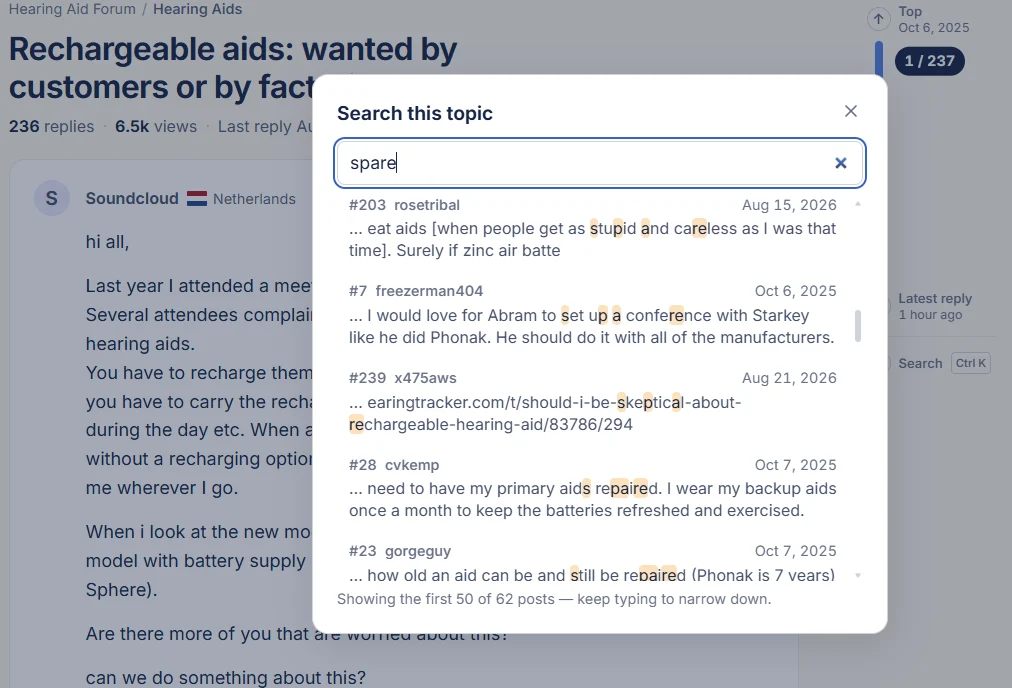
This search within a topic came up with a lot of fuzzy matches that are uselessly trivial and perhaps shouldn't be shown.
You’re ignoring this member’s posts.
I'm afraid you get some bad with the good with fuzzy search. I'll look at tuning it though to avoid going thaaaat fuzzy.
You’re ignoring this member’s posts.
Have we lost the ability to read only new threads?
The current home page (home tab) which reads "Latest activity" underneath basically shows the latest activity, but those items will be bold whether the whole thread is new OR whether there's any unread posts in the thread (you'll see the little blue circle with number inside to tell you how many unread posts).

If you click into a post and scroll the whole thing it should go greyed out.
I also added the "Last visit" line that some have asked for to show what's new (threads or threads with new posts)

But, I would really like to understand what is missing here so I can reinstate it. Are you looking for just new threads? Like, no interest in threads with new posts?
You’re ignoring this member’s posts.
Thanks for your reply. I’ve spent some time with it this afternoon and am becoming more comfortable.
When I would first open my bookmark in the morning it use to have a few tabs we could click on and one of those was “unread” post. Unless I was looking for something specific that was all I would click on. If an unread thread happened to catch my eye, I would then read it and it would disappear from that tab. The new software is different but hopefully just a slight learning curve needed on my part. Thank you again for providing this resource.
You’re ignoring this member’s posts.
Thank you @lgbuck62 for your willingness to give it a go. I am also working on adding a "New" tab which will show threads sorted by newness and they will grey out when clicked into, regardless of whether you read the whole thing. Hopefully that's what people have been missing!
You’re ignoring this member’s posts.
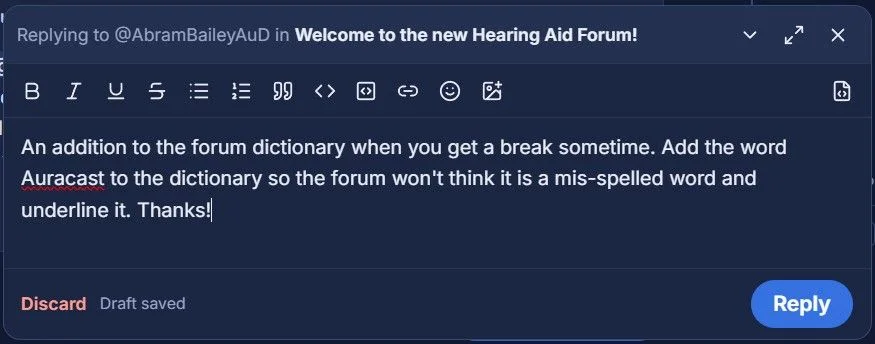
An addition to the forum dictionary when you get a break sometime. Add the word to the dictionary so the forum won't think it is a mis-spelled word and underline it. Thanks!
You’re ignoring this member’s posts.
I made a new nick name my mistake. Can you change my nick name back to
Ray11
Then I will be back onto my original sign.
You’re ignoring this member’s posts.
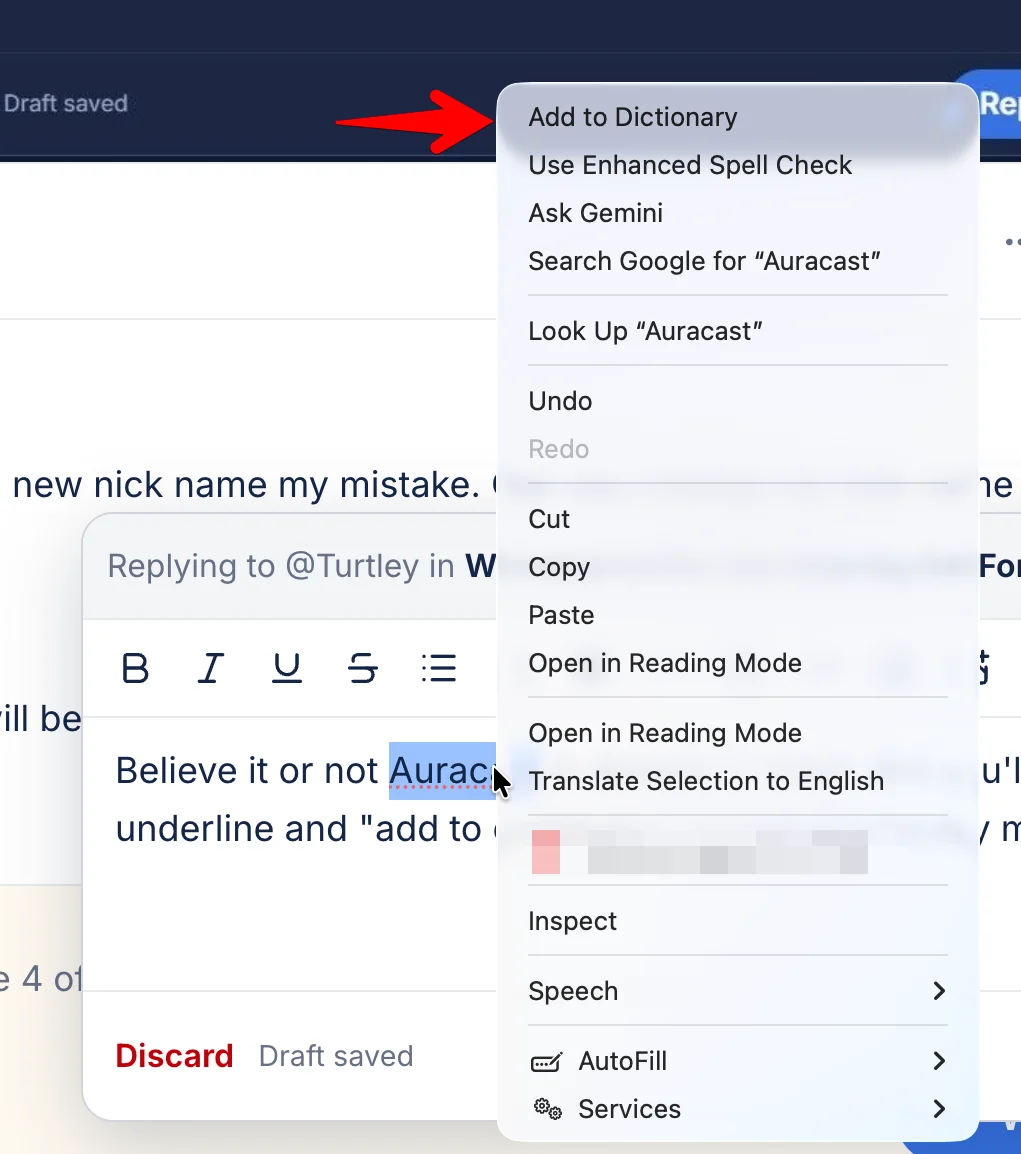
Believe it or not is already in there. But you'll need to right click that red underline and "add to dictionary" as that is a locally managed thing!
You’re ignoring this member’s posts.
You’re ignoring this member’s posts.
Ray it looks like you used gmail before and now you're using googlemail... Is it possible for you to login with your gmail? Then you will reclaim your old profile.
You’re ignoring this member’s posts.

they will grey out when clicked into, regardless of whether you read the whole thing.
On the old forum, if I read the new tab and just clicked out of a topic I read, it didn’t show up in unread, even when more posts were added to the topic. If I wanted to follow it, I had to change it to follow. Now, if someone adds posts to a topic i read and don’t care to read any more, it goes bold on the home list again, like the new ones. I don’t see how to differentiate. If people want to fight over some topic I feel is beat to death, that’s fine. But after the first 40 or so posts I may not care to see the same arguments presented over and over again that have been given for the last 5 years. I’d like to see topics I’ve not read before, and topics i decided to follow that have new posts. The guy that me-too’s a request for target doesn’t interest me. (Thanks for fielding all those, Tenkan!). I don’t know if this is very similar to what the other one or two have asked for exactly, but it is a bit like what I’m looking for. Thanks!
WH
You’re ignoring this member’s posts.
@WhiteHat Please try the New tab on the home page. I just added this. I think it will be the right option for you.
You’re ignoring this member’s posts.
This is good.
Now I’m having trouble where I read a topic (say an unread that I asked to track) and when I hit back it paints the same topic again instead of going back to the list of unread or new. And the count of unread doesn’t go down. Tried chrome, safari, DuckDuckGo, Firefox focus, etc. all same behavior.
WH
You’re ignoring this member’s posts.
On the new tab, read topics don’t disappear. And there are 349 pages or some such of older cruft I don’t wish to sort through again. How do I MAAR (mark all as read) and can they be made to go away, only showing truly new, like unread shows only unread tracked topics?
WH
You’re ignoring this member’s posts.
Now I’m having trouble where I read a topic (say an unread that I asked to track) and when I hit back it paints the same topic again instead of going back to the list of unread or new. And the count of unread doesn’t go down. Tried chrome, safari, DuckDuckGo, Firefox focus, etc. all same behavior.
Confused about this one. I cannot replicate in any browser.
You’re ignoring this member’s posts.
On the new tab, read topics don’t disappear. And there are 349 pages or some such of older cruft I don’t wish to sort through again. How do I MAAR (mark all as read) and can they be made to go away, only showing truly new, like unread shows only unread tracked topics?
I don't know that I agree with this direction. Curious what others think!
You’re ignoring this member’s posts.
Announcements9 replies
Hearing Aids6 replies
Hearing Aids10 replies
Fitting Software Requests1.1k replies
Fitting Software Requests512 replies
 Wales, UK
 Alabama