 Rural New England
You’re ignoring this member’s posts.
Welcome to the new Hearing Aid Forum!
This topic is closed.
204 replies5.7k viewsLast reply

Am I the only one? I reset my iPad and tried the browsers again, same experience. Very frustrating. I can go up to my avatar and hit 7 read again and sort through them, but they weren’t going down in count. They have now, but I forget what I did to do that. Still get the back button repainting the topic though.
WH
You’re ignoring this member’s posts.
You’re ignoring this member’s posts.

 Auckland, New Zealand
Actually a video would be helpful if you can. I tried clicking from all the tabs on the home page, but didn't see the issue. So, that tells me I don't understand the issue.
Edit: Except "Unread" because I don't have any in there...
P.S. fixing that nursing one. It's a leftover from before I fixed my moderation deletion.
You’re ignoring this member’s posts.
I don’t see how to add the screen recording video. I see pics I could add, but not videos
PM me address to email it?
WH
You’re ignoring this member’s posts.
You’re ignoring this member’s posts.
OK, if it's just a problem with unread that's helpful because it tells me I haven't seen the problem yet due to having no unreads in my inbox. I will look into it!
You’re ignoring this member’s posts.
Good news WH, I found the issue, it was specifically related to Unread. Working on a fix.
Edit: Try it again when you get a chance. I don't have any Unread so can't check, but it should be working now.
You’re ignoring this member’s posts.
Granted the old forum didn't have a "Mark forums read" on topics I can't answer or un-interested in reading. I'm in a couple forums that do have this feature. It would be nice to have this feature here. However, @AbramBaileyAuD may be limited by the forum software what he can and can't do.


It looks like the forum software doesn't have this option available.
You’re ignoring this member’s posts.
 Poland
Yes, because it is quicker to move the slider compared to scrolling. There are also no options from the old forum, when options such as "watching", "bookmark" were at the very end and I have to endlessly sliding to set topic as e. g. "watching".
You’re ignoring this member’s posts.

So, that was just me working out where to click I guess. I was trying to just tap on the whole message like before and instead I just have to tap something at the top.
Do I have the option to toggle off the provider tag? Or can I have something more fun? Like "Batman".
You’re ignoring this member’s posts.

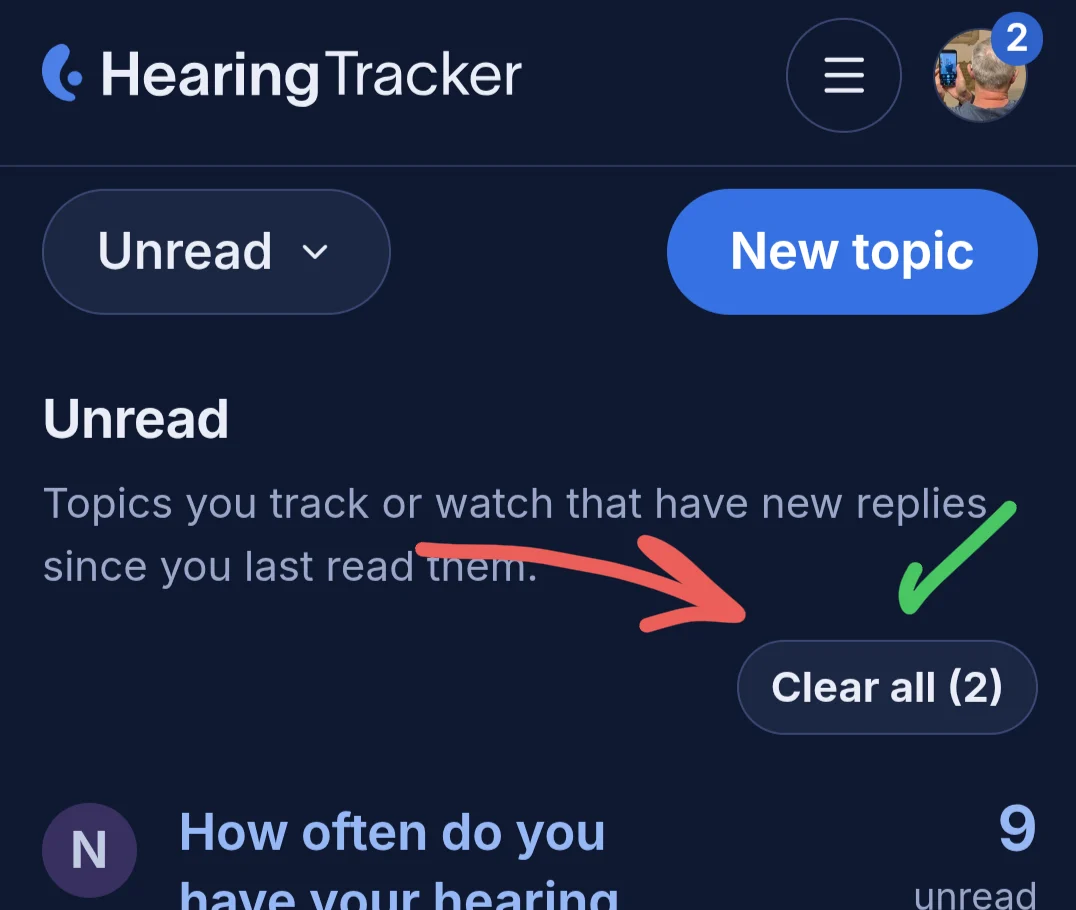
Thanks for the reply @AbramBaileyAuD , but that's not exactly the use case I mean. On the Unread tab, yes, I see the way to dismiss posts here, but this tab seems to contain responses to threads I've participated in, which is a fraction of all the threads. I generally read these because I've participated. Here the clear all button is not very useful. I don't generally want to dismiss these.
Meanwhile, forum members also create new threads and have other conversations in threads that I'm less interested in. This is on the New tab. My use case here is to browse the headlines to see if there's something I'm interested in. If so, I'll dive in, and sometimes participate. If not, the old forum had a way to dismiss these as well. So rather than having 500 pages of stuff to wade through, there might be four or five posts since my last visit.
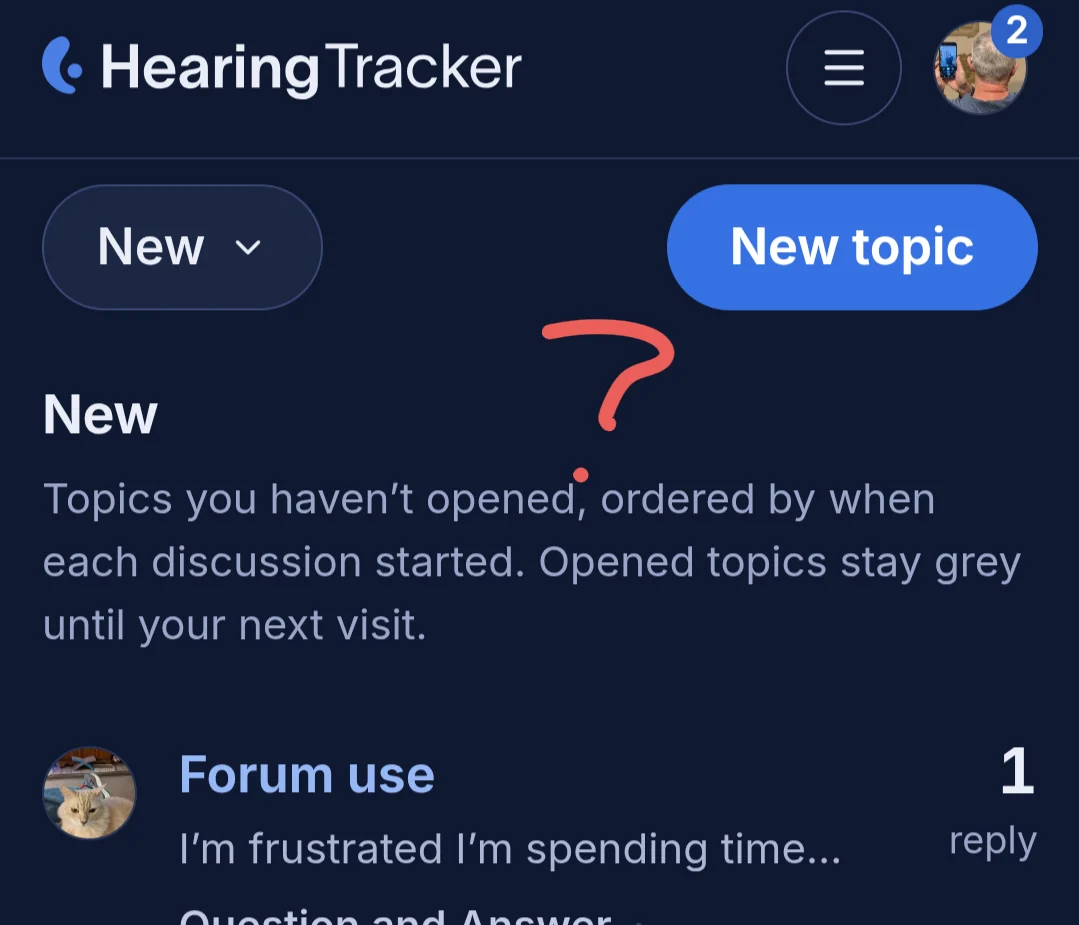
So my ask is: bring back the clear all button on the New tab to enable efficient review of forum content.
You’re ignoring this member’s posts.
I think this is the same point I'm trying to make. The old forum has a way to easily dismiss new threads. It was super efficient. Browse the headlines, read the threads the pique your interest. Then dismiss everything else. Come back a few hours later, and maybe you have 4 or 5 new updates.
Now there are hundreds of new topics. Need a way to dismiss these because nobody wants to wade through all that.

You’re ignoring this member’s posts.
@AbramBaileyAuD , thanks for keeping these discussions going, I know it must be a bit overwhelming to launch a new site.
I remember on the old site there was a way to set the default tab. The new site seems to default to the Latest tab with no way to change it. Please restore the setting for the user to pick their default tab.
User journey:
Previously I had set my default tab to the New tab. Combined with a way to dismiss new stuff from the New tab, it was a very efficient way to catch up on the forum.
My use case:
Visit the forum (defaults to New tab). Review the four of five New updates by scanning the headlines. Dive into the topics that interest me. Participate if desired. Return to the New tab by tapping HearingTracker. When the only remaining headlines are stuff I'm not interested in, tap dismiss all new. List becomes empty.
Check Unread for anything I might have missed.
Voilà! I'm all caught up.
Now I find myself on the Latest tab with no way to set the default (that I've found) and no way to dismiss New.
These aspects of the new forum make it much harder to participate.
You’re ignoring this member’s posts.
You’re ignoring this member’s posts.
You’re ignoring this member’s posts.
You’re ignoring this member’s posts.
You’re ignoring this member’s posts.
I'm fixing the own-post unread issue...
Also, let me know if these changes sound right (these are changes I have made on my own computer, but haven't pushed the changes to the live site yet):
Following
- A new Following tab brings together recent activity from topics, categories, and tags you Track or Watch.
- Read topics remain in Following, making it a persistent list rather than another unread inbox.
- Topics are ordered by their most recent activity.
- Muted topics and broader muted category/tag choices are respected; directly following a topic keeps it included.
- Starting a topic or replying now automatically sets it to Tracking, unless you already chose Muted, Tracking, or Watching. Your own post is treated as read.
- Tracking and Watching descriptions now clearly explain that they add discussions to Following.
New topics and catching up
- New is now a clearing queue containing discussions you haven’t opened, ordered by when they were created.
- Once you open a topic and return to New, it leaves the queue immediately instead of remaining dimmed until a later visit.
- A last-visit divider still separates genuinely recent topics from the older backlog.
- A new Dismiss all new control clears the entire queue after confirmation.
- Dismissing New topics does not mark them read, change notifications, affect Unread, or manufacture reading activity.
- Topics created after a bulk dismissal appear normally.
- The empty state now says when you’re fully caught up.
Choose your forum home
- Under Settings → Home page, members can choose either Latest activity or New topics as their default forum view.
- This choice controls where a normal forum visit or a click on the HearingTracker logo takes you.
- Choosing Latest explicitly always stays on Latest, including while paging through results.
- Existing members and guests continue to default to Latest.
- The preference is restored when you sign in and cleared from the browser when you log out, so another user on the same device does not inherit it.
Resume where you stopped
- Topic-list links now take signed-in members to the oldest unread post when replies are waiting.
- If you’re caught up, reopening a topic resumes at your last readable position instead of starting from the beginning.
- Removed, hidden, and staff-only posts are excluded when choosing that destination.
- Tag pages now use the same seen/unread styling and resume behavior as the main topic lists.
Navigation and wording
- The desktop tabs and mobile topic-view menu now contain six choices: Latest, New, Following, Unread, Top, and Bookmarks.
- Guests who select Following receive a tailored sign-in explanation.
- Explanations for Latest, New, Unread, Top, and Bookmarks have been rewritten more clearly.
- Bookmarks now explicitly notes that bookmarks carried over from the old forum are included.
You’re ignoring this member’s posts.
You’re ignoring this member’s posts.
Related discussions
Announcements9 replies
Hearing Aids6 replies
Hearing Aids10 replies
Fitting Software Requests1.1k replies
Hearing Aids103 replies