Anyone know if you can have patience base installed on deck pc and a laptop?
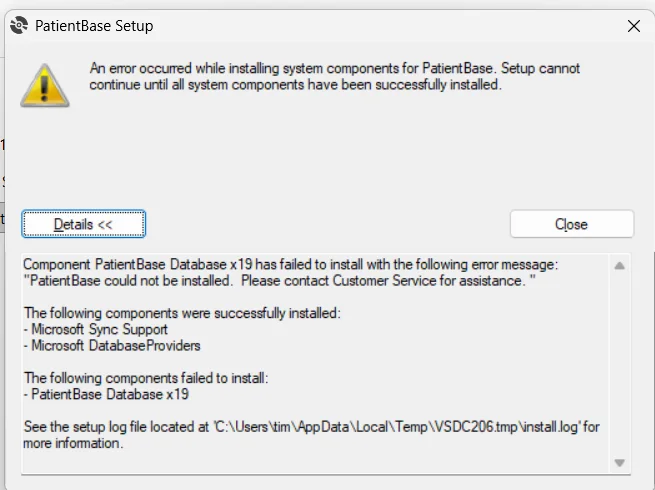
I’m having trouble opening PB after installation on the laptop. Successful install on desk pc. Error says local database is not available after signup.
Hi there, patient base install is required to use profit software and it's all windows based, so what version of windows are you using on the laptop, are you using the Starkey server for download of patient base? Remove everything and restart your laptop and try installing again, patient base install first and then the software.
I've tried reinstalling a couple of times. Deleting all setup folders I could find that were related to Starkey, profit and patient database. Yes I even you the starkey server instead of the link you sent, no help. Just got the laptop that is windows 11. I've just now restored windows back to before I started with the installations to see if that does the trick.
Thanks. Do you know if windows defender needs to be turned off for PB installation? To make it worse, once the install gets to this error it has installed files that PB needs to operate but I don’t know what they are to delete them. When I run it the install the second time, it starts with the PB installation and not the necessary files. If I continue with the install and finish, PB says can’t find the database.
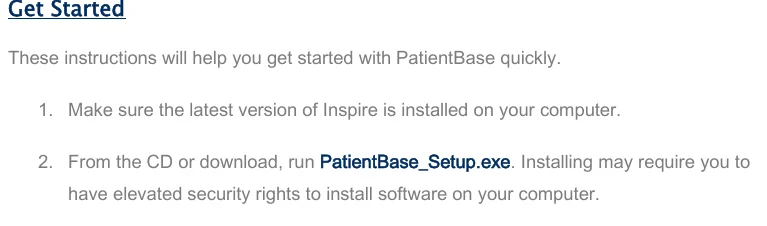
Are you saying you haven't installed Profit or Inspire software on your laptop? as obviously patient base will only work with the software installed not on its own.
Patient base works with Profit or Inspire X.
And yes definitely turn off any antivirus protection, this is the recommended procedure from the manufacturers.
Okay, but that hasn't been the case for others you went straight into profit, but why not give it a go, both are available for you to try, should be interesting, maybe some kind of SQL or .NET Framework issue
Google Ai saved the day. Ended up being win 11/ssd hard drive conflict.
I’ll post it here in case anyone else runs into same problem and find this thread through search.
From Google:
The log file error -2061893606 indicates a specific conflict between Windows 11 and modern storage performance features. [1, 2]
Windows 11 natively handles disk storage sectors differently (often presenting a misaligned 32KB sector size). When the Starkey PatientBase installer attempts to configure its internal Microsoft SQL Server Database Engine, SQL Server fails to initialize on the drive and times out with the description: "Wait on the Database Engine recovery handle failed."[1, 2, 3]
Because modern Lenovo laptops use high-speed NVMe SSDs that experience this sector size mismatch, you must force Windows 11 to emulate standard sector configurations to let the installation complete
Because modern Lenovo laptops use high-speed NVMe SSDs that experience this sector size mismatch, you must force Windows 11 to emulate standard sector configurations to let the installation complete
Step 1: Force Windows 11 Disk Sector Emulation
You can resolve this misaligned reads issue by introducing a registry override via PowerShell. [1, 2]
Click your Windows Start menu, type PowerShell, right-click Windows PowerShell, and select Run as Administrator.
Copy and paste the following command exactly as shown, then press Enter:powershell

 TN
TN