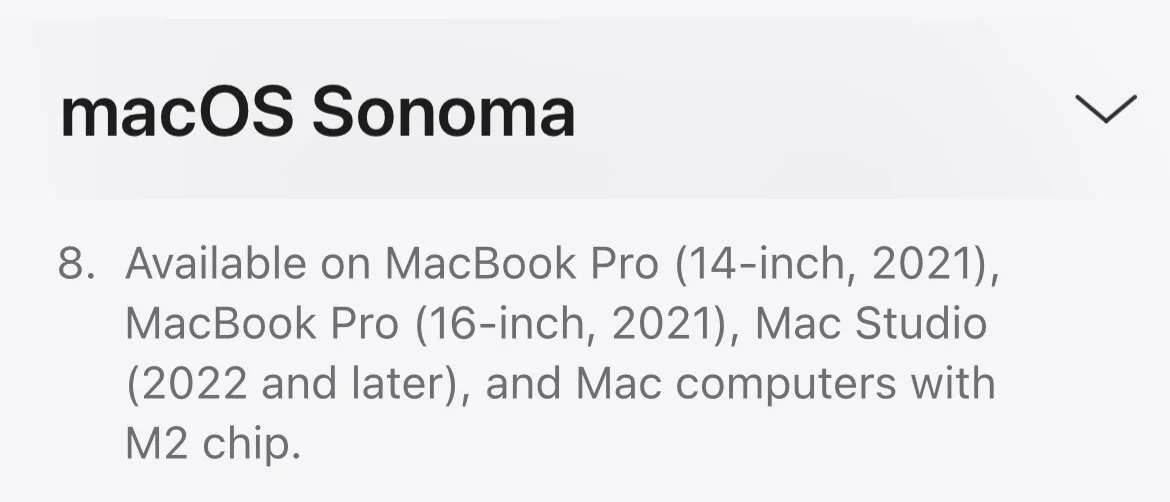
Be careful - iMac have M1 processor, it will not work with hearing aids. Only Mac mini with M2 and above.
You’re ignoring this member’s posts.
225 replies13.1k viewsLast reply
Be careful - iMac have M1 processor, it will not work with hearing aids. Only Mac mini with M2 and above.
You’re ignoring this member’s posts.
Thanks for the clarification - I will go with a Mac Studio.
But there is also temporary workaround. I have an M2 laptop which works well with Sonoma. My desktop computer is 2019 Intel-based Mac Pro. While the Intel Mac Pro does not support hearing aids, I can use Airplay to route audio from the desktop Mac Pro to the laptop… Since the laptop audio goes to the hearing aids, the result is that my Intel Mac Pro now works with my hearing aids.
You’re ignoring this member’s posts.
You’re ignoring this member’s posts.
Totally agree- that’s a temporary solution and I plan to repurpose that computer for other things.
What is an intermediate streamer?
You’re ignoring this member’s posts.
For example it is an Oticon TV adapter, or Oticon EduMic, or Oticon Connectclip (I use Oticon hearing aids). These accessories receive sound, convert it to Oticon wireless standard, and send it directly to hearing aids. It doesn’t matter how old or new the computer is - streamers are suitable for almost everything.
You’re ignoring this member’s posts.
You’re ignoring this member’s posts.
You’re ignoring this member’s posts.
You’re ignoring this member’s posts.
You’re ignoring this member’s posts.
You’re ignoring this member’s posts.
You’re ignoring this member’s posts.
Mac - only M1 Pro and higher. Hearing aids - only with bidirectional communication. Hearing aid user - only with fat wallet.
You’re ignoring this member’s posts.
I’m just wondering. Is there anyone here who can unlock the Hearing Devices feature on Intel Mac? Perhaps editing kext files? It’s a shame that Apple is unceremoniously throwing us overboard. So we can take matters into our own hands.
You’re ignoring this member’s posts.
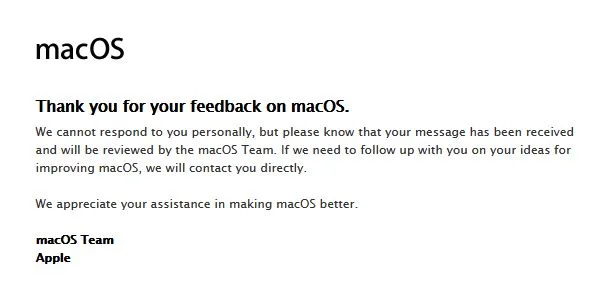
If you’re as pissed off with Apple as I am for not supporting the same hearing aids on macOS that they do on iPhone/iPad please send them a product feedback form.
There’s really no reason why they can’t support hearing aids that don’t have bidirectional streaming. They work on iPhone and iPad so to have the Mac support a subset of devices is just ridiculous.
Send your feedback to Feedback - macOS - Apple9
and select the accessibility category.
If enough people feedback they might do something about it. Thanks
You’re ignoring this member’s posts.
I too was always surprised that the Mac didn’t support hearing aids! Even the iPhone 4 could do this - but the Mac supposedly can do it only with an M2 processor! This is a ridiculous excuse.
You’re ignoring this member’s posts.
You’re ignoring this member’s posts.
I too was always surprised that the Mac didn’t support hearing aids! Even the iPhone 4 could do this - but the Mac supposedly can do it only with an M2 processor! This is a ridiculous excuse.
No, it can’t, m2 also doesn’t support hearing aids with
You’re ignoring this member’s posts.
You’re ignoring this member’s posts.

No, it can’t, m2 also doesn’t support hearing aids with MFi
wrong, it actually does,
You’re ignoring this member’s posts.
That’s interesting because my cochlear nucleus 8 and my hearing aid resound Enzo Q can’t connect with Mac mini m2 or my MacBook M1 Pro 14  however connect with my iPhone works perfect via mfi
You’re ignoring this member’s posts.
Log in to reply to this topic.
Social7 replies
Hearing Aids17 replies
Manufacturer Support3 replies
Uncategorized35 replies
Uncategorized6 replies