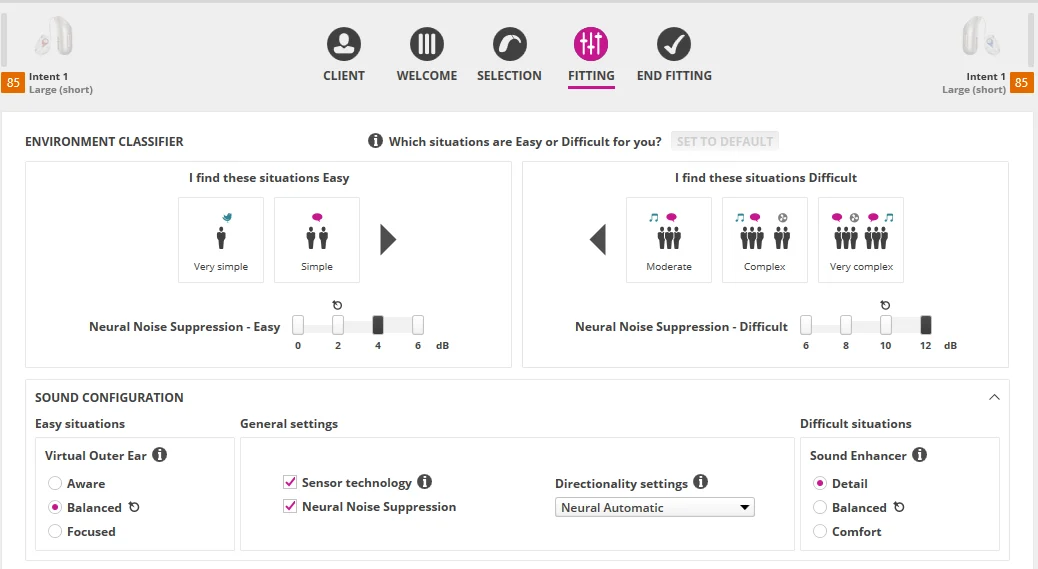
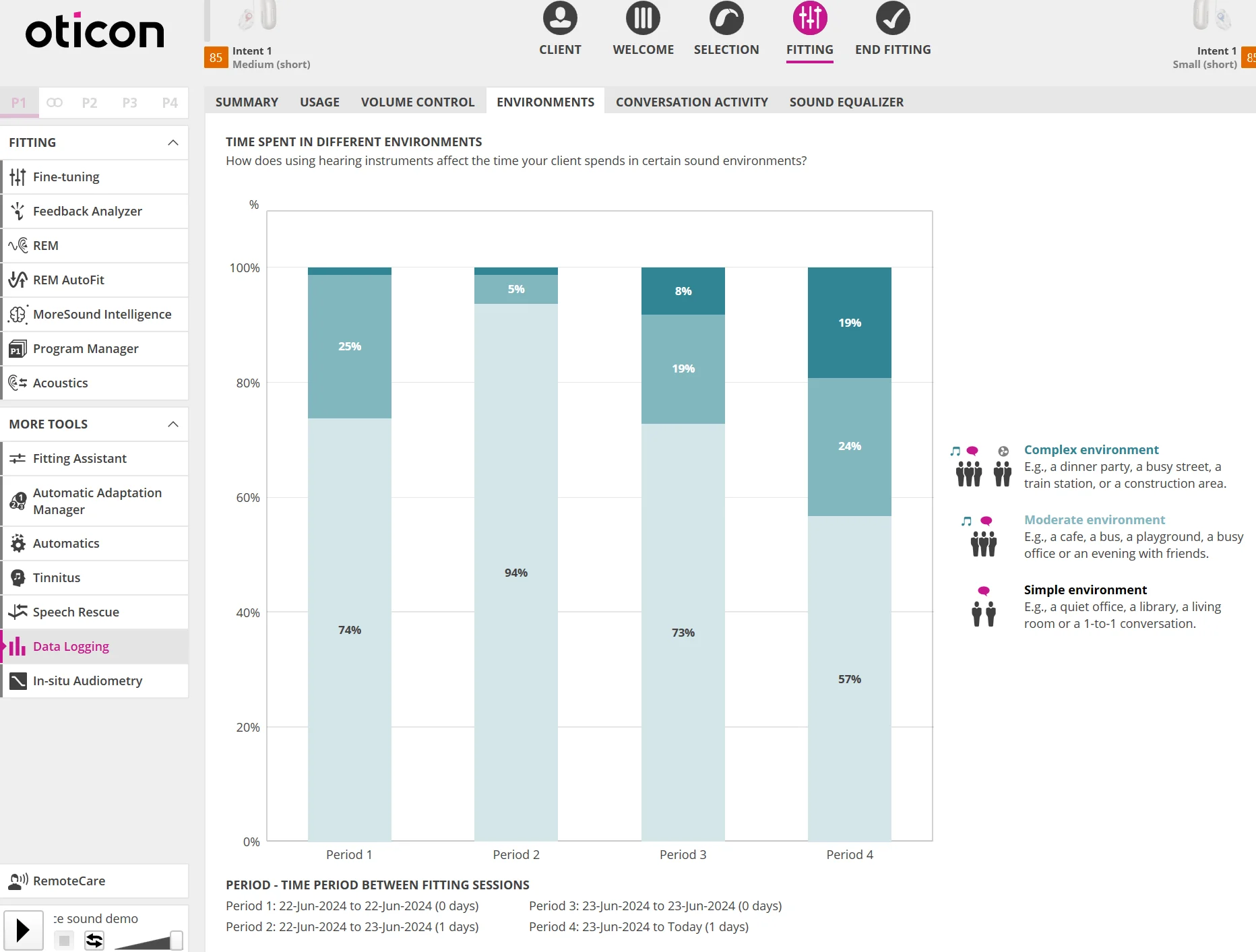
I have been also wondering how Oticon classifies something like road noise in a car which is my biggest challenge. I suspect that is classified as “simple” since they have a picture of a fan in the screen if I remember correctly. If that was classified as “difficult ” then I would dial back on the simple noise reduction to see. I plan to experiment on this. Do you know if Oticon has published examples of the noise classification?
I also expect that having maxed out these noise reduction values probably render the Speech Booster benefit less noticeable since I don’t perceive a change in sound when I turn this on.
Oticon has been confusing in explaining on various occasions what their MoreSound Booster does. But the principal idea is that they would apply Full Directional for frontal beam forming, and most likely also max out on their max NNS value for Difficult. So yeah, that’s probably why you don’t notice a big difference with it ON if your default program already has the highest max NNS set just the same way. Although your default program is set to Neural Automatic instead of Full Directional, if it were smart enough in Neural Automatic, it should switch to Full Directional just the same when you need it to do so, so that’s also consistent with why you don’t notice much difference between the 2 in the first place.
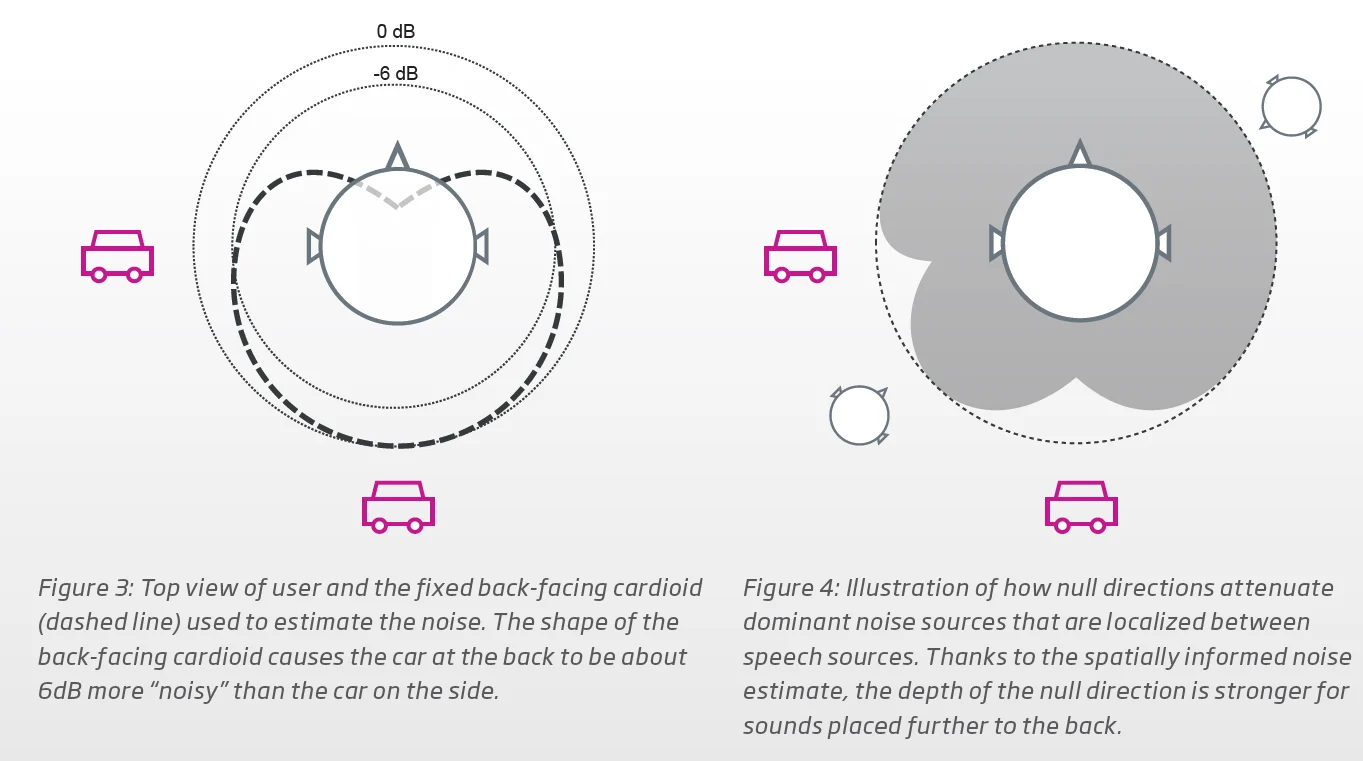
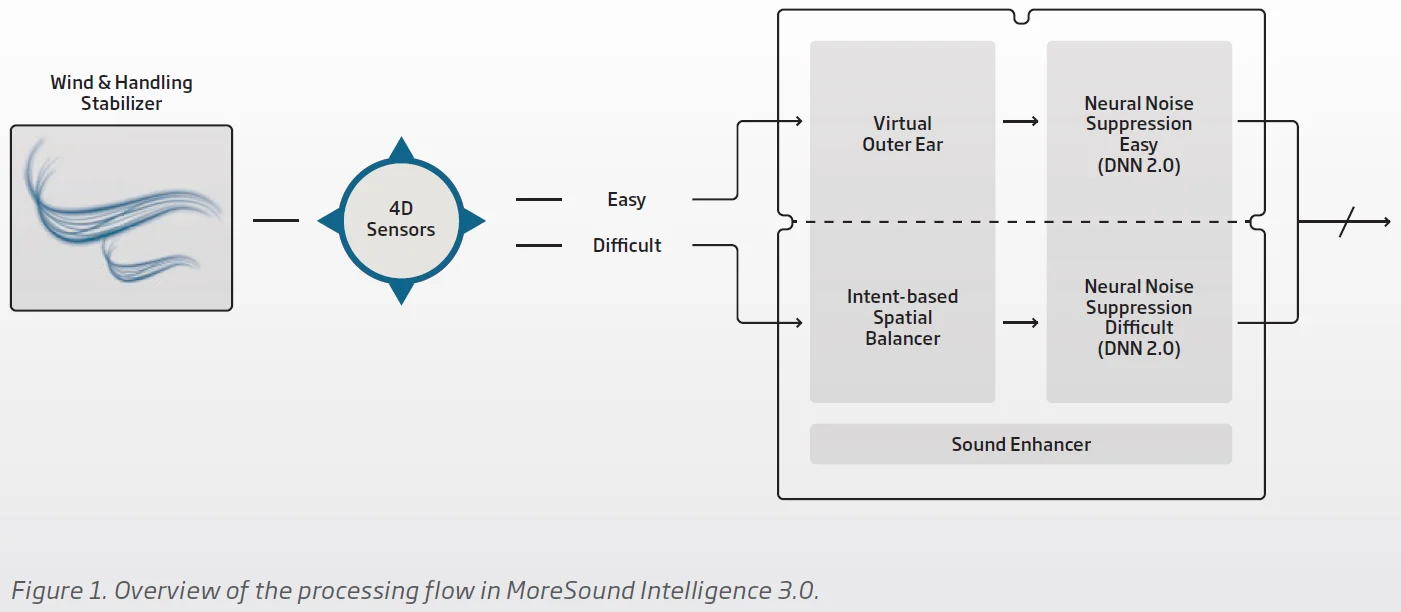
As for the topic of how the Oticon aids treat road noise, they use a beam forming method called MVDR (Minimum Variance Distortion-less Response) to treat dominant noise sources like road noise in what they call the Intent-based Spatial Balancer module before the treated signal is fed into the NNS module. See figure 3 and 4 below with its explanation, and the second screenshot to see where the Intent-based Spatial Balancer is located in the MSI 3.0.
So it definitely is only treated in the Difficult section. You can dial back the max NNS in the Easy/Simple section to see if it helps with anything else when you’re not in the road noise scenario.
The way Oticon classifies the 5 different environment classifications is by using a noise estimator. If there is car noise around you, you wouldn’t be in Very Simple or Simple in the first place. It would most likely have to be Moderate at least. So unless you specify Moderate in your Easy grouping, the car noise would be treated in the Spatial Balancer. Otherwise, it wouldn’t be treated and attenuated at all by the Virtual Outer Ear if you had classified Moderate in the Easy group.
The VOE is only about shaping the response of the sounds to mimic how they would be shaped by your real ears (3 different types of ear). If there were any kind of natural sound attenuation at all, you can make pretend like you have the kind of ears that would block out the car sounds because its pinna shape would give it the most front focus (hence the Focus value) → probably the ear pinna shape that tends to stick out the most when looking from in front of the face. If the car sound is coming from in front of you, however, this would make it worse and not help. The Aware value would mimic the most omnidirectional type of ears, which I guess would be the kind of ear pinna that hugs very close to the head and doesn’t stick out when looking from in front of the face.

 Hot Springs Village, Arkansas




 Canada (Toronto) YYZ