From a recent ™ deployment at an Australian university: the FMA120 is running in the largest lecture theatre (over 540 seats) and works with Cisco Desk, Room Bar/Room Bar Pro, and Cisco Codec EQ/Codec Pro—so for a similar setup, you can confidently choose the FMA120.
Thanks @d_Wooluf for pointing this out to Phil — much appreciated. We’re still in the process of checking with the university for permission to use the theatre photo in marketing materials.
In the meantime, the key takeaway is that many existing Cisco Meeting System setups can be upgraded for with just a low-cost device like the FMA120.
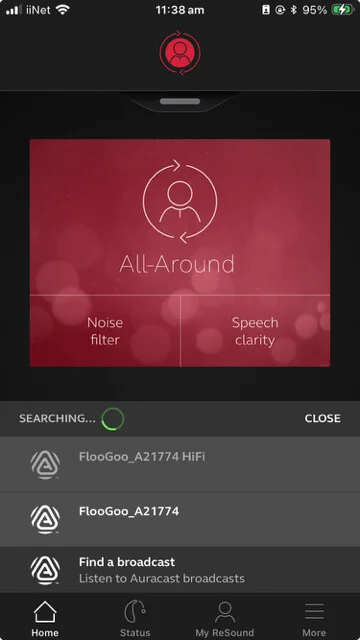
The Starkey Edge has received a new firmware update (version 10.2.0), which now enables ultra-low latency — around 35.5 ms in Gaming Mode when used with the FMA120.
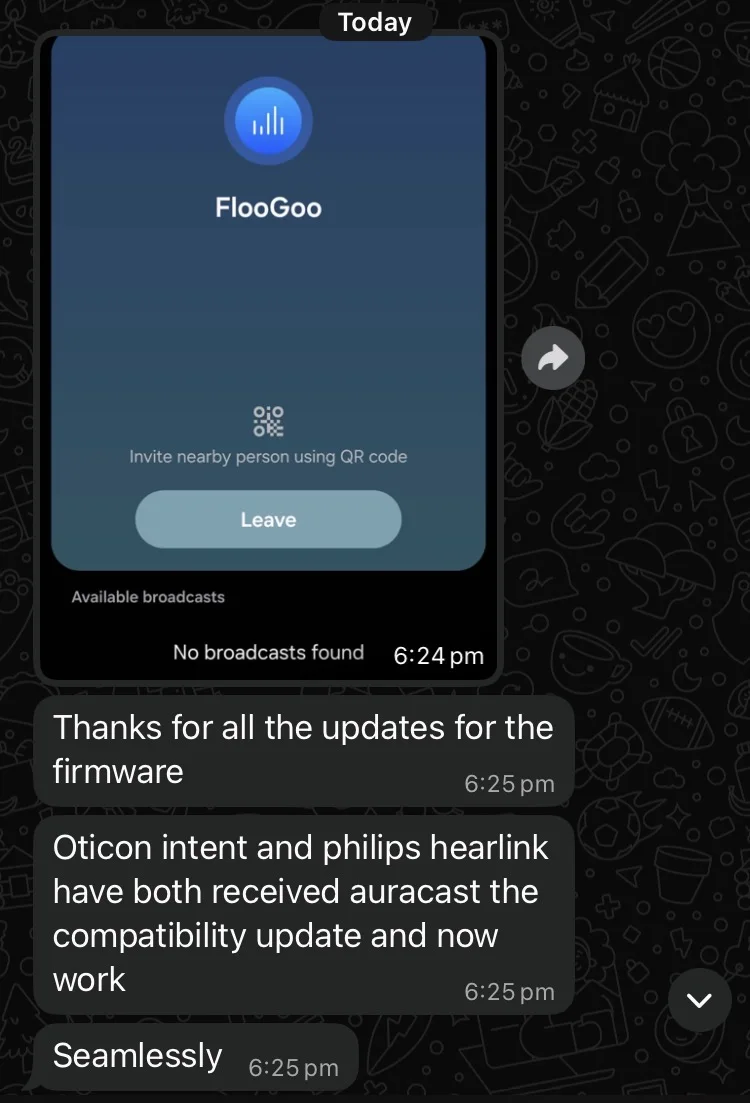
The aids need to be updated at the audiologist. As of about two days ago Costco fitters didn’t know about the update (I got an email from mine). The app allows the user to find and take broadcasts if that functionality isn’t already built into the phone.
Is there some trick to using the FMA120 dongle with Bluetooth Classic devices? I tried High Quality with Prefer disabled and I am not able to pair a Phonak Virto R or classic headphone. I placed the pairing item next to the the FMA120 which fast blinks in pairing mode but does not pair. Bluetooth is disabled on nearby devices. FW is 1.1.5.
Please send an email to support@flairmesh.com and we’ll send you a firmware version that can log the pairing procedure. That will help us work out what’s happening with these special models.
I’d like to share that we have recently released an evaluation firmware5 for the FMA120/FMA121 that supports simultaneous broadcasting of three languages.
It was designed for public address system vendors, but we’ve also made it publicly available to the hearing-aids community.
So if you visit a public venue offering channels in three languages in 2026, there’s a good chance you’re listening via a FlooGoo transmitter.
This is likely the world’s first single-transmitter solution for multi-language Auracast. Since language tags are just metadata, the same setup can also be used as a three-channel broadcaster for other applications.
My FlooCast Windows app reports my firmware as 1.1.6, but the website doesn’t show that version available. Do I have a one-off version that was used when we were figuring out how to setup the Resound Vivia9 ’s I use? Should I revert to 1.1.5?
The app shows two different version numbers. 1.1.6 is the version of the app itself, while the version starting with “Firmware” refers to the software running on the adapter. 1.1.5 is currently the latest firmware version.
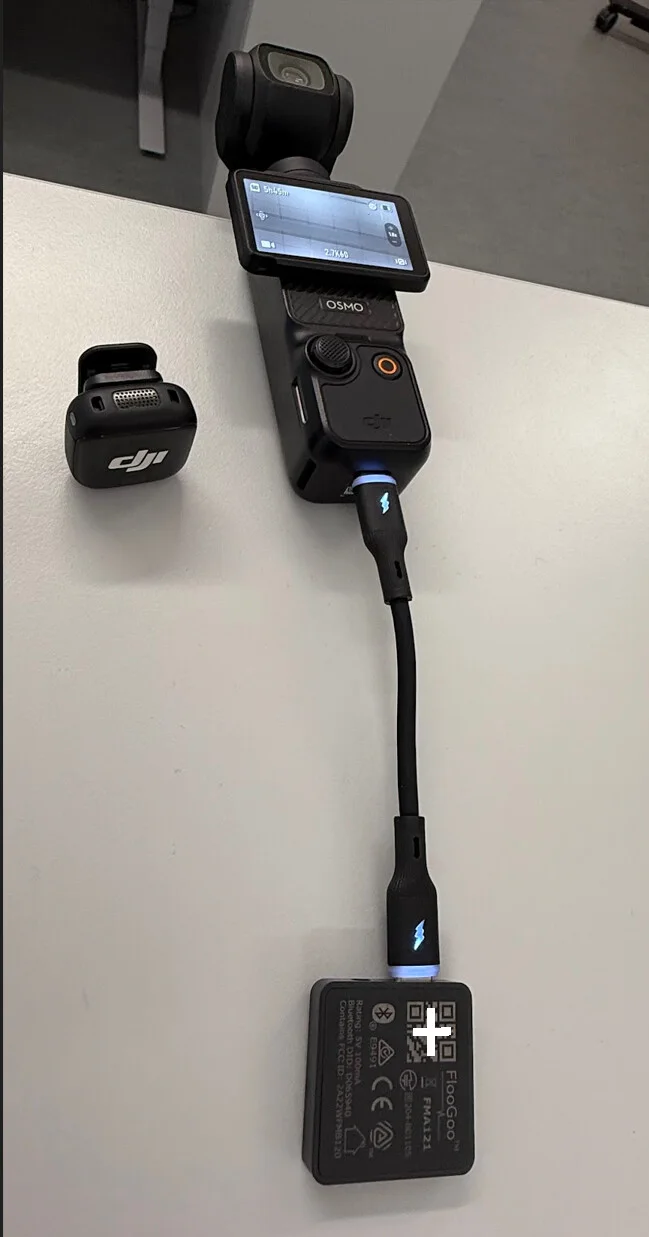
I’d like to share a use case for vloggers working with a team. Team members can monitor the camera’s live audio in real time using -enabled headphones or hearing aids.
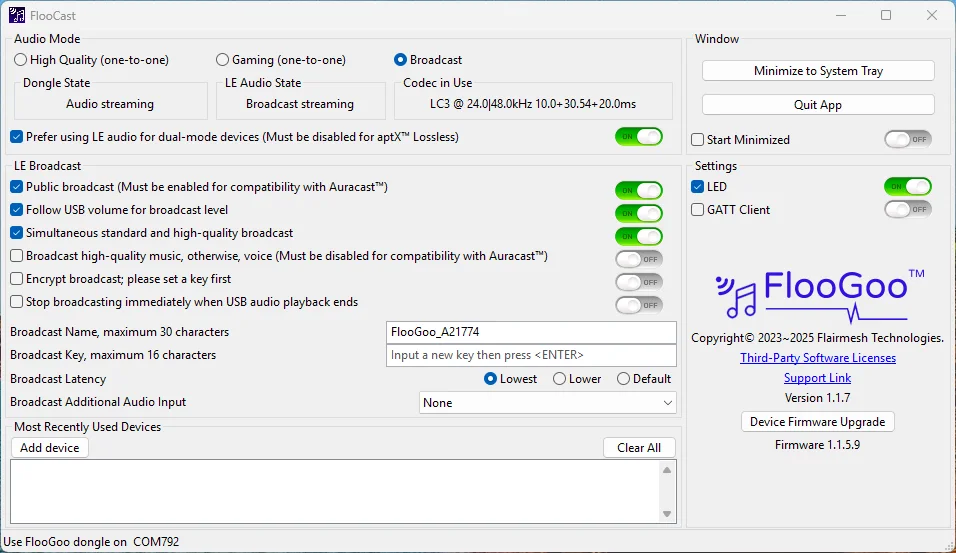
Here’s a photo showing the FMA121 transmitting live audio from a vlogging camera (DJI Pocket 3). For this type of application, please set the latency option to “Lowest” in the FlooCast app.
Note: The USB-C cable shown comes with the FMA121.
I’d like to share that we’ve released a new firmware, v1.1.5.93, which enables simultaneous broadcasting in standard quality (for hearing aids) and high quality (for headphones, earbuds, and speakers that support a 48 kHz sample rate). This addresses a common concern among public venue operators, allowing them to support different user groups with a single device.
Please note that you’ll also need to update the FlooCast app to access the new settings for enabling or disabling this feature. We’ve also added a volume control option, allowing the broadcast volume to follow the system volume control.
@Ranson Is there a way to save the encrypted broadcast password so I don’t have to enter it on my iPhone every time? (edit: FlooGoo FMA121, Intent 1, and iPhone 14 Pro Max).
Hi @e1405 , the password is intended to be remembered by the Oticon app, similar to how a Wi-Fi password is stored in system settings. I discussed this same issue in 2025 with a principal engineer at GN, specifically why their Smart 3D app does not support password persistence. The reason they gave is that this design choice is made to maintain a higher level of security.
I can understand this approach, especially since hearing aid apps may be associated with personal medical information. Hopefully, the vendors will find a suitable way to support this functionality in the future.
In the meantime, as you may already know, we also provide an add-on solution using another FMA120/FMA121 as an receiver connected to a phone. This works with almost all hearing aids, regardless of whether they natively support Auracast. We also offer the FlooCast mobile app, which does not collect any personal data—it’s simply a lightweight tool to discover and connect to nearby broadcasts. With this approach, you only need to enter the password once for an encrypted broadcast.
First, I’d like to thank @d_Wooluf for introducing our FMA120 as an Auracast and LE Audio transmitter last year. Without that introduction, we might never have discovered this wonderful place to connect directly with our customers.
Since we launched the FlooGoo FMA120 in November 2023 on Amazon, we’ve received tremendous feedback from early adopters of LE Audio and Auracast, especially from the hearing aid community. As with any new technology, Auracast faces some compatibility challenges, an…



 Reading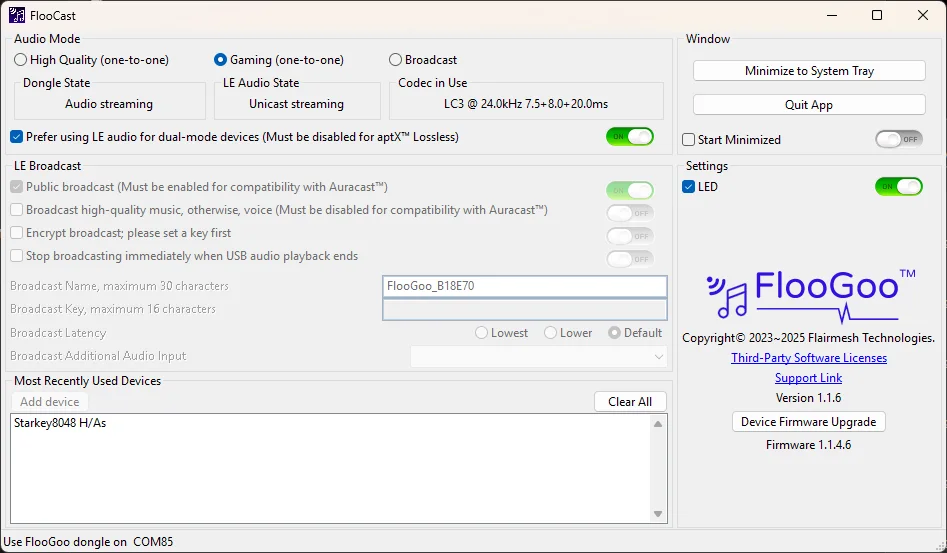
 Maashees